What Is the APPI and Who Does It Apply To?
Japan's Act on the Protection of Personal Information (APPI) is the country's primary data privacy law. It governs how businesses collect, store, use, and share the personal information of people in Japan. The most recent major amendment came into force on April 1, 2022, introducing stricter obligations around consent, data subject rights, cross-border transfers, and security.
The APPI applies to any business that handles the personal information of Japanese residents, regardless of where that business is based. If your Shopify store has customers or visitors in Japan, you are in scope.
Non-compliance can result in corrective orders, reputational damage, and under proposed 2026 amendments - direct administrative fines. Here are the key steps to bring your store into compliance.
Step 1: Display a Cookie Consent Banner for Japanese Visitors
APPI Articles 17 & 18 — Purpose Specification and Notification
The APPI requires businesses to notify users about how their personal information is being used before it is collected. For Shopify stores, this means displaying a consent mechanism when visitors arrive, covering the cookies, pixels, and tracking scripts your store uses for analytics, advertising, and personalization.
The consent experience must be clear, accessible, and appropriate to the legal framework in Japan. Unlike GDPR's strict opt-in model, APPI allows for implied consent in some contexts, but you still need to make the notice visible and easy to act on.
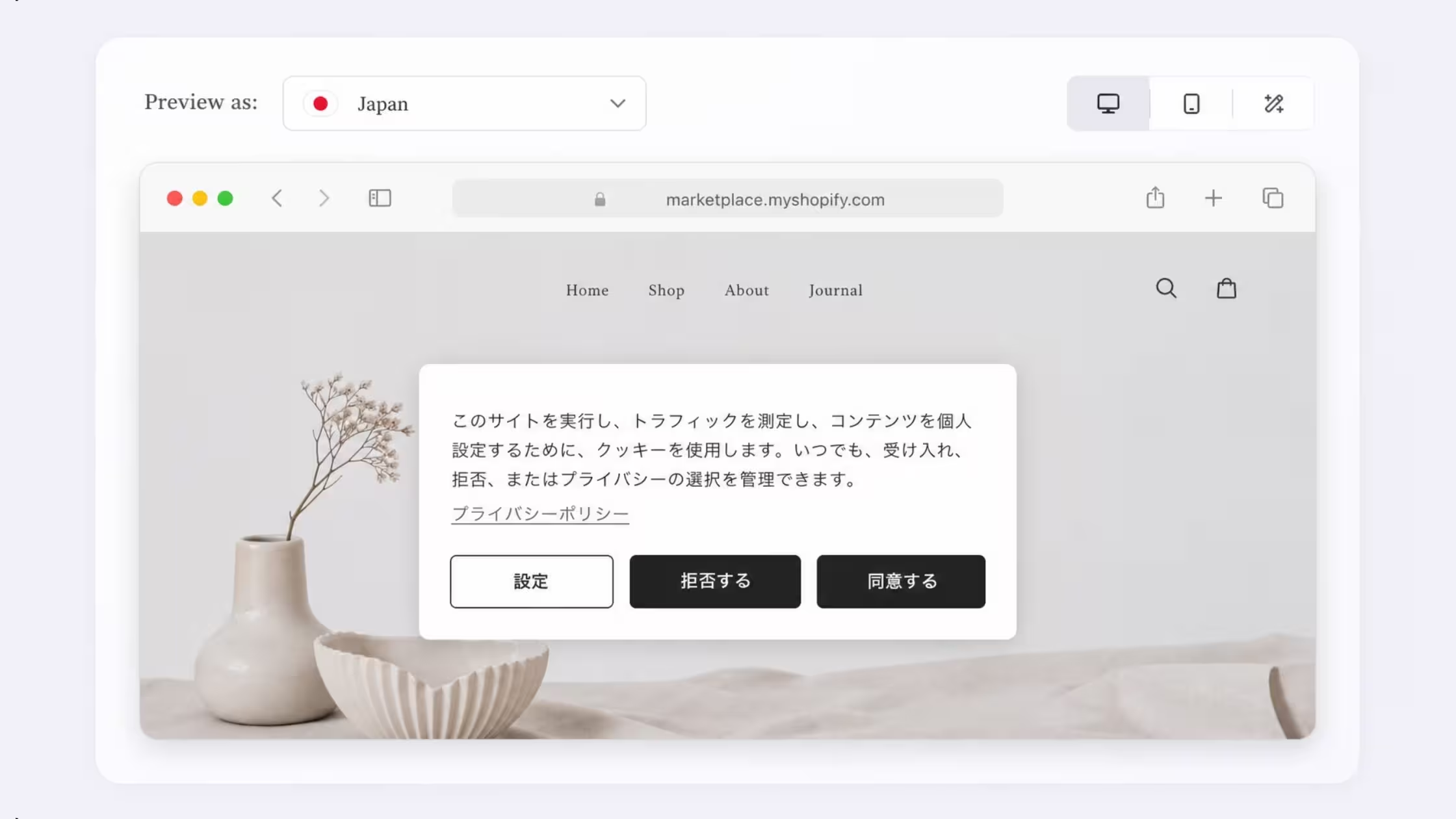
Consentmo's Smart Geotargeting automatically detects when a visitor is coming from Japan and serves them an APPI-appropriate consent banner. The banner is fully customizable to match your store's branding and adapts its behavior based on the visitor's location, so Japanese users see the right experience without any manual configuration on your part.
Step 2: Publish an APPI Compliance Page
APPI Articles 27, 32 & 33 — Disclosure, Correction, and Suspension of Use
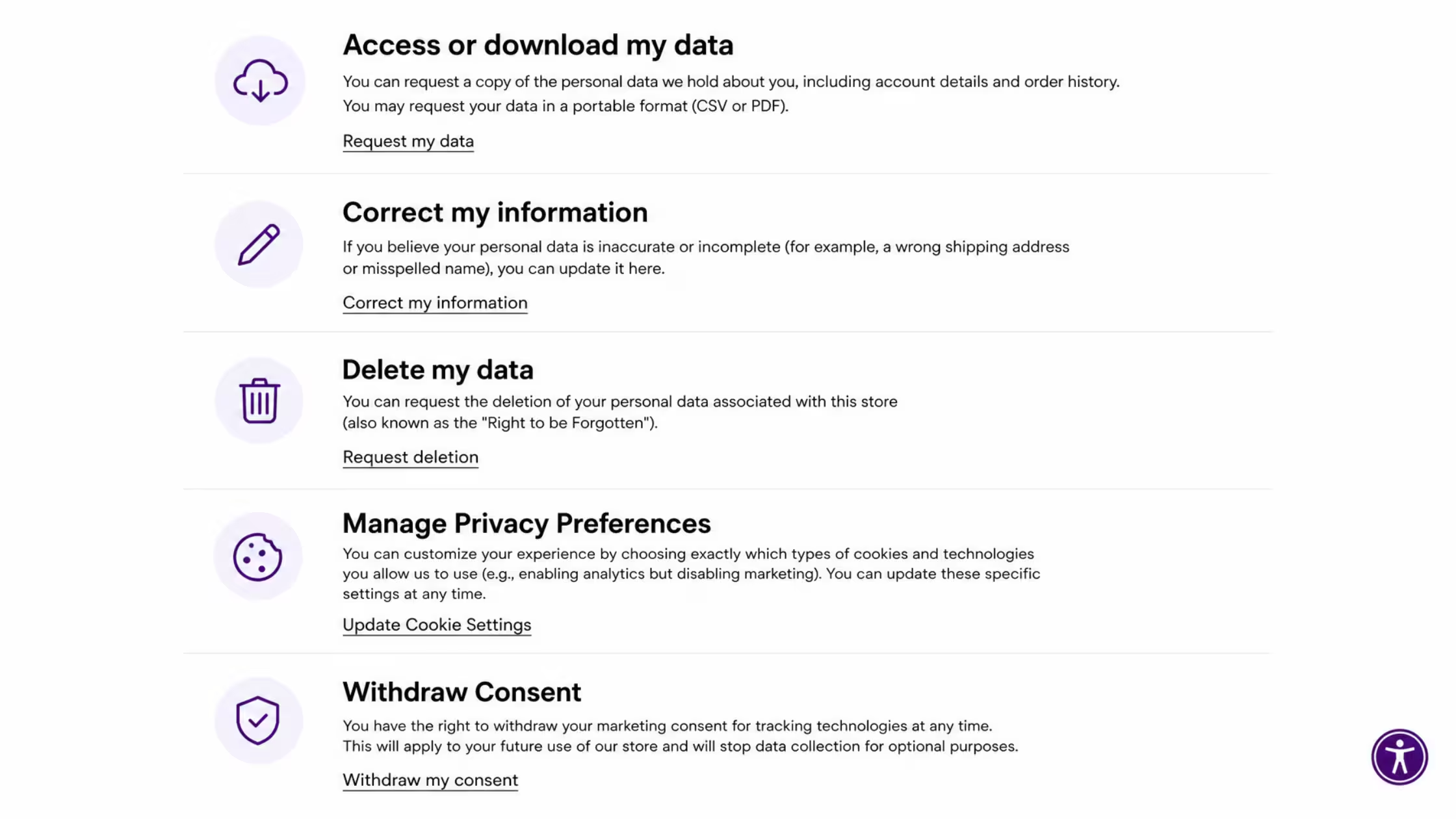
Under the APPI, businesses must provide data subjects with a way to exercise their rights. This includes the right to request disclosure of their personal information, the right to correct or delete it, and the right to stop its use or third-party provision. You need a dedicated, publicly accessible page on your store that explains these rights and gives customers a way to submit requests.
This page should clearly explain what data you collect, why you collect it, how customers can contact you, and what happens when they submit a rights request.
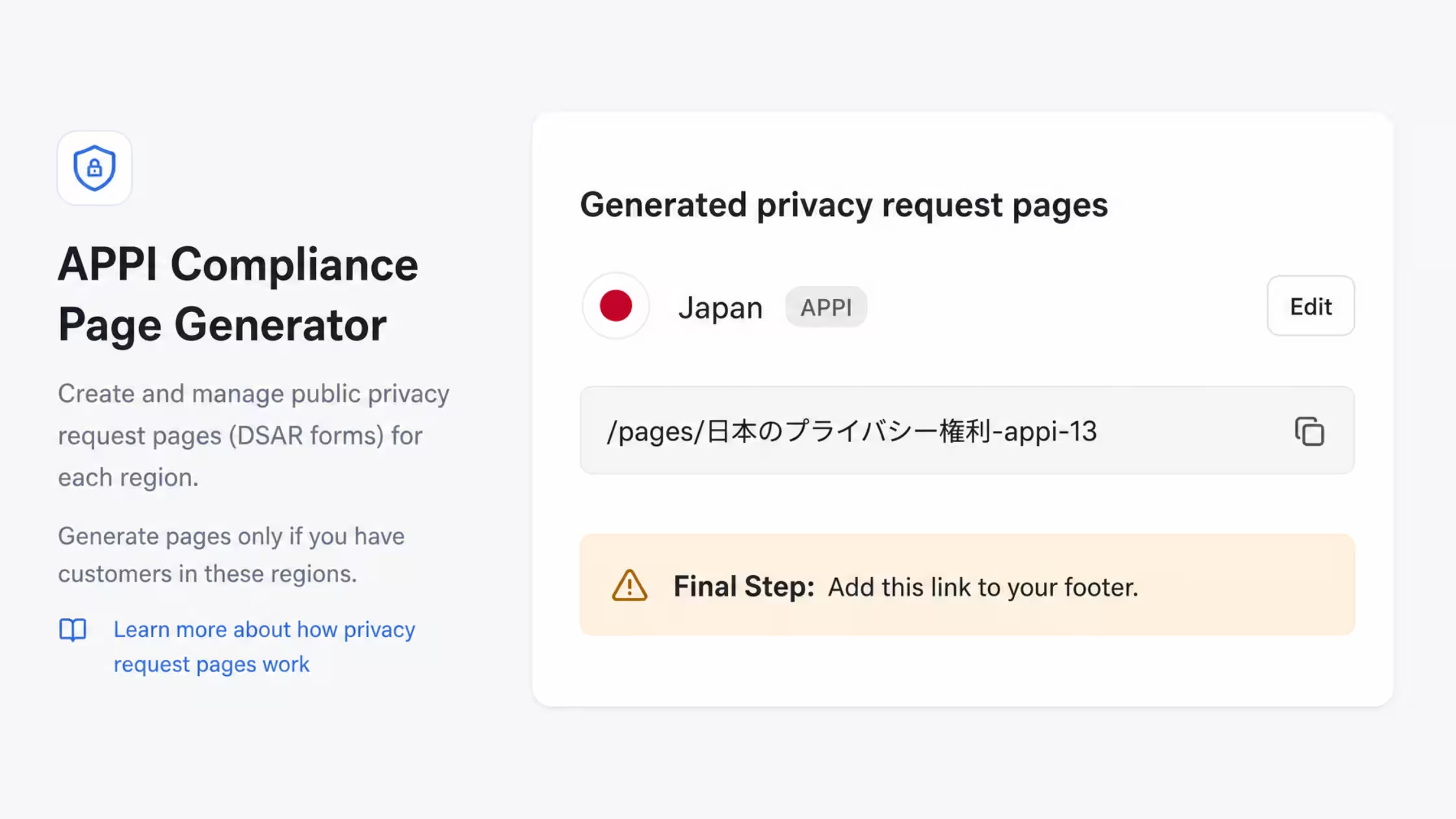
From the Privacy Center in Consentmo, you can generate a pre-built APPI Compliance page for your store. The page includes ready-to-use request forms for the most common data subject actions: Edit Your Account Information, Account Deletion, and more. You simply add it to your store's footer so customers can find it, and Consentmo handles the rest.
Step 3: Give Customers a Way to Submit Data Rights Requests
APPI Articles 28–35 — Response Obligations for Data Subject Requests
It is not enough to publish a compliance page - you need a functioning process behind it. When a customer submits a data rights request, you as the store operator are legally required to respond and act on it in a timely manner. This means having a system that captures requests, notifies you, and allows you to review and action the customer's data.
Every request submitted through your Consentmo-powered APPI Compliance page triggers an automatic email notification to you as the store admin. From within the app, you can click Check Customer Info to view that customer's personal data held in your store, and take the appropriate action - whether that is confirming their data will not be sold, editing their information, or initiating a deletion. The customer also receives a confirmation email at each step, creating a clear and auditable communication trail.
Step 4: Control Which Trackers and Scripts Fire on Your Store
APPI Article 18 — Prohibition on Use Beyond Stated Purpose
The APPI requires that personal data is only used for the purposes disclosed at the time of collection. Many Shopify stores run tracking scripts - from Google Analytics to Meta Pixel to TikTok tracking that collect personal data the moment a visitor lands on the page. If a visitor has not consented to those trackers, firing them before consent is obtained puts you in violation.
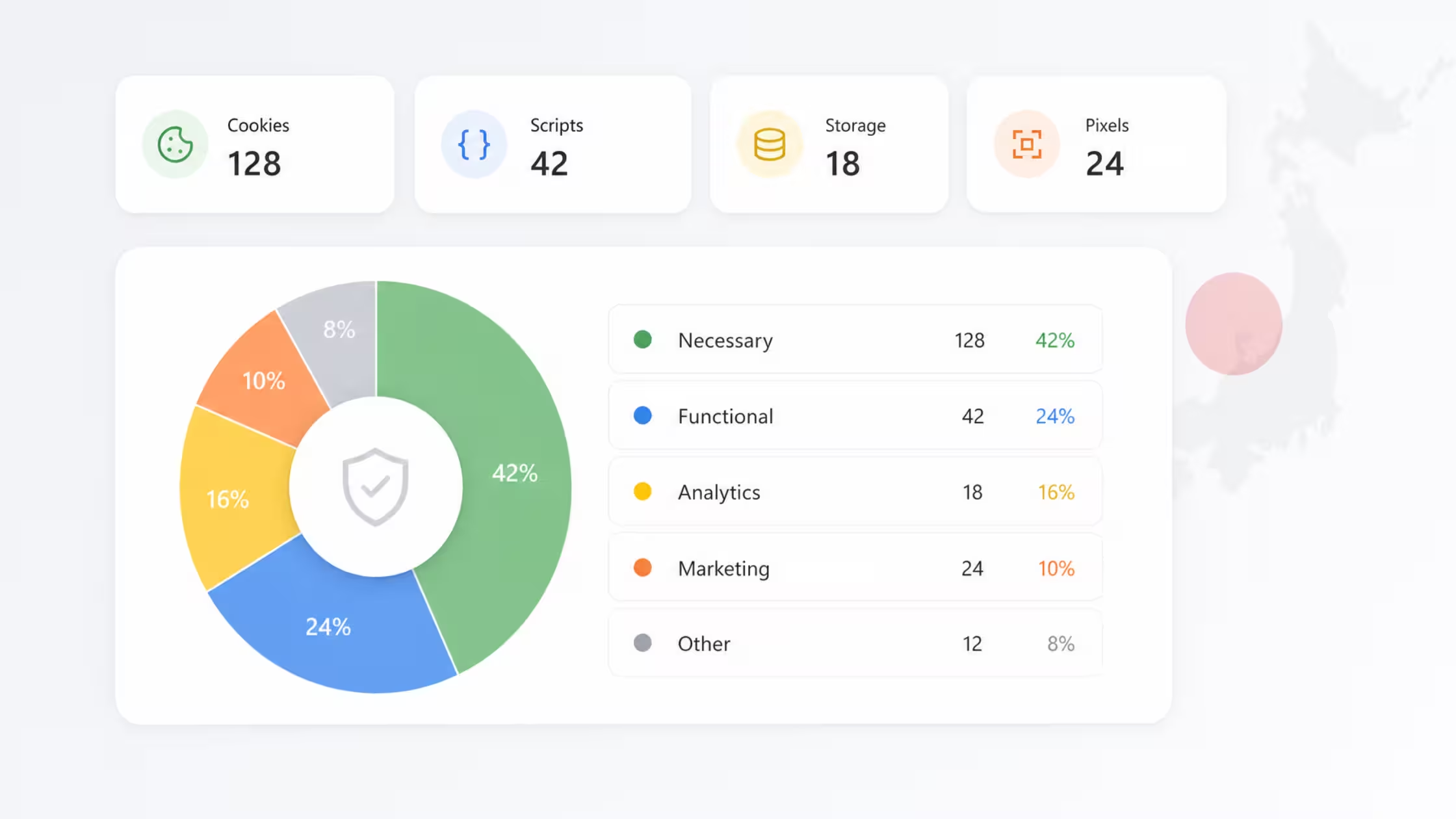
Consentmo's Tracker Manager and AI Cookie Scanner audits every cookie, script, and pixel active on your store. It automatically blocks non-essential trackers from firing until a visitor has given their consent, and its built-in AI categorizes any unclassified cookies so nothing slips through. This ensures your data collection stays within the boundaries of what each visitor has agreed to.
Step 5: Keep Records of Consent
APPI Article 29 — Record-Keeping Obligation for Third-Party Provision
If you are ever subject to an audit or a complaint from a data subject, you need to be able to demonstrate that consent was properly obtained. The APPI requires businesses to maintain records of personal data handling, and as enforcement tightens — particularly with administrative fines on the way under the proposed 2026 amendments — having documented proof of consent is essential.
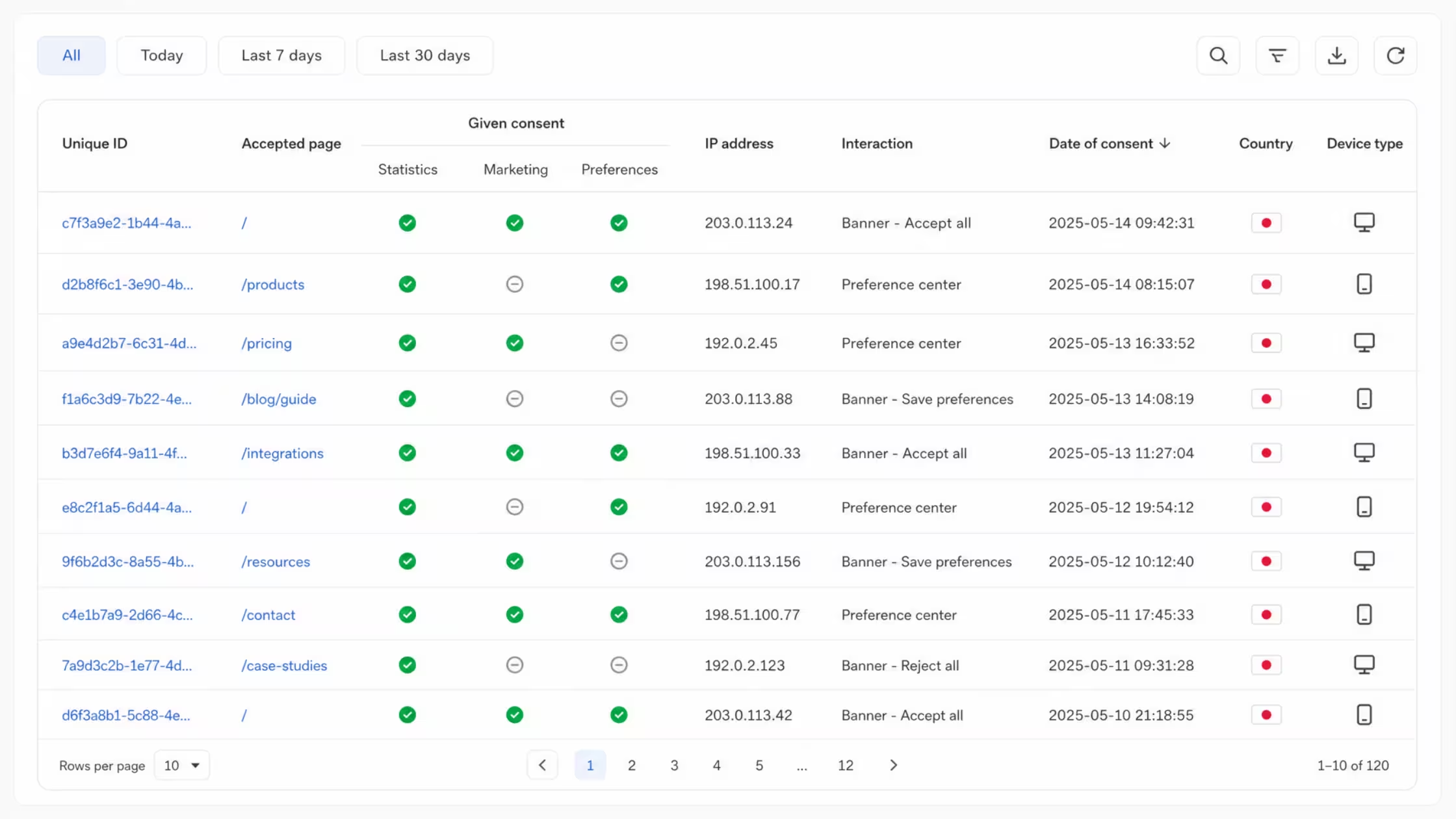
Consentmo logs every consent interaction in a detailed Consent Records dashboard. Each record captures the visitor's unique ID, the page where consent was given, the specific categories they accepted or declined, their IP address, the action taken, a timestamp, their country, and their device type. You can filter and export these records at any time, giving you audit-ready documentation without any manual work.
Step 6: Make Your Compliance Page Easy to Find
APPI Article 32 — Public Announcement of Retained Personal Data
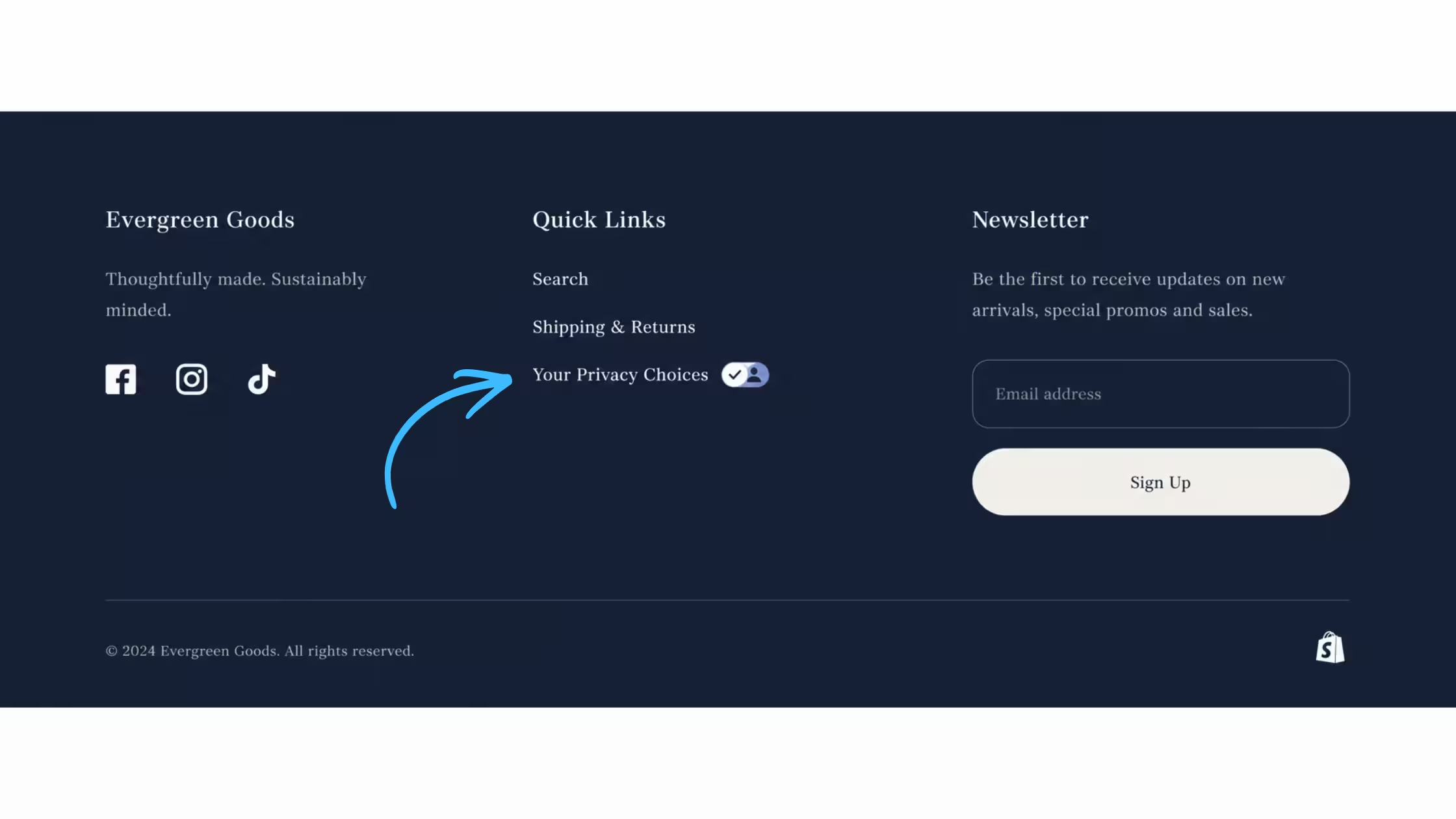
The APPI requires that customers can readily access information about their rights and how to exercise them. Burying your compliance page in a hard-to-find location (or not linking to it at all) undermines your compliance posture and makes it difficult for customers to trust you.
Once your APPI Compliance page is generated, add it to your Shopify store's footer in a few clicks: go to Online Store → Navigation → Footer Menu → Add menu item, select your APPI Compliance page, and save. Every visitor to your store will then have easy access to it from any page.
Get APPI Compliant in Minutes with Consentmo
The APPI steps above — consent banners, a compliance page, rights request handling, tracker control, and consent records — are all handled in one place by Consentmo. There is no need to stitch together multiple tools or hire a compliance consultant to get the basics right.
Install Consentmo free on the Shopify App Store and complete your APPI setup in minutes. If you have any questions, reach out to our support team via chat or email.