Microsoft-certified

Microsoft Consent Mode - Certified CMP Integration With Consentmo

Your Microsoft Ads & UET tag - fully compliant, no data gaps.
Enable Microsoft Consent Mode
Trusted by over 90,000 Shopify merchants
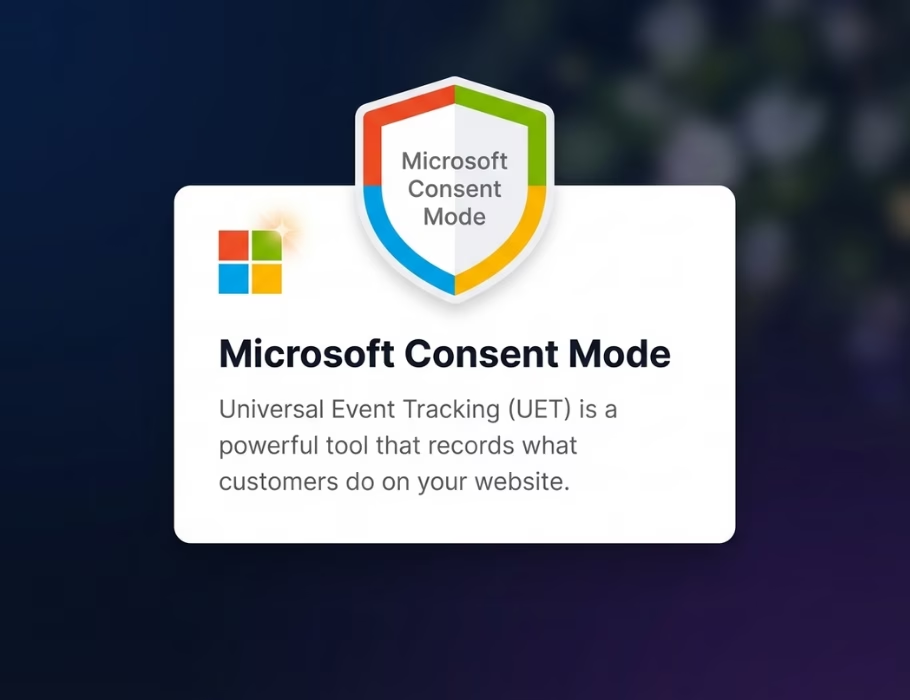
Card showing Microsoft Consent Mode with a shield icon and text describing Universal Event Tracking as a tool that records customer activity on websites.
Direct Integration
Microsoft-Certified
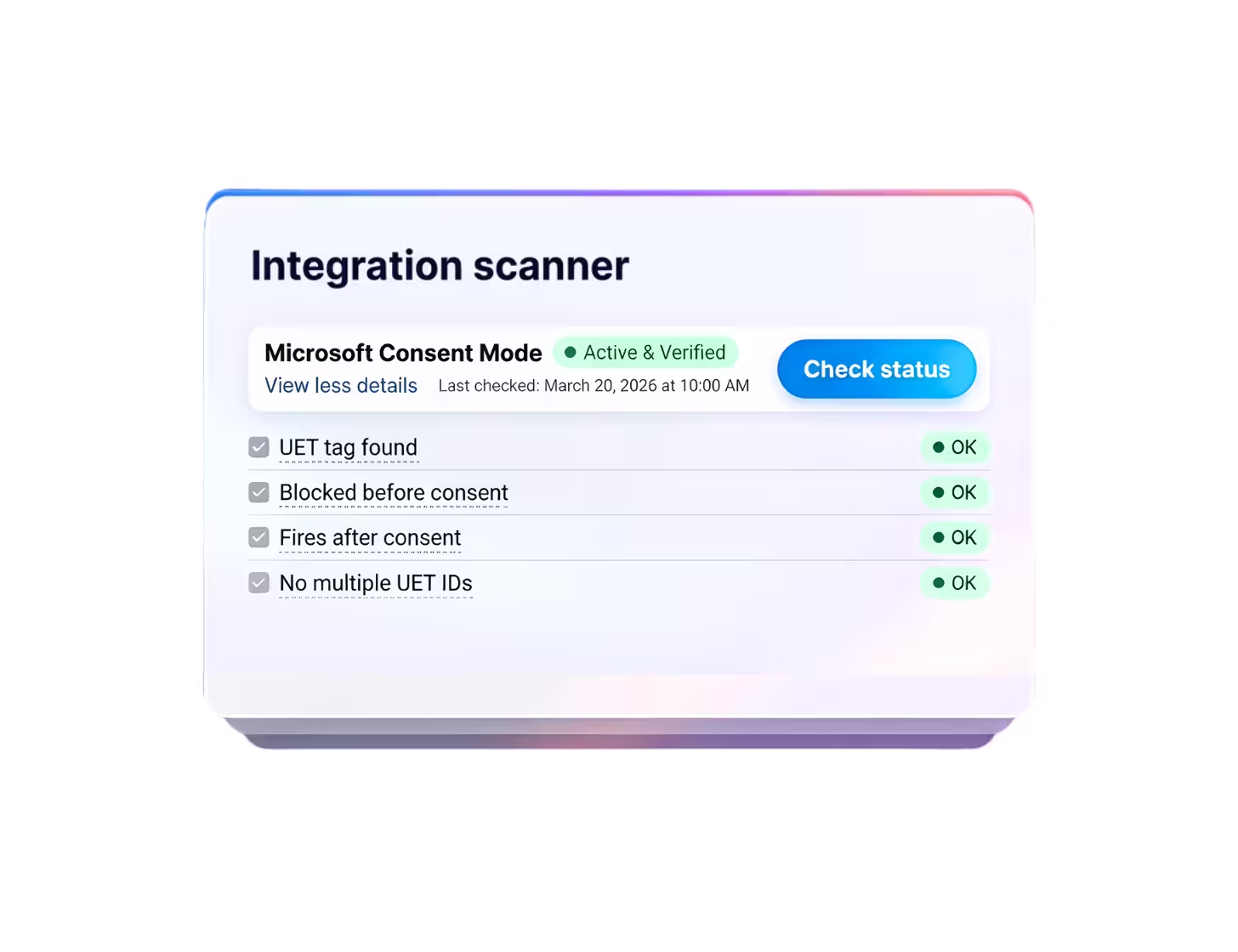
Integration Scanner
Highly-Rated Support
Microsoft Ads
Microsoft Clarity
UET tag support
GDPR-Ready

What is Microsoft Consent Mode?

Microsoft Consent Mode (MCM) helps keep your Shopify store compliant with GDPR by dynamically adjusting Microsoft tags (such as Microsoft Ads and Clarity) based on your customers' cookie preferences from your Cookie banner.

With Consentmo, setup is one-time only, and we’ll ensure your Microsoft tags stay fully compliant automatically.
Note: Microsoft Consent Mode is mandatory as of May 2025.
Benefits

Why activate Microsoft Consent Mode?

Ensure GDPR & ePrivacy Compliance
Meet strict privacy regulations when using Microsoft Ads and Clarity.
Preserve Full Campaign Performance
Seamlessly sync user consent preferences with Microsoft Ads.
Capture Valuable Conversion Insights
Leverage consent-aware data and modeled insights to better understand performance and user behavior.
Improve ROI across Microsoft Ads
Improve campaign accuracy and ROI by leveraging consent-aware data.
Don’t lose visibility into your Microsoft Ads performance.

Without proper consent signals, your data becomes incomplete and less reliable. Activate Microsoft Consent Mode with Consentmo to stay compliant and keep your campaigns optimized.
Set Up Now
integration guide

Direct Microsoft Consent Mode integration for Shopify stores

Get your store compliant with Microsoft Ads & Clarity in minutes with Consentmo — no manual scripts required
How to activate:
Add Consentmo to your Shopify store
Install the app from the Shopify App Store and enable your cookie banner to start collecting consent.
Enable Microsoft Consent Mode via Consentmo
Go to Integrations → Microsoft Consent Mode inside the app and turn it on.
Add your Microsoft UET ID
Enter your Universal Event Tracking (UET) ID — no coding or manual setup needed.
Avoid duplicate tracking
If Microsoft tags are installed via other apps or theme scripts, remove them and run everything through Consentmo.
Verify your setup
Confirm your integration is active and firing correctly by running the Integration scanner directly from the app.
5 stars
5/5
1,800+ Reviews on the Shopify App Store
90,000+ brands already use Consentmo
Black Panasonic logo.
Black Häfele logo on a transparent background.
Black Steve Madden logo.
Black text logo reading 'florence by mills' on a transparent background.
Invisalign logo consisting of a stylized eight-petal flower symbol followed by the word 'invisalign'.
L'Occitane black brand logo.
Black and white Linkin Park band logo with stylized angular letters.
Toys R Us logo with a star inside the letter R.
Black Panasonic logo.
Black Häfele logo on a transparent background.
Black Steve Madden logo.
Black text logo reading 'florence by mills' on a transparent background.
Invisalign logo consisting of a stylized eight-petal flower symbol followed by the word 'invisalign'.
L'Occitane black brand logo.
Black and white Linkin Park band logo with stylized angular letters.
Toys R Us logo with a star inside the letter R.
Testimonials

Trusted by Shopify merchants for their GCM setup, globally.
Don’t just take our word for it. See what Shopify store owners are saying.
Holland Kertészet
Necessary app!
If you're doing business within the EU, this is the app you need to be in accordance with the GPDR laws. It's also in accordance with Google Consent V2. Swift, fast and knowledgeable support. Definitely one of the necessary apps to have.
Proporta
Served us very well for years.
The app has served us very well for years. Support responds very quickly and helped us with the Google GCM V2 implementation.
MoverX
Great app!
Great app. Support was great, very knowledgable and quick at assisting us and making sure we were compliant with Google Consent Mode V2.
Arcadia
Easy solution.
Finally an easy to install solution to handle GCMV2 that works on Shopify, the support was really great!
Holland Kertészet
Necessary app!
If you're doing business within the EU, this is the app you need to be in accordance with the GPDR laws. It's also in accordance with Google Consent V2. Swift, fast and knowledgeable support. Definitely one of the necessary apps on Shopify to have for your store.
Proporta
Served us very well for years.
The app has served us very well for years. Support responds very quickly and helped us with the Google GCM V2 implementation.
MoverX
Great app!
Great app. Support was great, very knowledgable and quick at assisting us and making sure we were compliant with Google Consent Mode V2.
Arcadia
Easy solution.
Finally an easy to install solution to handle GCMV2 that works on Shopify, the support was really great!
Kensla Studio
Switched from Cookiebot
Exceptional help from the support team! I previously used Cookiebot by Usercentrics before switching to Consentmo, and the difference is remarkable. The integration is much easier, and the support is outstanding. Highly recommended!
Base Camp Food
Working correctly after a theme update.
Support team is a legend and was able to confirm the cookie banner and consent mode v2 was setup and working correctly after a theme update.
Aldous
Works flawlessly!
Works flawlessly, good custom CSS to personalize it, integrates with Google Consent Mode V2 and awesome Customer Support Team.
Dahomy.nl
Great support!
Great support! Quick response, clear instructions, and helpful documentation. Resolved my Google Consent Mode V2 issue in no time. Highly recommend!
Kensla Studio
Switched from Cookiebot
I previously used Cookiebot by Usercentrics before switching to Consentmo, and the difference is remarkable. The integration is much easier, and the support is outstanding. Highly recommended!
Base Camp Food
Working correctly after a theme update.
Support team is a legend and was able to confirm the cookie banner and consent mode v2 was setup and working correctly after a theme update.
Aldous
Works flawlessly!
Works flawlessly, good custom CSS to personalize it, integrates with Google Consent Mode V2 and awesome Customer Support Team.
Dahomy.nl
Great support!
Great support! Quick response, clear instructions, and helpful documentation. Resolved my Google Consent Mode V2 issue in no time. Highly recommend!
Get consentmo

Setup Now – Keep your Store Microsoft Compliant

Connect your Microsoft tools effortlessly - аutomatically share privacy settings with Microsoft Ads and Clarity.
5 stars
5/5
1,800+ Reviews
FAQ

All You Need to Know

Frequently asked questions by Shopify merchants on Google Consent Mode.
Have more questions or need help?
Contact our team
Contact Us
What is Microsoft Consent Mode and how does it work?

Microsoft Consent Mode is a framework that adjusts how Microsoft tracking tags, such as Universal Event Tracking (UET), respond to a visitor's cookie preferences. If someone declines cookies, UET switches to a restricted mode that limits data collection while still preserving basic measurement signals. Consentmo handles this entire process automatically for Shopify stores, so consent choices made on your cookie banner are passed directly to Microsoft's tags in real time, with zero manual configuration.

Do I need Microsoft Consent Mode if I run Microsoft Ads?

If your Shopify store receives traffic from the EU, EEA, or UK and you use Microsoft Ads, then yes. Privacy regulations like GDPR require that tracking tags only collect personal data after a visitor gives explicit consent. Without a consent layer in place, your UET tag fires on every page load regardless of consent, which puts your store at risk of non-compliance and potential ad account restrictions. Consentmo solves this by acting as the bridge between your cookie banner and Microsoft's UET, ensuring tags only activate when permitted.

How does Consentmo connect to Microsoft Consent Mode?

Inside the Consentmo app, navigate to Integrations and enable Microsoft Consent Mode. Enter your UET Tag ID, and Consentmo takes care of the rest. From that point on, every visitor's consent choice is automatically communicated to Microsoft's tracking infrastructure. There are no scripts to paste, no theme code to edit, and no developer required. Consentmo also includes a built-in Integration Scanner that verifies your UET tag is correctly blocked before consent and fires properly after consent is granted.

What are the risks of not implementing Microsoft Consent Mode on my store?

Running Microsoft Ads without consent mode means your UET tag collects data from all visitors indiscriminately, regardless of whether they've accepted cookies. In GDPR-regulated regions this can lead to compliance violations, degraded conversion data, and restricted audience targeting. Microsoft may also limit functionality on accounts that don't meet consent requirements. Consentmo eliminates these risks by ensuring your UET tag respects every visitor's privacy preferences automatically from the moment they land on your store.

How quickly can I set up Microsoft Consent Mode with Consentmo?
Most merchants complete the setup in under five minutes. Install Consentmo from the Shopify App Store, enable your cookie banner, head to the Microsoft Consent Mode integration, and enter your UET Tag ID. Use the Integration Scanner to confirm everything is working, and you're fully compliant. If you run into any questions, Consentmo's live chat support team is available to walk you through each step.