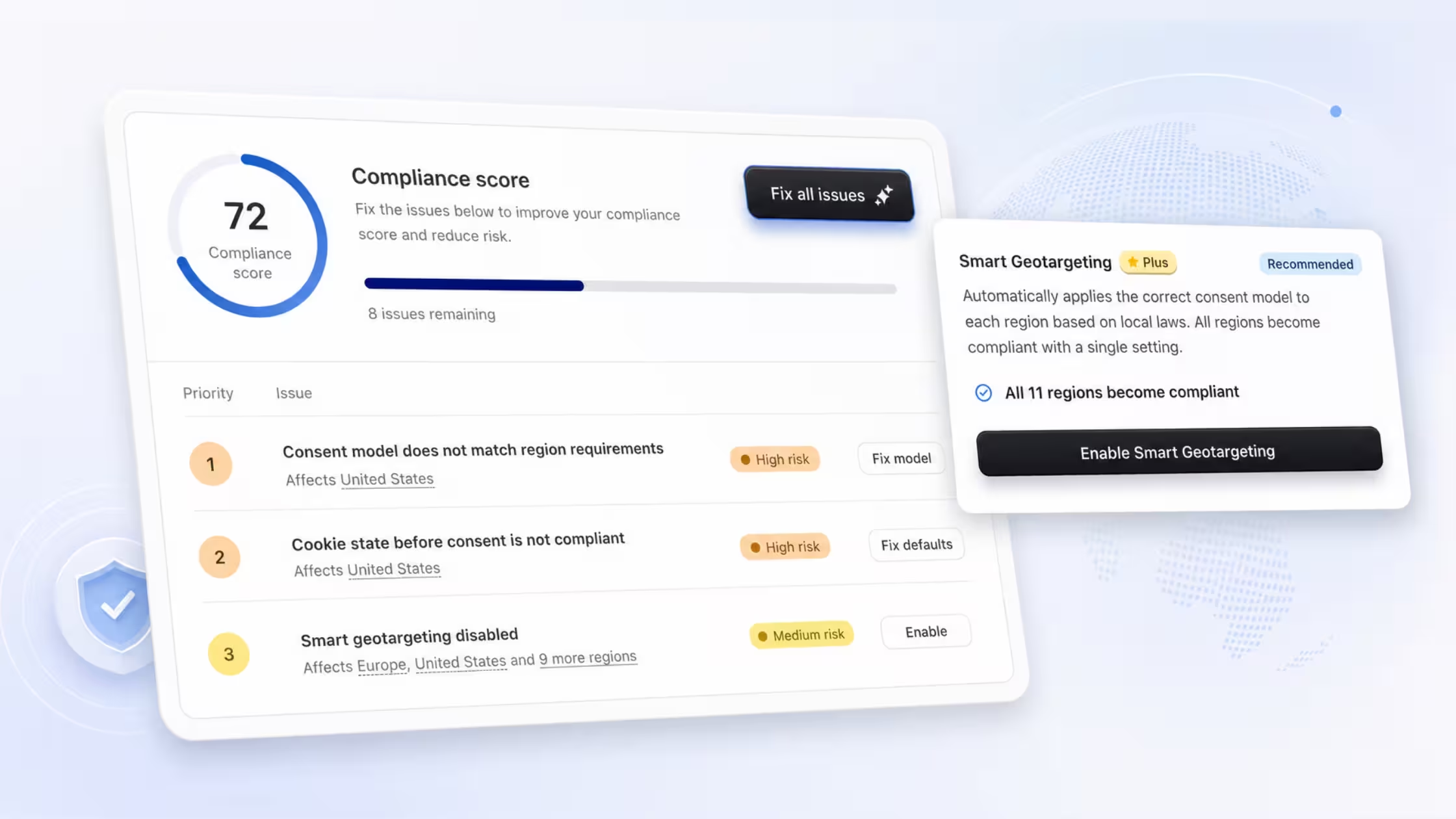
We've introduced the Fix All Issues button - a new guided experience designed to help you improve your cookie banner compliance score faster and with less effort.
Instead of navigating between separate settings to address each recommendation individually, you can now launch a single, focused workflow that takes you through every open issue, one step at a time, from a single place inside the Compliance Score section.
What's New
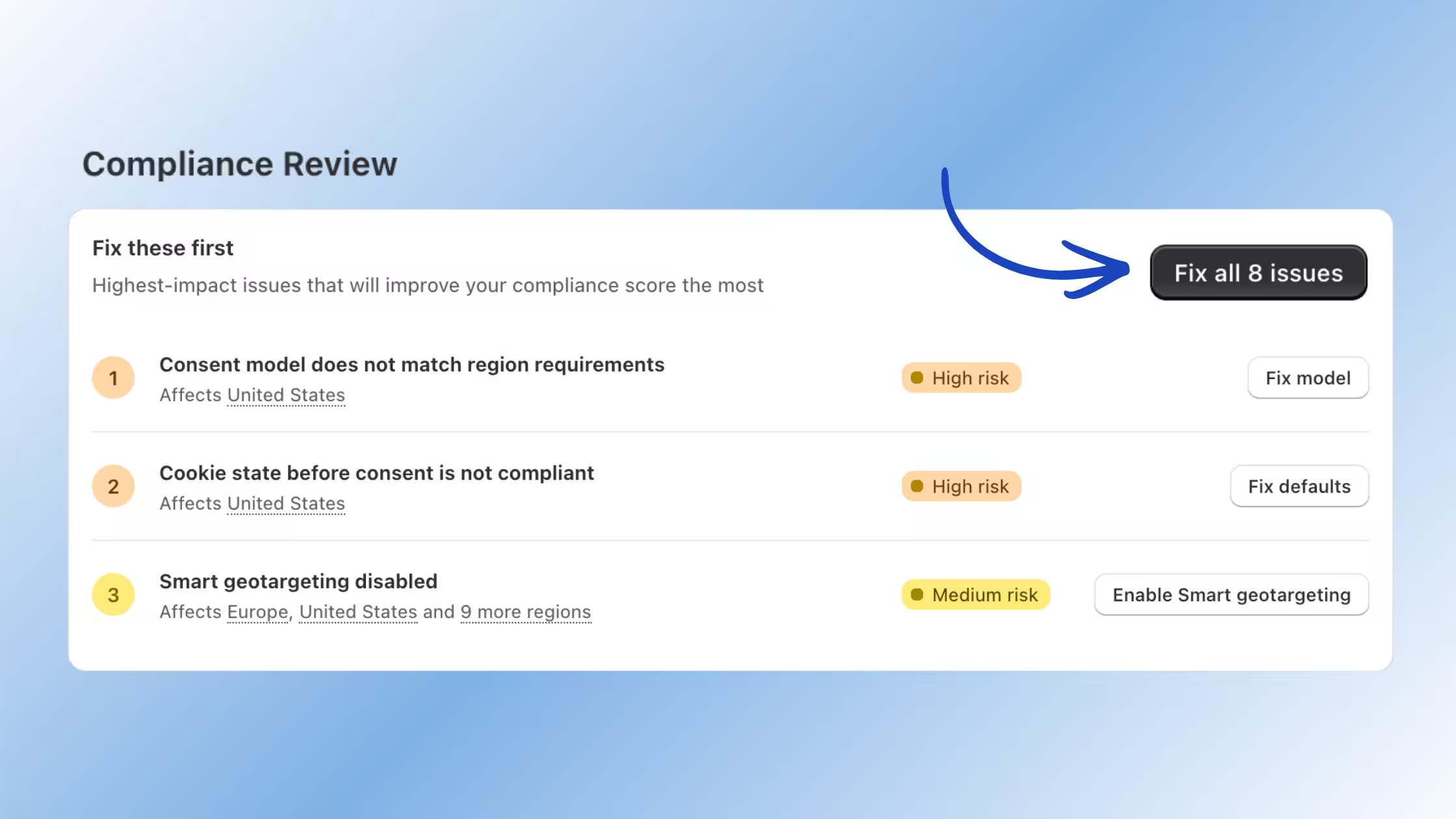
The Fix All Issues button now appears directly inside your Compliance Review tab under Cookie Banner → Compliance. Clicking it opens a guided flow that consolidates every outstanding recommendation into a clear, step-by-step experience, no tab switching, no searching for where to apply a change.
How It Works
One-Click Compliance Flow
Launch a guided workflow that walks you through every open compliance recommendation from a single place. The flow keeps you focused on one issue at a time, making the process straightforward even if you're new to compliance settings.
Prioritized Recommendations
Issues are automatically organized by impact. High-risk items, such as a consent model that doesn't match regional requirements or cookie state violations before consent, appear at the top. Medium-risk items, like disabled Smart Geotargeting, follow after. This ordering helps you focus on the changes that move your compliance score the most, first.
Fix Issues Instantly
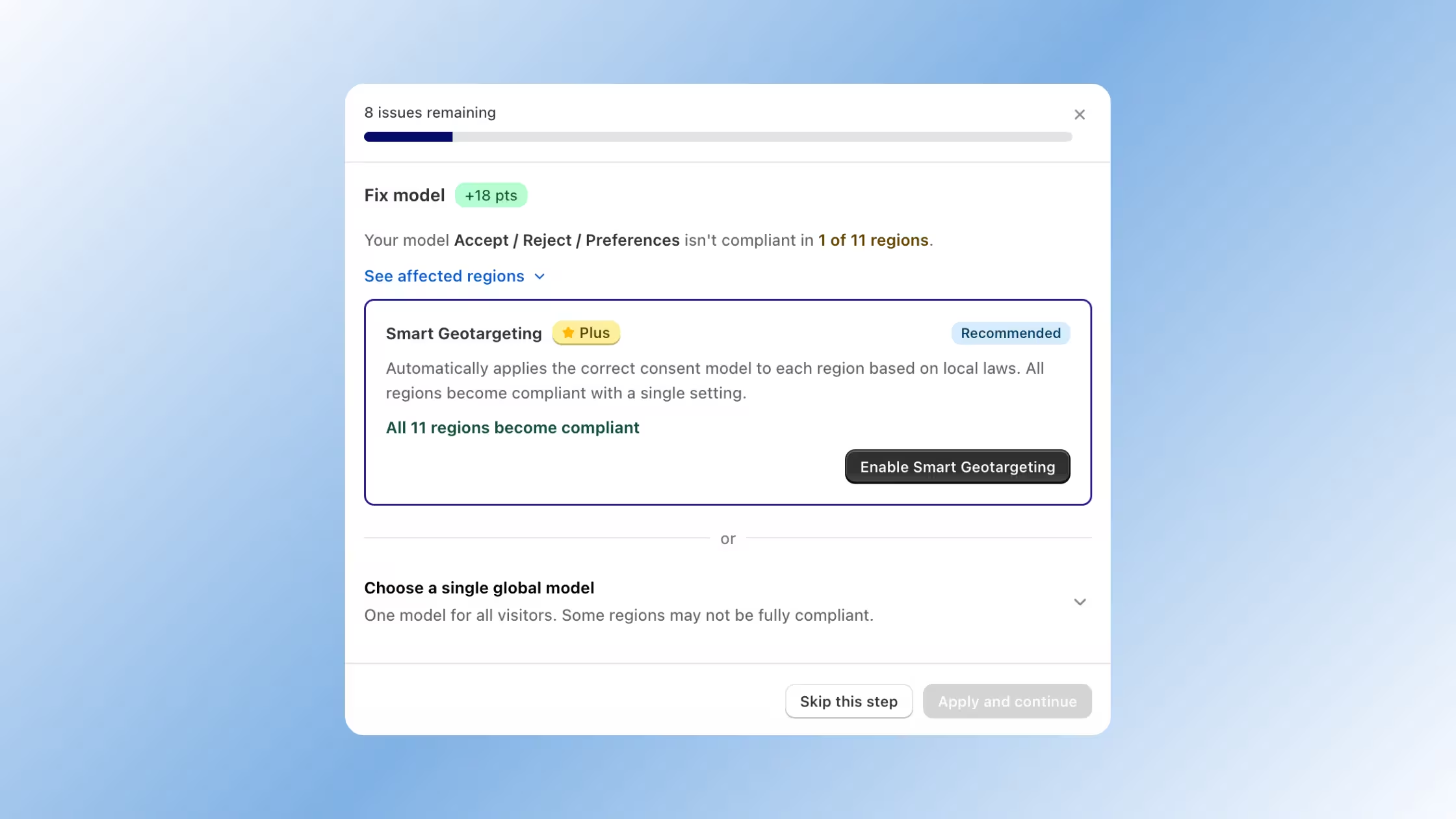
Each step inside the guided flow tells you exactly what's wrong, which regions are affected, and presents you with a recommended fix — often with a single button to apply it. For example, enabling Smart Geotargeting can make all 11 regions compliant at once, rather than configuring each region manually.
Track Your Progress
A progress bar at the top of the guided flow shows how many issues remain as you work through them. Each completed step updates your score in real time, so you can see the direct impact of every change you apply. Once all recommendations are resolved, you'll see a full score summary.
What You'll See Inside the Flow
Each step in the guided flow gives you:
- A clear description of the compliance issue
- A list of the regions affected
- A recommended fix (with a one-click option where available)
- A score impact preview, so you know exactly how many points applying that fix will earn
- The option to skip a step and come back to it later
For issues that can be resolved with Smart Geotargeting, the flow will highlight that enabling it covers multiple regions at once removing the need to handle each one separately.
How to Get Started
Getting started takes just a few seconds:
- Open Cookie Banner in your Consentmo dashboard
- Go to the Compliance tab
- Click Fix all issues in the top right of the compliance panel
- Follow the guided steps to resolve each recommendation
You can work through all issues in one session or return to the flow at any time - your progress is saved as you go!
Why This Matters
Compliance score improvements have a direct impact on how your cookie banner behaves across regions. A higher score means your banner is properly configured to meet local privacy laws, reducing legal risk and building trust with your visitors.
The Fix All Issues flow removes the friction from that process. Rather than piecing together fixes across multiple settings pages, everything you need is now in one guided place.
Ready to improve your compliance score? Open Cookie Banner → Compliance and click Fix all issues to get started.