



June was a big month for Consentmo.
We shipped a full A/B testing system for your cookie banner, rolled out a wave of upgrades to EU Withdrawal, and tightened up consent accuracy across regions. Here's everything that landed.
Test Two Banner Versions and Let the Winner Run Automatically
You can now run A/B tests on your cookie banner to see which visual version performs best, and let the data decide the winner for you.
- Test what matters: Compare two visual versions of your banner (layout, position, colors, custom icon, border radius, and more). Behavior, regions, and content stay identical, so you're testing design only.
- Pick your winning metric: Choose what defines success - interaction rate, acceptance rate, or rejection rate.
- We suggest a challenger: Version 1 is always your current banner. We automatically pair it with a different banner type to test against, so you can start quickly.
- Live results in Analytics: A brand-new A/B Testing tab shows your live split, the current leader, and what you're testing at any time.
- Full transparency in consent records: Every test logs the variant shown, the source, and the user's choice, just like your standard consent data.
- A winner always continues: When the test ends (typically 2 weeks from the start date), we email you the winning version along with its confidence level, then automatically switch your banner to it.
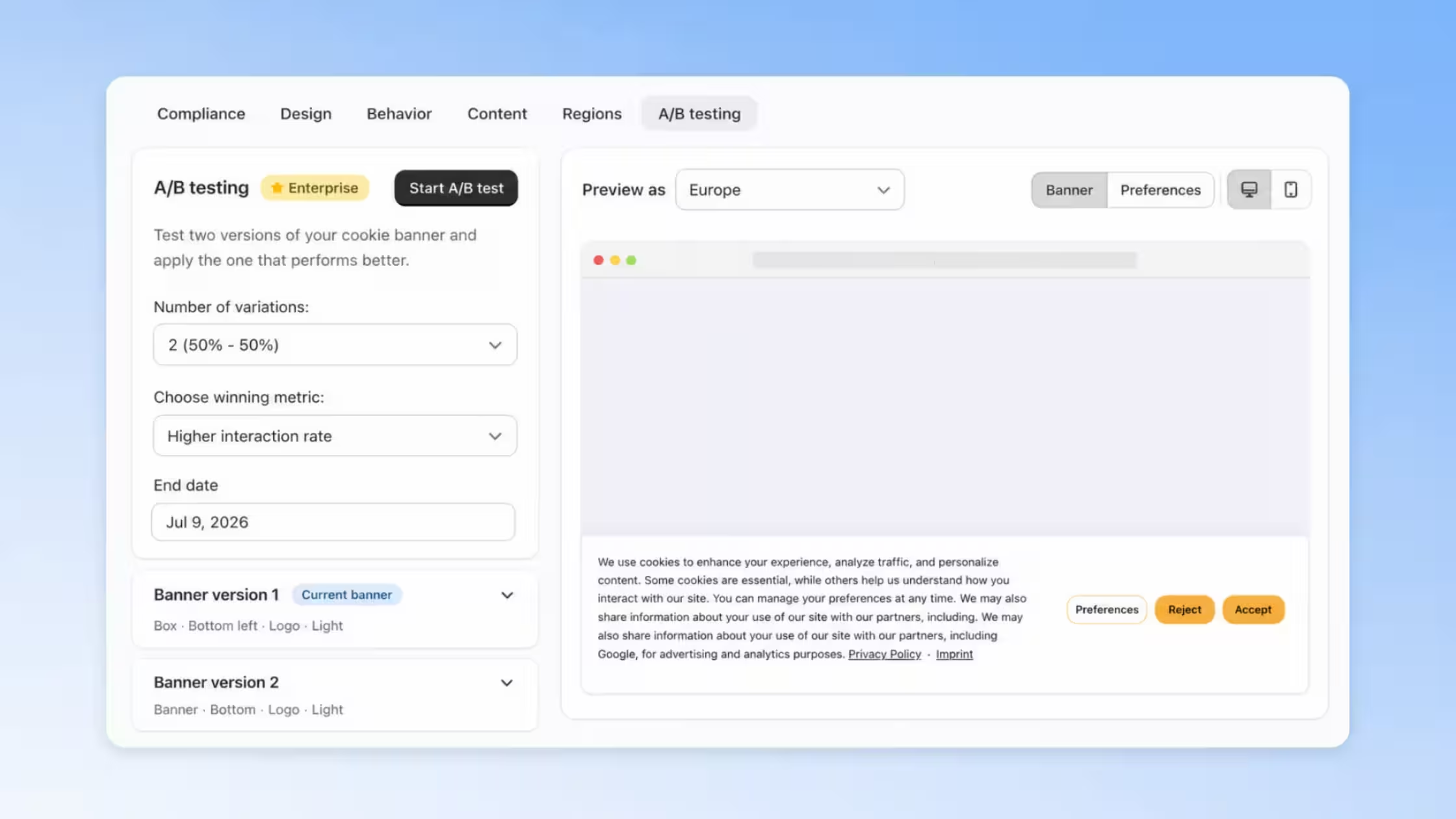
Important: Just like TCF, settings lock once a test starts, so you won't be able to edit the banner for the test duration. You can stop the test early at any time, in which case your banner defaults back to Version 1.
Find it under your Cookie Banner settings, and view performance in Analytics > A/B Testing.
Explore A/B Testing on the Shopify App Store →
EU Withdrawal Gets a Major Expansion
EU Withdrawal has been one of our most requested features, and this month we shipped six improvements at once, giving merchants far more control over how, where, and when the withdrawal experience shows up.
- Ask customers why they're withdrawing: A new Reasons field lets shoppers pick from ready-made options (Changed my mind, Ordered by mistake, Item not as described, Received the wrong item) or add their own. Every reason is fully translatable, and an Other option opens a free-text field for extra context. Reasons stay optional and are saved with each request, on both the storefront form and the theme editor. Manage it from Privacy Center > EU Withdrawal Page > Manage page > Fields > Reasons.
- Show your Withdraw page only in EU countries: Choose whether the withdrawal page appears in All countries or EU countries only, for a cleaner storefront setup that shows withdrawal access only where it's legally required. Manage it from Privacy Center > EU Withdrawal Page > Show withdrawal page in.
- Exclude products from withdrawal: Mark products as legally exempt using a
withdrawal-exemptShopify tag. Exempt products stay visible to customers but are clearly marked as not eligible, and built-in validation blocks invalid withdrawal requests. Manage it from EU Withdrawal > Withdrawal Page > Excluded products. - Order flow improvements: Choose regional visibility for the withdrawal page, footer link, and order-status button (EU only or All countries), style the withdrawal page with custom CSS, and review a detailed activity log for every request, from received to order matched to verification email sent. Manage it from EU Withdrawal Page & Requests in the Privacy Center.
.avif)
Together, these updates make EU Withdrawal more flexible, better documented, and easier to tailor to your store's exact compliance needs.
Learn more about EU Withdrawal →
Fix All Issues Button
A new guided flow inside Compliance Score walks you through every open recommendation, prioritized by impact, so you can resolve issues and improve your score faster.
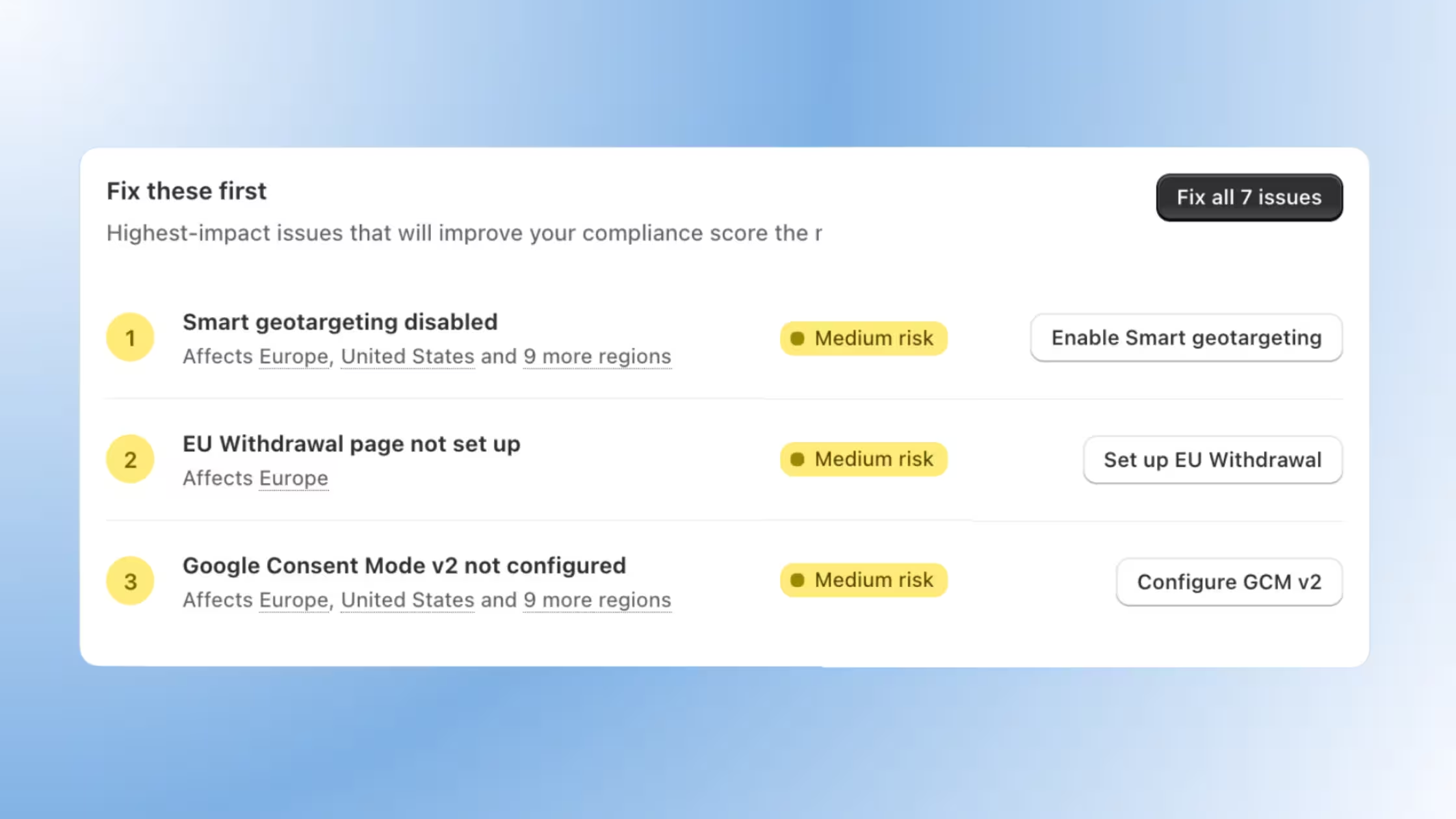
Try it from Cookie Banner > Compliance > Fix all issues.
Storefront JavaScript API
A new global Consentmo object lets merchants and developers connect the cookie banner and accessibility widget to custom storefronts, themes, apps, and Hydrogen builds.
Open the preferences modal, read visitor choices, listen for events, and build fully branded privacy controls without extra libraries.
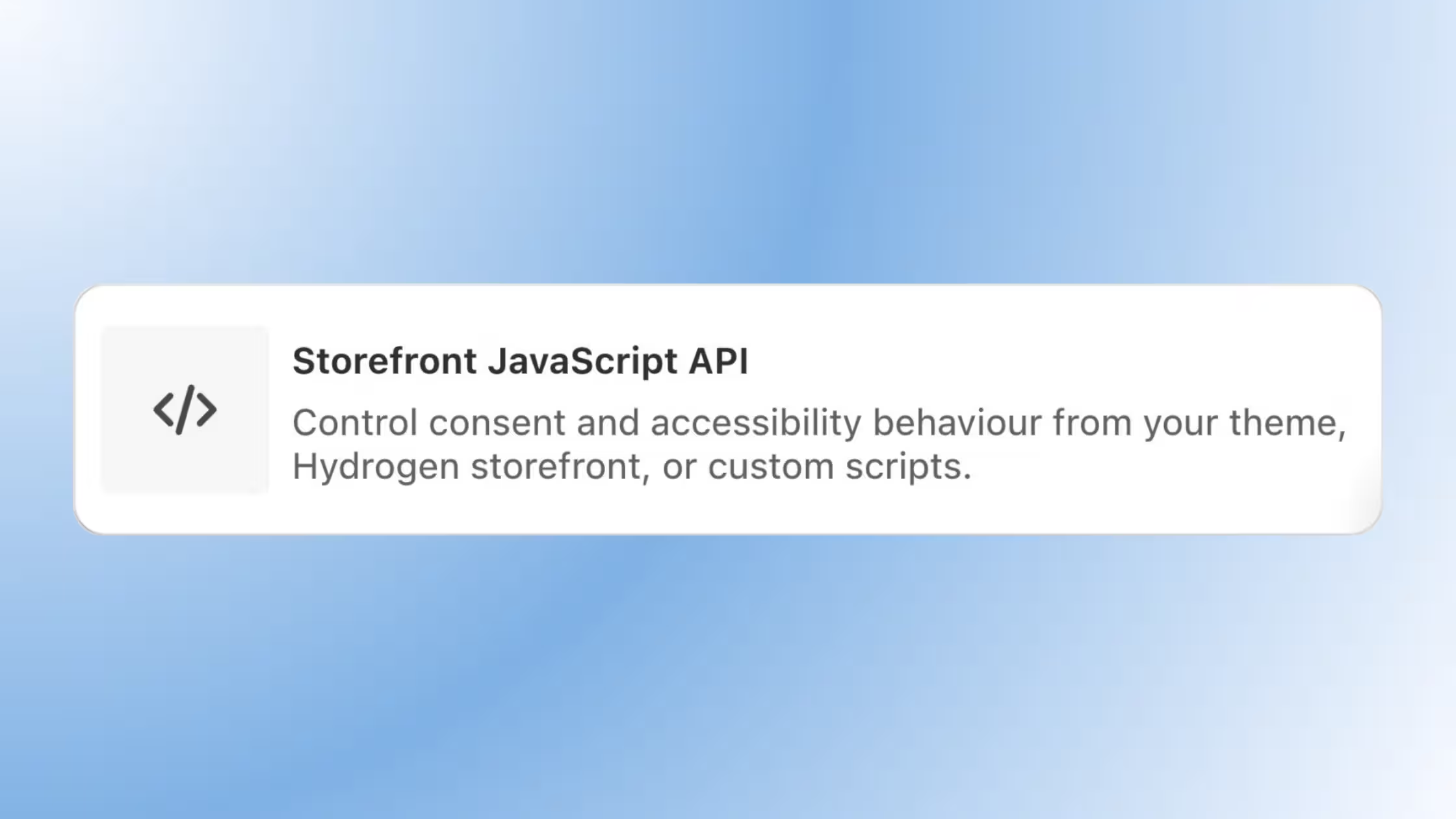
Review it from Settings > Storefront JavaScript API.
More Updates This Month
Custom Icon for Smart Consent. Replace the default Consentmo icon with your own brand icon in the Smart Consent banner layout. Enable it, upload your image, and preview the result from Cookie Banner > Design > Smart Consent > Custom icon. If it's off, the default icon is used automatically.
Compliance Review Accuracy Update for USA. Compliance Review now runs more accurate checks across US setups, including a new Preferences-only consent model and broader support for evaluating cookie state before a user makes a choice. Review it from Cookie Banner > Compliance, and manage consent models from Cookie Banner > Behavior or Regions.
Implied Consent Settings per Region. When a region uses Implied Consent under Smart Geotargeting, you can now decide whether page scroll and page refresh count as consent for that specific region, without touching your global banner behavior. Configure it from Cookie Banner > Regions > Edit Region.
Implied Consent Safety Delay. Set a custom delay (in seconds) before implied consent actions can trigger, giving visitors more time to see your banner before scroll or refresh count as consent. Works with both triggers. Configure it from Cookie Banner > Behavior > Consent Mechanism.
See all of these features on the Shopify App Store →
That's a wrap on June. As always, if you have questions about any of these features or want a hand configuring them for your store, reach out to our support team.


_converted.avif)