EU WITHDRAWAL

Complete EU Withdrawal Flow For Your Shopify Store

EU Withdrawal by Consentmo helps you add the button, page, confirmation flow, and request records from one guided setup.
Enable EU Withdrawal
Trusted by over 90,000 Shopify merchants
Screen showing contract withdrawal with items Crane Flight Coaster and Mug, prices in euros, and confirm button.

What is the new EU Withdrawal Rule?

From June 19, 2026, stores selling online to EU consumers need to provide a clear electronic way for buyers to withdraw from an eligible order or contract. This means the withdrawal option should be visible, easy to access, clearly labeled, and available online during the withdrawal period.
  • Provide a clear online withdrawal function, such as a button or link
  • Use clear wording such as “Withdraw contract” or “Confirm withdrawal”
  • Let customers submit the request without needing to log in
  • Send a confirmation of receipt after the withdrawal request is submitted
  • Keep request details organized for review and processing
New EU withdrawal requirement starts June 19, 2026.
eu rule

EU Directive 2023/2673

EU Directive 2023/2673 requires that, from 19 June 2026, online merchants selling to EU consumers must provide a clear, visible electronic means for buyers to withdraw from a purchase.
A clearly labeled withdraw button that's instantly accessible without a customer needing to log in
Required 2-step verification - customers enter their name and order details to locate their contract, then review and confirm the items they want to withdraw
Requires confirmation of receipt on a durable medium, such as email
In some EU member states, merchants may also face legal warnings or fines of up to 4% of annual turnover
Set Up EU Withdrawal Today
requirements

What Does EU Withdrawal Require From Your Store?

Online Withdrawal Page & Flow
Give customers a visible way to start a withdrawal request from your storefront
  • Dedicated “Withdraw contract” page
  • Footer link for easy access
  • No-login request option
  • Clear withdrawal wording
Email Verification & Confirmations
Use email steps to help verify the customer and confirm that the request was received
  • Verification email before continuing
  • Customer confirmation email
  • Store notification email
  • Withdraw request decision
Clear Withdrawal Wording
Use direct labels that clearly tell customers they are exercising their right to withdraw
  • “Withdraw contract” page & button text
  • Avoid vague labels like “Cancel,” “Return,” or “Undo”
14-Day Withdrawal Period
EU consumers generally have 14 days to withdraw from eligible distance contracts
  • Helps customers submit requests within the eligible period
  • Merchant stays responsible for final eligibility checks
Product exemptions
Not every order is eligible for withdrawal
  • Custom-made goods
  • Perishable items
  • Opened sealed hygiene products
  • Digital products if immediate delivery was explicitly accepted
Be Ready Before June 19, 2026
Set up EU Withdrawal in Consentmo before the new requirement takes effect.
Get Started
setup guide

Set Up EU Withdrawal With Consentmo

Add the withdrawal page, footer link, order status button, emails, and request records from one guided setup inside Consentmo.
How to get started with EU Withdrawal compliance:
Publish your Withdrawal page
Generate from the app a dedicated storefront page where EU buyers can submit withdrawal requests without logging in.
Show “Withdraw contract” footer link
Place a clear withdrawal link in your store footer so customers can find the option (auto-set by Consentmo in your footer).
Configure the request form
Set your page URL slug, form title, intro text, customer name field, withdrawal window, page colors (including custom CSS edits).
Customize verification emails
Edit the subject line, body text, and button text for the email customers receive when verifying a withdrawal request.
Set up the Thank You page
Customize the confirmation message shown after a customer submits their withdrawal request.
Activate the Order Status page button (Optional)
Add a “Withdraw contract” block to Shopify’s Order Status page so customers have one more withdraw point.
Review and export request records
Track submitted requests with timestamps, order details, selected items, customer emails, and reference IDs.
Export records by CSV when needed.
5 stars
5/5
1,800+ Reviews on the Shopify App Store
process

Manage EU Withdrawal Requests

Consentmo gives your store a structured way to collect withdrawal requests, confirm them by email, and keep request records organized for review.
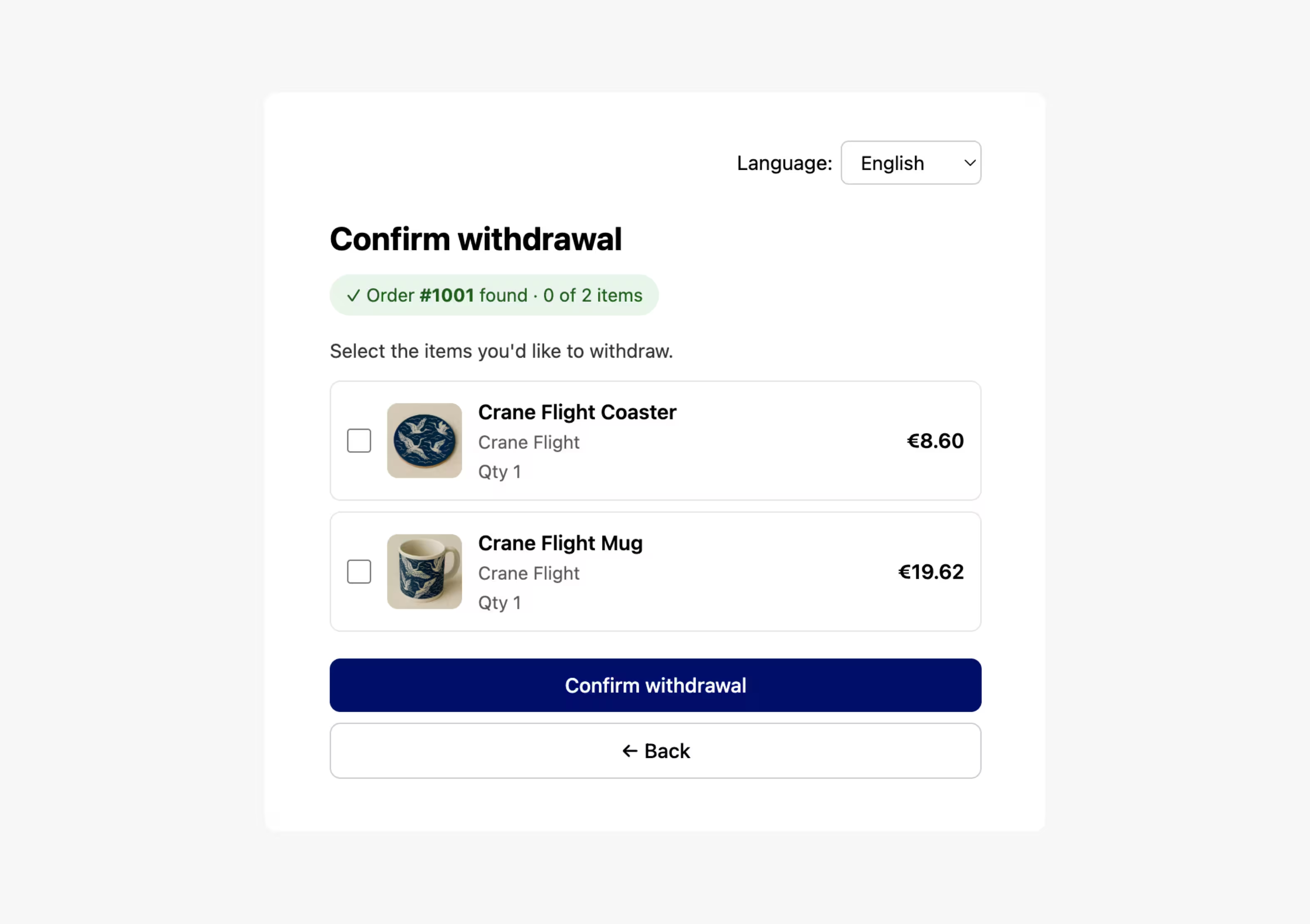
Confirm withdrawal screen with options to select a Crane Flight Coaster for €8.60 or a Crane Flight Mug for €19.62.
Collect Withdrawal Requests
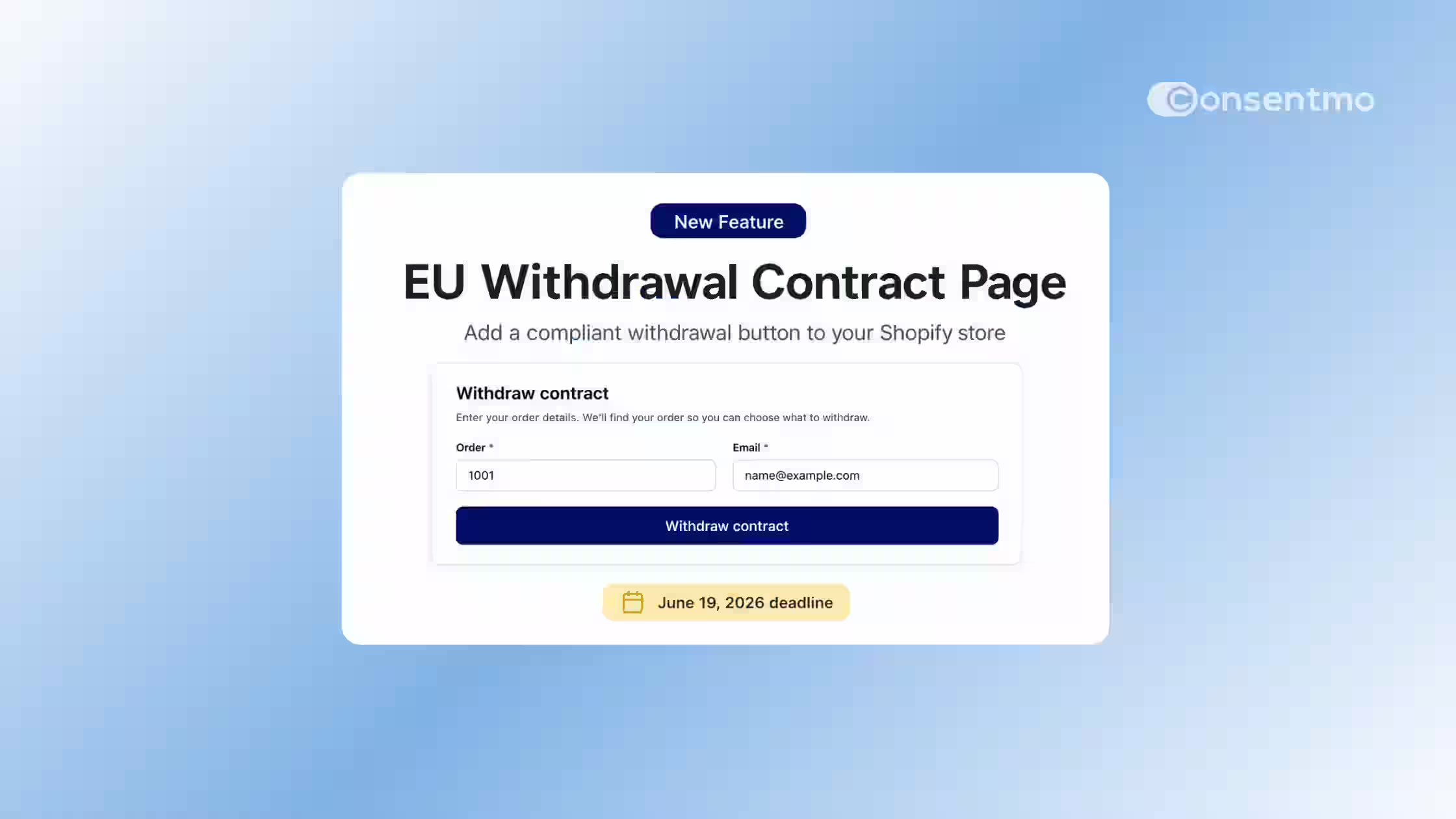
Add a dedicated “Withdraw contract” page where customers can enter their order number and email, verify the matched order, select the items they want to withdraw, and submit a clear final confirmation.
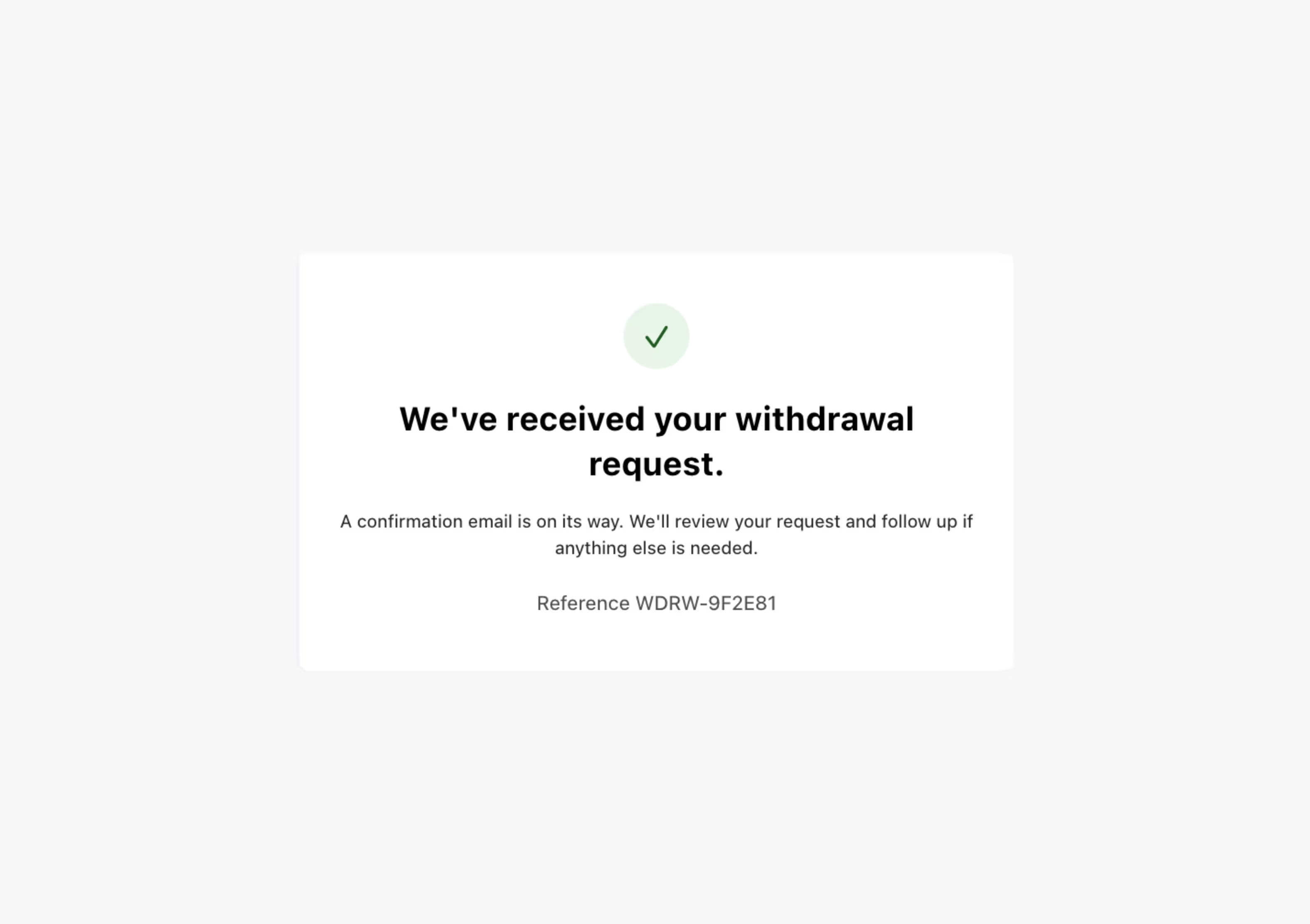
Confirmation message stating receipt of withdrawal request with reference WDRW-9F2E81 and follow-up details.
Send Confirmation Emails
After the customer completes the withdrawal flow, Consentmo sends confirmation emails with the withdrawal details, helping customers and your store keep a clear record of the submitted request.
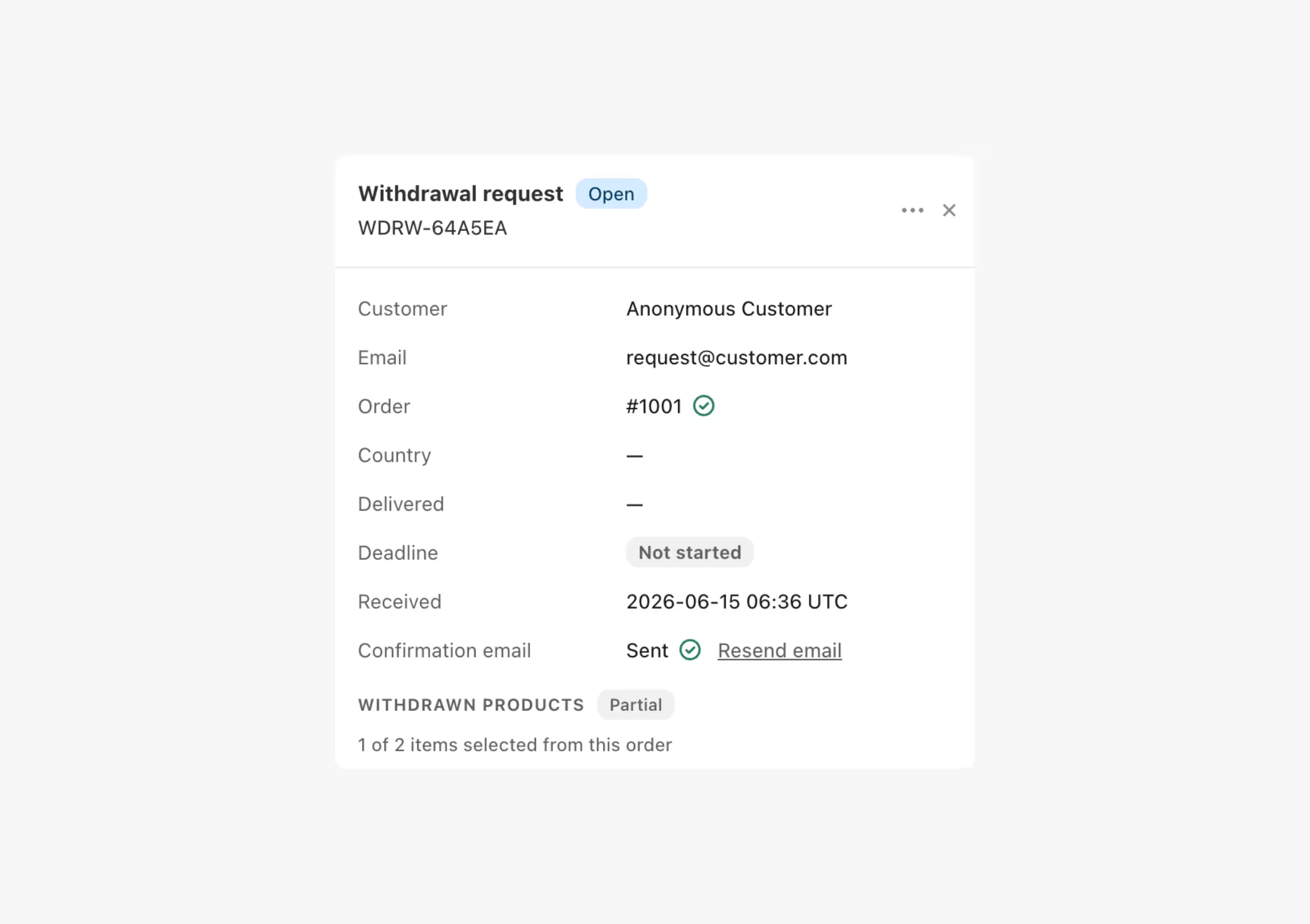
Withdrawal request form showing order #1001 for anonymous customer with status open and partial withdrawal.
Review Requests and Export Records
Each withdrawal request is stored with key details such as received date and time, customer email, order number, selected items, and a unique reference ID. Export records by CSV whenever your team needs them.
You stay in control of every withdrawal request
Consentmo helps collect, verify, confirm, and record withdrawal requests, but it does not automatically cancel orders, approve requests, issue refunds, or start returns. Your team reviews each request and decides whether it is eligible based on your store policy and legal obligations.
90,000+ Brands already use Consentmo
Black Panasonic logo.
Black Häfele logo on a transparent background.
Black Steve Madden logo.
Black text logo reading 'florence by mills' on a transparent background.
Invisalign logo consisting of a stylized eight-petal flower symbol followed by the word 'invisalign'.
L'Occitane black brand logo.
Black and white Linkin Park band logo with stylized angular letters.
Toys R Us logo with a star inside the letter R.
Edward Sexton black and white logo with stylized text and vertical line on the left
Vera Wang logo.
Black Panasonic logo.
Black Häfele logo on a transparent background.
Black Steve Madden logo.
Black text logo reading 'florence by mills' on a transparent background.
Invisalign logo consisting of a stylized eight-petal flower symbol followed by the word 'invisalign'.
L'Occitane black brand logo.
Black and white Linkin Park band logo with stylized angular letters.
Toys R Us logo with a star inside the letter R.
Edward Sexton black and white logo with stylized text and vertical line on the left
Vera Wang logo.
FAQ

All You Need to Know

EU Withdrawal FAQ – Consentmo
What is EU Withdraw Contract in Consentmo?

Withdraw Contract is a Consentmo compliance solution that helps Shopify merchants provide customers with a clear online way to withdraw from eligible orders or contracts. It includes a dedicated withdrawal page, a direct “Withdraw contract” button or link, confirmation emails, and a customer account extension for Shopify’s Order status page.

Why do Shopify stores need a withdrawal button?

From 19 June 2026, stores selling to EU customers need to provide an online withdrawal function for eligible distance contracts. This means customers should be able to start and submit a withdrawal request online, instead of relying only on email, support messages, or offline forms.

What is the EU withdrawal button requirement?

The EU withdrawal button requirement means eligible online stores must provide a clear electronic function that allows consumers to withdraw from eligible contracts online. In practice, this is often shown as a “Withdraw contract” button or link that leads to a guided withdrawal process.

What does Withdraw Contract add to my Shopify store?

Withdraw Contract helps you add a customer-facing withdrawal process to your store. Depending on your setup, this can include a dedicated withdrawal page, a footer link or button, a Shopify Order status page extension, automatic customer/order recognition, email verification, confirmation emails, and an in-app request log.

Does Withdraw Contract recognize the customer’s order automatically?

Yes. When customers enter their order number and email, Consentmo can match the request to the correct Shopify order. If the customer starts from the Order status page, the flow can already be connected to the relevant order context.

Is the withdrawal process one-click?

No. The withdrawal process should not be treated as a single-click action. A safer setup follows a guided process where the customer first enters or confirms the relevant order details, then uses a clear final confirmation step to submit the withdrawal request.

What happens after a customer submits a withdrawal request?

After submission, the customer receives a confirmation email, and the request is recorded inside Consentmo. The merchant can then review the request, check eligibility, add internal notes, and mark the request as processed or not eligible.

Where can I set up Withdraw Contract in Consentmo?

You can set up Withdraw Contract from Consentmo under Privacy Center → EU Withdrawal page. From there, you can configure the withdrawal page, emails, thank you page, and customer-facing access points.

Which Consentmo plans include Withdraw Contract?

Withdraw Contract is available for Plus and Enterprise merchants. Lower-tier merchants can upgrade to access the feature and prepare for the upcoming EU withdrawal button requirement.

Have more questions?
Contact our team
Contact Us