


T&C Checkbox
Terms & Conditions Checkbox for Shopify
Ask customers to agree to your store's purchase terms before continuing. Consentmo lets you add a customizable checkbox to product pages, carts, and cart drawers, with records of customer acceptance.
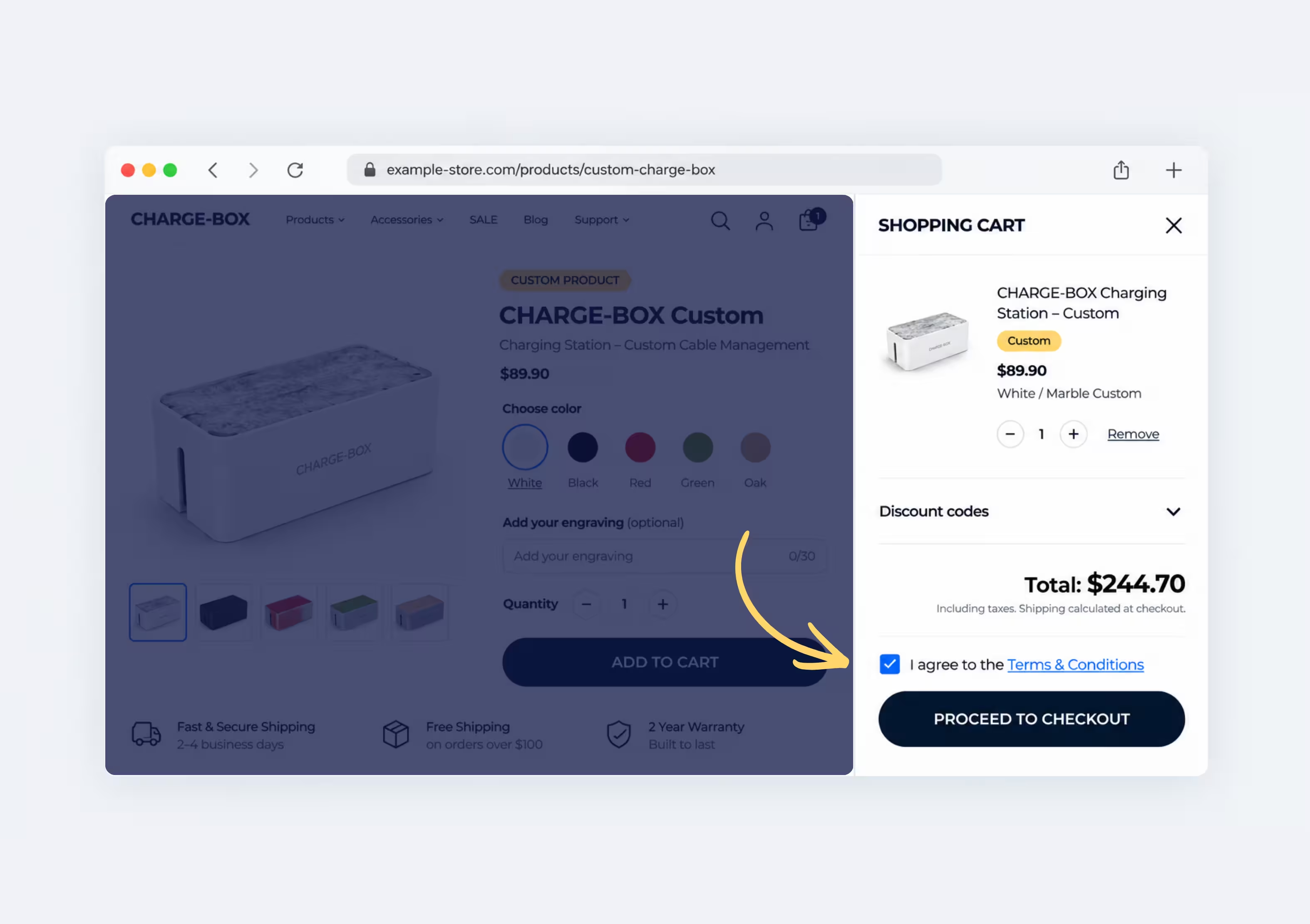
Еxtremely flexible and covers everything you need for global ecommerce compliance.
90,000+ Brands already use Consentmo


_converted.avif)
.avif)



.png)

POLICY SOURCE
Choose Which Terms Customers Agree To
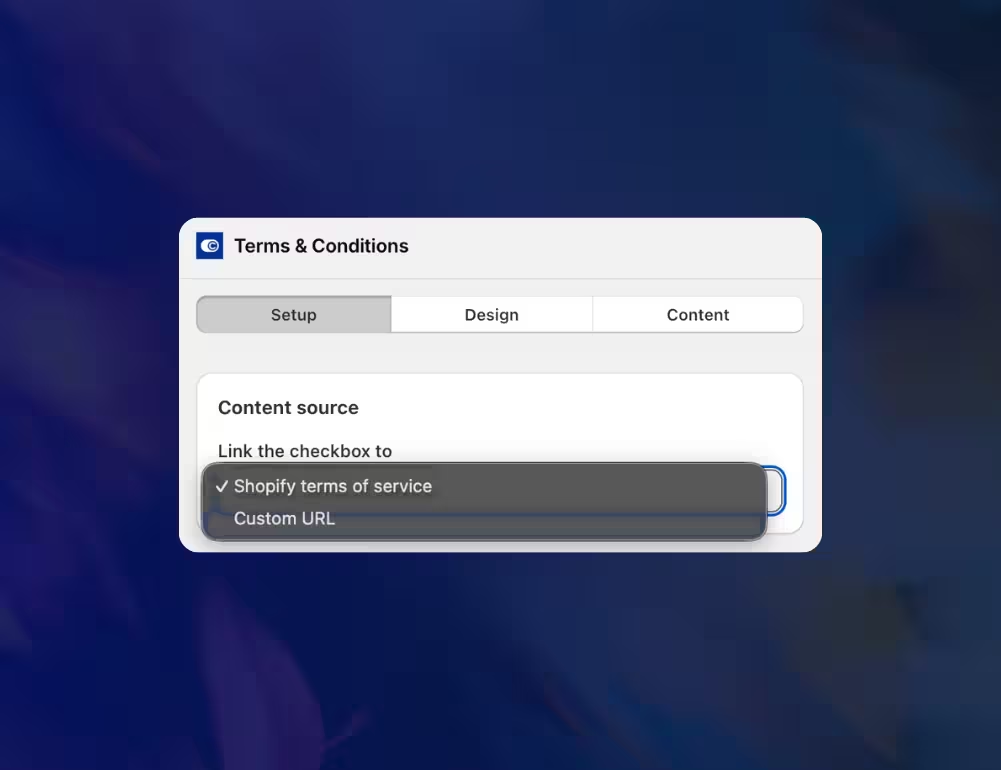
Connect your existing Shopify Terms of Service or use a custom policy URL. Give customers direct access to the purchase conditions they need to review before accepting.

Use the policy already configured in your Shopify store
Link to another Terms & Conditions or purchase agreement page
Keep the checkbox connected to the policy you want customers to acknowledge
DISPLAY OPTIONS
Let Customers Review Your Terms Before Agreeing
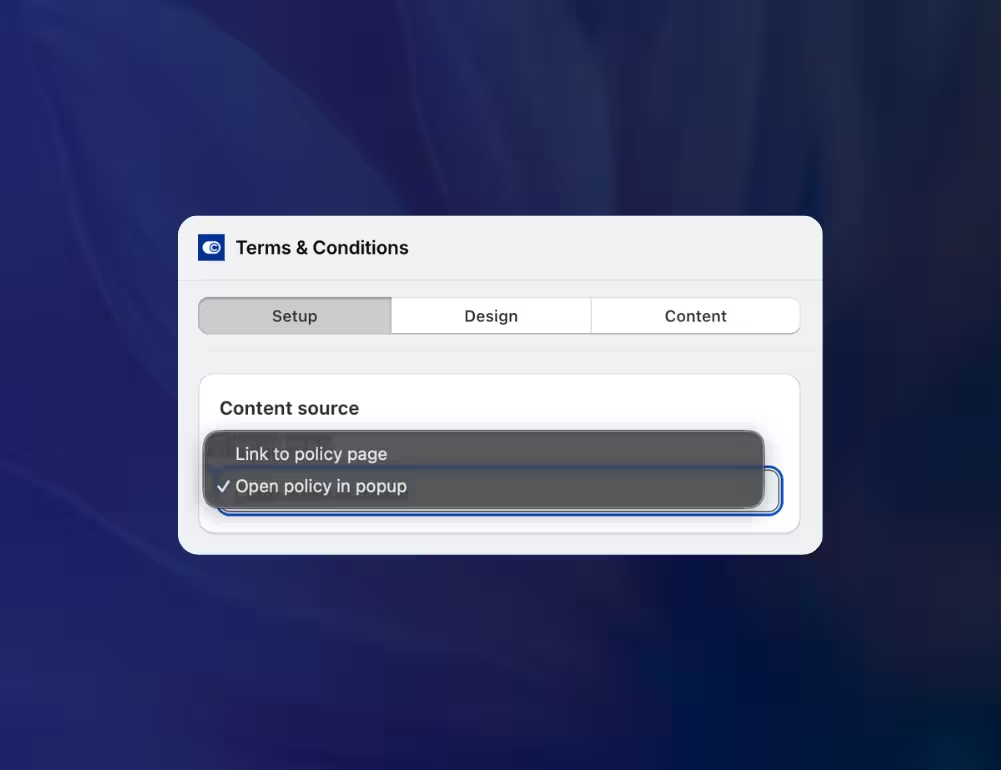
Make important purchase conditions easy to access. Choose whether shoppers open your policy in a separate page or review it in a popup without leaving their purchase flow.
Link to policy page
Display the agreement in a popup
Help customers review the conditions before accepting
Design
Make the Checkbox Fit Your Shopify Store
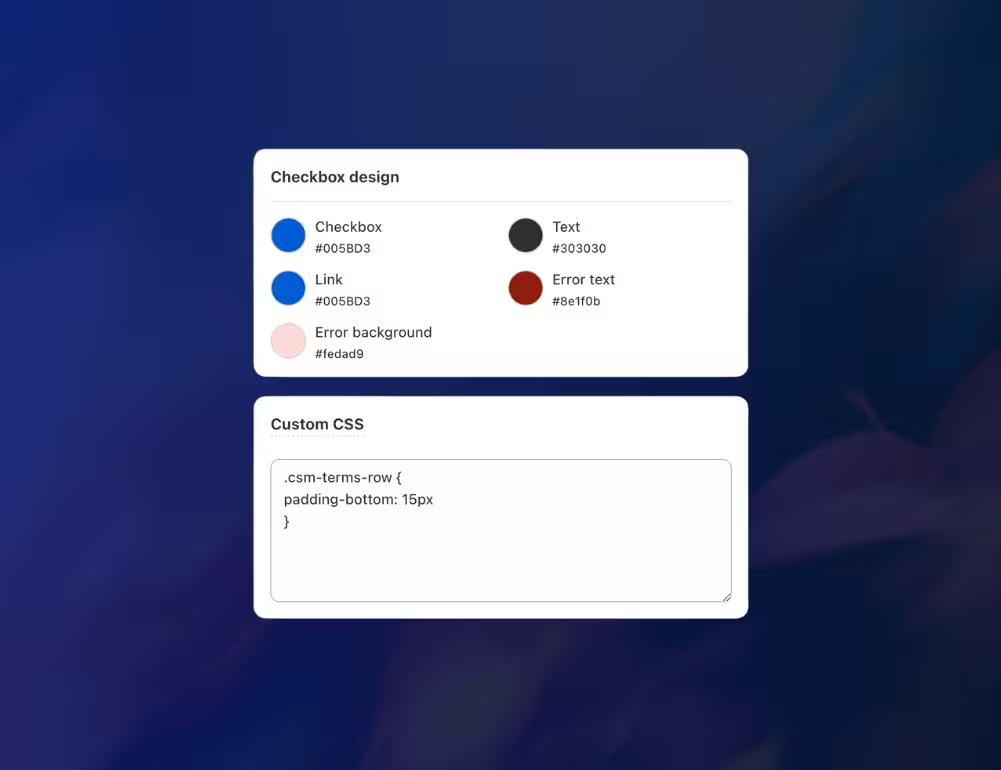
Customize the checkbox to match your storefront while keeping the agreement and policy link easy to identify.
Choose the checkbox, text, and link colors
Customize the error message text and background colors
Add custom CSS for additional styling and spacing
Preview the checkbox on desktop and mobile before publishing
Content
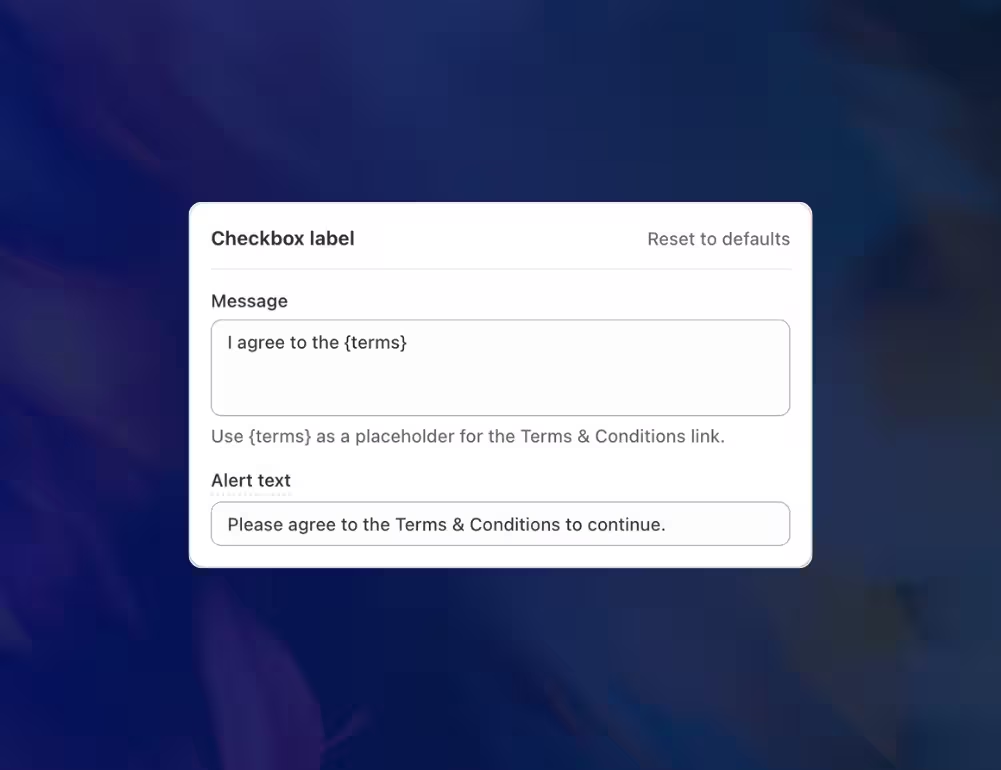
Customize Every Terms & Conditions Message
Use wording that matches your store's policies and customer experience. Consentmo lets you edit the checkbox label and the alert shown when customers try to continue without accepting.
Custom agreement message: Replace the default text with wording suited to your store
Dynamic policy link: Use
{terms} to automatically insert the clickable Terms & Conditions linkValidation message: Explain why customers need to accept the terms before proceeding
translation
Show Your Checkbox in Your Store Languages
Make your Terms & Conditions checkbox understandable to international customers. Consentmo automatically retrieves your Shopify store's available languages and lets you customize the text for each one.
Automatically fetch the languages configured in Shopify
Customize the checkbox label and validation alert for each language
Keep the agreement experience consistent across your multilingual storefront
_converted.avif)
Placement
Show the Checkbox Where Customers Buy
Display the Terms & Conditions checkbox at key points in the purchasing process. Choose one or multiple supported locations to collect agreement before customers continue.
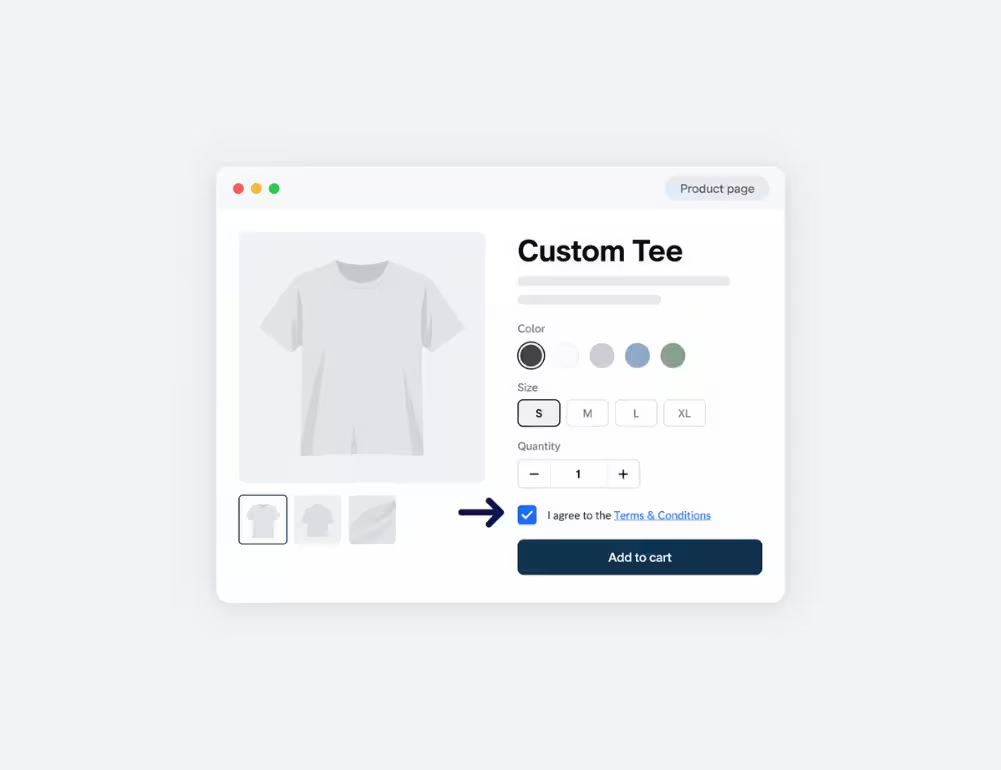
Product Pages
Ask customers to accept your store's terms before adding products to their cart.
- Display the checkbox before Add to cart
- Include agreement directly in the product purchase flow
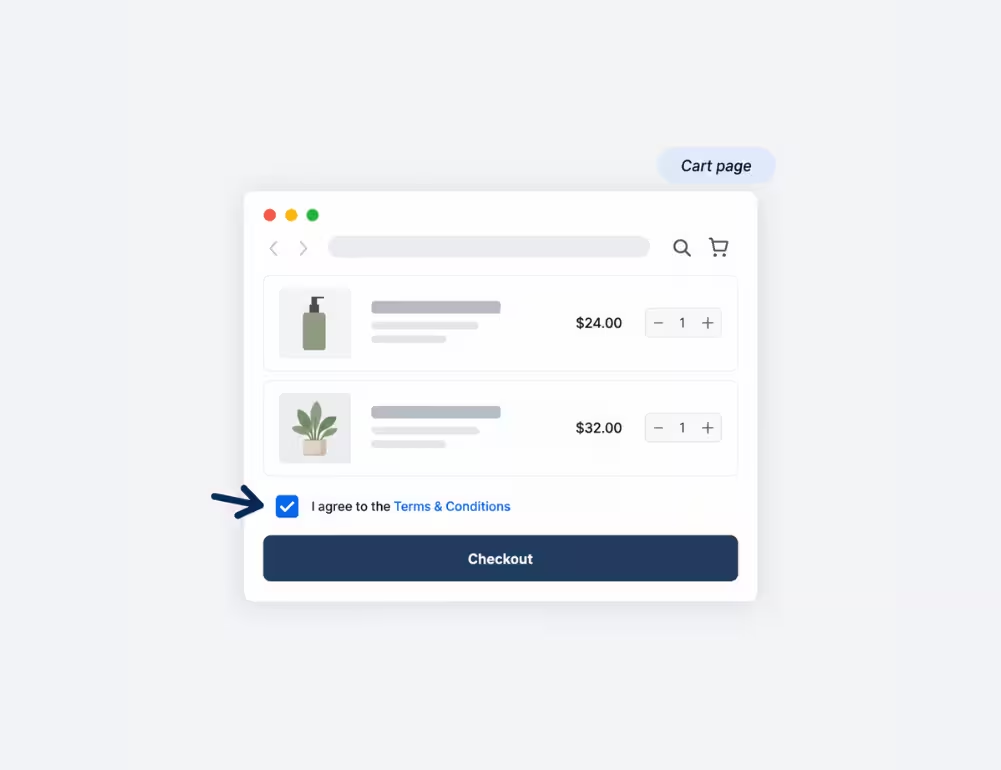
Cart Page
Request acceptance before customers proceed from their shopping cart to checkout.
- Position the checkbox above the checkout button
- Recommended placement for general store purchase terms
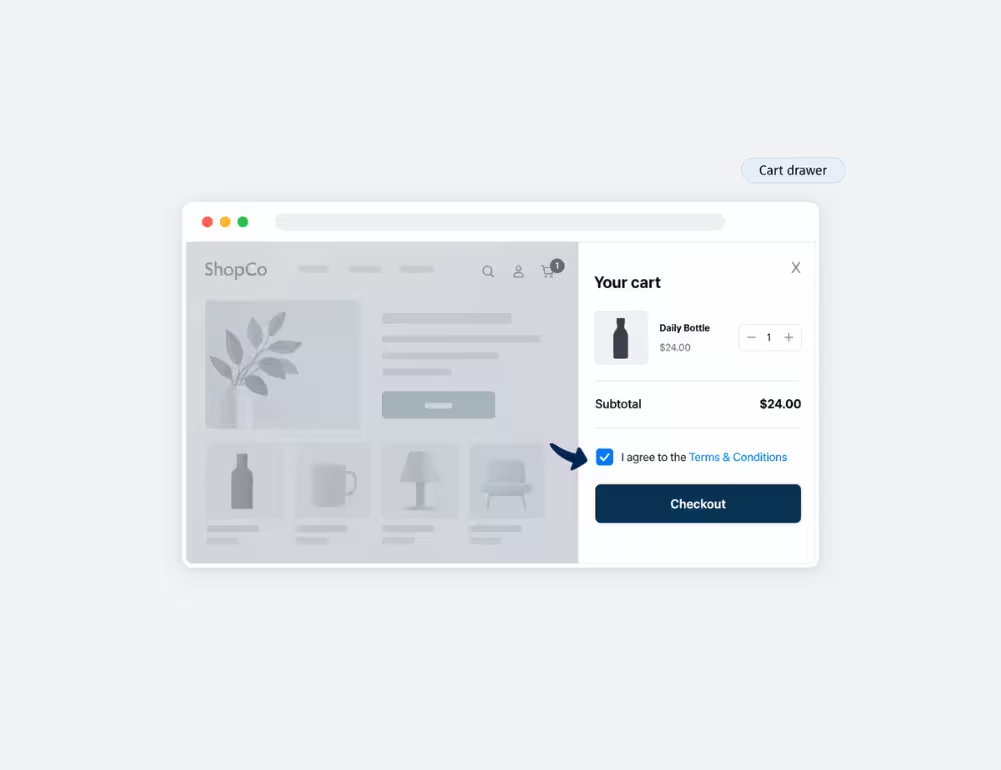
Cart Drawer
Popular
Keep the agreement step within your theme's cart drawer when supported.
- Display the checkbox in compatible cart drawers
- Let customers review the terms within their existing cart experience
RETURNING VISITORS
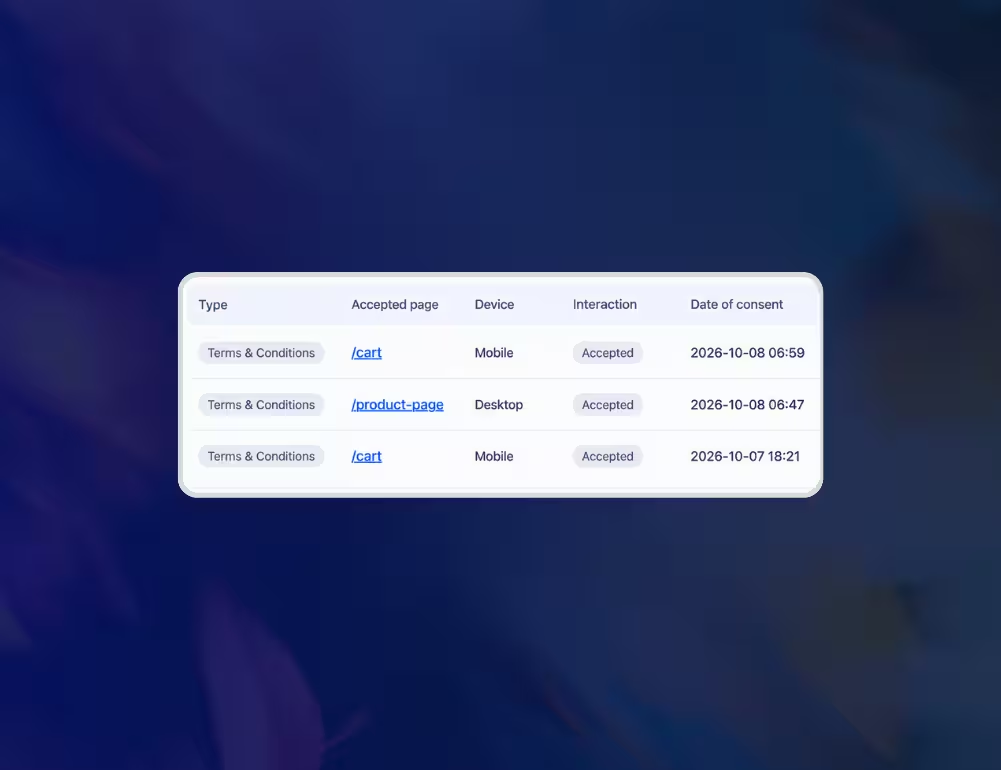
Keep a Record of Customer Agreements
Know when customers have accepted your Terms & Conditions. Enable acceptance recording and access the acknowledgement history from Consentmo's reports.
Save customer acknowledgements with a unique ID and timestamp
See the accepted page, interaction, location, device type, partially masked IP address
Use the available date filters, search, and sorting options in Consent Records
_converted.avif)