By default, Consentmo sends automated compliance mail from no-reply@mail.consentmo.com. That works, but it puts a third-party address between your store and the customer on sensitive messages: withdrawal confirmations and privacy-request emails.
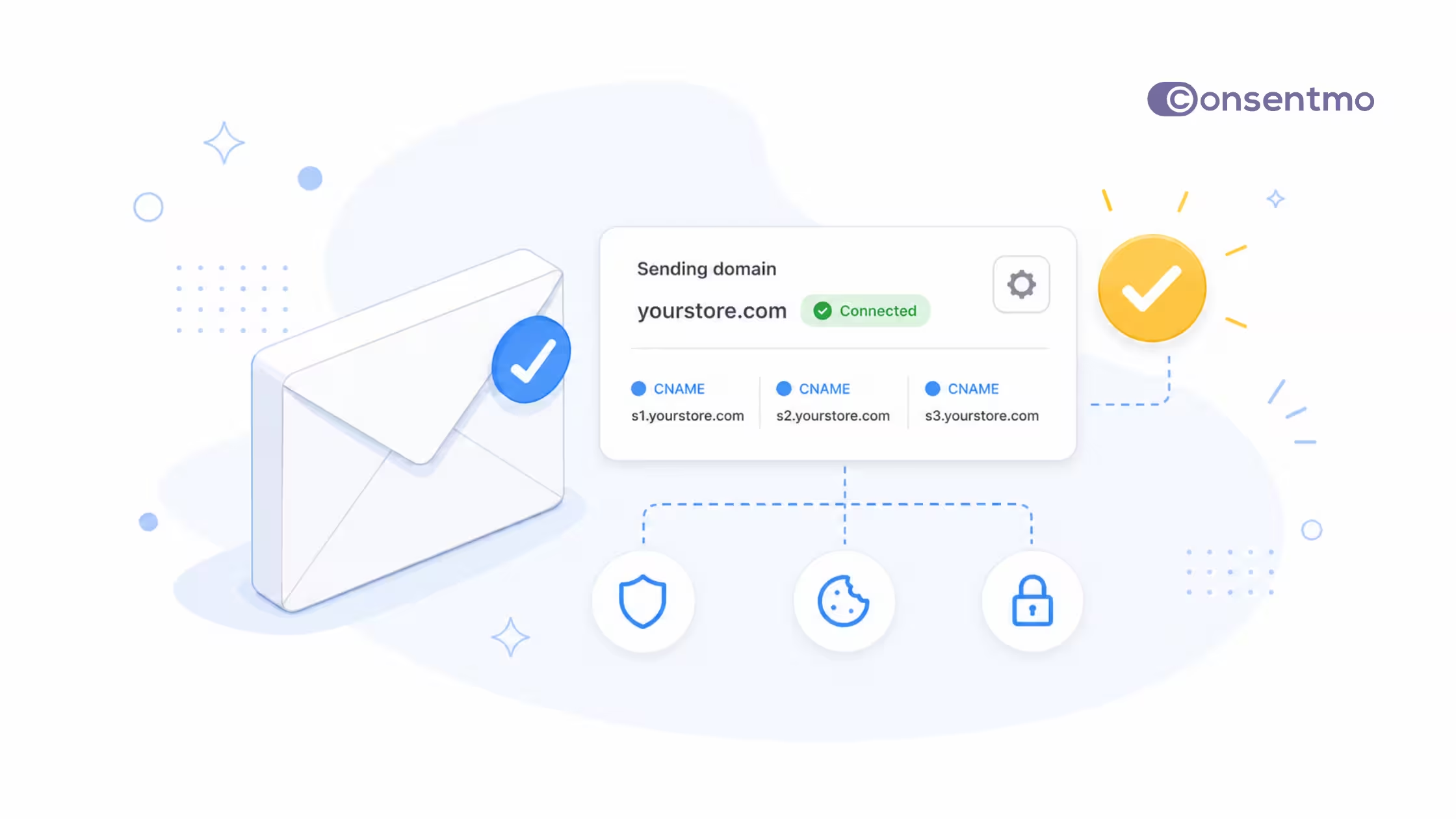
Unified Domain Sender fixes that for Plus and Enterprise merchants. You verify your brand domain once under global Settings. When the domain is connected, supported emails for EU Withdrawal and Smart Privacy Center can go out from your own domain (for example privacy@yourstore.com or withdrawals@yourstore.com) instead of the Consentmo default.
This is the next step after custom sending for EU Withdrawal only: one place to configure, one domain for both flows, depending on which features you have active.
What a custom email domain brings you
Consistent brand identity
Compliance emails are still your store talking to the customer. When the From line shows your domain, the message sits next to order updates and support mail instead of looking like a separate system.
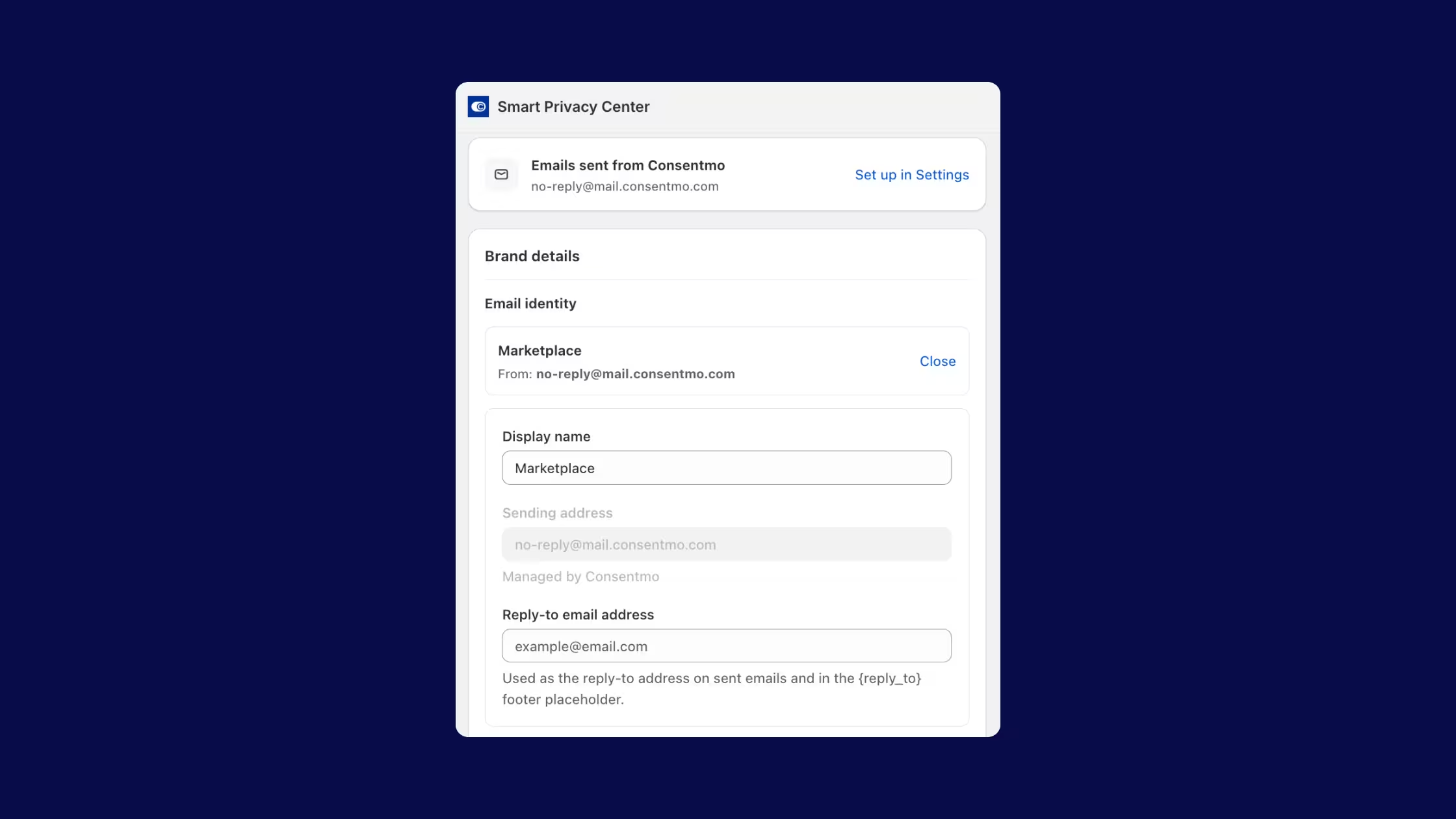
You keep control of how the name reads in the inbox. After the domain is connected, open the Emails tab on EU Withdrawal or Smart Privacy Center, choose Change under Email identity, and set a display name such as “Support – Your Store.” The verified domain handles authentication; the display name is what people see first.
One domain setup also keeps both supported flows aligned. You are not maintaining one sender story for withdrawals and another for privacy requests.
Better deliverability
Mailbox providers weigh whether mail comes from a domain the recipient already knows. A verified brand domain, with the CNAME and DKIM records Consentmo asks you to add, is the standard way to prove those messages are allowed to use your name.
That does not replace good list hygiene or clear content, but it removes a common weak spot: automated legal and privacy mail leaving from a generic third-party address. Familiar sender names are easier to spot in a crowded inbox, which supports open rates on messages customers actually need to act on.
Zero downtime
DNS is not always instant. Records can take minutes or up to about 48 hours to propagate, and setup can pause mid-way if you need help from whoever owns the domain.
Consentmo is built for that. While status is Pending verification, or if verification is not finished yet, emails keep leaving from no-reply@mail.consentmo.com. Nothing in the customer flow goes dark while you copy CNAMEs or wait on your DNS host.
You can click Finish later, leave Settings, and come back with Continue setup when records are ready. Feature Email tabs show helper copy so your team knows the fallback is still active until the badge turns Connected.
Changed your mind?
Branded sending is optional. If you want the Consentmo default again, remove the sending domain in Settings. Mail returns to no-reply@mail.consentmo.com without rebuilding EU Withdrawal or Smart Privacy Center from scratch.
That makes the feature safe to try when you are ready for DNS access, and easy to reverse if ownership of the domain changes or you prefer the managed sender for a while.
Default vs verified domain
How to set it up
Most stores finish this in a few minutes once DNS is ready. Propagation can take up to 48 hours.
- Open Privacy Center → Settings → Sending domain. Or open the Emails tab on EU Withdrawal or Smart Privacy Center and use Set up in Settings.
- Click Set up domain and enter your domain (e.g.
yourstore.com). - Copy the three CNAME records Consentmo shows (mail sending plus DKIM) into your DNS host (Cloudflare, GoDaddy, Namecheap, and similar).
- Click Verify. If records are not live yet, use Finish later, then Continue setup when you are ready.
- When the badge shows Connected, open each feature’s Emails tab and set the display name under Email identity if you want a friendlier From name.
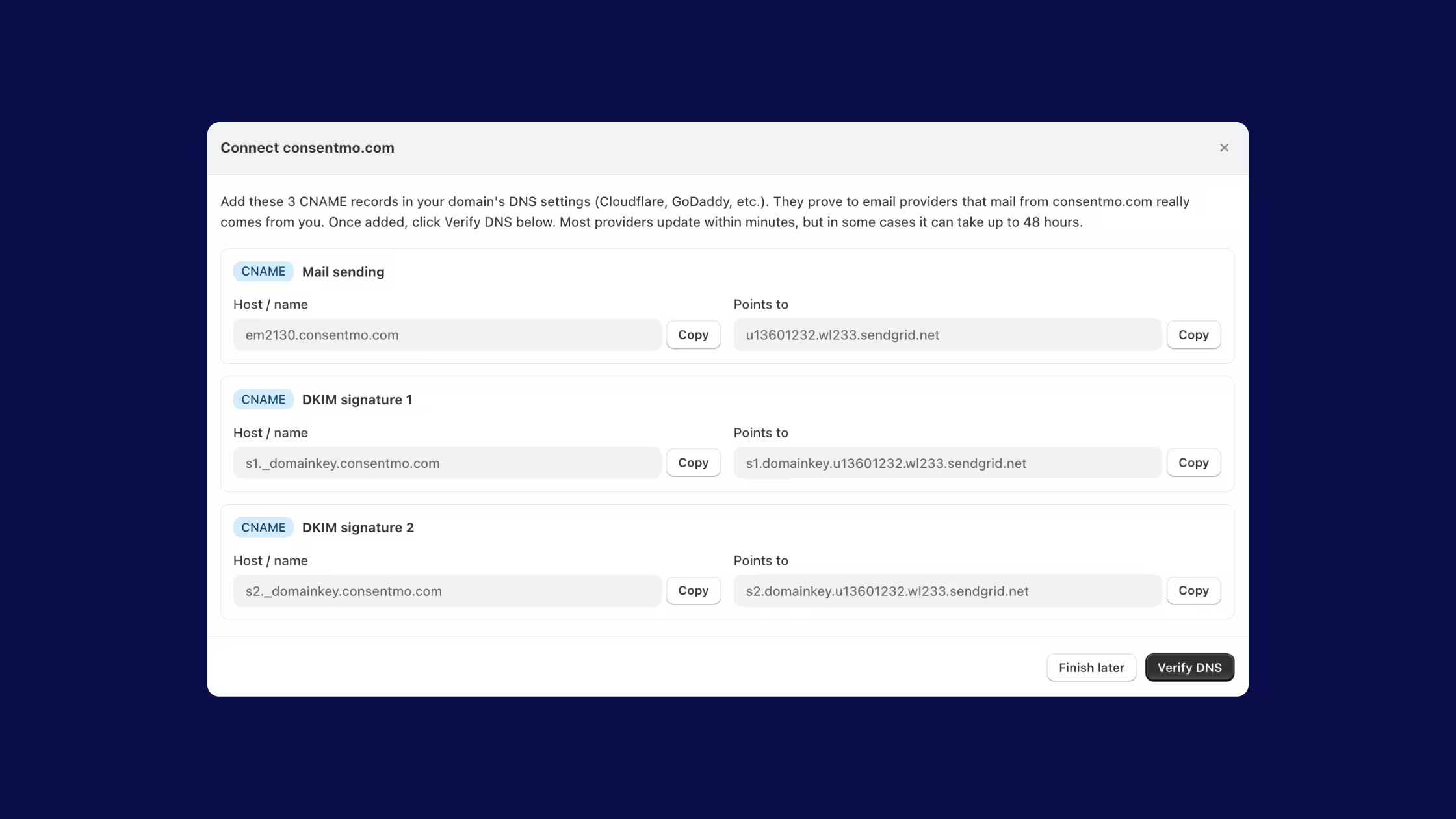
While status is Pending verification, feature pages remind you that mail still leaves from no-reply@mail.consentmo.com until verification completes.
Clear status messages inside the app
Who can use it
Unified Domain Sender is available on Consentmo Plus and Enterprise.
You need the relevant product features enabled for the domain to matter on those flows: EU Withdrawal (and a published page where required) and/or Smart Privacy Center. If you are on a lower plan and want branded senders, contact us or review plan options in the app.
Ready to connect your domain?
A custom sending domain is a small setup with a lasting payoff: customers see your brand on the emails that handle withdrawals and privacy requests, and you configure it once for both. It is optional, reversible, and safe to start even if DNS takes a day or two, because the Consentmo fallback keeps mail moving until you are fully Connected.
If Consentmo is already installed and you are on Plus or Enterprise, open the app, go to Privacy Center → Settings → Sending domain, and connect your domain when someone with DNS access has a few minutes.
New to Consentmo, or still on a plan without this feature? Start here, then upgrade when branded compliance email is on your list:
Install Consentmo on the Shopify App Store →
Thanks for trusting us with the unglamorous part of store ops. When you are ready, verify the domain once, set the display name your customers should recognize, and let both supported email flows send as you.


.avif)