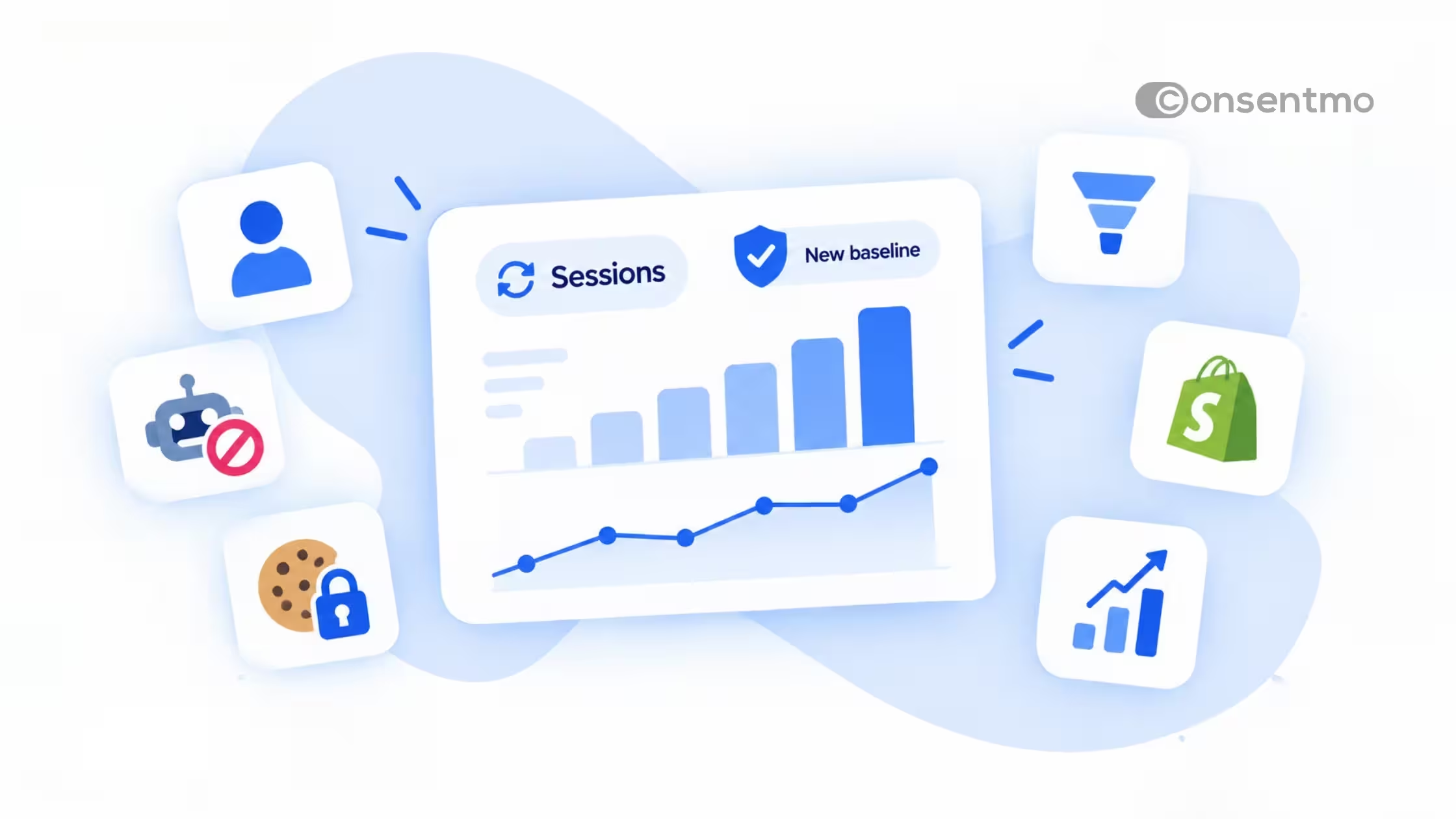
TLDR
- In many regions, this can be an expected result of enforcing consent requirements rather than a sign that checkout or tracking is broken.
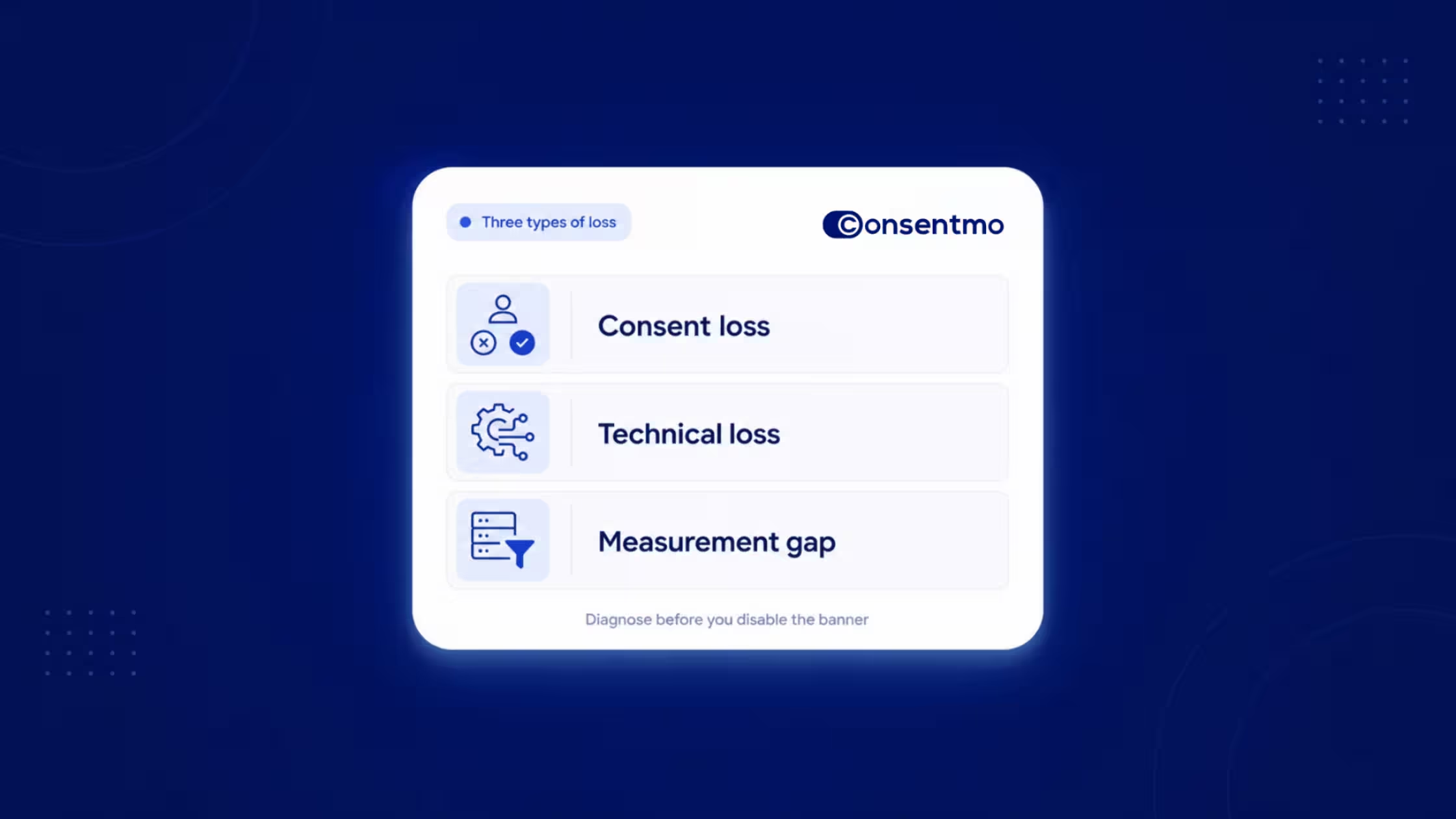
- Separate three causes when numbers move: consent loss (the visitor declines or never chooses), technical loss (tags do not honor consent signals), and measurement gaps (browser and platform limits even after consent).
- Google Consent Mode adjusts Google tags from the visitor’s consent state and can support conversion modeling when storage is denied, within Google’s product rules and thresholds.
- Turning the banner off for a short window is a weak way to judge the CMP. It compares consent-aware tracking with unrestricted tracking.
- Consentmo works alongside measurement stacks (including Elevar, Converge, Northbeam, Trackstars, Simprosys, Littledata, and similar tools) so browser and server-side events fire or block correctly on grant, reject, withdrawal, and GPC-style signals, by region.
- After install, read metrics by geography, compare Shopify orders with ad-platform attribution, and confirm banner UX plus Consent Mode wiring before you change tools.
Who this guide helps
- Shopify merchants who recently added a CMP and want a clear way to interpret sessions, conversion rate, and ROAS
- Agencies and freelancers who manage media and analytics for Shopify brands
- Tracking and analytics partners who share a stack with a CMP and need a common measurement framework
Life after install: what usually changes
When a CMP goes live, marketing and analytics tags no longer run the same way for every visitor. In opt-in regions, many non-essential tags wait for a choice. Platforms then report fewer cookie-based events, or a mix of observed and modeled conversions. Shopify can still record orders normally while ad dashboards look thinner.
That gap confuses teams because two different things share the word “conversion”:
- A real order in Shopify
- An attributed or cookies conversion in an ads or analytics product
A CMP mainly affects the second. Store demand is still visible in orders and revenue. Reporting quality depends on consent rates, regional traffic mix, and whether every tag path honors the same signals.
Public discussions among Shopify merchants often note that enabling cookie consent can change how analytics and ads look. The pattern is common. The useful response is structured diagnosis, not an immediate uninstall.
What a CMP does on Shopify
A CMP (consent management platform) collects and records visitor choices about non-essential cookies and similar technologies, applies regional rules, and emits consent signals other tools should respect.
On Shopify, Consentmo (Built for Shopify) is built to:
- Show a relevant banner by location and regulation
- Block or allow trackers according to choice and configuration
- Integrate with Google Consent Mode v2 so Google tags can adapt to consent
- Keep consent records and preference controls available after the first choice
A CMP is the choice and signal layer. It is not your ad account, media plan, or server-side collector. Measurement quality after install depends on whether the rest of the stack listens to those signals.
Three reasons metrics move after a CMP
When numbers shift, name the cause before you change settings.
1. Measurement limited by consent (expected in many regions)
What it is: The visitor rejects marketing or analytics cookies, leaves without choosing, or never grants storage where opt-in is required. Tags that need consent correctly skip full tracking.
What you may see: Fewer cookie sessions, thinner attribution paths, lower platform-reported conversion rate or ROAS when more traffic comes from stricter regions.
What helps: Clear banner UX, a layout that matches your consent model, readable copy, regional rules aligned with local requirements, and an easy way to update preferences later. Turning the CMP off is not the fix.
2. Technical loss (configuration)
What it is: Consent is available, but tags load outside a consent-aware path, Consent Mode is only partly set up, a third-party pixel app ignores signals, or the banner is disabled so visitors cannot grant storage.
What you may see: Tags that never fire, tags that always fire, conflicting Consent Mode settings, or a CMP install with no Consent Mode on the container that actually loads Google tags.
What helps: Align where tags load with where consent is declared (theme app embed, GTM, pixel apps, checkout). Follow Consentmo’s GCM v2 guides and server-side GTM notes. Enable consent settings inside each marketing app that injects its own tags.
3. Measurement gap (browsers, blockers, and pipelines)
What it is: Even after consent, browsers, Intelligent Tracking Prevention, ad blockers, and multi-step checkout paths can drop or delay events. Server-side and first-party tools recover more of what is allowed. They do not restore tracking without a lawful basis.
What helps: Consent-aware server-side or first-party tooling, clean event schemas, and partners that read the same grant, deny, withdraw, and GPC-related state as the CMP.
Treating every dip as one problem leads to the wrong fix. Consent loss needs UX and regional clarity. Technical loss needs wiring. Measurement gaps need infrastructure that still respects choice.
What Google Consent Mode does
According to Google’s Consent mode overview:
- Consent mode lets developers adjust Google tags and SDKs based on the user’s consent choices for storage and related uses.
- You need to obtain consent, communicate consent state to Google, and ensure tags respect that state.
- Products with built-in consent checks include the Google tag, Google Analytics, Google Ads (conversion tracking and remarketing; phone call conversions are noted as pending on Google’s page), Floodlight, and Conversion Linker.
- Consent types include ad_storage, ad_user_data, ad_personalization, analytics_storage, and others listed by Google.
- Basic consent mode keeps Google tags blocked until the visitor interacts. If the visitor does not consent, no data goes to Google, not even consent status. Conversion modeling then relies on a general model.
- Advanced consent mode can load tags with defaults (often denied), send cookieless measurements and consent pings while denied, then full measurement when granted. Modeling can be more advertiser-specific when Google’s conditions are met.
- When storage is denied, consent-aware tags avoid normal advertising and analytics cookies and may send limited pings that Google can use for conversion and behavioral modeling, subject to privacy thresholds and product rules.
How to use this when you read reports: A drop in raw observed conversions after a CMP can sit next to modeled conversions in Google products. Compare observed vs modeled where the product shows them, pre- vs post-Consent Mode, and results by country. Rely on more than a single blended ROAS number from one ads interface.
Consentmo documents Shopify-oriented setup for automatic GCM v2, advanced mode, basic mode, checkout, and testing.
Why pausing the banner is a weak test
Some teams disable the banner for a day or two when ROAS looks softer. Short-term lifts are easy to misread.
Reasons that test misleads:
- The “control” is often unrestricted tracking in regions that require a choice before many tags fire.
- Spend, creative, seasonality, and promotions can move in the same window.
- Disabling the banner can remove the path to grant storage, so visitors who would have accepted never get a chance.
- Blended ROAS hides geography. A week heavy in the EEA or California will not match a week heavy in more permissive markets.
A clearer approach:
- Keep the CMP on
- Correct wiring (Consent Mode, partner consent settings, banner layout)
- Compare Shopify orders and revenue with ad-platform attributed conversions
- Segment EEA/UK, US, and other regions, plus stricter US states when relevant
- Hold media mix as steady as the business allows
- Review consent rates in the CMP alongside ad UIs
If Shopify revenue is steady and only attributed ROAS moved in opt-in geos, you are usually seeing consent-aware reporting, not a broken storefront.
Banner experience affects what gets measured
Consent UI is part of measurement health.
- Layout and visibility affect whether people notice and understand choices. A layout suited to one consent model can under-deliver in another.
- Regional behavior should match legal requirements and your risk posture (opt-in where required; implied consent only where allowed). Consentmo’s smart geotargeting helps you avoid one global hard block that creates unnecessary cliffs in permissive regions, and avoid loose defaults that under-protect strict ones.
- Preference and withdrawal paths matter after the first visit. Withdrawal and Global Privacy Control (GPC)–style signals, where you honor them in configuration and policy, should update tags the same way the first choice did.
For UX patterns that reduce friction without dark patterns, see consent fatigue and banner solutions.
Consent signals need to reach every place tags load
Installing a CMP is step one. Every marketing script still has to respect the result.
Tags on Shopify often load from:
- Consentmo / theme app embed paths
- Google Tag Manager (web and server)
- Shopify Customer Events
- Pixel apps (Google, Meta, TikTok, and others)
- Tracking apps that inject their own scripts (for example tools in the same class as Simprosys)
If Consent Mode or consent APIs are enabled in only one place, and tags fire from another, reports can look worse than they should, or compliance can lag behind the banner.
Practical rule: Wherever a marketing script is injected, that path should read the same grant, deny, and update events the CMP emits. When tags live outside Consentmo’s automatic GCM path, use the documented manual or advanced GCM setup and each vendor’s consent setting. Consentmo’s server-side GTM article notes that Consent Mode v2 expects tags to respect preferences before collecting or sending data.
Incorrect Consent Mode setup is also a common reason analytics look inconsistent when brands change CMP. See Why Shopify merchants switch their CMP.
How browser and server-side events should respond
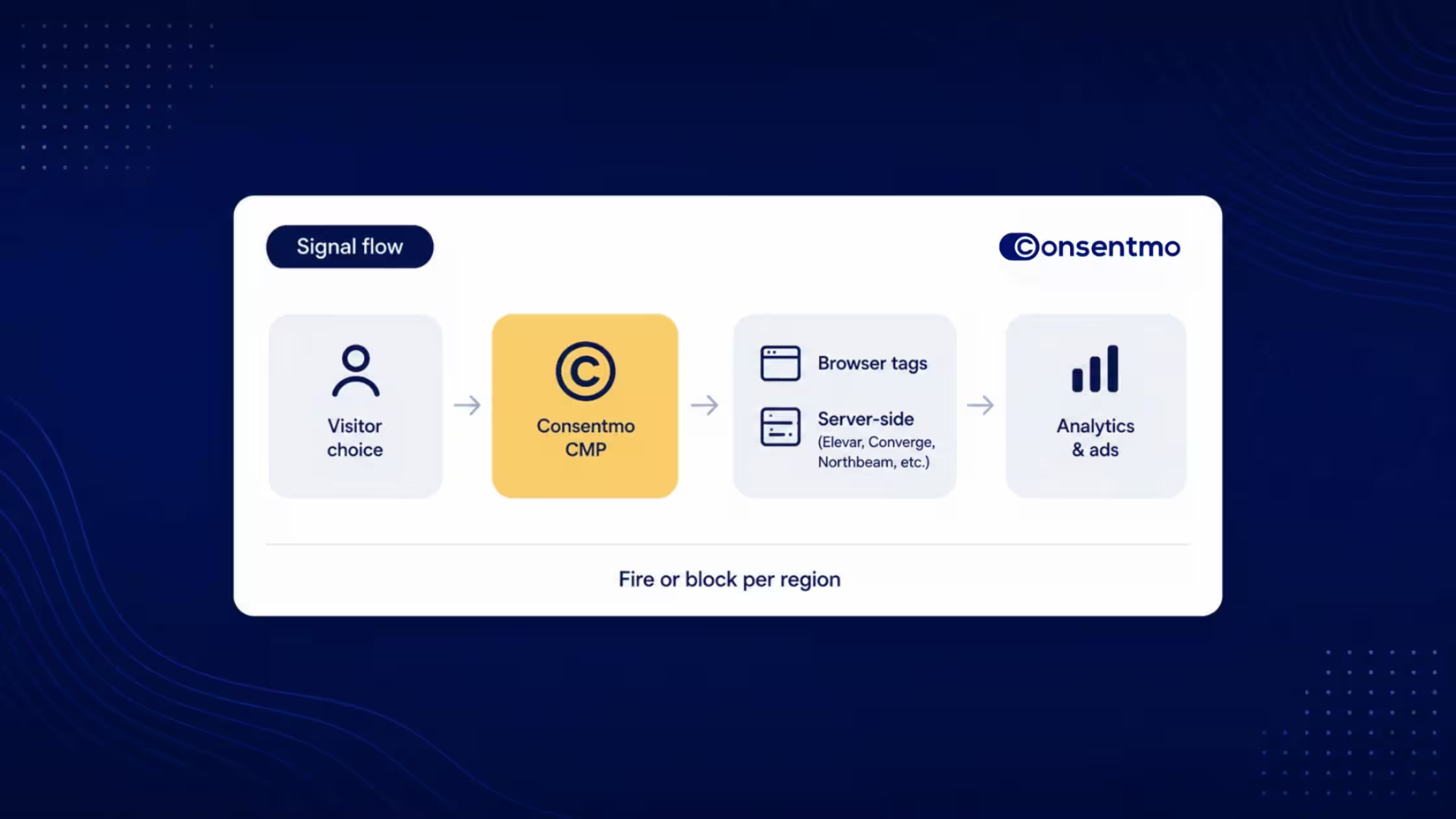
Use this table with your analytics or server-side partner.
Measurement partners and the CMP work together
Consentmo’s role: choice, regional banner logic, records, and consent signals.
Partners’ role: durable collection and attribution for events that are allowed.
Consentmo works across the industry with server-side and analytics tools merchants already use, including (non-exhaustive):
- Elevar
- Converge
- Northbeam
- Trackstars
- Simprosys
- Littledata
- and comparable tools in the same category
The shared goal is straightforward: signals fire when allowed and stay blocked when not, per region and per visitor state (grant, reject, withdraw, and GPC where applicable). That is how teams recover consented and modelable events around analytics and ads while keeping the banner in place.
Server-side tracking does not replace the CMP. It improves durability after consent and configuration are correct.
How to read metrics in the first two weeks
Compare the right numbers
Segment before you conclude
- Country or region (EEA, UK, US, Canada, rest of world)
- New vs returning visitors (returning visitors may already hold a prior choice)
- Device
- Campaigns that send a large share of traffic from regulated geos
A simple reporting note for stakeholders
For the first few weeks after install, it helps to state clearly:
Platform-reported conversions reflect consented and modeled measurement. Shopify revenue remains the commercial source of truth for sales volume.
That framing keeps media reviews grounded when dashboards and the order list tell slightly different stories.
Diagnostic checklist after you install a CMP
- Confirm the CMP is active and the banner can render in a clean browser session for a strict region.
- Confirm regional rules match the store’s markets (no accidental global deny or global allow).
- Check layout and consent model (visibility; implied vs explicit where each is allowed).
- List every tag injector (GTM, pixel apps, tracking apps, Customer Events).
- Verify Consent Mode v2 on the path that actually loads Google tags; use Google’s debugging tools and Consentmo’s testing guide.
- Enable each vendor’s consent integration (pixel apps, Simprosys-class tools, Meta, TikTok, and others).
- Align server-side containers and partners (Elevar, Converge, Northbeam, Trackstars, Littledata, and peers) to the same signals.
- Compare Shopify revenue with ad-platform ROAS by geography for 7-14 days.
- Then decide on media or UX experiments. Lead with diagnosis, not uninstall.
FAQ
Takeaways for merchants and agencies
- Expect some reporting shifts after a CMP in opt-in regions; separate consent, technical, and measurement causes.
- Use Shopify revenue alongside platform ROAS; avoid judging the whole program from one blended ads metric.
- Map every tag injector; the CMP cannot control scripts that never receive its signals.
- Pair Consentmo with your measurement stack so allowed events still reach analytics and ads.
- For the first reporting cycles, review geography and consent rate next to media results.
Conclusion
After you add a CMP to Shopify, sessions and attributed conversions often look different in the regions where the banner is enabled, not only in strict opt-in regions. That usually reflects a clearer picture of what you can measure once visitors get a real choice, not a broken store.
Consentmo gives merchants and agencies a Built for Shopify path to collect consent, apply regional rules, and emit Google Consent Mode v2 and partner-ready signals. Measurement tools across the industry (Elevar, Converge, Northbeam, Trackstars, Simprosys, Littledata, and peers) then fire or block browser and server-side events for grant, reject, withdrawal, and GPC-style signals as configured. Together, that stack protects shoppers and keeps analytics as accurate as the law and the visitor allow.
If charts move after install, diagnose first. Fix signals, banner experience, and partner wiring. Judge the business on orders and consent-aware measurement, with unrestricted pre-CMP tracking as context rather than the only baseline.
Next step: Install or audit Consentmo, complete Consent Mode v2 for every Google tag path, and walk the partner checklist with your analytics provider so every injector honors the same consent state.


.avif)