


September at Consentmo — packed with upgrades
September was all about fine-tuning the details that make a big difference.
From giving you full control over where your banner shows up, to cleaner exports, faster navigation, and brand-new Microsoft integrations — everything this month was built to make compliance easier (and a little more fun to manage).
Let’s jump in!
New Automatic Integration: Microsoft Clarity
We’ve added a new integration with Microsoft Clarity — helping you analyze user behavior while staying fully compliant.
Here’s what’s inside:
- Easy setup – Just paste your Clarity Project ID. No coding or theme edits required.
- Built-in compliance – Clarity runs only after user consent.
- Smooth automation – Everything works seamlessly through Consentmo.
Available on all Paid plans.
.jpeg)
👉 Go to Integrations > Microsoft Clarity and start tracking insights today.
Improved Filters, Layout & Exports for Consent Records and DSARs
We’ve given your compliance records a major refresh — with smarter filters, cleaner structure, and faster exports.
What’s new:
- Redesigned layout – Clearer columns for easier navigation.
- Time-based filters – View data by day, week, month, or year.
- Smarter filtering – Filter by request source, device, country, or type.
- Powerful search & sorting – Quickly locate specific records.
- Context-aware exports – Files now reflect your applied filters.
Don’t forget: You can enable automatic Google Drive backups for peace of mind.
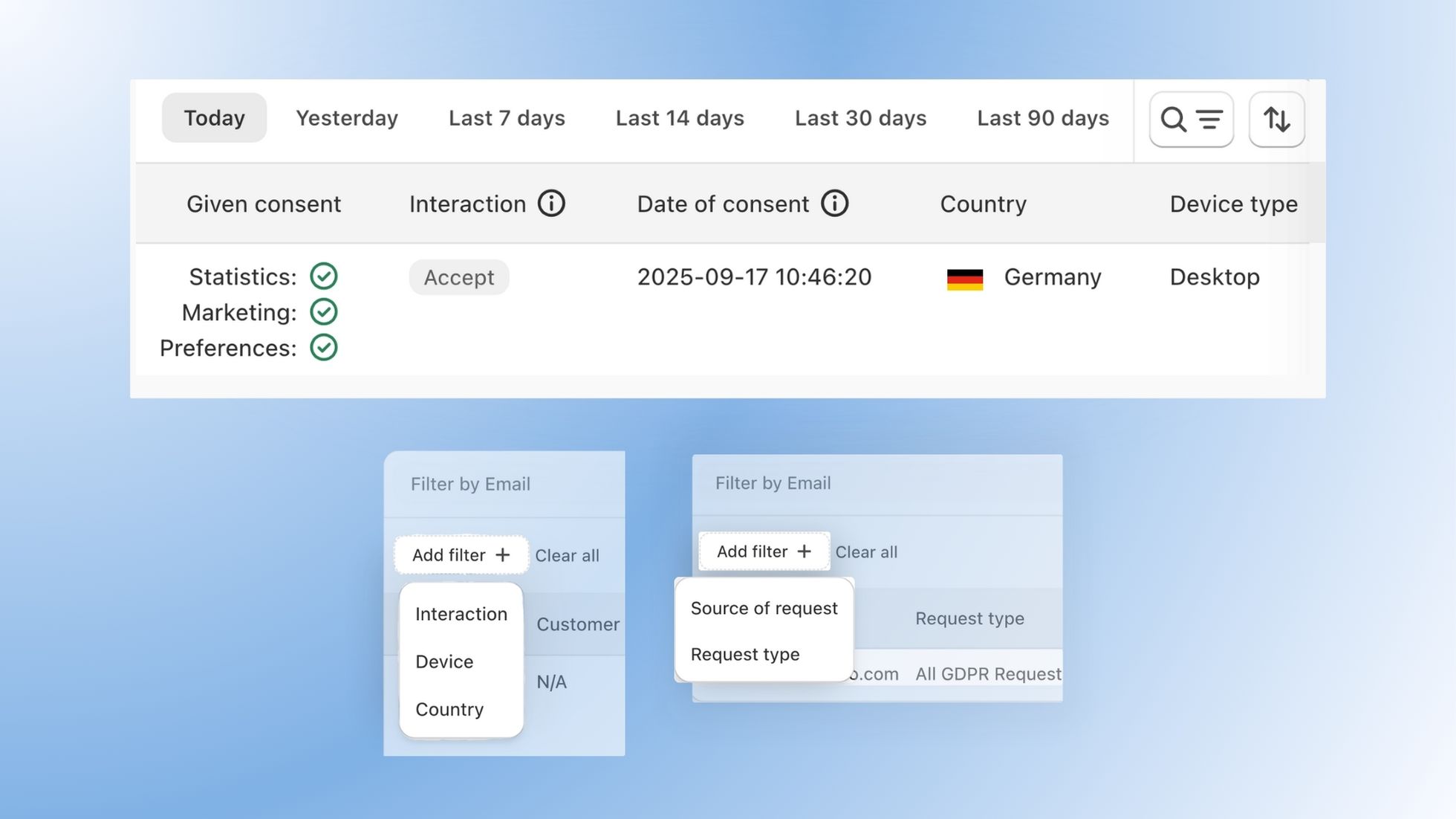
👉 Check it out under Consent Records or Customer Data Requests.
New! More Control Over Where Your Cookie Banner Appears
By popular demand, you can now choose exactly which store pages display your cookie banner.
New page display options include:
- Show on all pages – Default, full-site coverage.
- Show only on the homepage – Keep it minimal.
- Show on all pages except… – Exclude specific URLs (like Privacy Policy or Contact).
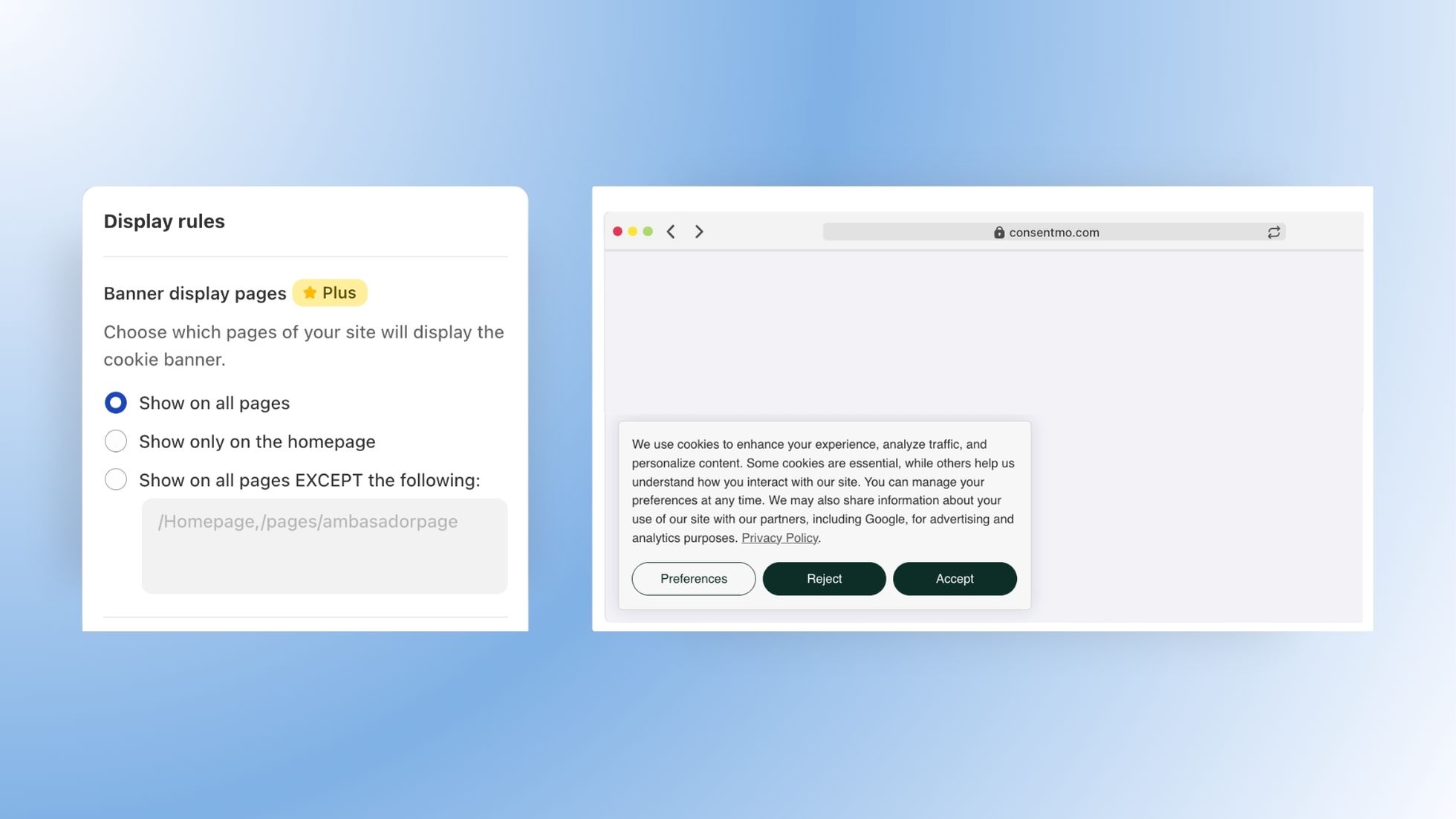
👉 Find these options under Cookie Banner > Behavior > Display Pages and take full control of your setup.
Group Settings — A Simpler Way to Customize Your Banner
We’ve reorganized how you edit your banner! Design and Behavior tabs are now grouped into clear sections so you can work faster and with confidence.
Here’s what you’ll love:
- Focused editing – Settings are grouped under clear categories like Colors & Style, Branding & Fonts, Advanced Customization, and more.
- Simpler navigation – Quickly find what you need, without scrolling endlessly.
- Better clarity – Each section helps you understand the impact of your changes instantly.
.jpeg)
👉 Explore the new layout in Cookie Banner > Design and Behavior.
Improved Microsoft Consent Mode Integration
We’ve simplified how Microsoft Consent Mode works — now you can set it up in seconds.
Here’s what’s changed:
- Quick setup – Paste your Microsoft UET ID — no manual script generation needed.
- One-step activation – Enable in a single click, no theme edits.
- Full compliance – Track conversions and remarketing while honoring user consent.
Using the old Microsoft integration? Our support team can help you migrate seamlessly.
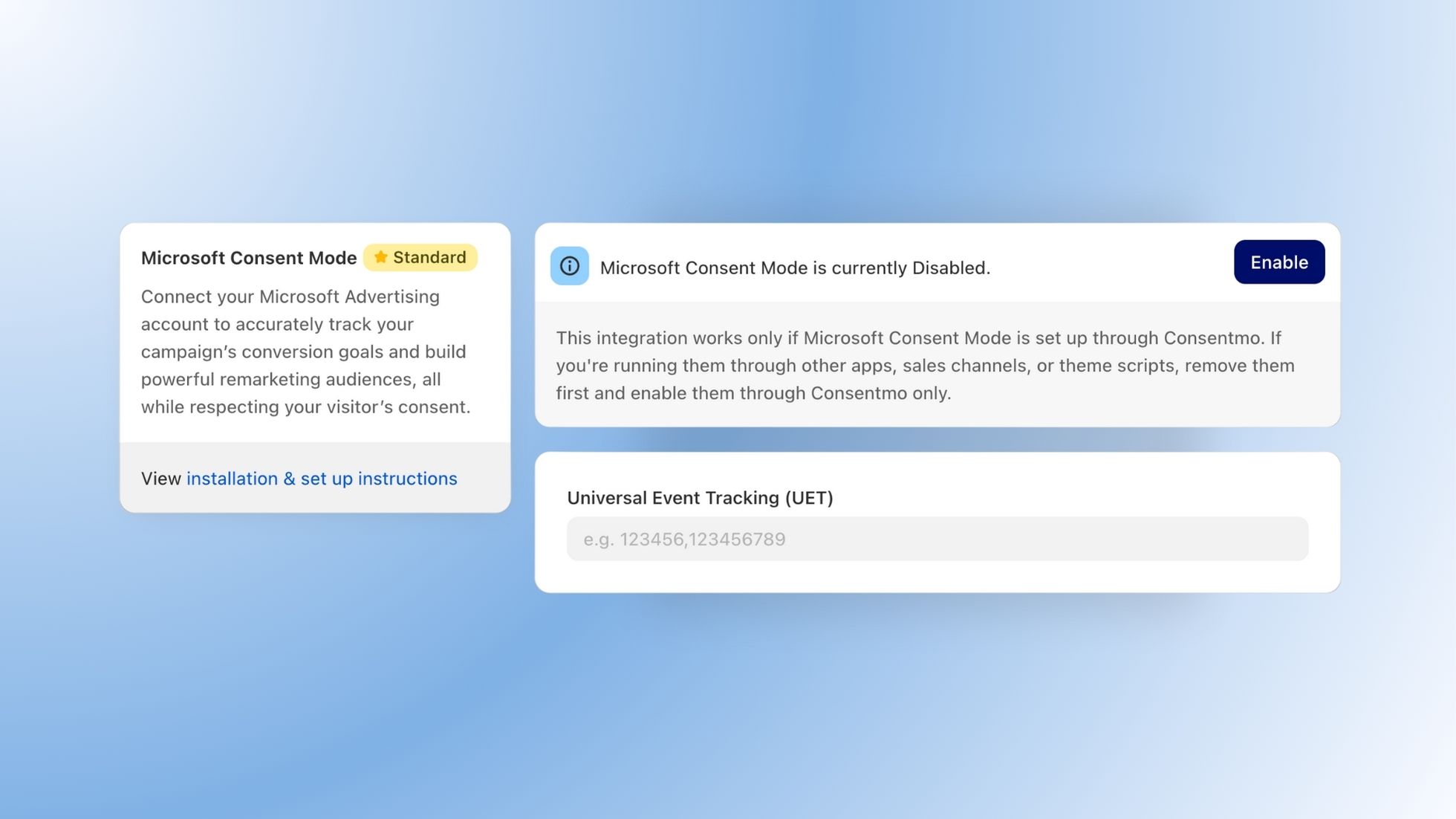
👉 Visit Integrations > Microsoft Consent Mode to see the new setup in action.
That’s a wrap for September
Every update this month is about giving you more clarity, control, and compliance without the clutter.
Log in to your Consentmo Dashboard and try these updates for yourself.
Stay tuned — October is already shaping up to be another exciting month of upgrades and integrations.


_converted.avif)