_converted.avif)
Are customers leaving your Shopify store because nobody answered their product question?
Is your team spending hours replying to “Where is my order?” messages?
Are conversations scattered across website chat, WhatsApp, Instagram, Facebook, and email?
Or have you installed several support tools but still struggle to understand which customer spoke to which team member?
These are different customer-service problems, and they do not always require the same app.
A new Shopify store may only need a simple live-chat tool. A growing store may need artificial intelligence to assist shoppers, recommend products, answer order questions, and manage conversations across multiple channels. A larger brand may require ticket routing, reporting, agent permissions, and advanced workflows.
Customer service applications may also process customer names, contact details, order histories, and conversation records. Shopify merchants should therefore consider both service quality and customer data security when comparing their options.
Instead of listing ten similar tools, this guide matches five Shopify customer service apps with five common support situations.
Which Shopify Customer Service Problem Are You Trying to Solve?
Before comparing apps, identify the problem creating the most pressure for your team.
The best choice depends on where customers contact you, what they usually ask, and how much of the conversation you want to automate.
1. AeroChat: Best for Running Shopify Customer Service on Autopilot

What happens when customers expect immediate assistance at every stage of their shopping journey?
A visitor may first ask which product is suitable for their needs. They may then want to compare two products, check a promotion, confirm delivery time, or ask whether an item is available.
After purchasing, the same customer may return to track an order, understand a store policy, request a return, or speak with a human agent.
These are not simply repetitive questions. They are connected conversations that influence whether a customer buys, completes an order, and returns to the store again.
AeroChat is an AI customer-service platform built for Shopify merchants that want to run customer service on autopilot across both pre-purchase and post-purchase conversations.
How AeroChat supports the complete customer journey
AeroChat connects directly with Shopify and synchronises information such as:
- Products and variants
- Inventory
- Orders
- Promotions and discounts
- Shipping information
- Returns and exchange policies
- Other store policies
This allows the AI to respond using current store information instead of relying only on a static FAQ document.
Before a purchase, AeroChat can help shoppers:
- Discover suitable products
- Compare available options
- Ask follow-up questions
- Understand product details
- Check promotions and store policies
- Receive context-aware product recommendations
After a purchase, it can assist with:
- Order-status enquiries
- Delivery questions
- Returns and exchanges
- Store-policy questions
- Common account and order concerns
- Requests to speak with a human agent
A customer can begin with a product question, continue with a related follow-up, and later return with an order enquiry. AeroChat can preserve the conversational context instead of treating every message as an unrelated support ticket.
More than a Shopify chatbot
AeroChat is not limited to answering questions through a website chat widget.
It brings AI assistance, live support, and customer conversations from different channels into one environment, including:
- Website chat
- Facebook Messenger
- Telegram
- Google Business Profile
This allows Shopify merchants to communicate through the channels their customers already use while managing those conversations from a shared inbox.
When the AI cannot appropriately handle a sensitive, unusual, or complex request, the conversation can be transferred to a human agent with its context preserved.
Supporting customers across different markets
AeroChat can communicate with international customers in multiple languages and automatically translate conversations for support agents.
However, translating customer support is only one part of operating internationally. Stores selling across different countries should also review their multilingual Shopify compliance requirements, including translated cookie banners, privacy information, consent preferences, and customer data-request forms.
This helps create a more consistent experience across both customer support and privacy compliance.
Why this matters for Shopify stores
AeroChat supports more than customer-service efficiency.
By answering product questions quickly, recommending relevant items, and assisting hesitant shoppers, it can contribute to product discovery and purchasing decisions.
For growing stores, this means the platform can help:
- Reduce the manual customer-service workload
- Provide immediate assistance outside business hours
- Improve product discovery
- Prevent customers from leaving with unanswered questions
- Support international customers in multiple languages
- Maintain consistent service across several channels
- Allow human agents to focus on conversations requiring judgement
- Continue supporting customers after they complete a purchase
Main AeroChat features
- Shopify product, inventory, order, promotion, and policy synchronisation
- AI-powered pre-purchase and post-purchase support
- Context-aware product recommendations
- Order-status and delivery assistance
- Returns and exchange support
- Multilingual AI conversations
- Automatic translation for support agents
- Human handover with conversation history
- Shared omnichannel support inbox
- Website, WhatsApp, Instagram, Facebook, email, and Telegram support
- Instagram and Facebook comment automation
- Proactive customer engagement
- WhatsApp broadcasts
- No-code Shopify setup
When should you choose AeroChat?
AeroChat may be the right choice when:
- You want to automate more than basic FAQs
- Customers need assistance before and after purchasing
- Product recommendations are part of your customer-service process
- Your store receives enquiries through several channels
- You want one AI assistant across website chat, WhatsApp, social media, and email
- Your business serves multilingual customers
- You need AI automation with reliable human handover
- You want customer service to support retention and conversions
- You want to run more of your Shopify customer service on autopilot
When might it be more than you need?
A recently launched Shopify store receiving only a small number of website-chat enquiries may initially be adequately served by a basic free chat application.
AeroChat becomes more relevant when the store needs wider automation, product assistance, post-purchase support, multiple communication channels, or collaboration between AI and human agents.
Pricing: Paid plans start from $49 per month.
Best suited for: Shopify merchants that want to automate customer service across the complete shopping journey from product discovery and purchasing decisions to order assistance and post-purchase support.
2. Consio: Best for AI-Powered Phone Support and Sales
Customer service does not only happen through chat and email. For many ecommerce brands, customers call when they need an immediate answer, want help choosing a product, have a question about an existing order, or prefer speaking instead of typing.
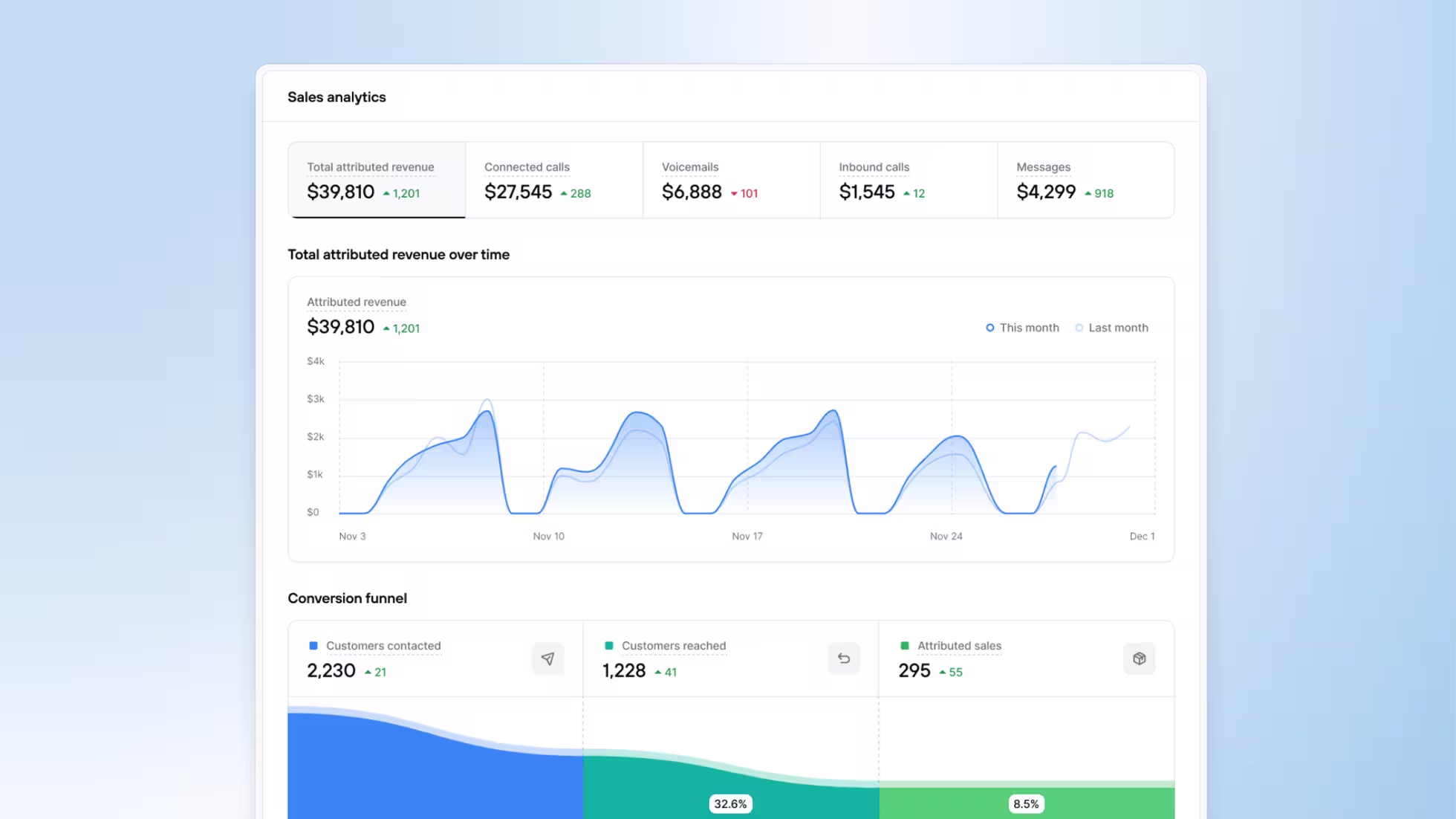
Consio is an AI phone platform built specifically for ecommerce brands. It connects with Shopify and allows AI voice agents to handle both inbound and outbound customer conversations.
How Consio works
Consio can use Shopify customer, product, and order information during phone conversations, allowing the AI agent to provide context-aware answers instead of relying on generic scripts.
For inbound calls, Consio can help customers with:
- Product questions and recommendations
- Order status and delivery questions
- Store policies and common support requests
- Frequently asked questions
- Routing and transferring calls when human assistance is needed
- 24/7 phone support when the customer-service team is unavailable
For outbound calls, ecommerce brands can use Consio to contact customers for use cases such as:
- Abandoned-cart recovery
- Customer reactivation
- Post-purchase follow-up
- Lead qualification
- Sales and retention campaigns
More than a traditional phone system
Consio combines AI voice agents with ecommerce context and phone infrastructure.Brands can use features including:
- AI-powered inbound and outbound calls
- Shopify customer and order context
- AI IVR and intelligent call routing
- Call transfers to human agents
- AI-generated SMS during calls
- Call transcripts and recordings
- Live call monitoring
- Attributed orders and revenue tracking
- Multi-currency support
- Public API access
- Integrations with ecommerce support platforms including Gorgias, Zendesk, Richpanel, Kustomer, eDesk...
This makes Consio particularly useful for Shopify brands that want phone support to operate as both a customer-service channel and a revenue channel.
Why this matters for Shopify brands
Phone conversations often happen when customer intent is particularly high.A shopper may call because they are unsure which product to buy. An existing customer may want an immediate answer about an order. A previous shopper may respond better to a personalized phone conversation than another email or SMS.Automating these conversations can help brands:
- Answer calls outside normal business hours
- Reduce missed calls
- Reduce repetitive work for support teams
- Provide immediate answers using ecommerce data
- Recover otherwise lost sales
- Proactively contact high-intent customers
- Escalate complex conversations to human agents
- Track revenue generated from phone conversations
When should you choose Consio?
Consio may be a strong choice when:
- Phone calls are an important customer-service channel
- You want to provide 24/7 phone support
- Your team receives repetitive order and product questions by phone
- You want AI to handle both inbound and outbound calls
- You want to use phone conversations to recover or generate revenue
- You need Shopify data available during calls
- You want AI calls to escalate to human agents when necessary
- You want to measure orders and revenue attributed to calls
When might it be more than you need?
If nearly all customer conversations happen through website chat, email, or WhatsApp and customers rarely call your business, a chat-focused customer-service application may be sufficient.Consio becomes particularly relevant when phone is already an important channel or when the brand wants to introduce AI-powered calling as part of its support, retention, or sales strategy.
Best suited for: Shopify and ecommerce brands that want to automate inbound and outbound phone conversations using AI while connecting calls with customer, product, and order data.
3. Gorgias: Best When Your Support Team Needs More Structure

What happens when several support agents are replying to customers at the same time?
Without a clear helpdesk system, common problems start appearing:
- Two agents reply to the same customer
- Important messages remain unanswered
- Nobody knows who owns a ticket
- Refund requests are handled inconsistently
- Managers cannot track response times
- Customer information is spread across different tools
Gorgias is built for ecommerce businesses that need structured ticket management and team workflows.
It brings messages from several customer channels into one helpdesk and connects them with Shopify order and customer information.
What makes Gorgias different?
Gorgias is primarily a customer-service operations platform.
Its strength is helping teams manage, assign, categorise, automate, and measure support tickets.
Agents can view customer information and perform selected Shopify actions without repeatedly switching between the helpdesk and the Shopify admin area.
Main Gorgias features
- Centralised customer support inbox
- Email and live-chat management
- Social media messaging
- SMS and voice support on selected plans
- Shopify customer and order information
- Ticket assignment and routing
- Rules and automated workflows
- Saved replies and macros
- Customer-service reporting
- Agent performance analytics
- AI-powered support features
- Ecommerce integrations
- Multi-store support on selected plans
When should you choose Gorgias?
Gorgias may be suitable when:
- You have a dedicated customer-service team
- Support messages need to be assigned between agents
- Managers need detailed reporting
- Your business has established ticket-handling processes
- You use several ecommerce applications
- You want agents to manage Shopify actions from the helpdesk
- Customer support volume is becoming difficult to organise
Questions to consider before choosing it
Gorgias pricing can increase according to ticket volume and the capabilities included in the selected plan.
Before subscribing, ask:
- How many customer tickets do we receive each month?
- Which communication channels must be connected?
- Do we need AI automation or mainly ticket organisation?
- How many support agents require access?
- Which integrations are essential?
- What happens when we exceed our plan limits?
Pricing: Plans start from approximately $10 per month, although practical costs can rise with ticket volume, channels, AI features, and team requirements.
Best suited for: Established Shopify support teams that need ticket routing, agent management, integrations, and reporting.
4. Shopify Inbox: Best When You Need a Free Starting Point
Does every Shopify store need an advanced helpdesk from the first day? No.
A new store may receive only a few customer questions each week. Paying for a large support platform before there is enough demand can add unnecessary cost and complexity.
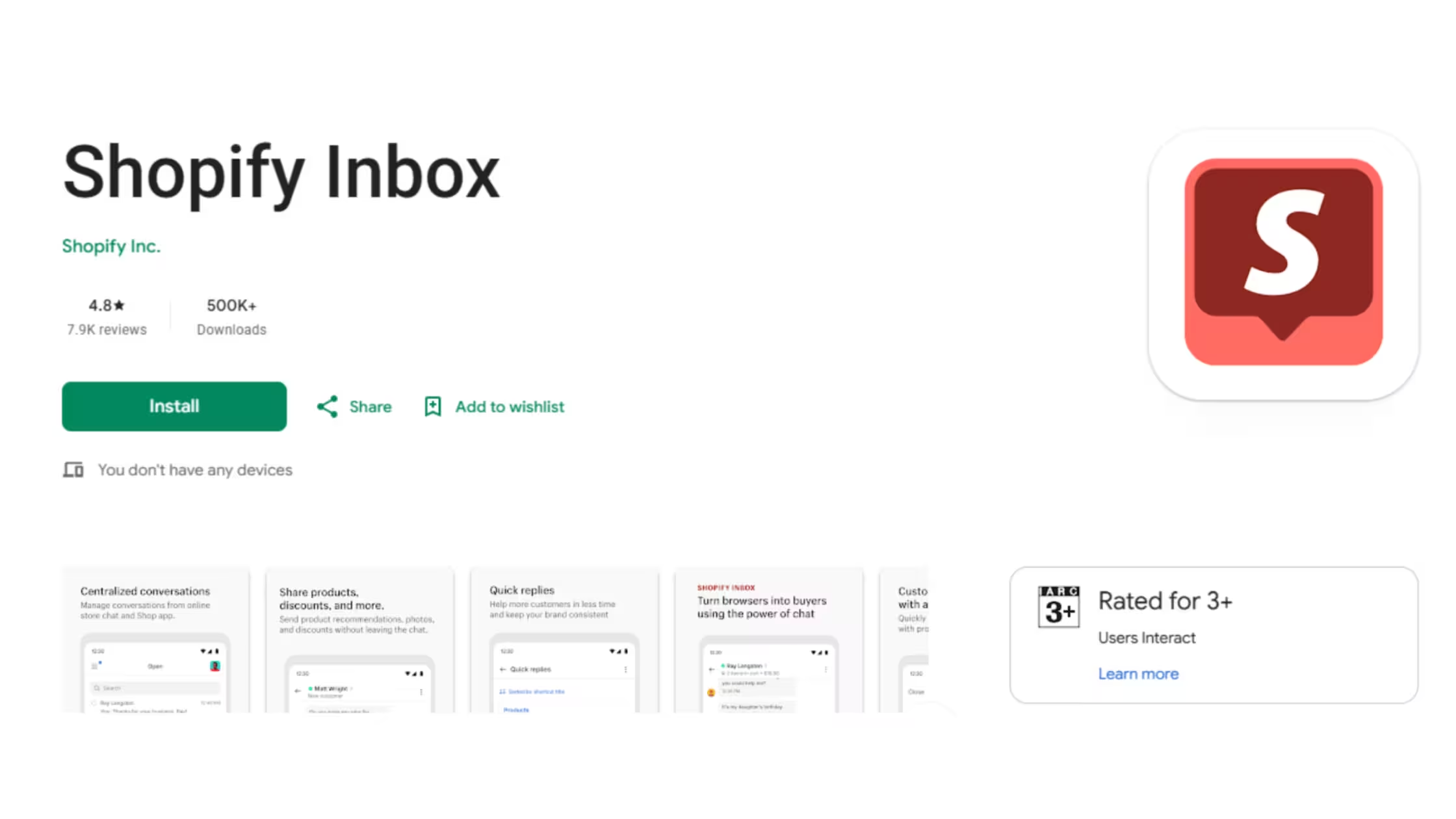
Shopify Inbox is Shopify’s native customer-messaging app. It gives merchants a straightforward way to add chat to their storefront and speak with shoppers.
Because it is developed by Shopify, installation and store integration are relatively simple.
What can Shopify Inbox do?
Shopify Inbox allows merchants to:
- Add live chat to their Shopify storefront
- View customer activity
- See products customers have viewed
- Share product recommendations
- Send discount codes
- Create automated greetings
- Prepare instant answers
- Provide order-related assistance
- Manage messages through mobile and desktop interfaces
- Track sales influenced by chat conversations
It can also use Shopify information to assist with certain product and store questions.
Why it works well for new stores
Shopify Inbox removes many of the barriers involved in launching customer chat.
There is no need to set up a large ticketing system, create advanced automation rules, or connect several external platforms.
A store owner can install it, configure the chat appearance, prepare a few common answers, and begin speaking with customers.
When should you choose Shopify Inbox?
Shopify Inbox is a sensible option when:
- Your store has recently launched
- You mainly need website chat
- One person manages most customer messages
- Your support volume is still low
- You want a free Shopify-native tool
- You do not yet need complex ticket routing
- WhatsApp and social messaging are not major support channels
Where can it become limiting?
As the store grows, conversations may begin arriving from email, Instagram, Facebook, WhatsApp, and other channels.
At that stage, a storefront-only chat solution may not provide enough visibility or automation.
You may eventually need a platform that offers:
- A shared multichannel inbox
- AI-powered automated answers
- Agent assignments
- Advanced reporting
- Cross-channel customer history
- Human escalation workflows
Pricing: Free.
Best suited for: New Shopify stores and solo merchants that need simple, native website chat without an additional monthly fee.
5. Tidio: Best When Visitors Need Faster Help While Shopping
A customer lands on a product page, spends two minutes reading, and then leaves. Why?
Perhaps the size guide was unclear.
Perhaps the shopper wanted to know whether the product would arrive before a birthday.
Perhaps there was uncertainty about compatibility, ingredients, material, or returns.
Sometimes a quick answer is all that separates a visitor from a customer.
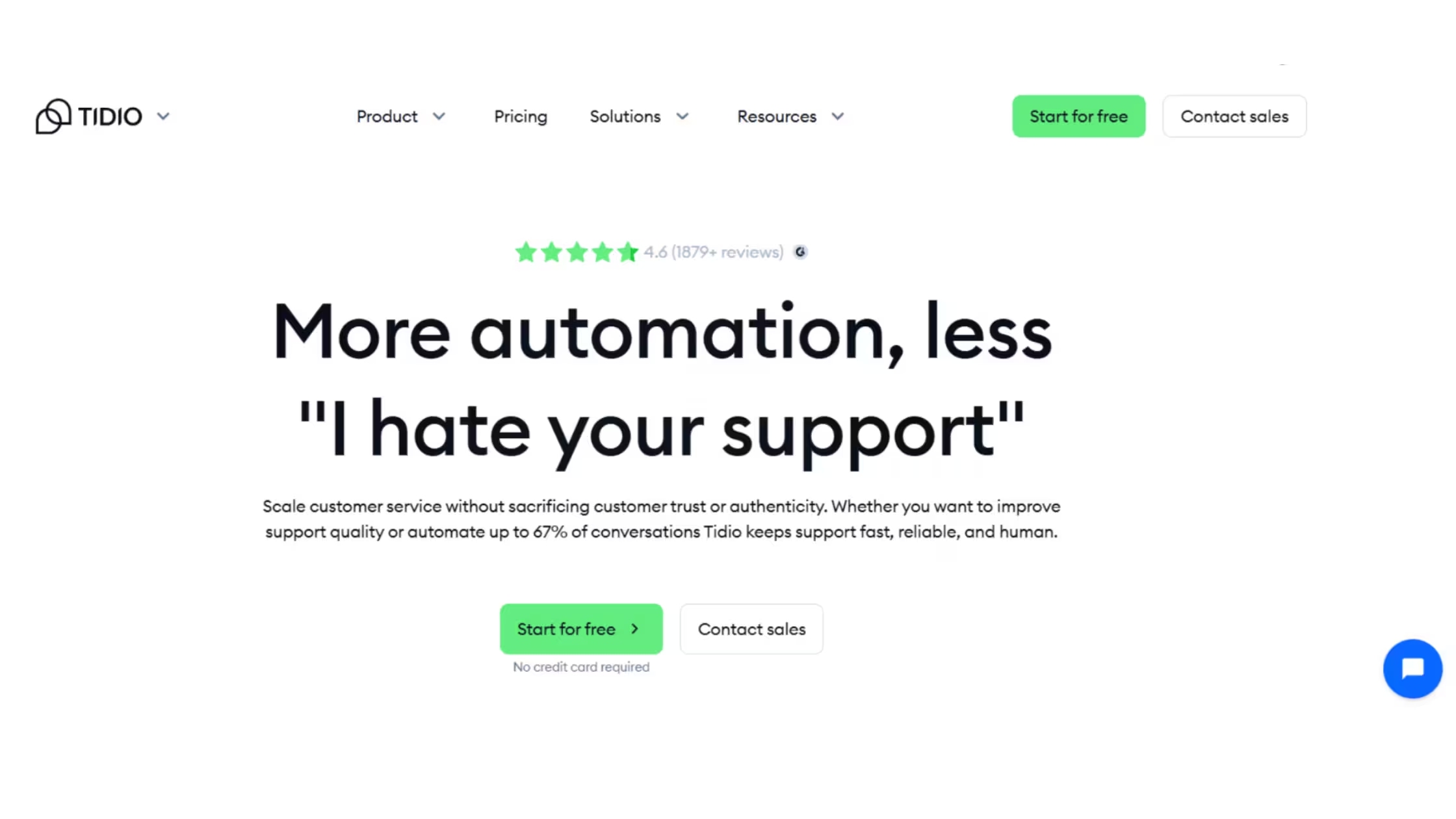
Tidio focuses strongly on live website engagement. It combines live chat, chatbot flows, ticketing, and AI-powered responses.
How Tidio approaches customer service
Tidio allows merchants to see and communicate with visitors while they are browsing the store.
Businesses can also create automated flows that respond according to customer actions.
For example, a chatbot can:
- Welcome a first-time visitor
- Offer help after someone stays on a product page
- Answer a frequently asked question
- Collect an email address
- Recommend a product category
- Provide delivery information
- Pass the conversation to a human agent
Its visual chatbot builder may be useful for merchants that want to design predictable customer journeys without writing code.
Main Tidio features
- Website live chat
- Visitor monitoring
- Ticketing tools
- Visual chatbot builder
- Automated conversation flows
- AI-powered chatbot capabilities
- AI reply assistance
- Mobile support app
- Email and social integrations
- Product recommendations
- Operating hours
- Chat analytics
When should you choose Tidio?
Tidio may be suitable when:
- Website live chat is your primary support channel
- You want to engage shoppers before they leave
- You want to build rule-based chatbot journeys
- Your team needs both automated and human chat
- You want to see visitor activity
- You need a simpler alternative to a large helpdesk
- You want to test chatbot automation gradually
Understand the pricing structure
Some Tidio capabilities are divided across different products or plans.
Live-chat features, automated chatbot flows, and AI conversations may have separate limits or charges.
Before selecting a plan, calculate the combined cost of the features your store will actually use.
Pricing: A free plan is available. Paid customer-service and automation plans generally begin from around $29 per month, while AI capabilities may be priced separately.
Best suited for: Shopify stores that want to engage website visitors through live chat and configurable automated flows.
6. DelightChat: Best When WhatsApp Is Your Main Customer Channel
Do your customers prefer messaging your store instead of emailing?
In many markets, WhatsApp is not simply another support channel. It is the main place where customers ask questions, confirm orders, request updates, and follow up after purchasing.
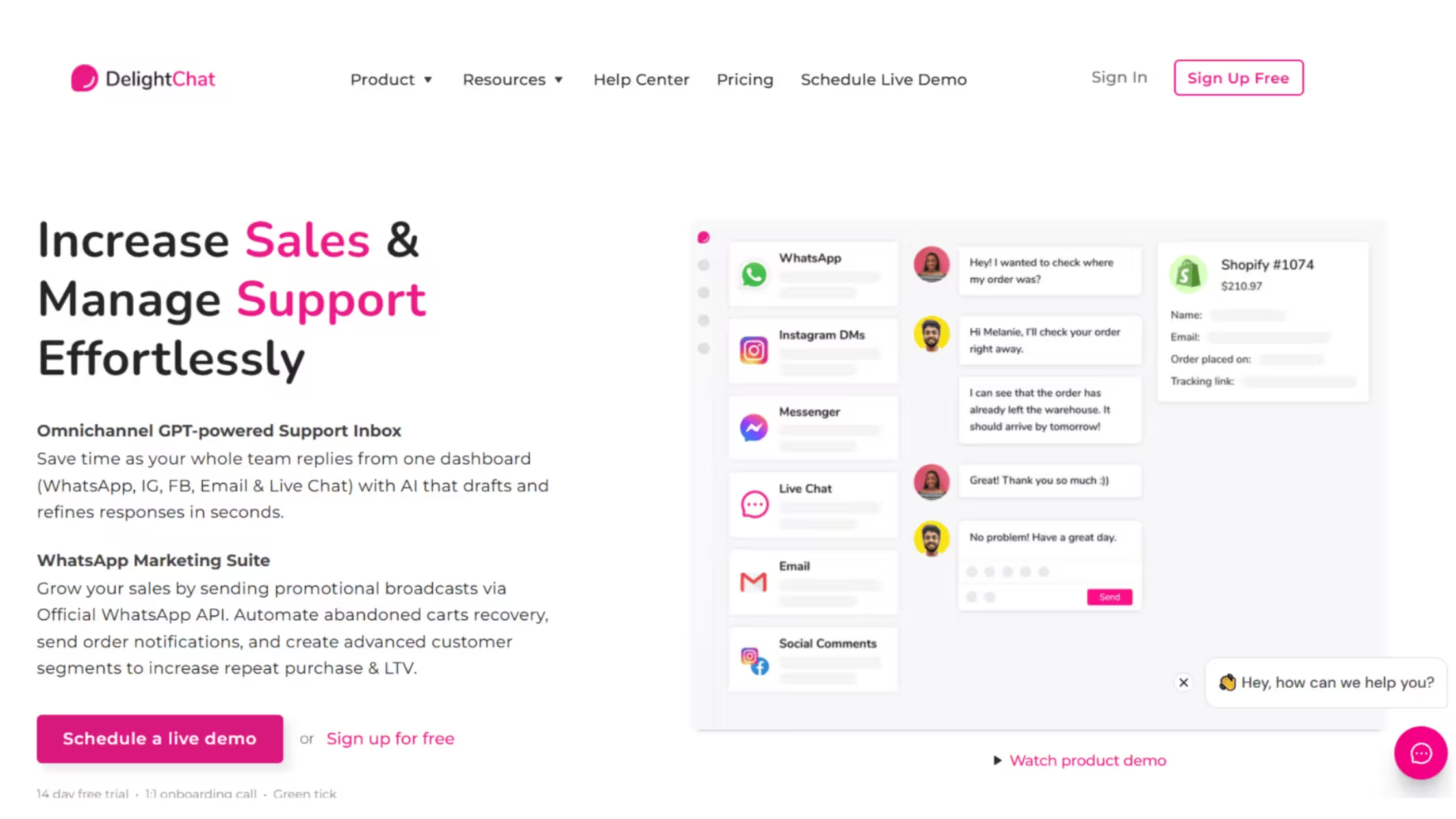
DelightChat is designed for Shopify businesses that want to combine WhatsApp customer support with customer communication and marketing workflows.
It uses the official WhatsApp Business API and also connects with other channels such as Instagram, Facebook, email, and website chat.
Why merchants choose WhatsApp-focused support
WhatsApp can be useful for:
- Product questions
- Order confirmations
- Delivery updates
- Cash-on-delivery verification
- Abandoned-cart reminders
- Back-in-stock notifications
- Customer support
- Promotional broadcasts
Managing these activities manually through a standard phone application becomes difficult as the store grows.
A team inbox allows several agents to manage conversations while maintaining customer history and accountability.
Main DelightChat features
- Official WhatsApp Business API support
- Shared WhatsApp team inbox
- Instagram and Facebook messaging
- Email and live-chat management
- WhatsApp broadcast campaigns
- Abandoned-cart recovery
- Cash-on-delivery verification
- Order confirmation messages
- Product catalogue synchronisation
- Automated replies
- Agent routing
- Saved responses
- Mobile applications
- Shopify Flow integration
When should you choose DelightChat?
DelightChat may be appropriate when:
- WhatsApp is your store’s main communication channel
- Your business operates in a mobile-first market
- Several agents need to answer WhatsApp messages
- You use cash-on-delivery
- You want support and WhatsApp campaigns in one platform
- You send order-related notifications through WhatsApp
- Abandoned-cart recovery is an important priority
When should you consider another option?
When WhatsApp is only one part of a wider support strategy, compare DelightChat with broader AI-powered omnichannel systems.
For example, a store that wants one AI assistant across website chat, WhatsApp, Instagram, Facebook, and email may require a platform with stronger cross-channel automation.
Pricing: Plans start from approximately $29 per month. Additional WhatsApp conversation charges and optional feature fees may apply.
Best suited for: Shopify stores that rely heavily on WhatsApp for support, order communication, and customer engagement.
Five Questions to Ask Before Installing a Customer Service App
A Shopify app may have hundreds of features, but only a small number may be relevant to your store.
Ask these questions before making a decision.
1. Where do customers currently contact us?
Review your recent enquiries.
Do they arrive mainly through:
- Website chat?
- Email?
- WhatsApp?
- Instagram?
- Facebook?
- Marketplace messaging?
Choose a platform that supports the channels customers already use rather than trying to force them into a different communication method.
2. Which questions consume the most time?
Look for repeated enquiries such as:
- Where is my order?
- When will my parcel arrive?
- Which product should I choose?
- Can I change my order?
- What is your return policy?
- Is this product available?
- Do you ship to my country?
These are the first conversations that should be automated.
3. Does the app understand Shopify data?
A chatbot cannot provide reliable ecommerce assistance if it does not understand the store.
Check whether the platform can work with:
- Products
- Variants
- Inventory
- Orders
- Fulfilment information
- Discounts
- Shipping policies
- Returns policies
A deeper Shopify integration usually produces more useful answers.
4. What happens when automation cannot solve the problem?
Not every conversation should be handled automatically.
Customers may need human support for:
- Damaged products
- Payment disputes
- Unusual refunds
- Sensitive complaints
- High-value orders
- Complex product questions
- Exceptions to store policies
The app should transfer the conversation without forcing the customer to repeat everything.
5. What will the complete monthly cost be?
Do not compare apps using only their advertised starting price.
Check whether the final cost depends on:
- Number of tickets
- AI conversations
- Support agents
- Connected channels
- WhatsApp usage
- Automated flows
- Customer contacts
- Number of stores
- Additional integrations
A lower starting price can become expensive when usage increases.
Customer Data and Privacy Should Also Influence Your Choice
Choosing a Shopify customer-service app is not only about automation, response speed, and communication channels.
These platforms may also process sensitive customer information, including:
- Customer names
- Email addresses
- Telephone numbers
- Shipping addresses
- Order histories
- Product interests
- Support conversations
- Returns and refund details
Before installing an app, review what customer information it can access, where that information is stored, which team members can view it, and how long it is retained.
Merchants should also check whether the app introduces additional scripts, cookies, analytics tools, or tracking technologies to the storefront. Newly installed applications should not automatically be assumed to be covered by the store’s existing privacy setup.
Regularly reviewing store cookies and configuring an appropriate cookie banner for Shopify can help ensure customers receive accurate information about the technologies operating on the website.
Stores serving customers in Europe should also review their Shopify GDPR compliance requirements, including how consent is collected and how customers can access, correct, or delete their personal information.
Businesses selling to customers in California and other US jurisdictions should consider their CCPA and CPRA obligations, particularly when customer information is used for analytics, advertising, or cross-context behavioural targeting.
Customer support, data privacy, and customer trust should therefore be treated as connected parts of the same Shopify experience.