TLDR
- Consentmo now includes Automated & Expanded Monitoring for key compliance pages and integrations.
- It checks whether supported pages are published in Shopify, open on the live storefront, load the Consentmo embed, and appear in navigation or footer.
- Issues trigger email alerts, a Privacy Center banner, and flags in Compliance Review that can lower your score.
- Active by default on Plus and Enterprise (coverage depends on your plan). No extra setup required.
You set up a privacy page, hit publish, and move on. Weeks later a theme edit drops the footer link, someone unpublishes the Shopify page, or the embed never made it into the template. Shoppers hit a 404. Your compliance score quietly drops. Nobody on the team notices until a customer emails support or an audit starts.
Automated Monitoring closes that gap. Consentmo watches the compliance surfaces that matter, tells you when something breaks, and points you to the fix inside the app.
What is Automated Monitoring?
Automated Monitoring is a Consentmo feature that regularly verifies key compliance pages and supported integrations on your Shopify storefront. It confirms they are:
- Published in Shopify
- Reachable at their live URL
- Properly embedded (where a Consentmo-hosted form or page is expected)
- Linked so customers can find them in storefront navigation or footer
If something needs attention, you get notified by email and inside the app (Privacy Center banner and Compliance Review). Coverage scales with your plan: Plus gets Automated Monitoring; Enterprise gets Expanded Monitoring on top.
It is on by default. You do not flip a new switch or rebuild your pages to start receiving checks.
Why compliance pages break in real stores
Compliance setup is rarely a one-time event. Common ways pages go wrong:
- Theme or menu changes remove a footer or nav link to EU Withdrawal, Privacy Center, or Cookie Policy.
- Shopify page unpublished or deleted after a cleanup, migration, or staff handoff.
- Embed missing from the page body so the URL loads but the Consentmo privacy form never appears.
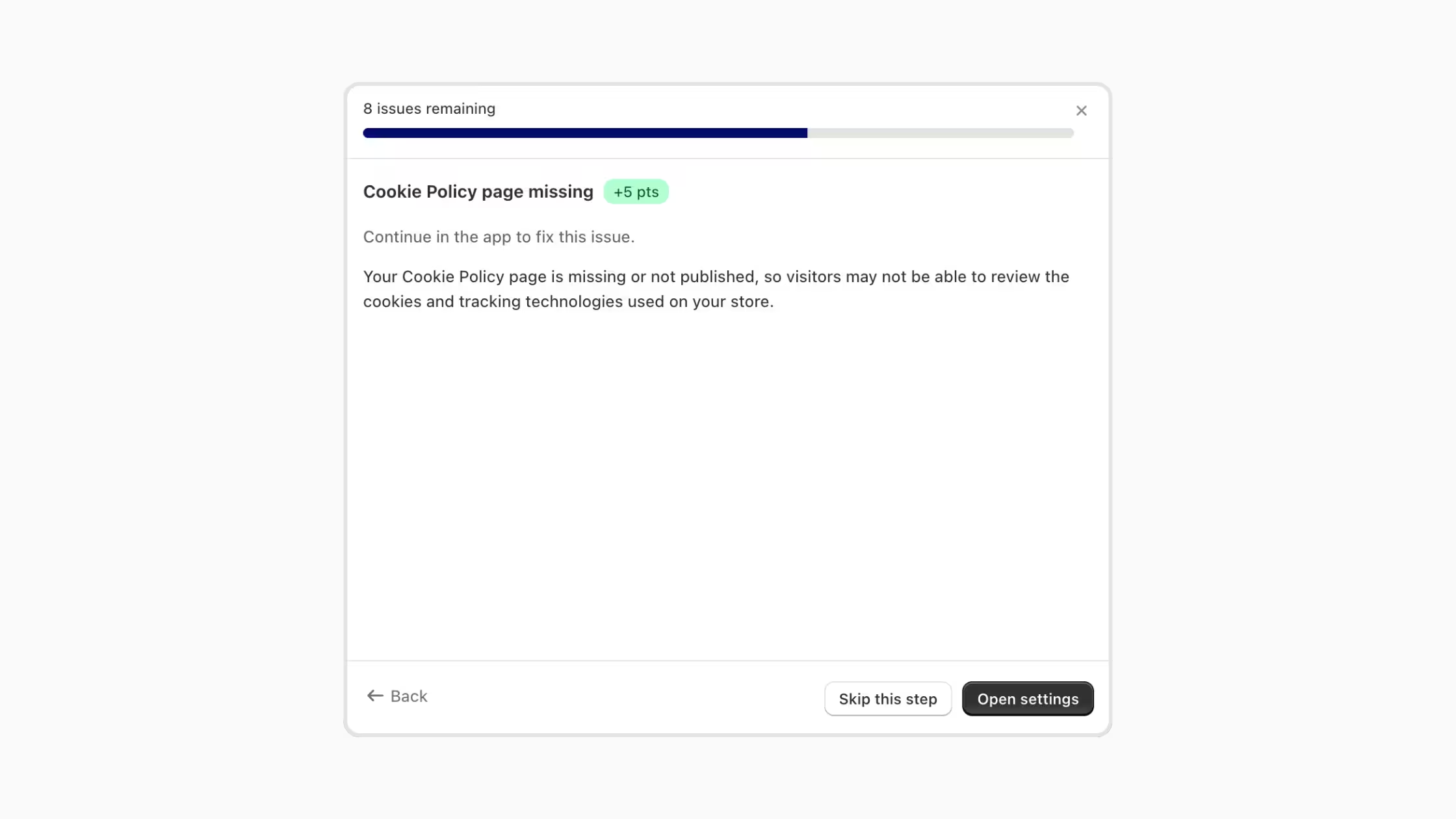
- Feature created in-app but never finished on the storefront (for example Smart Cookie Policy “Not set up”).
- Integrations drift after app updates, script changes, or consent-signal misconfiguration.
A page that worked at install can fail months later without any change inside Consentmo itself. Monitoring is built for that long tail.
For background on how compliance pages, request emails, and request pages work together, see How Consentmo's Compliance Pages, Request Emails, and Request Pages Work Together.
What Consentmo checks
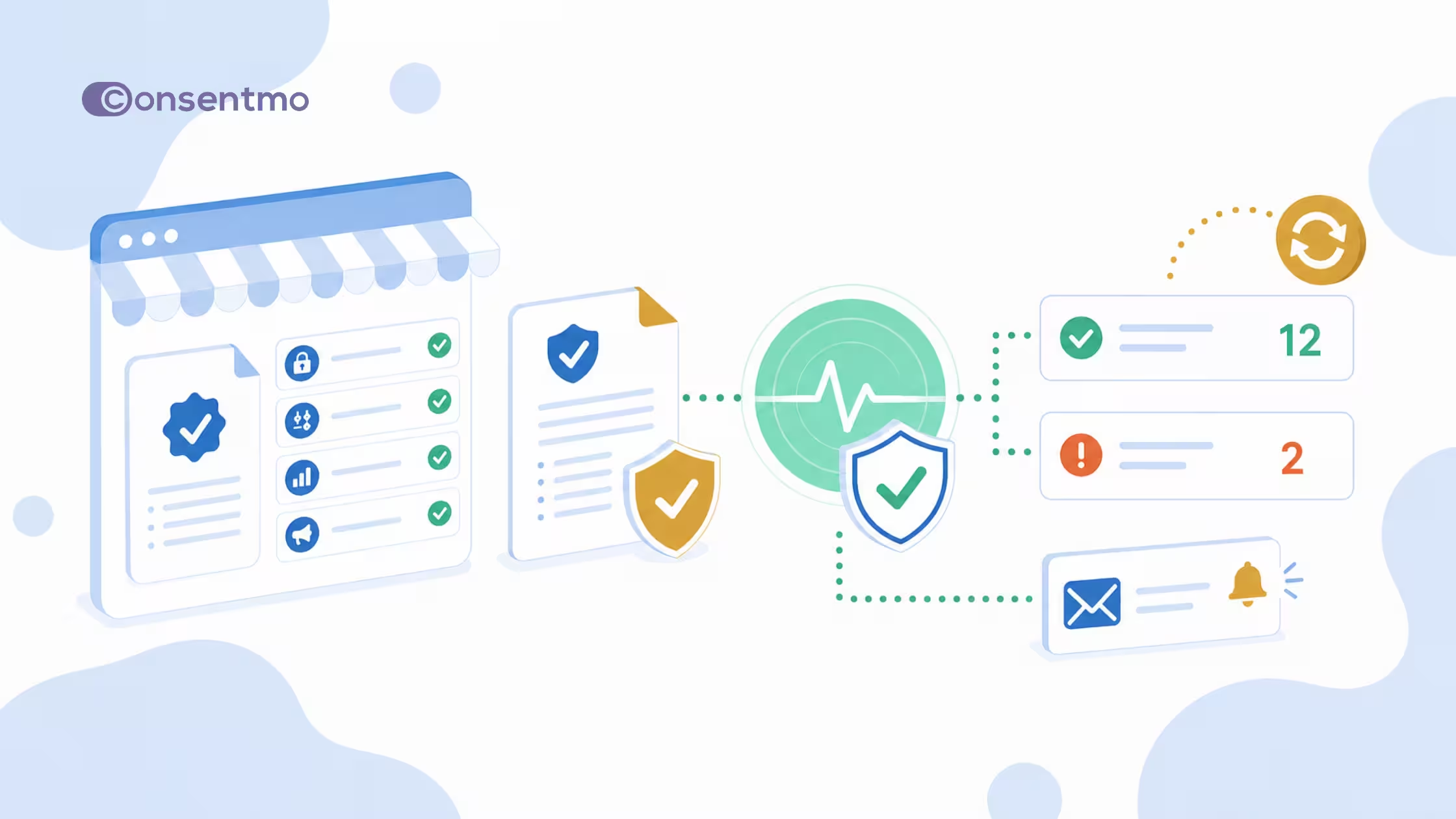
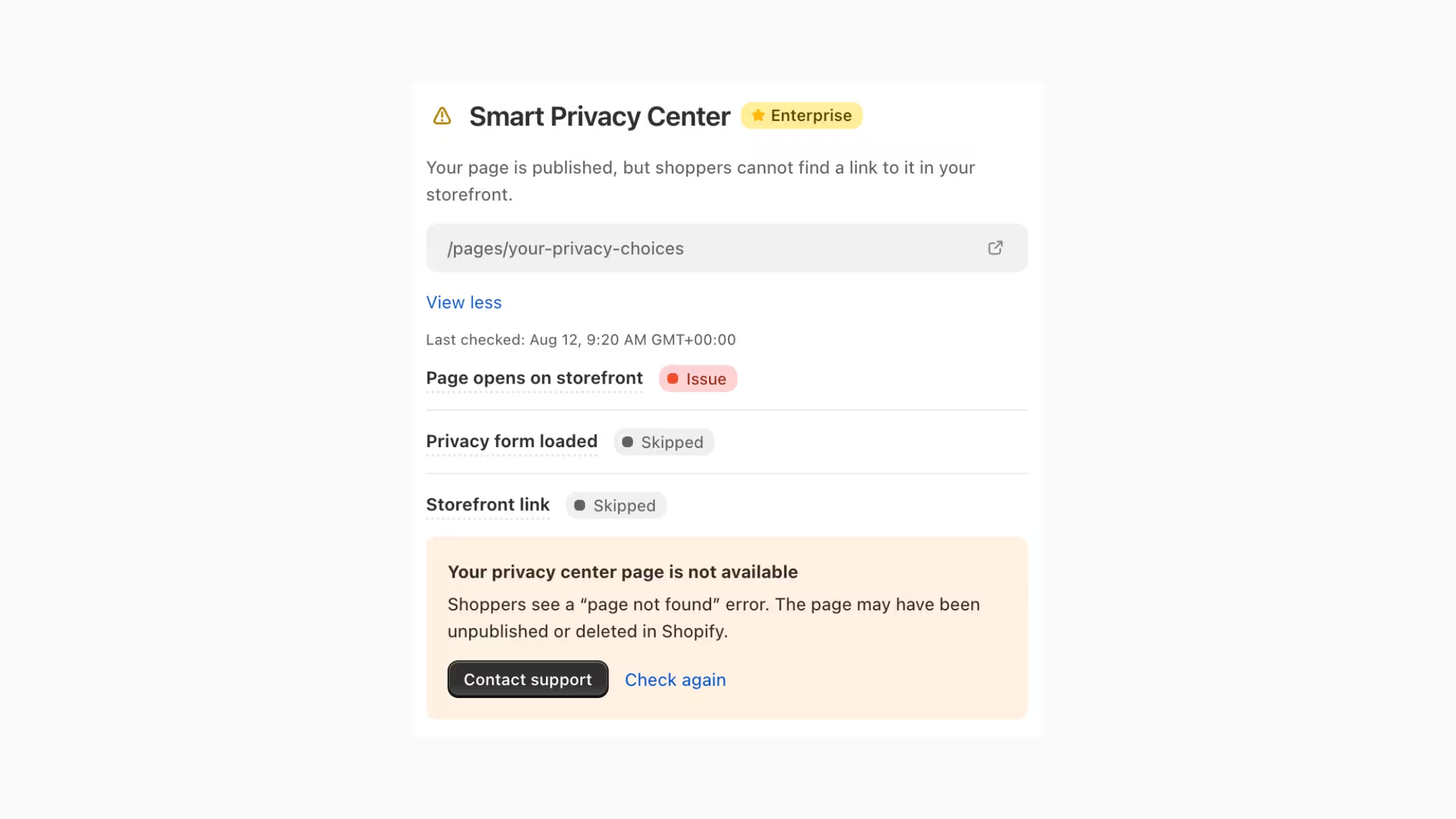
For supported hosted compliance pages, Monitoring runs a clear set of health checks:
1. Page opens on storefront
The page is published in Shopify and can be opened from its live URL. If shoppers would see a “page not found” error, this check fails.
2. Privacy form / page loaded
Consentmo inspects whether the Shopify page HTML still contains the Consentmo iframe embed (or equivalent load check) for that hosted page. A blank or theme-only shell that never loads the form is treated as a problem even if the URL responds.
3. Storefront link
Customers can find a link to the page in storefront navigation or footer. A perfect page that nobody can discover still fails the “findable” bar for real-world compliance UX.
Together, these three answers map to the questions regulators and customers actually care about: Does the page exist? Does it work? Can people reach it?
Monitoring also regularly checks supported integrations for issues (Plus and above), so connection problems surface alongside page problems rather than only when you open a settings screen.
How alerts work
When Monitoring finds a problem, you get notified in three places:
- Email, so issues reach you even when you are not in the app.
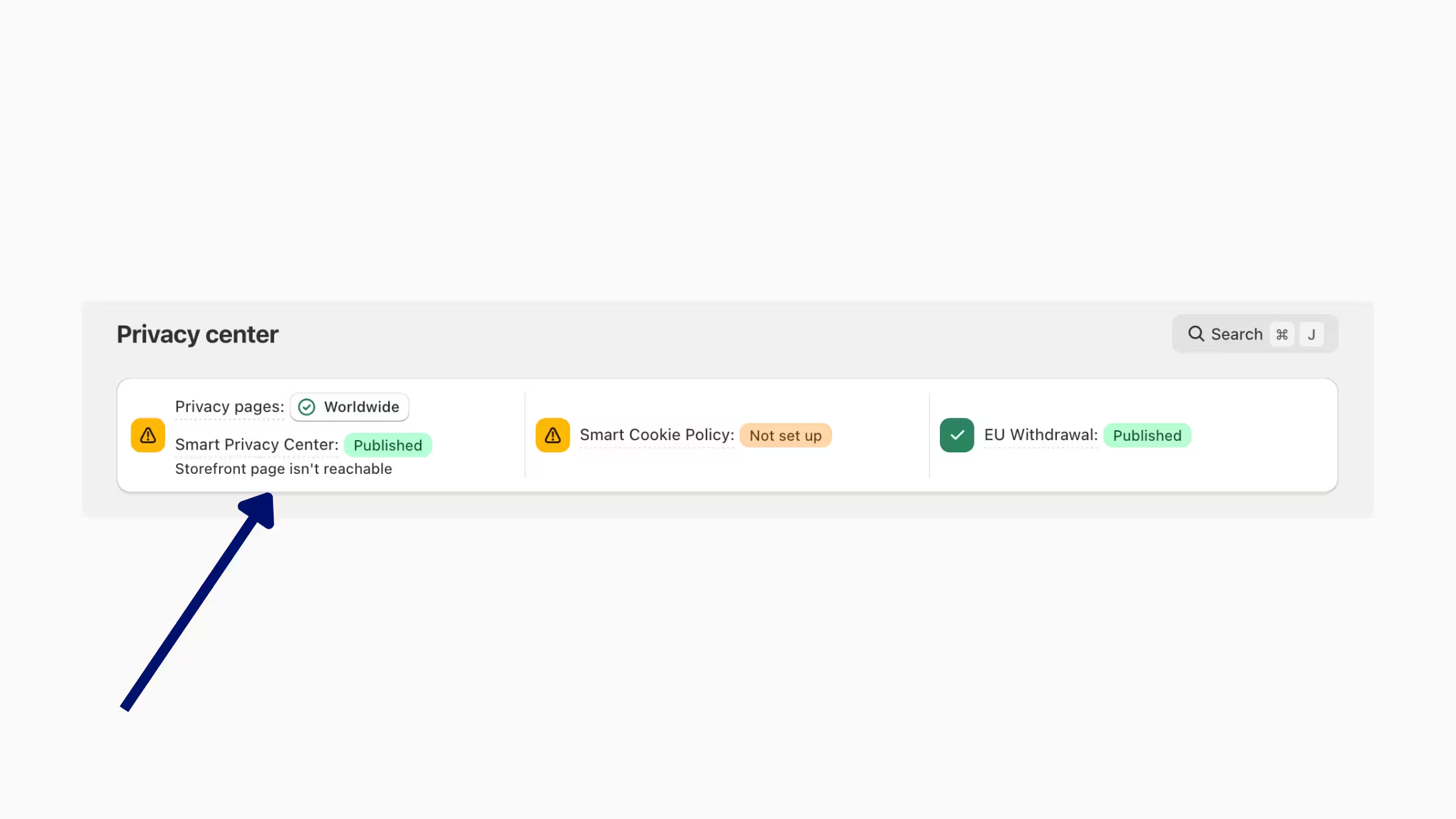
- In-app messages, status and warnings in Privacy Center (and on the relevant feature cards).
- Compliance checks, open issues show up in Compliance Review and can affect your Compliance Score until you fix them.
You do not need a separate alert setup. Eligible stores get this automatically. Learn more about scoring in Check Your Shopify Store Compliance With Compliance Score.
Example issues you might see
Monitoring cards in the product break each page into checks with OK, Issue, or Skipped status, a last checked timestamp, and a short fix hint.
What to do when you get an alert
- Open the email or Privacy Center banner and note which page or integration failed.
- Expand the Monitoring card for that feature and read which check failed (opens / loaded / link).
- Fix in Shopify or Consentmo:
- Unpublished page → republish or recreate the Shopify page and re-attach the embed.
- Missing embed → paste or restore the Consentmo embed on the page.
- Missing link → add the page to footer or navigation (Smart Cookie Policy and similar flows often offer a footer-link toggle in setup).
- Not set up → finish creation under Privacy Center for that feature.
- Use Check again on the card if you want a faster confirmation, or wait for the next daily run.
- Watch for the success email and a clear banner/score recovery once the next check passes.
If the storefront looks correct and checks still fail, use Contact support from the issue card so the team can inspect edge cases (password protection, markets, custom domains, etc.).
Plans and availability
Coverage always depends on which compliance pages and features your plan includes. Monitoring does not invent pages you have not enabled; it watches the surfaces that belong to your setup.
Active by default. No separate opt-in for eligible stores.
How Monitoring fits with the rest of Consentmo
Monitoring is the ops layer on top of page generation. Smart pages keep content current; Monitoring keeps availability and discoverability honest after theme deploys, staff changes, and app updates.
Get started
- Confirm you are on Plus or Enterprise.
- Finish setup for the compliance pages your plan supports (EU Withdrawal on Plus; add Smart Privacy Center and Smart Cookie Policy on Enterprise).
- Publish pages in Shopify and link them in footer or navigation.
- Wait for the first check (~20 minutes after setup), then rely on daily runs.
- Treat Privacy Center banners and Compliance Review items as your live checklist.
Install or open the app: Consentmo on the Shopify App Store.
Conclusion
Compliance pages only help if they stay published, working, and findable. Automated Monitoring watches those conditions for you: integrations and EU Withdrawal on Plus, plus Smart Privacy Center and Smart Cookie Policy on Enterprise. You get early email alerts, in-app banners, and Compliance Review flags, without building your own uptime script for privacy URLs.
Set your pages up once, keep them linked, and let Consentmo tell you when the storefront drifts.
Ready to put Monitoring to work? Open Consentmo → Privacy Center, confirm your compliance pages are published and linked, and let the first automated check run.