What Is a Cookie Policy? A Clear Guide for Website Owners
TLDR
- A cookie policy is a public page that lists the cookies and tracking services on your site, what each one does, who sets it, how long it lasts, and how visitors can accept, refuse, or change their choices.
- Under the EU ePrivacy Directive, GDPR, and UK PECR, you must give clear information about cookies and get consent for anything that is not strictly necessary.
- A privacy policy covers personal data broadly; a cookie policy (or a dedicated cookie section) focuses on tracking technologies.
- A static cookie page gets outdated the moment you add a pixel.
- Consentmo’s Smart Cookie Policy page builds the page from your tracker scan and can auto-update after every new scan so disclosures stay aligned with what your store actually loads.
If you sell online, your store almost certainly sets cookies: cart sessions, analytics, ads, chat widgets, A/B tests. Visitors (and regulators) expect a plain-language explanation of those tools. That explanation is your cookie policy.
This article answers the questions people type into search when they look up “what is a cookie policy,” then shows how to keep the page honest as your tech stack changes.
What is a cookie policy?
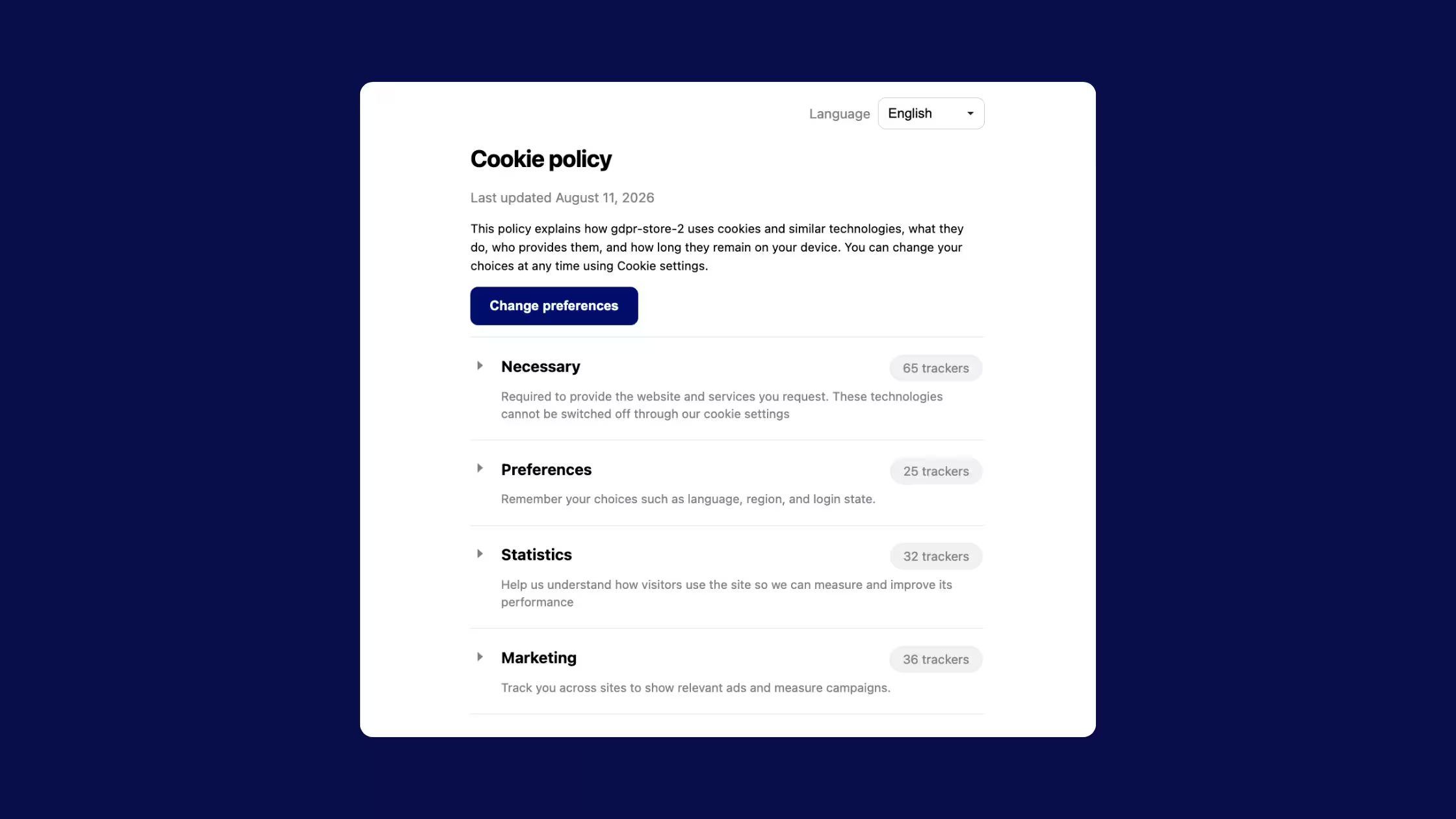
A cookie policy is a document (often its own page) that tells visitors:
- which cookies and similar technologies your site uses
- the purpose of each (or each category)
- who provides them (first party vs third party)
- how long they last
- how someone can accept, refuse, or withdraw consent
Industry guides describe it as a comprehensive list of cookies and trackers with detail on each setting, so users understand how data is collected and used.
What is a cookie (and what else needs listing)?
A cookie is a small file of letters and numbers downloaded onto a computer when someone visits a website. Cookies remember preferences, hold a shopping basket, or count visitors. The same rules cover similar technologies that store or access information on a device, including Flash-style local storage and device fingerprinting.
On a Shopify store, “similar technologies” often include:
- HTTP cookies
- localStorage / sessionStorage
- pixels and tags (Meta, Google, TikTok, etc.)
- SDKs embedded by apps
A useful cookie policy covers the full tracker inventory, not only classic _ga-style cookies.
Cookie policy vs privacy policy vs cookie banner
Document / UIJobPrivacy policyBroad notice: personal data you collect, purposes, legal bases, rights, retention, processors, international transfersCookie policyFocused notice: cookies and similar tech, purposes, providers, duration, how to control themCookie banner / preferencesUI that obtains and records consent (and lets users change it later)
A privacy policy can include a cookies section. Many sites still publish a separate cookie policy page so the banner can link to a short, scannable URL and so legal and marketing teams can update trackers without rewriting the whole privacy notice.
None of these replaces the others:
- Banner without a real disclosure → consent is hard to call “informed.”
- Policy without a working banner → you may describe choices visitors cannot exercise.
- Privacy policy alone with a one-line “we use cookies” sentence → usually too thin for ePrivacy-style transparency.
Merging is possible but a dedicated document is often clearer.
Do you need a cookie policy?
If your site stores or accesses information on a user’s device beyond what is strictly necessary for a service they requested, you need clear information and, in the EU/UK model, consent. A dedicated cookie policy (or an equally clear cookies section) is how most sites meet the “clear and comprehensive information” duty.
Practical rule of thumb for merchants:
- Only strictly necessary tech (cart, checkout security, load balancing): still explain what you use; consent may not be required for those items under PECR-style rules, but silence is a bad practice. The ICO still expects you to tell people cookies are there and what they do.
- Analytics, ads, personalization, social embeds, many chat tools: treat them as non-essential. Inform first, then obtain consent where the law requires it, then honor the choice.
You need accurate disclosures because the law requires transparency, and because outdated lists create legal and trust risk the moment your stack changes.
What laws shape cookie disclosures?
EU: ePrivacy Directive + GDPR
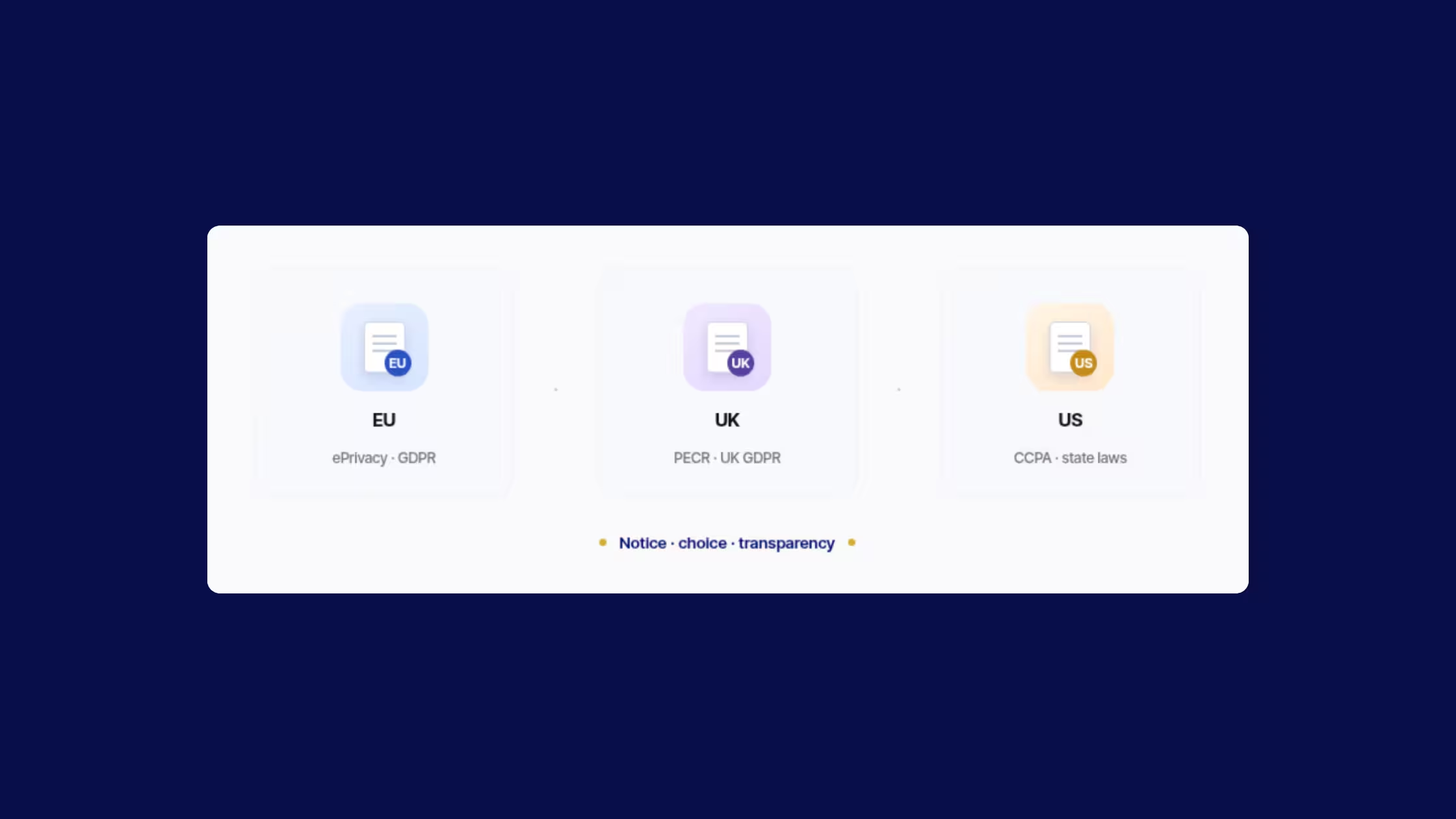
Cookie rules in the EU sit mainly in the ePrivacy Directive (often called the “cookie law”), with GDPR applying when cookie identifiers amount to personal data. GDPR.eu’s cookies overview summarizes the combined approach:
- obtain consent before non-essential cookies
- give accurate, specific information about each cookie’s data and purpose in plain language before consent
- document consent
- still offer the service if someone refuses non-essential cookies
- make withdrawal as easy as giving consent
GDPR Recital 30 treats online identifiers such as cookie IDs as data that can identify a person when combined with other information.
UK: PECR + UK GDPR
Under PECR, the ICO’s core rule is: tell people cookies are there, explain what they do and why, and get consent, with an exception for cookies that are strictly necessary to provide a service the user requested (for example, remembering basket contents).
Information must be clear and comprehensive. Burying cookie details in a hard-to-find privacy policy is not enough for valid consent.
United States
The US does not use a single federal “cookie law” like the EU ePrivacy Directive. Instead, state privacy laws set most of the rules that touch cookies, pixels, and ad tech. The model is usually notice + consumer choice (especially opt-out), not EU-style prior consent for every non-essential cookie.
What that means for a cookie policy (or cookies section) in the US:
- Transparency still matters. Categories, purposes, and who receives data, whether labeled Cookie Policy, Cookie Notice, or inside a privacy notice.
- “Sale” and “sharing” can include ad tech. Support a clear Do Not Sell or Share path, not only an EU-style accept/reject banner.
- Opt-out is the default control model for many US state laws (sale/share/targeted ads, GPC where required).
- Other states follow a similar pattern. Notice + opt-out of sale, targeted advertising, and/or profiling; details differ by state.
- Cookie policy + privacy notice + rights mechanisms work together. Inventory feeds notice; opt-out link / preference center / GPC do more of the enforcement work.
Elsewhere (high level)
Other regions (Canada, Brazil, APAC, etc.) also push tracking transparency with their own consent/opt-out mix. Keep policy content accurate globally; tune banner and rights UX by region.
What should a cookie policy include?
Regulators do not hand you a mandatory template paragraph. Strong policies cover:
- Plain-language intro, what cookies and similar technologies are on this site.
- Who is responsible, your business name and contact for privacy questions.
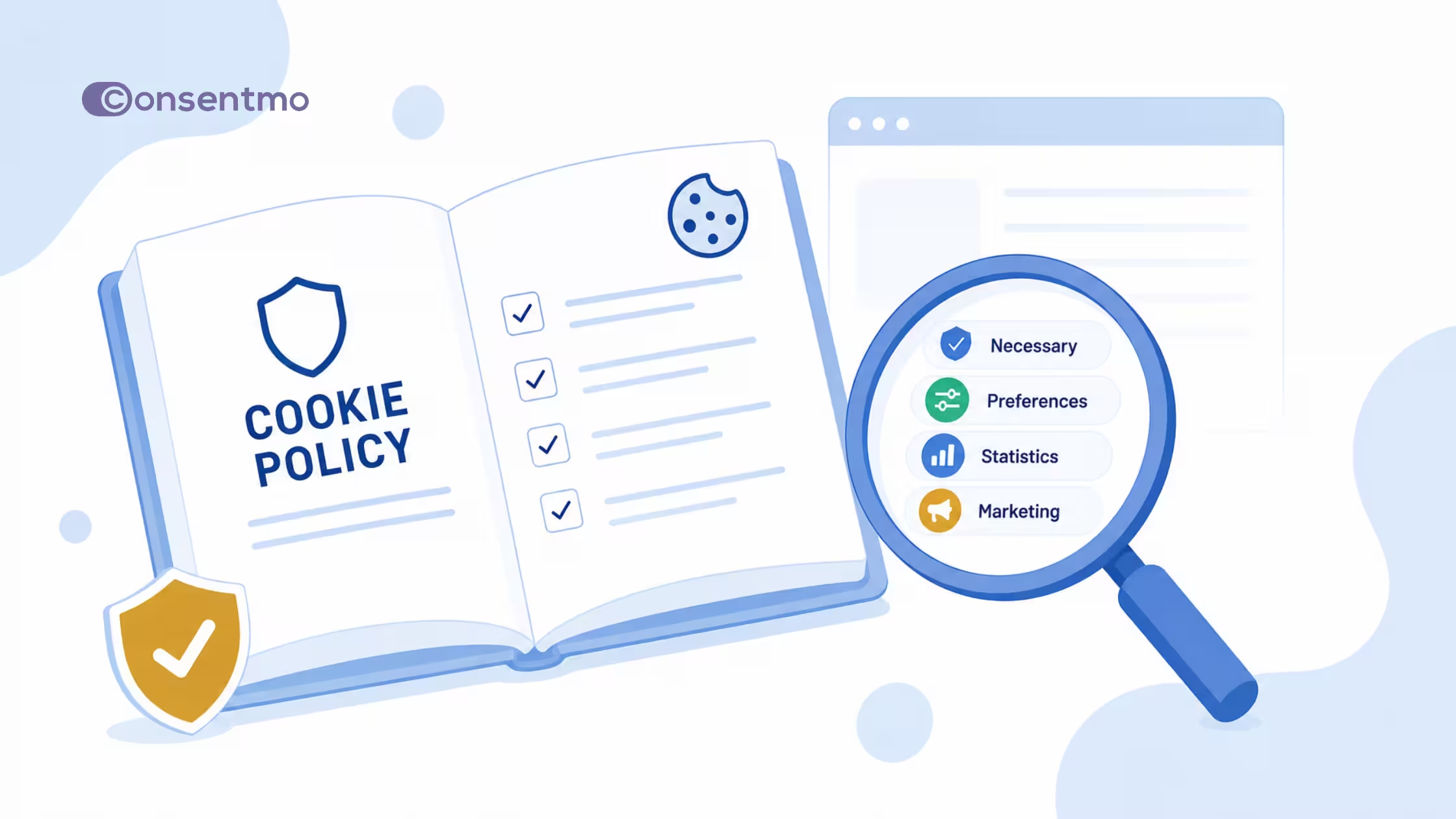
- Categories and purposes, necessary, preferences, statistics, marketing (use labels your banner also uses).
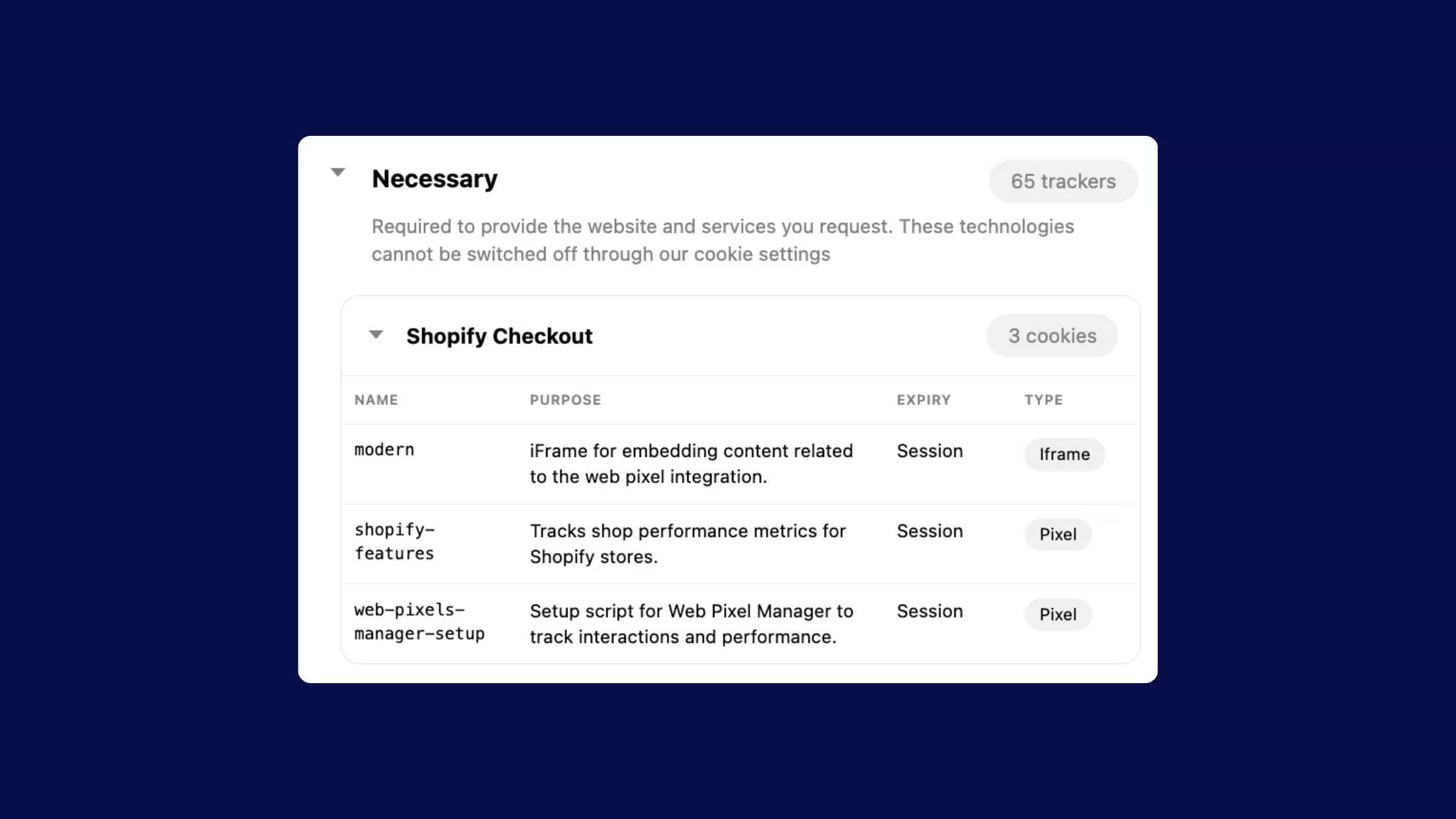
- Inventory table (or equivalent), name/ID, provider, purpose, duration, type (HTTP cookie, pixel, storage), first vs third party.
- Consent and control, how to accept, refuse, or change preferences; link to the preferences UI; note browser controls as a secondary path.
- Third parties, who receives data and where visitors can learn more (and opt out where relevant).
- International transfers, if cookie data leaves the visitor’s region.
- Updates, how you refresh the list and when it was last reviewed.
- Languages, if you serve multiple languages, the policy should match the languages of the service.
Types of cookies to describe
Visitors understand categories faster than raw cookie names. Common groupings (aligned with GDPR.eu’s typology):
By purpose
- Strictly necessary, checkout, authentication, security, load balancing. Explain them even when consent is not required.
- Preferences / functionality, language, currency, UI choices.
- Statistics / performance, aggregated usage measurement.
- Marketing / advertising, ad measurement, retargeting, social pixels.
By duration
- Session, deleted when the browser closes.
- Persistent, remain until expiry or deletion.
By provenance
- First party, set by your domain.
- Third party, set by another domain (ads, embeds, some analytics).
Your policy should map each technology into the same categories your banner uses so “Accept statistics” means the same thing on both surfaces.
How to create and maintain a cookie policy
1. Inventory before you write
Scan the live storefront (and key funnels: home, collection, product, cart, checkout where measurable). Note apps, tags, and theme scripts. The ICO’s organizational checklist starts with knowing what you use, removing what you do not need, and confirming purpose and duration for each item.
2. Classify necessary vs optional
If a tool is only “nice for marketing,” it is not strictly necessary. Default optional tools off until consent in regions that require opt-in.
3. Draft clear copy, then the table
Lead with purposes in human language. Put technical IDs in a table. Avoid legalese walls that nobody finishes.
4. Connect banner, preferences, and policy
- Banner → short summary + link to full policy
- Preferences → category toggles that match the policy
- Policy → “Change preferences” control back into the CMP
5. Publish where people can find it
Footer link, banner link, and (where relevant) account or legal hub. Multilingual stores need matching language versions.
6. Schedule reviews
New Shopify apps, pixel updates, and theme edits change the inventory. Regular scans are important because providers rename cookies and other teams add tags without telling legal. Set a review cadence (for example after every major app install and on a monthly scan).
Keep the page current with Consentmo Smart Cookie Policy
Writing the first draft is half the job. Stale cookie lists are the usual failure mode: the banner looks fine, but the policy still describes last year’s pixels.
Consentmo’s Smart Cookie Policy page is built for that gap:
- Generated from your tracker scan, lists cookies, pixels, storage, and services detected on the store.
- Ready-to-publish storefront page, custom URL slug and optional footer link, without hand-editing theme liquid for the whole document.
- Auto-updates after new scans (Smart / Enterprise), when your scheduled or manual scan finds changes, the public page can republish so visitors see the current inventory.
- Disclosure modes, recommended detail, full transparency, or a custom set of tracker types.
- Design controls, colors, category expansion, tracker counts, “Change preferences” button, custom CSS.
- Multilingual, content follows the languages you already use on the cookie banner.
All plans still get a static Cookie Policy Page option (HTML tables from your latest scan) if you only need a snapshot. Smart Cookie Policy (Enterprise) is the always-current storefront page for teams that scan regularly.
Where to set it up: Privacy Center → Cookie policy tab (after you run a tracker scan). Status and shortcuts also appear from Cookie Manager once the page is active.
Deep dive on setup, free vs Smart comparison, and design tabs: Introducing Smart Cookie Policy Page.
If you want a quick health check on the wider setup (banner, blocking, disclosures), run Compliance Score inside the app.
Common mistakes
- Copy-paste policies that name another company’s tools.
- Banner categories that do not match the policy table.
- Non-essential tags firing before consent while the policy claims you wait.
- No path to withdraw consent as easily as it was given.
- Never rescanning after installing apps or launching campaigns.
- English-only policy on a multilingual storefront.
- Policy only inside a 40-page PDF with no HTML page linked from the banner.
Conclusion
A cookie policy is the plain-language map of the tracking technologies on your site: what runs, why, for how long, who provides it, and how visitors stay in control. It works together with your privacy policy and your consent banner, not instead of them. EU and UK rules center on prior information and consent for non-essential cookies and similar technologies, with strict necessity as a narrow exception.
For Shopify merchants, the hard part is maintenance. Apps and tags change faster than legal copy. Run real scans, classify honestly, connect banner and policy, and keep the public page in sync. Consentmo’s Smart Cookie Policy turns scan data into a storefront page that can refresh after every scan, so “what is on our cookie policy” matches “what the store actually loads.”
Next step: open Consentmo → Privacy Center → Cookie policy, generate your page from the latest scan, and link it from your banner and footer.
This article is for general education. It is not legal advice. Confirm requirements with qualified counsel for your markets.