in-app scanner

Scan Your Store for Accessibility Issues

Scan key storefront pages for WCAG 2.2 AA issues, prioritize what needs fixing, and keep track of your accessibility score over time.
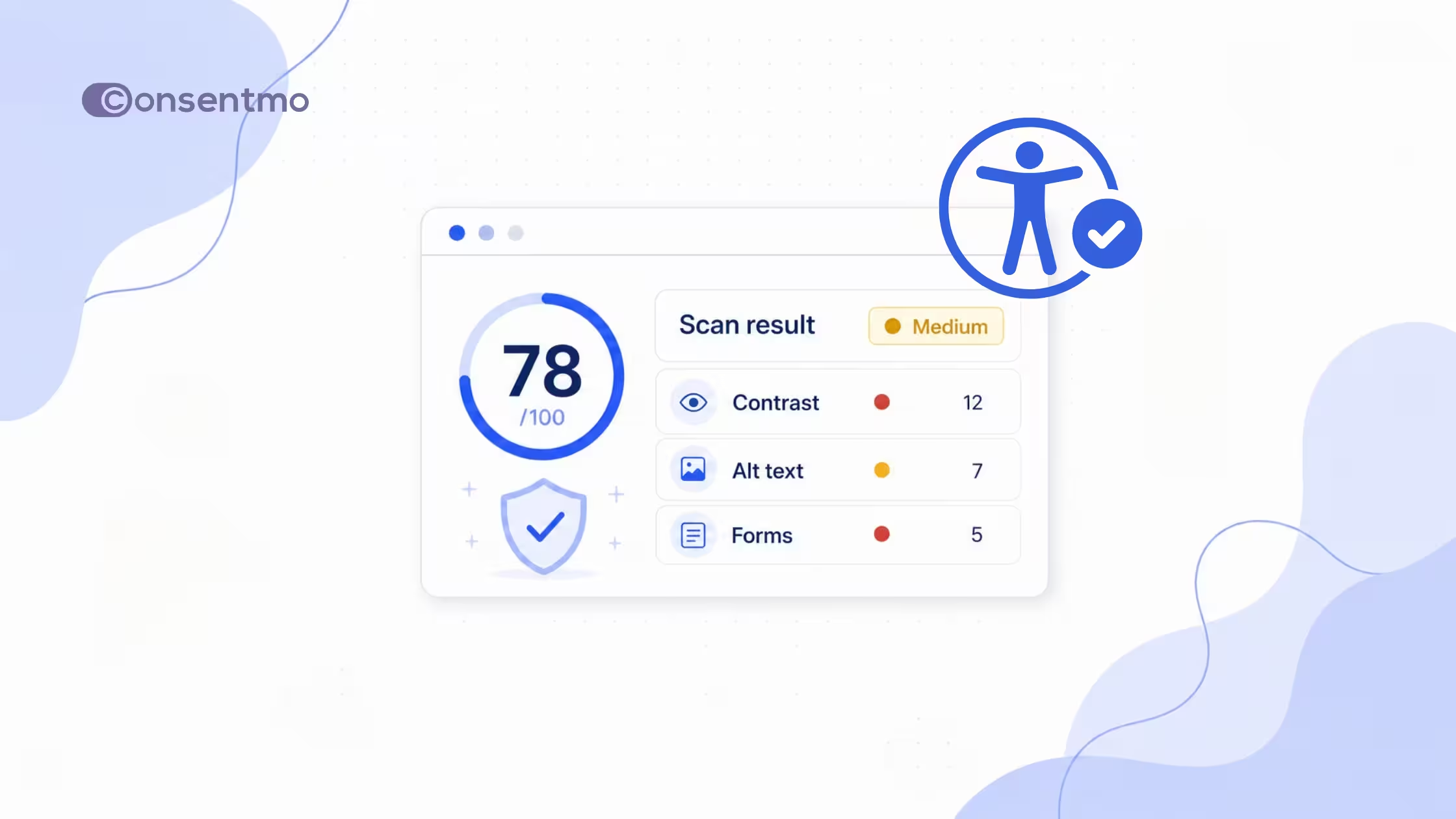
Accessibility scan results showing score 78 with 12 issues found including low contrast text, missing heading structure, images without alt text, form labels missing, and keyboard focus order.
Scan Your Shopify Store for Accessibility Issues
Run a comprehensive accessibility scan across key storefront pages. Identify issues with contrast, headings, forms, images, ARIA, keyboard navigation, and more - then see exactly what needs your attention.
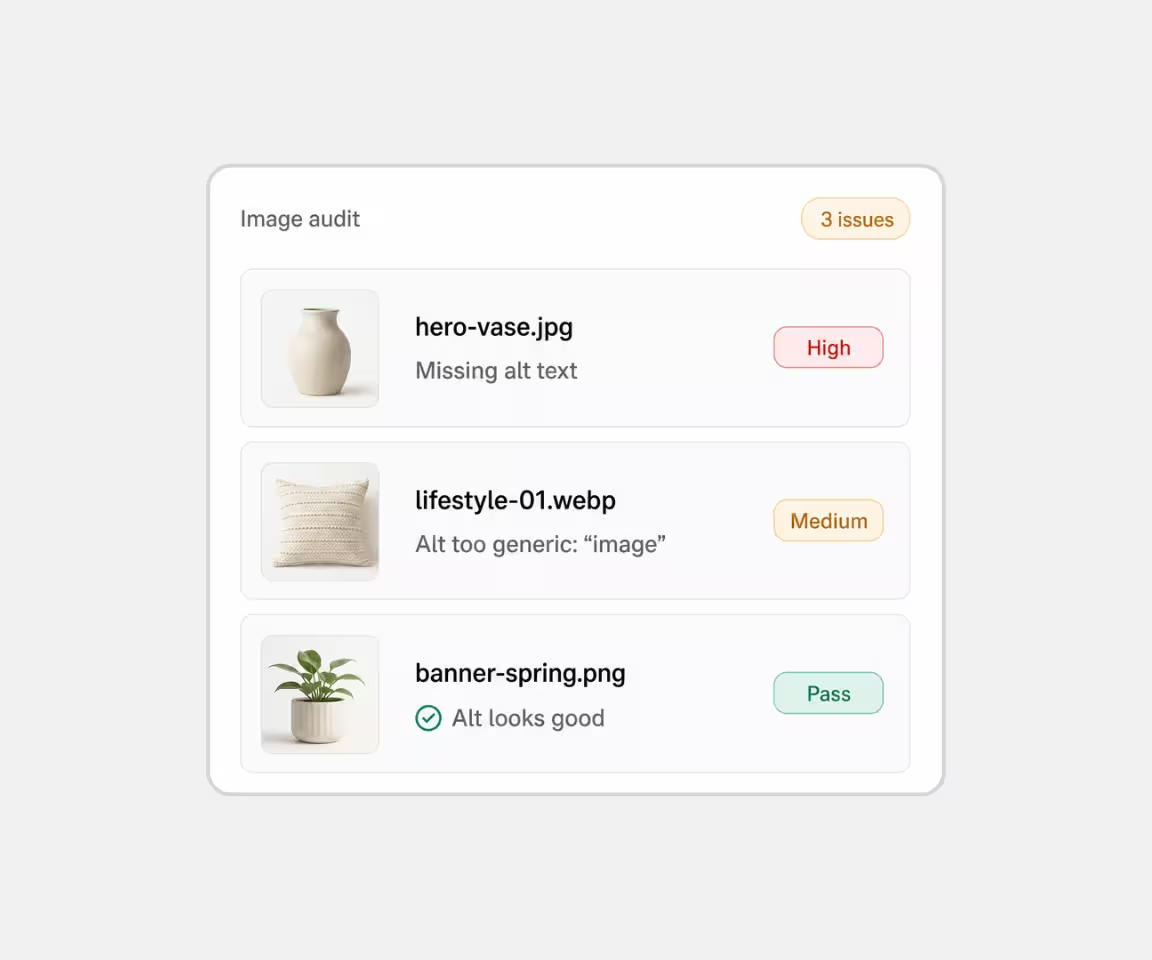
User interface of an image audit showing three images with issues: a beige vase missing alt text flagged as high, a beige pillow with a generic alt flagged medium, and a green plant with a good alt marked pass.
Images & Alt Text
Find images with missing or unhelpful alt text that may create barriers for screen-reader users.
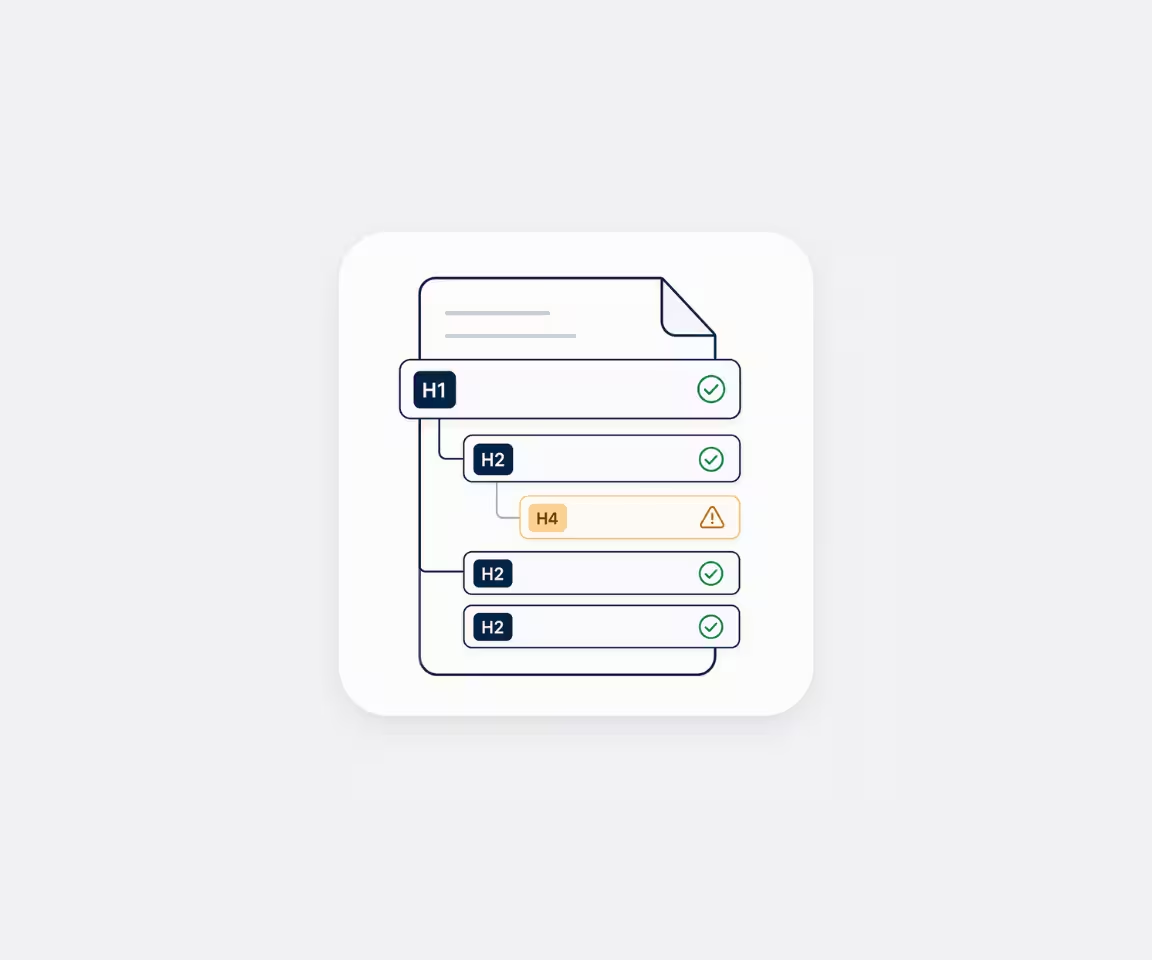
Diagram of a document's heading structure showing one H1 heading, three H2 headings with check marks, and one nested H4 heading with a warning icon.
Headings & Structure
Identify skipped heading levels, incorrect landmarks, and structural issues that can make pages harder to navigate.
User interface elements including a text input field with a red error icon, a checked checkbox, a dropdown arrow, a toggle switch turned on with a green checkmark, and an accessibility icon with curly braces.
Forms, ARIA & Controls
Find unlabeled fields, invalid ARIA attributes, inaccessible controls, and other issues affecting assistive technologies.
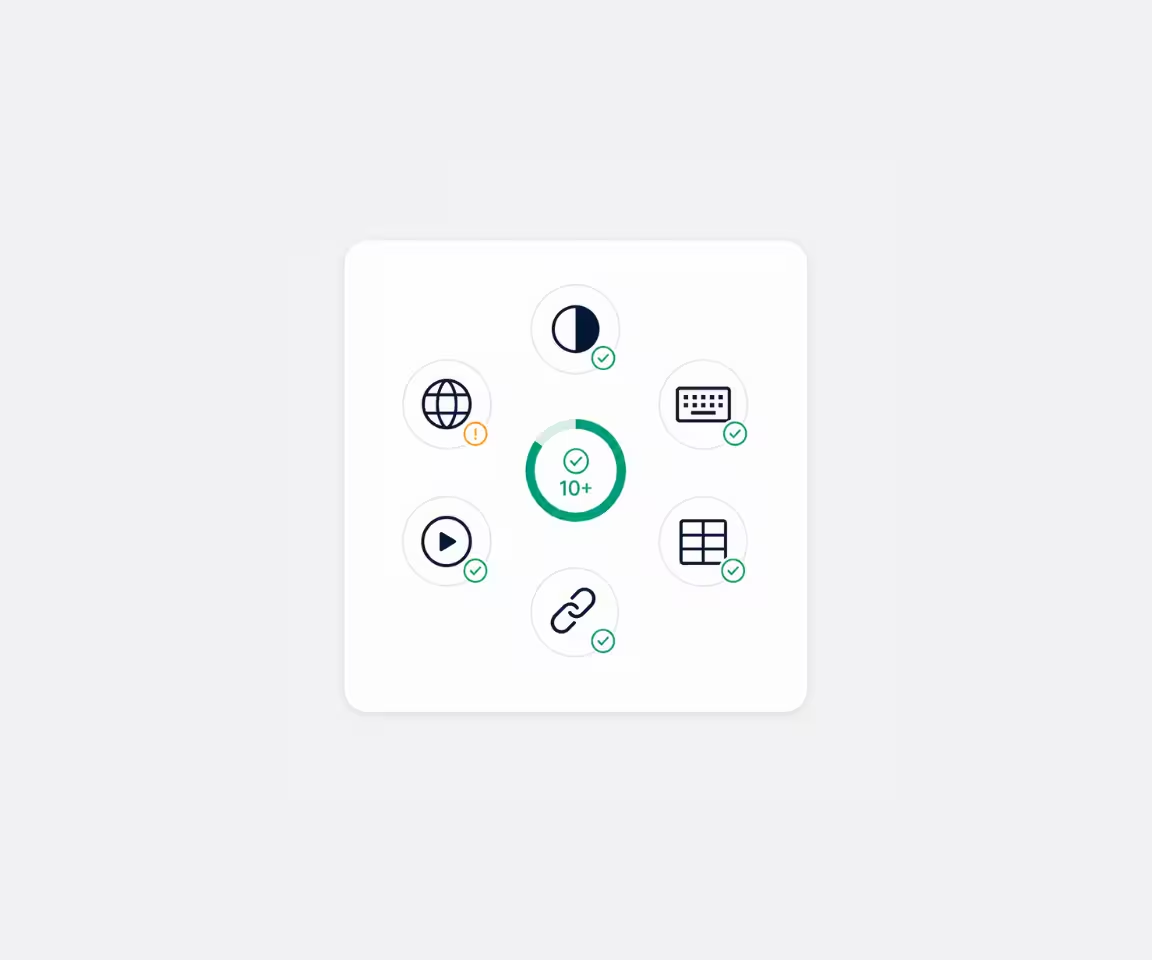
Central circle with '10+' surrounded by six icons representing a globe with an alert, a half-black circle, a keyboard, a grid, a chain link, and a play button, each with green check marks except the globe which has an orange alert.
10+ Accessibility Checks
Including Color contrast, Focus & keyboard, Language & localization, Media & motion, Tables & lists, and more.
Accessibility can change with every store update
Theme edits, new pages, apps, and content can introduce new issues. Scan regularly to catch accessibility problems early and keep your score on track.
5 stars
5/5
1,800+ Reviews on the Shopify App Store
guide

Accessibility Scanner by Consentmo

Your storefront changes as you update themes, pages, apps, and content. The Accessibility Scanner helps you catch new accessibility issues before they become ongoing problems.
How the Accessibility Scanner helps your store:
Storefront Accessibility Score
Get a clear score out of 100 based on your latest scan, together with your overall risk level, issues to fix, checks to review, and pages scanned.
Prioritized Issues to Fix
See which problems need attention first. Work through findings from Critical → Important → lower-priority issues so you can focus on the changes with the biggest impact.
WCAG 2.2 AA Checks
Scan key storefront pages for issues involving color contrast, headings, ARIA semantics, forms, links, images, keyboard navigation, language, tables, and more.
Detailed Issue Guidance
See where each issue appears, which pages and components are affected, relevant selectors, device coverage, and the applicable WCAG requirements.
Ongoing Accessibility Monitoring
Run another scan after making fixes or introducing theme, page, app, or content changes. Keep track of your score over time and catch new issues as your store evolves.
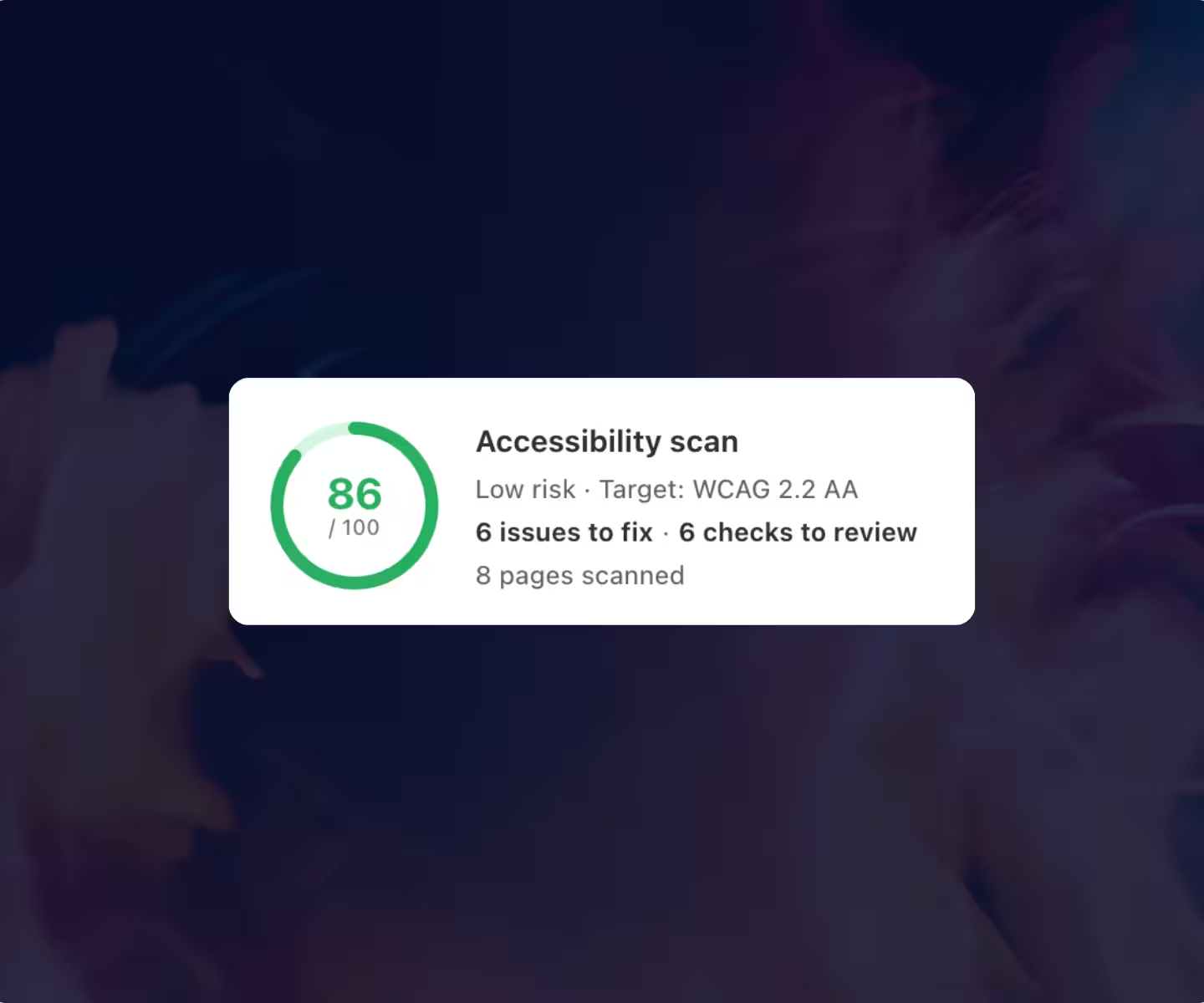
Accessibility scan results showing score 86 out of 100, low risk, target WCAG 2.2 AA, with 6 issues to fix, 6 checks to review, and 8 pages scanned.
scoring

Accessibility score

Every scan gives your store a clear accessibility score based on key WCAG 2.2 AA checks. Instantly see how your storefront is performing, how many issues need attention, and where to focus next.
See your score out of 100
Understand issues and review items
Measure progress after every scan
automation

Run Scheduled Scans Automatically

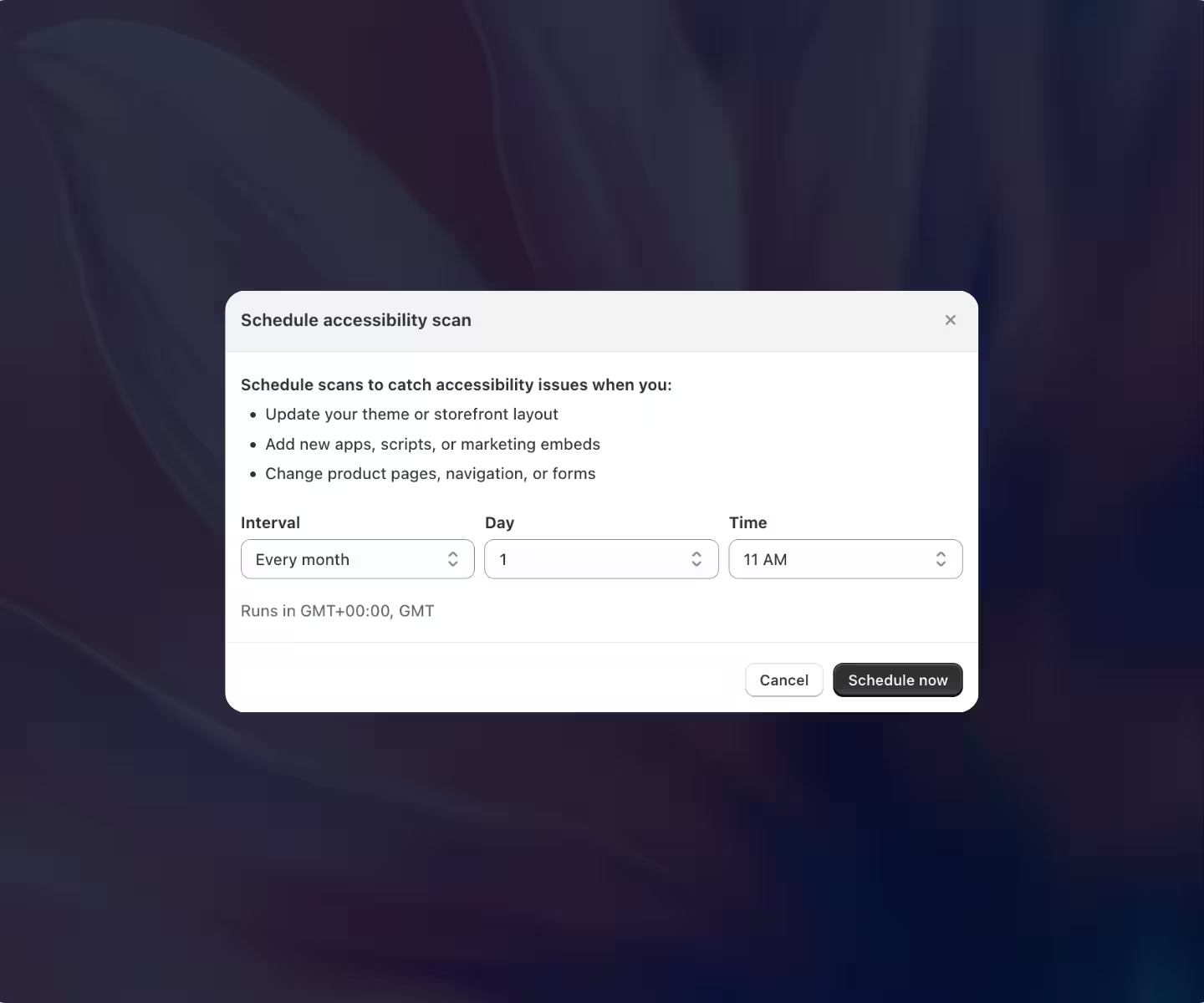
Your storefront changes over time as you update themes, install apps, or add new content. Scheduled scans help you stay on top of accessibility by checking your store regularly without needing to remember to do it manually.
Scan your store on a regular schedule
Catch new issues after store changes
Stay proactive without manual checks
Dialog box titled 'Schedule accessibility scan' with options to schedule scans by selecting interval, day, and time, plus buttons to cancel or schedule now and instructions on what triggers scans.
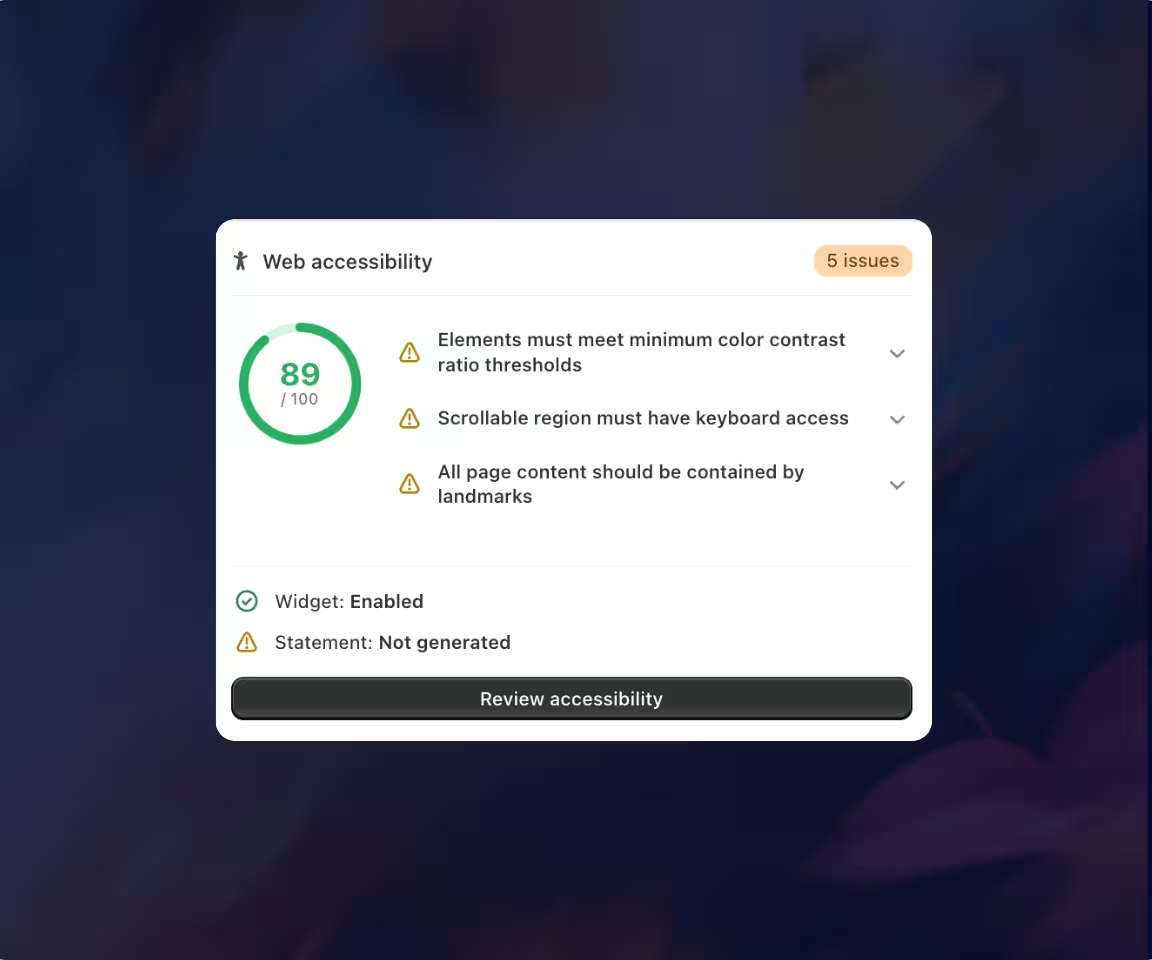
Web accessibility dashboard showing score 89 out of 100 with 5 issues: elements must meet color contrast thresholds, scrollable region needs keyboard access, and page content should be contained by landmarks. Widget enabled, statement not generated.
alerts

Monitor Accessibility Directly from Your Dashboard

Get a quick accessibility overview right from your Consentmo dashboard. See your latest score, issue count, and setup status for key accessibility features, so you always know what needs attention.
View your latest accessibility score instantly
See open issues from the dashboard
Track widget and statement status as well
FAQ

Accessibility Scanner – FAQ

Quick answers to help you get the most out of your accessibility scans.
Have more questions?
Contact our support team
Contact Us
How does the Accessibility Scanner help Shopify stores?

The Accessibility Scanner checks key storefront pages for potential accessibility issues based on WCAG 2.2 AA. It gives you a clear score, highlights issues by priority, and shows which pages and elements need attention so you can improve accessibility more efficiently.

What does the Accessibility Scanner check?

The scanner reviews areas such as color contrast, headings and structure, ARIA semantics, forms and labels, links and buttons, images, keyboard accessibility, language, tables, and media. Results are organized by category so you can quickly understand where improvements are needed.

What does my accessibility score mean?

Your score provides a high-level view of your storefront's current accessibility status based on the automated checks performed. Alongside the score, Consentmo shows your risk level, confirmed issues, items requiring manual review, and scan coverage.

How should I prioritize accessibility issues?

Start with the highest-priority findings first — Critical → Important → lower-priority issues. The scanner's Fix these first section highlights the issues that should receive your attention first.

How often should I scan my Shopify store?

We recommend scanning after significant storefront changes, including theme updates, new pages, app installations, design changes, or major content updates. Regular scans also help you monitor your accessibility score over time.

Can accessibility scans run automatically?

Yes. Merchants can enable scheduled scans, helping them regularly check the storefront for newly introduced accessibility issues without relying only on manual scans.

Does the Accessibility Scanner automatically fix issues?

The scanner is designed to identify, prioritize, and explain accessibility issues. Fixes generally need to be made in your Shopify theme, content, or affected app configuration. After making changes, run another scan to check whether the issue has been resolved.

Does the Accessibility Scanner automatically fix issues?

The scanner is designed to identify, prioritize, and explain accessibility issues. Fixes generally need to be made in your Shopify theme, content, or affected app configuration. After making changes, run another scan to check whether the issue has been resolved.

Built for Shopify

Consentmo is the go-to Shopify compliance app

Manage consent, privacy, and accessibility in one place. From Google Consent Mode to global regulations, Consentmo keeps your store compliant while preserving your data and performance.
Get Started With Consentmo
5 stars
5/5
1,800+ Reviews
Banner displaying cookie consent options with toggles for necessary, statistics, marketing, and preferences cookies, accessibility menu with options like Bigger Cursor, Tooltips, Dyslexic Fonts, Bionic Reading, Hide Images, and compliance badges for GDPR, US Laws, PIPEDA, NZPA, APA, LGPD, APPI, and POPIA.