Black Friday and Cyber Monday make it easy to lean on another sitewide percentage off. That works until margins shrink, ads get expensive, and every competitor is shouting the same deal.
A stronger lever is average order value: help more shoppers actually buy, give them a clear reason to spend a bit more, recommend the right add-ons, and still recover demand when hero products sell out.
This guide covers four Shopify apps built for that job, with Consentmo handling consent when traffic and tracking spike.
What this stack covers
These apps sit on different surfaces (sticky ATC, gift rules, journey upsells, stock alerts, CMP). They are not four clones of the same upsell widget.
Why AOV optimization beats another sitewide sale
A flat 30% off trains shoppers to wait and trains your P&L to shrink. A cart stack does four jobs without that race:
- Protect conversion when pages are long and mobile traffic dominates (sticky ATC, urgency that matches real inventory).
- Raise cart value with a gift or BOGO rule tied to spend or products, not a storewide code everyone stacks wrong.
- Grow the order with relevant upsells after intent is clear, including cart drawer and post-purchase where it fits.
- Keep revenue when heroes sell out with Notify Me instead of a dead PDP and a wasted ad click.
Urgency still needs honest framing. For promotion UX that stays clear of dark patterns, see Dark Patterns in E-commerce Promotions.
6 apps for your BFCM 2026 efforts
1. Gift Box: free gifts and BOGO without a blanket discount
Shopify: Gift Box
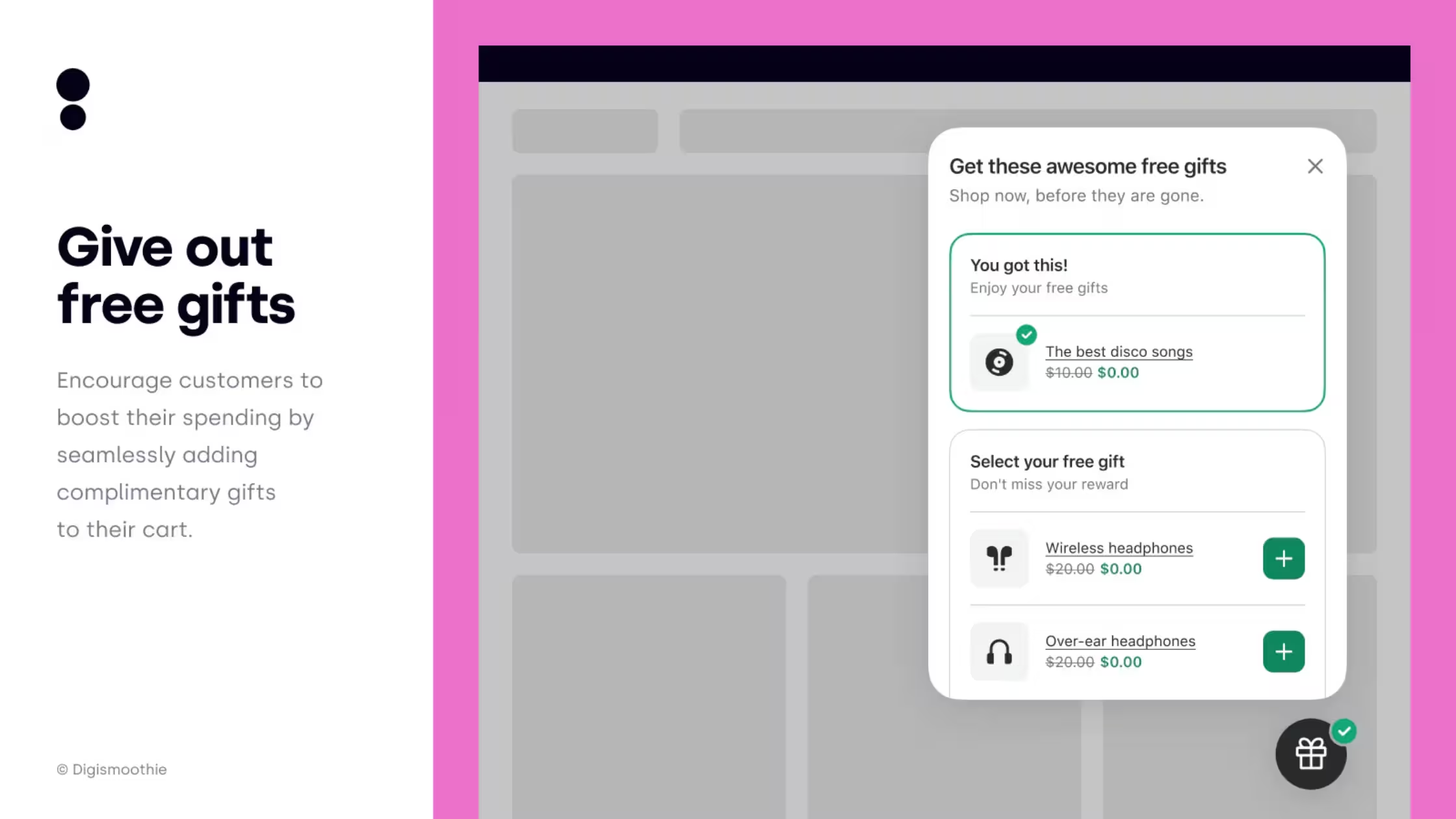
Role in the stack: Free gift with purchase (GWP), BOGO, Buy X Get Y, and related gift campaigns with auto-add rules, so shoppers stretch cart value for a reward instead of a sitewide %.
Gift Box is built for gift promotions: spend or product/collection thresholds, auto-add free gifts, multi-language via Shopify Translate, mobile-friendly widgets, and a simple setup path without custom code. That is a different job from sticky ATC (friction) and from AI upsell rails (recommendations). Gift Box is the incentive architecture on cart and product surfaces.
BFCM setup tips
- Design one primary GWP ladder (e.g. free sample at $75, hero mini at $120) and protect margin after payment fees and returns.
- Auto-add the gift so shoppers do not hunt a hidden SKU under peak stress.
- Exclude gift SKUs from Candy Rack upsells so you do not “sell” the free gift as a paid add-on.
- Align gift copy with ads and email so the click matches the rule on-site.
- Watch inventory on gift SKUs daily in peak week; a broken GWP creates CS tickets faster than a missing banner.
Best for: Brands that want AOV lift and perceived value without training the whole catalog to 30% off.
2. Candy Rack: AI upsells across the buying journey
Shopify: Candy Rack
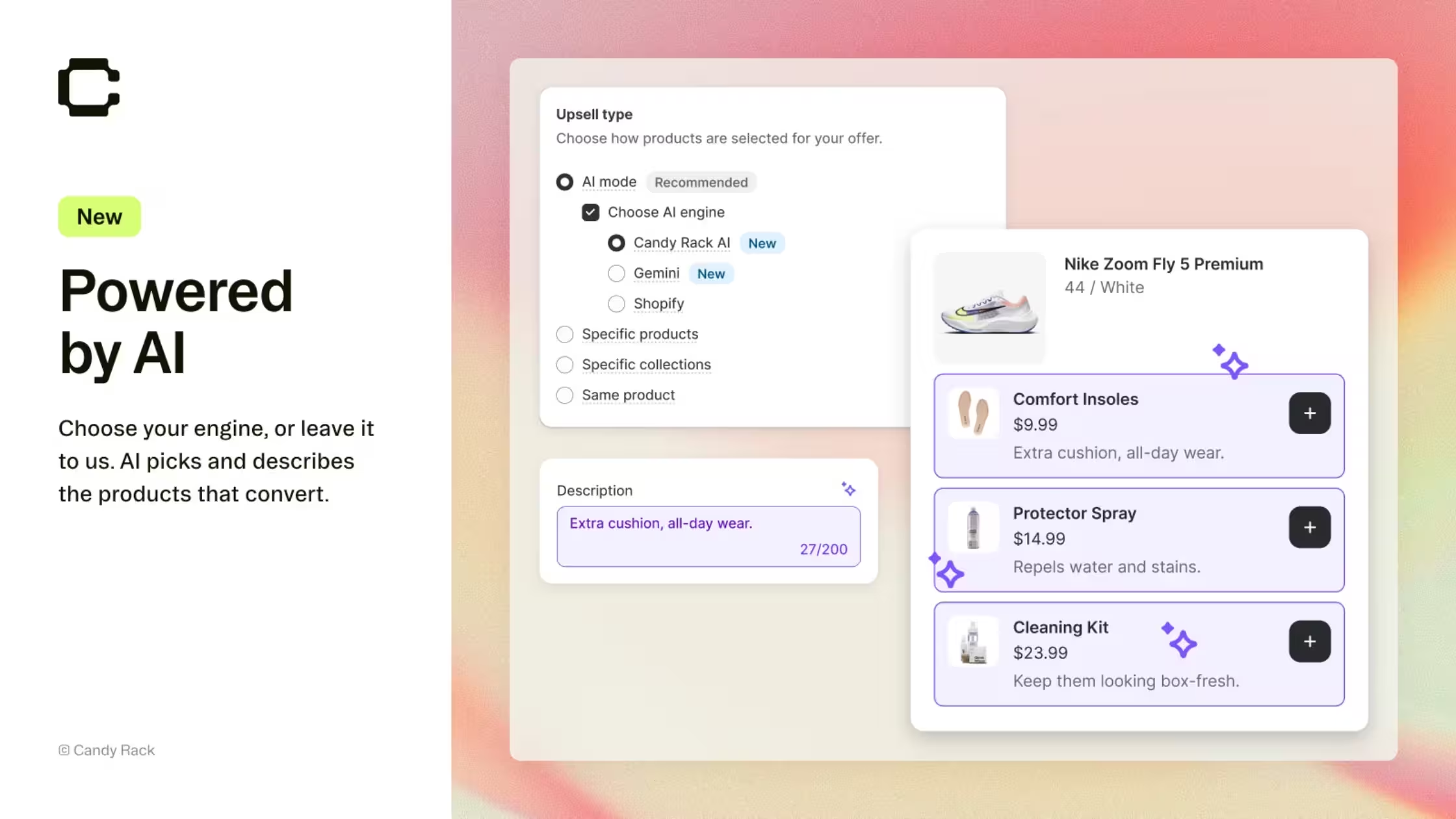
Role in the stack: Upsell and cross-sell from product page through cart, checkout context, and post-purchase, with AI product picks, quantity breaks, a slide-out cart drawer, and optional A/B testing.
Candy Rack is an all-in-one offer layer powered in part by Google Gemini for relevant recommendations. It includes a built-in cart drawer with upsells and a rewards bar, so you are not forced into a separate cart app for BFCM. EU-built positioning and a GDPR-minded data stance matter when you already run a CMP.
BFCM setup tips
- Limit live offers to a tight set (complement, upgrade, quantity break). Peak week is a poor time for seven competing widgets.
- Use AI mode on catalogs where manual rules lag; lock manual rules on margin-critical kits.
- Coordinate with Gift Box: Candy Rack grows paid AOV; Gift Box handles free/threshold gifts. Do not double-incentivize the same unit.
- If you already run ReConvert or another post-purchase tool from a different stack, pick one owner of post-purchase so funnels do not stack.
- A/B test offer creative on normal traffic first when you can; BFCM should scale a winner, not invent one.
Best for: Stores that convert well enough and need systematic AOV growth across PDP, cart drawer, and after the buy.
3. Discounty: run every kind of sale from one place
Shopify: Discounty: Bulk Discount Sales
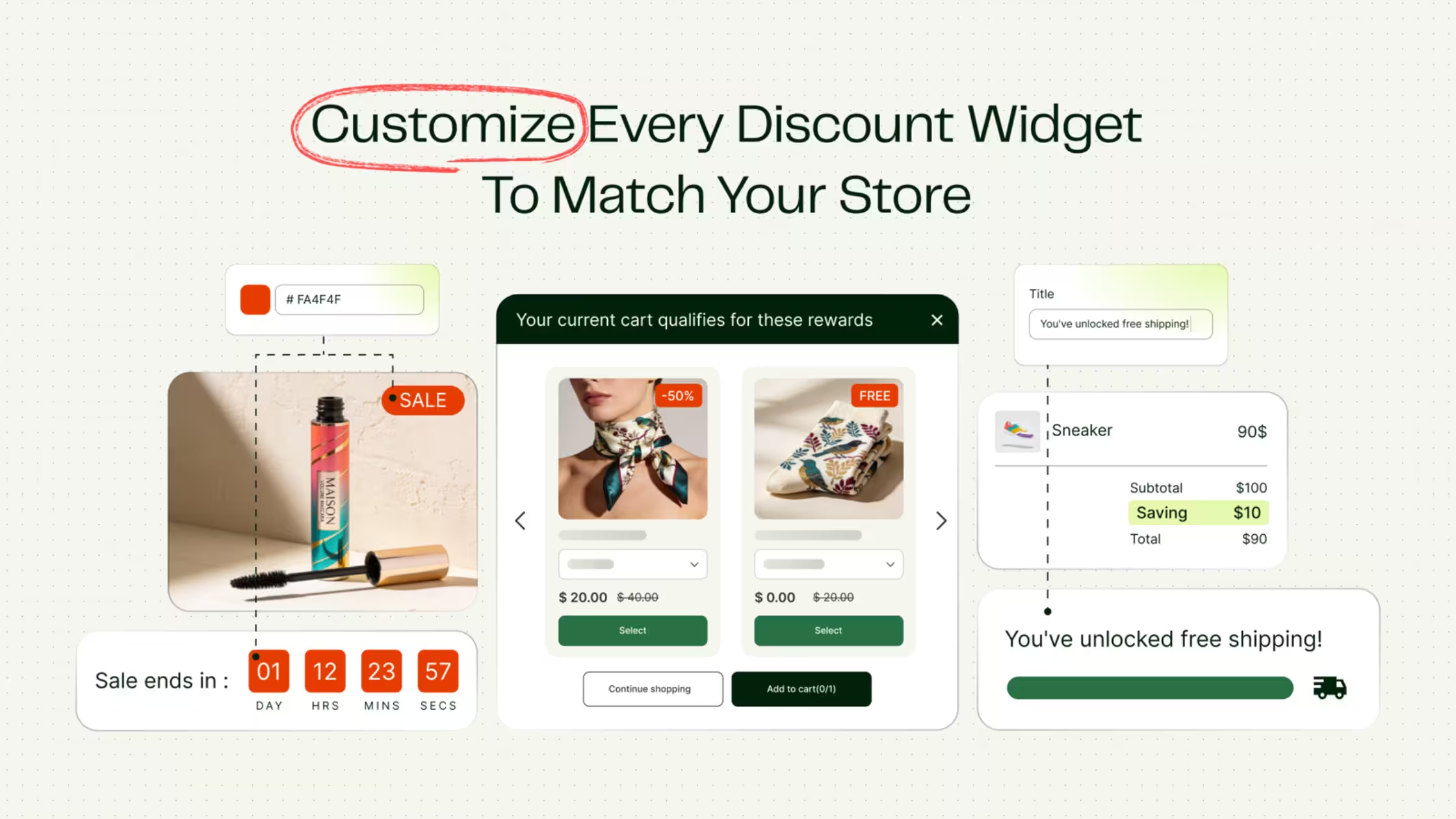
Role in the stack: Bulk price edits, quantity discounts, cart goal rewards, Buy X get Y, shipping discounts and advanced discount codes, all scheduled and shown on the storefront.
Black Friday is usually more than one discount: a markdown on selected collections, a quantity break on best sellers, a reward once the cart hits a target, free shipping for the weekend. Discounty lets you set these up in one place and schedule each to start and end on time. Storefront widgets show the offer before checkout, including sale badges, strikethrough prices, quantity tier tables, a cart goal progress bar and countdown timers.
It also includes Lumos, an assistant inside the app. Describe the sale in a sentence, for example "25% off the winter collection, not the new arrivals, until Sunday", and Lumos fills in the campaign form. You check the draft and press Save, so nothing goes live on its own.
Discounty is Built for Shopify, rated 4.9 from more than 1,250 reviews, and used by more than 20,000 stores. It starts with a free plan, with paid plans from $9.90/month.
BFCM setup tips
- Schedule every campaign with a start and end date before the weekend, so offers switch on and off without anyone at the keyboard.
- Use a quantity discount on best sellers and a cart goal for the next spend level. Both lift order value without a blanket markdown.
- Limit each campaign to chosen products or collections, so margin-critical items stay out of the sale.
- Use customer segments to give VIP, wholesale or B2B customers their own offer. Segment targeting is on the top plan.
- Keep one owner for each incentive. Use Discounty for price-based offers and Gift Box for free gifts, so the same unit never gets two rewards.
- Check the countdown timers against the real sale end time.
Best for: Stores that run several kinds of sale at once and want them scheduled and visible on the storefront.
4. Buy Me – Sticky Add To Cart Bar: do not lose the click
Shopify / partner: Buy Me – Sticky Add To Cart Bar
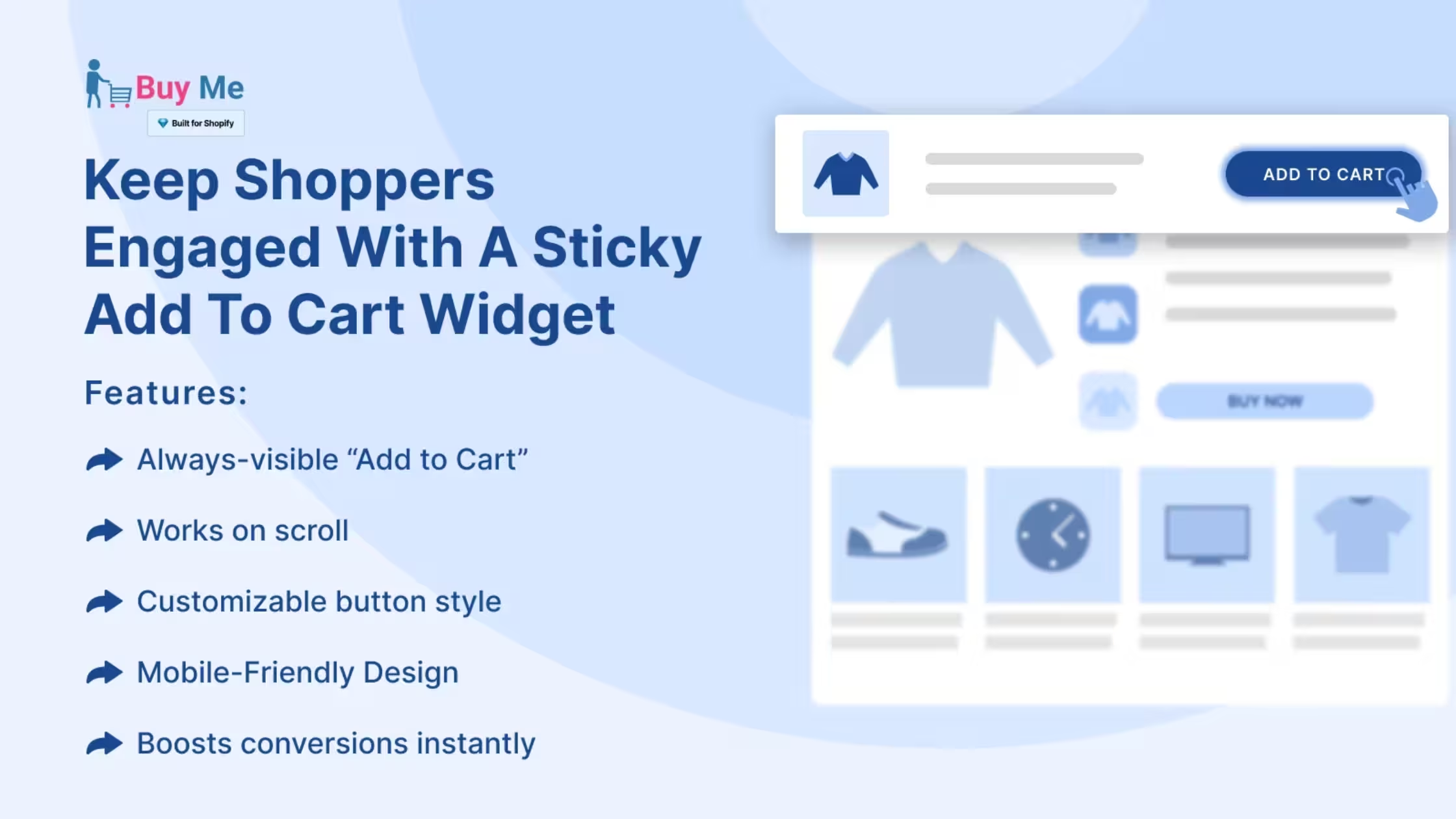
Role in the stack: Keep purchase actions visible as shoppers scroll: sticky add to cart bar, quick buy on collections, sticky cart icon, optional countdown timers.
Buy Me is a conversion UX layer, not another promo engine. On BFCM product pages stuffed with reviews, size charts, UGC, and offer blocks, the native ATC often leaves the viewport. A sticky bar and quick-buy patterns reduce that friction on mobile and desktop without rewriting your theme.
BFCM setup tips
- Enable sticky ATC on hero BFCM PDPs and high-traffic collections first; match brand colors so it feels native.
- Use countdown timers only when the end time is real (sale window or inventory drop). Fake clocks backfire under social scrutiny.
- Pair with Gift Box thresholds in the same visual language (“Free gift at $X” near the sticky bar) so the next dollar of cart value is obvious.
- Test on the devices your ads actually send (iOS Safari, Android Chrome) before you raise budgets.
Best for: Catalogs with long PDPs, heavy mobile traffic, or themes where ATC disappears under content.
5. Notim: recover demand when BFCM winners sell out
Shopify / partner: Notim – Back In Stock Notify Me
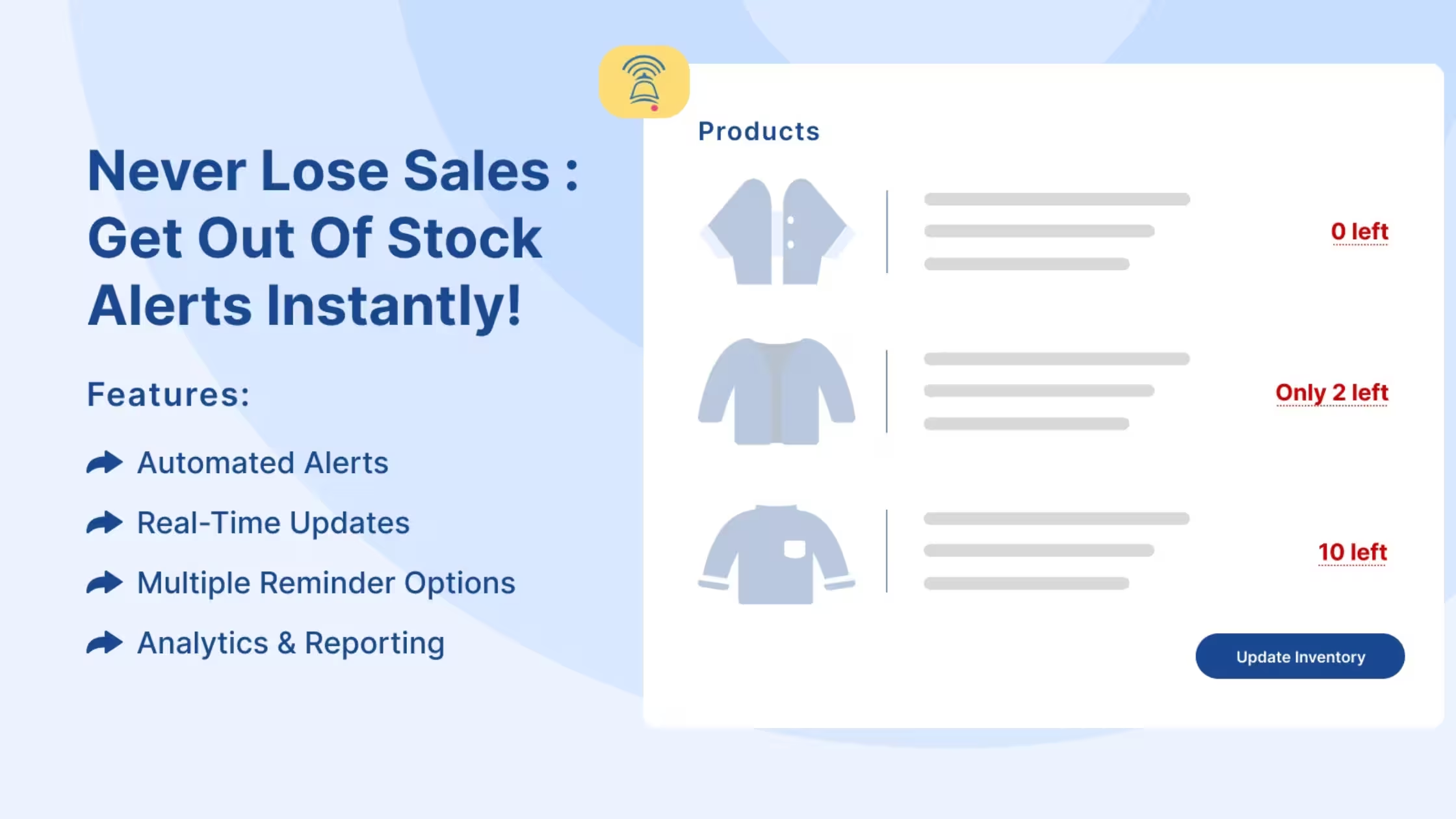
Role in the stack: Replace dead “Out of stock” states with Notify Me, automated email/SMS restock alerts, low-stock urgency, multi-location awareness, and restock demand analytics.
Peak week creates a second problem after conversion: your ads still send traffic to SKUs that hit zero. Without capture, that click is pure waste. Notim turns OOS into a waitlist and gives you demand signal for restock and Cyber week replenishment.
BFCM setup tips
- Swap OOS buttons for Notify Me on every hero and gift-with-purchase component SKU before the first major drop.
- Connect email and SMS paths you actually monitor; test a restock send before volume hits.
- Use low-stock alerts only when inventory data is trustworthy across locations.
- Feed restock analytics into purchasing: which OOS SKUs drove the most signups tells you what to replenish for Cyber week and December gifting.
- Align consent for marketing alerts with your CMP and ESP so restock mail is wanted, not spammy.
Best for: Stores with constrained inventory, viral hero SKUs, or multi-location stock that goes uneven during BFCM.
6. Consentmo: compliance when the cart stack multiplies scripts
Shopify: Consentmo
Role in the stack: Cookie consent, privacy pages, Google Consent Mode support, geotargeted rules, and compliance monitoring so sticky bars, gift widgets, upsell drawers, restock pixels, and ad tags stay measurable and defensible when traffic multiplies.
Every app in this list can add scripts, cookies, or marketing touchpoints. BFCM multiplies that surface: more pixels, more regions, more “just ship it” installs. Without a clear CMP layer you get broken consent, noisy analytics, and weak ROAS reads exactly when leadership asks for numbers. Consentmo is the compliance go-to in this stack: banner and preference UX, region-aware behavior, consent records, and tooling that helps keep marketing tags aligned with choice.
BFCM setup tips
- Run a full cookie/script scan after you install or update Buy Me, Gift Box, Candy Rack, and Notim. New apps add new trackers.
- Confirm Google Consent Mode and tag behavior before you raise budgets.
- Preview banner and preference UX on mobile for top markets you advertise into.
- Align privacy policy and cookie policy pages with what the banner actually controls (What Is a Cookie Policy?).
- If you sell into the EU/UK and US states with opt-out or sensitive rules, set geotargeting before creative launches, not after the first complaint.
Best for: Every merchant in this stack who runs paid acquisition or ships to regulated regions.
Why it sits last in the list but first on the calendar: You can draft gift rules and upsell offers in parallel; you should not scale spend until consent and tagging are verified end-to-end.
Also useful before peak week: Check Your Shopify Store Compliance With Compliance Score
How the stack works together
- Buy Me keeps add to cart and quick buy reachable on long BFCM PDPs and collections.
- Gift Box pulls cart value up with a clear free-gift or BOGO threshold shoppers can see next to that path.
- Candy Rack recommends relevant add-ons, quantity breaks, and cart-drawer offers without needing another sitewide code.
- Notim captures emails/SMS when heroes or gift components sell out, then alerts on restock.
- Consentmo governs cookies and consent so the rest of the stack stays measurable and defensible.
BFCM 2026 cart checklist
- Sticky ATC and quick buy tested on top PDPs and collections (mobile first)
- Gift Box thresholds and auto-add verified; gift inventory reserved
- Candy Rack offers limited to a few clear SKUs; no clash with free gifts
- Notify Me live on hero and gift-component SKUs; restock email/SMS tested
- No accidental double post-purchase funnels if another upsell app is already live
- Consent banner, preferences, and GCM verified on mobile
- Analytics check after consent accept/reject cookie banner choices
- Urgency timers and low-stock cues match real inventory and sale end times
Conclusion
BFCM does not have to be another race to the deepest sitewide discount. A cart stack protects the buy button, rewards a higher cart with a free gift or BOGO rule, grows the order with relevant upsells, and recovers demand when stock runs out, while consent keeps the system honest when volume spikes.
This list pairs Buy Me, Gift Box, Candy Rack, Notim, and Consentmo as complementary layers, not rival apps in the same niche. Use Consentmo as your compliance go-to before you scale budgets, then let the cart apps do their jobs on a foundation you trust.
Ready to lock compliance before peak week? Install Consentmo on Shopify and run your BFCM consent and tracking check while sticky bars, gift rules, and upsell offers are still easy to change.


_converted.avif)