All Logs
Granular Cookie Control Over “Do Not Sell”
Select which cookie categories stay active after a shopper opts out.
August 5, 2026
Update
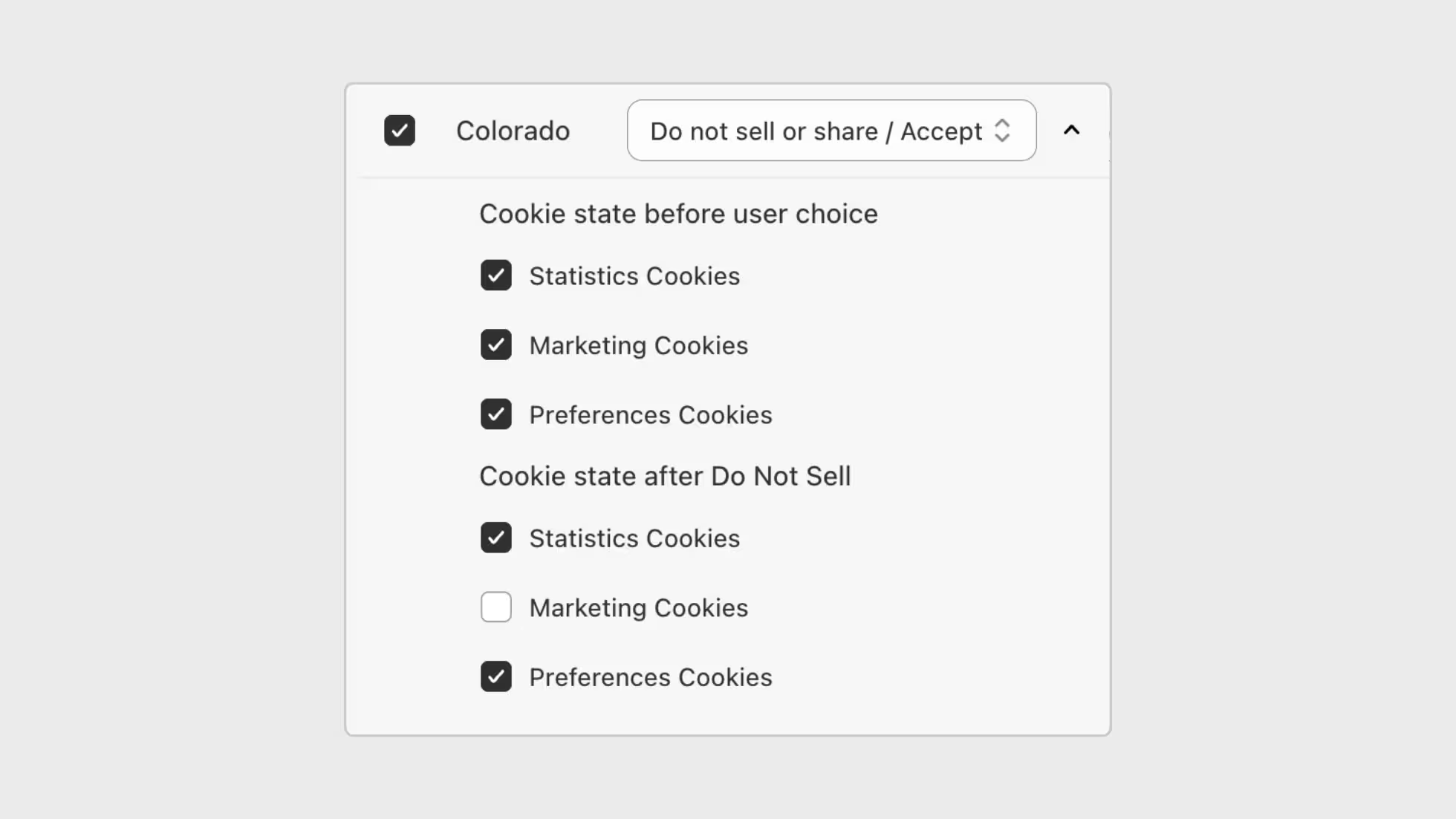
You can now choose which cookie categories remain active after a visitor clicks Do Not Sell. This gives you more control over the opt-out experience, while keeping the default behavior aligned with common US privacy requirements.
What this update brings:
- Cookie category control: Decide whether Statistics, Marketing, and Preferences cookies stay active or are disabled after Do Not Sell is selected.
- Clear default behavior: Necessary cookies always remain active. Statistics and Preferences remain active by default, while Marketing is disabled.
- State-level flexibility: Fine-tune this behavior per state from Region Settings when using region-specific setups.
You can manage this from Cookie Banner > Regions > Edit Region for state-specific behavior when Smart Geotargeting is enabled.