Why Shopify merchants need a cookie banner consent check
Consent Monitoring is a major release for Consentmo, and one of our largest. Merchants regularly ask us to check their banner for compliance, so we built a feature that does this on the live store.
Your cookie banner settings can look perfect in the dashboard and still behave differently on the live storefront. A theme update, a new app, or a changed setting can quietly alter what visitors see and which trackers fire.
Consent Monitoring in Consentmo tests the live store the way a visitor would, instead of only reading your configuration. It visits your store from different locations and checks how your banner handles consent.
What Consent Monitoring does
Consent Monitoring checks how the cookie banner handles consent on your live storefront. It tests banner display, and it tests cookie and tracker behavior before and after a visitor makes a choice.
You'll find it under Monitoring & Trackers > Consent monitoring.
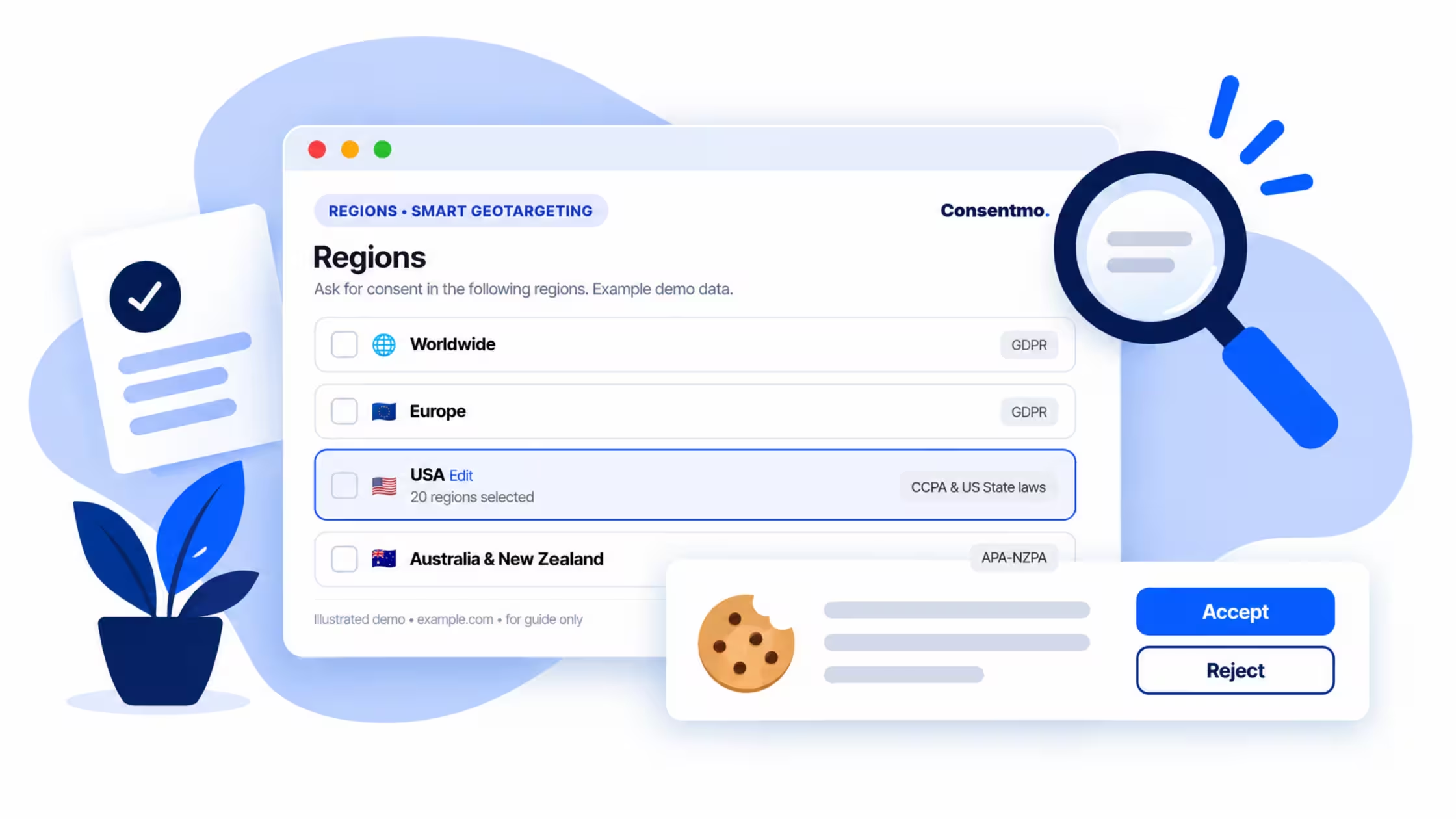
Each scan covers up to 8 locations where your banner shows. Default monitored locations are grouped by region: Europe, USA, Canada, Australia and Rest of the world. Every location gets its own status and issue count, along with a full list of issues found and checks that passed.
Checks follow each region's consent model, based on your own configuration. A location with an opt-in setup is judged against that setup, and a location with a different model is judged against its own.
What gets checked
- Banner display and content. The scan confirms the banner appears in each location and that its content matches your settings.
- Before consent. It verifies the cookie state before a visitor makes a choice.
- After Accept. It confirms trackers fire once a visitor accepts.
- After opt-out. It confirms no trackers fire once a visitor opts out.

Choose which regions to monitor with Manage regions
Consent Monitoring covers the regions where your banner shows. Default monitored locations are grouped by region: Europe, USA, Canada, Australia and Rest of the world.
Selecting your own regions is optional. If you want to change the defaults, use Manage regions to choose up to 8 preferred locations to monitor. Each location you pick gets its own status, issue count, and list of issues found and passing checks.
Checks follow each region's consent model, based on your own configuration. Pick the markets that matter most to your store, such as the countries where most of your customers are located. You can come back to Manage regions at any time to change your selection.

Clear status for every location
Each location shows one of three statuses:
You can see at a glance which regions need work and start there.
Fix issues from the results
Where possible, a detected issue comes with a direct action. For example, if the imprint link is missing, you can use Enable Imprint right from the results.
Only some issues can be fixed this way. Others need changes to your banner settings, your theme or third-party apps. The results still tell you what was found, so you know where to look.
On-demand and scheduled scans
You can run a scan whenever you want, for example after editing your banner or installing an app. You can also turn on scheduled scans so the banner is checked automatically. This helps catch issues introduced by theme, app or setting changes that nobody connected to consent at the time.

How to use Consent Monitoring
- Open Monitoring. Go to Monitoring & Trackers > Consent monitoring.
- Run your first scan. Select Start your first scan. Each location shows as Analyzing while its checks run.
- Manage regions (optional). Use Manage regions to choose which locations are monitored, up to 8 in total.
- Review results by location. Expand any location to see its issues and passing checks. Start with locations marked Needs attention.
- Fix issues. Use the action button next to an issue where available, or update your banner settings, theme or apps.
- Schedule scans. Turn on the scheduled scan toggle and use Edit schedule to set when scans run.
- Run the scan again. After making changes, scan again to confirm the issues are resolved.
Good to know
- Results reflect your current setup, since checks are based on the consent model you configured for each region.
- A scan takes some time, and each location shows as Analyzing until its checks are complete.
- Consent Monitoring checks up to 8 locations, so it does not cover every possible location.
- It is a helpful monitoring tool and not a full legal compliance audit.
Who benefits most
Consent Monitoring suits stores that sell in several regions, stores that change themes or add apps often, and teams that want an ongoing check on banner and tracker behavior without testing manually from each country.
A regular scan after any storefront change is a sensible habit, and scheduled scans can cover the times you forget.