Your Store Has More Missing Alt Text Than You Think
Here's something most Shopify merchants overlook until it becomes a problem: image alt text.
You upload a product photo, maybe write a title and description, and move on. The alt text field sits there, empty. Multiply that across hundreds of products, collection pages, and blog images, and you end up with a store where most of your visual content is invisible to search engines and screen readers alike.
The SEO cost is real. Google can't understand what an image shows without alt text, which means every untagged image is a missed ranking signal. The accessibility cost is equally significant - screen reader users rely on alt text to navigate and understand product pages. An empty field effectively excludes them from your store.
Until now, fixing this meant either going image by image inside Shopify's admin or using a separate tool entirely. Neither option scales.
We built the Alt Text Manager to solve this directly inside Consentmo - no extra tools, no manual auditing, no guesswork.
Key Takeaways
- Alt Text Manager is an exclusive Enterprise feature built into Consentmo — accessible from Web Accessibility > Alt Text Manager.
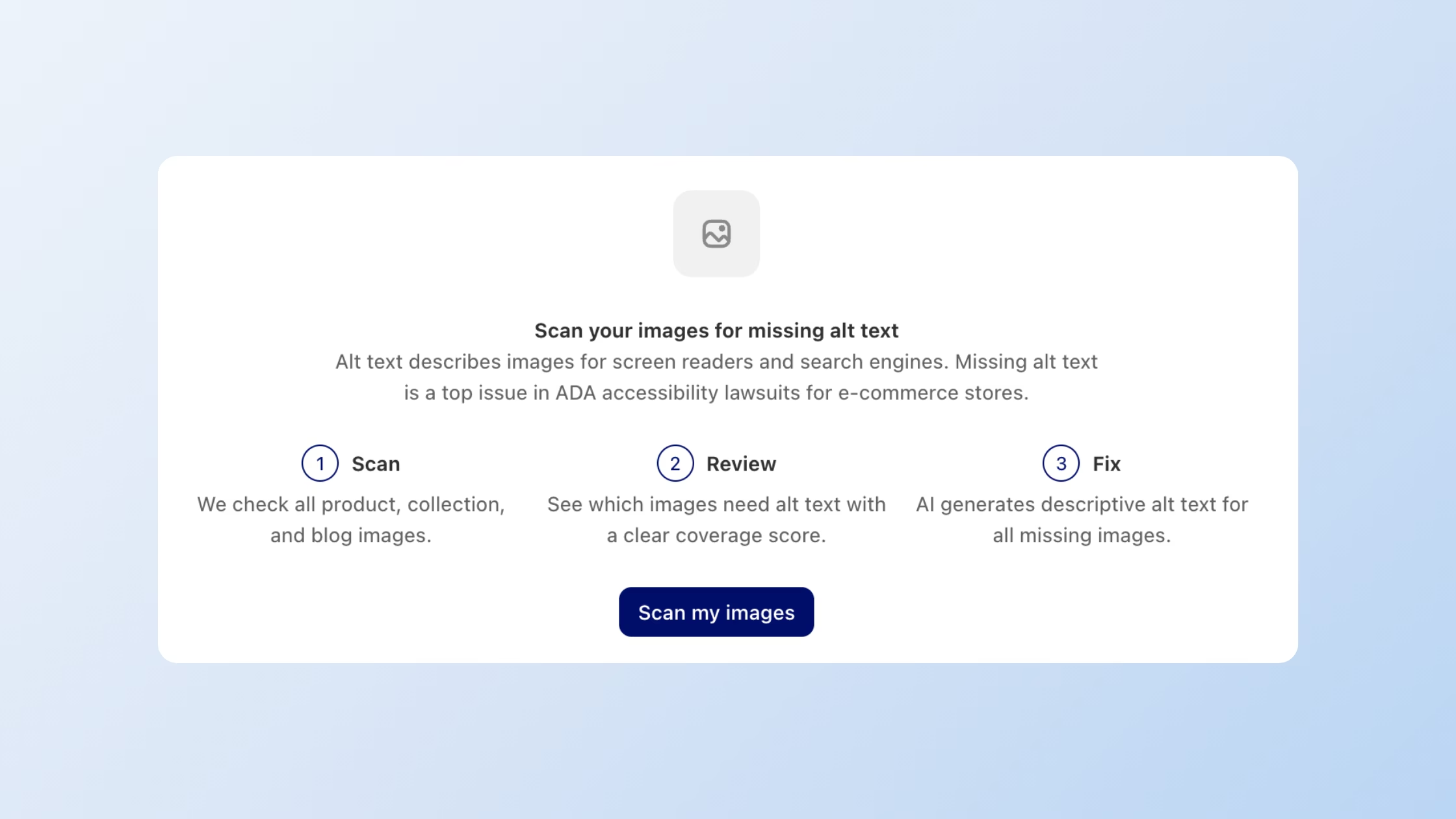
- Instant store audit: scan all product, collection, and blog images in one click and see your total images, coverage percentage, and exactly how many are missing alt text.
- AI-powered generation: automatically write alt text for missing images using your product data, including title and description as source inputs.
- Bulk fix in one click: generate alt text for every missing image at once, without touching each product individually.
- Granular control: configure which image types get processed, what data the AI uses, and whether existing alt text is preserved.
- Better accessibility: ensure your store meets ADA/WCAG expectations for screen reader users.
- Stronger SEO: give search engines the image context they need to index and rank your content accurately.
A Full Picture of Your Store's Alt Text Coverage
Most merchants have no idea how many of their store images are missing alt text. The first thing the Alt Text Manager by Consentmo does is tell you exactly that.
When you open the tool, you immediately see three key stats:
- Total images — the full count of images scanned across your store
- Alt text coverage — the percentage of images that already have alt text
- Images missing alt text — a precise number of images that need attention
- 'Scan my images' button — run your first scan, then re-scan when necessary

In this way you know your current state before taking any action, and the interface reflects that number in every action button — so when you see "Generate all missing (#)", you know exactly what you're about to fix.
A Re-scan button keeps the data current any time you add new products or images.
Bulk AI-Powered Alt Text Generation
Manually writing alt text for every product image is not a realistic workflow for most stores. The Alt Text Manager removes that friction entirely - it fixes your missing image alt text on Shopify, in bulk.
With a single click on "Generate all missing", the tool uses AI to write descriptive alt text for every untagged image in your store by pulling from your product data to produce accurate, contextually relevant descriptions.
You choose what the AI uses as its source:
- Product title — quick, clean descriptions based on what the product is called
- Product description — richer context for more detailed, nuanced alt text
You can also control which image types are processed:
- Product images — your core catalog
- Collection images — category and landing page visuals
- Blog post images — content marketing assets
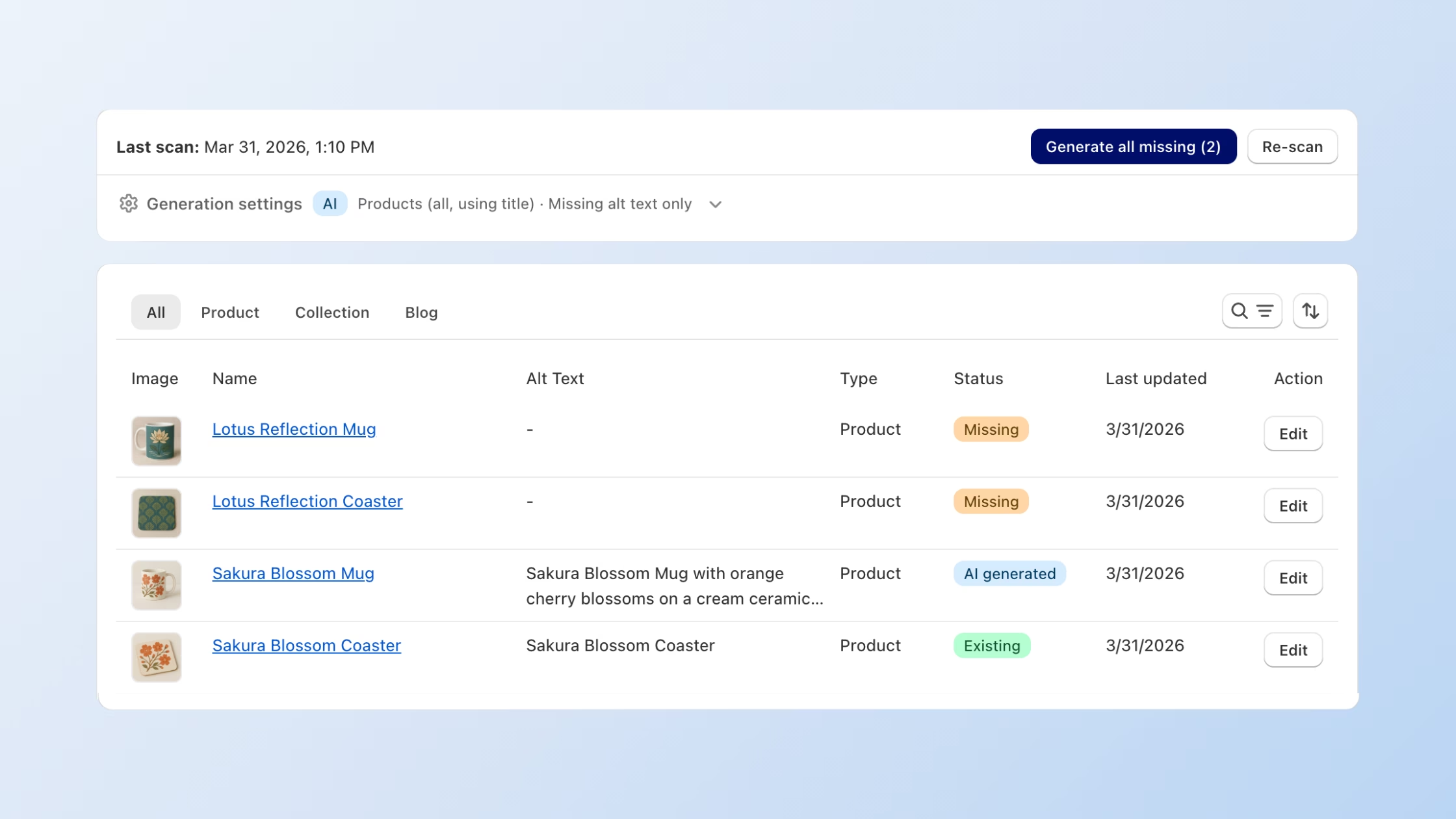
Each generated entry is labeled with an AI generated status badge in the image table, so you always know what was written automatically versus what already existed or was written manually. Every entry also has an Edit button, giving you full control to review and refine any output.
One Setting That Protects Your Existing Alt Texts
If you or your team have already spent time writing alt text manually, the last thing you want is an AI tool overwriting it.
The Alt Text Manager includes a dedicated safeguard: "Only generate alt text for images that don't have alt text." With this setting enabled (it's on by default), the tool ignores any image that already has alt text and only fills in the gaps. Your existing copy stays exactly as written.
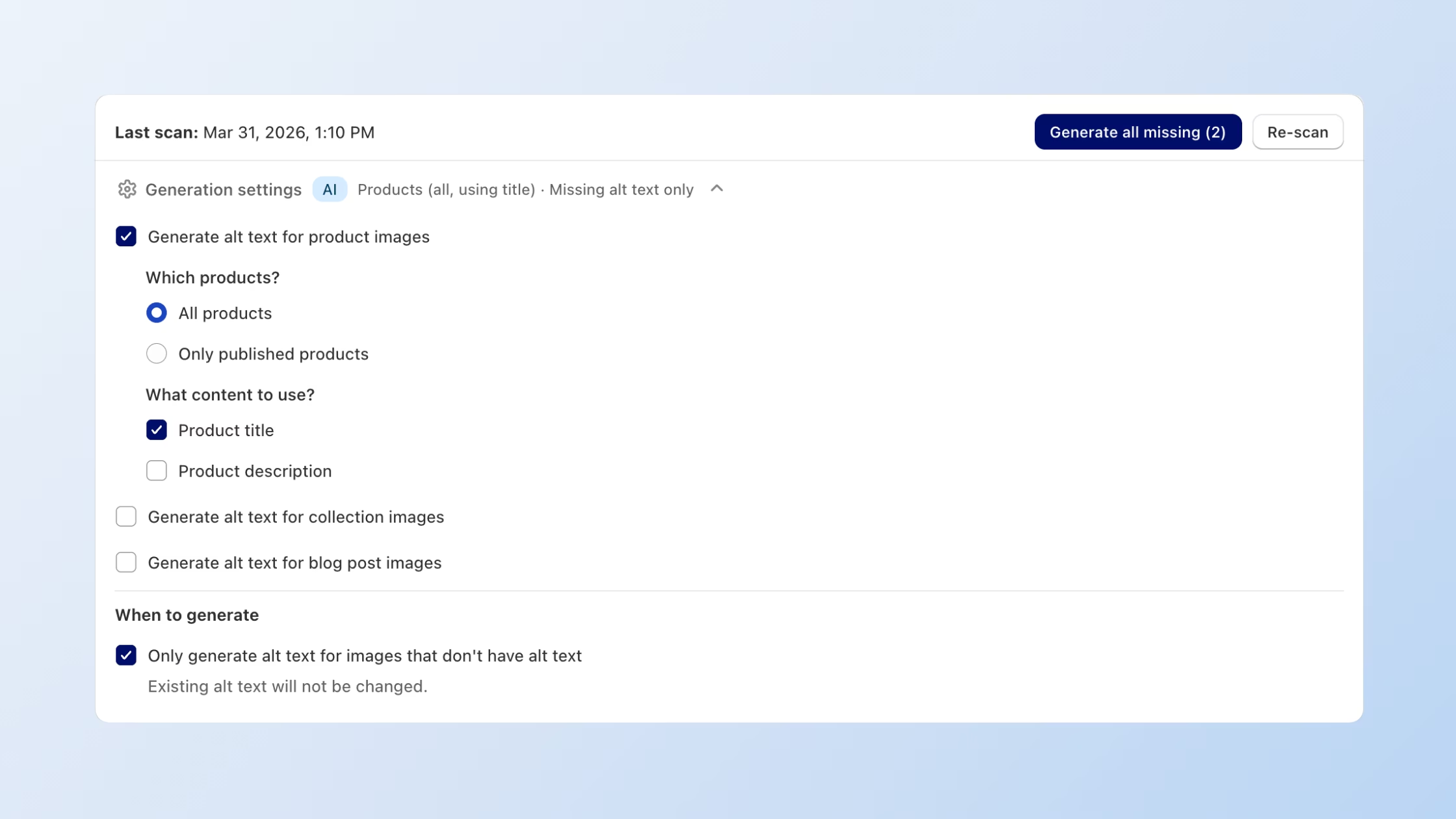
This makes it safe to run bulk generation at any time even after you've manually optimized specific images for target keywords or accessibility copy.
Filtering, Reviewing, and Editing
The main table shows every image in your store with columns for:
- Thumbnail — see the image at a glance
- Product/page name — clickable link to the source
- Alt text — current text or a dash if empty
- Type — Product, Collection, or Blog
- Status — Missing (orange), AI generated (blue), or Existing (green)
- Last updated — when the alt text was last changed
- Edit — manual override for any row
Tabs at the top let you filter by All, Product, Collection, or Blog, so you can work through one image type at a time if you prefer. A search and sort function lets you find specific entries quickly.
This means you can use the Alt Text Manager both as a one-click bulk fixer and as an ongoing quality review tool, depending on what your workflow requires.
How to Access Alt Text Manager
Alt Text Manager is available now on **Enterprise plans**. Here's how to get started:
1. Open your Consentmo admin.
2. Go to Web Accessibility > Alt Text Manager.
3. Click Scan my images to get a current picture of your store's alt text coverage.
4. Review the stats — total images, coverage percentage, and missing count.
5. Configure your Generation Settings (image types, AI source data, and overwrite preferences).
6. Click Generate all missing to fix everything in one action.
If you're on a Free, Standard, or Plus plan, upgrading to Enterprise unlocks the Alt Text Manager alongside the full suite of web accessibility and advanced consent features.
Why Alt Text Matters More Than Most Merchants Realize
For Accessibility
Alt text is the primary way screen readers communicate image content to visually impaired users. When a product image has no alt text, a screen reader either skips it entirely or reads out a file name like IMG_4892.jpg... which tells the user nothing.
The Web Content Accessibility Guidelines (WCAG) set a clear standard here, and the Americans with Disabilities Act (ADA) has been applied to e-commerce stores in several legal cases. Fixing missing alt text is one of the most direct steps a Shopify merchant can take toward a more accessible, legally defensible storefront.
For SEO
Search engines cannot see images the way humans do. They rely on alt text, file names, and surrounding copy to understand what an image shows. A product photo without alt text is a missed opportunity to reinforce your target keywords, give context to your catalog, and help Google surface your products in image search results.
With the Alt Text Manager, every image in your store can carry descriptive, keyword-relevant text, all without the manual effort that typically makes this impractical at scale.
Ready to fix your store's alt text? Open Alt Text Manager in Consentmo →