If you run a Shopify store, you already know the feeling: ads are spending, the store looks great, people are adding to cart… and somehow the total at checkout still feels a little thin. Plenty of merchants pour energy into traffic and conversion, then wonder why revenue does not stretch as far as the visitor count suggests.
Often the missing piece is average order value, or AOV: how much a typical customer spends when they buy. Nudge that number up even a little, and the same traffic starts working harder for you. You do not need a full rebrand or a new storefront. Small, well-placed nudges at the product page, cart, and checkout can make shoppers happier and more generous with the cart.
Below you will find six apps we like for that job, each from a different angle. Near the end we also cover a quiet but important habit: after you install new apps, scan your store so new scripts and cookies stay properly categorized, without creating privacy risks.
What is AOV on Shopify?
AOV answers one question: how much does a typical checkout bring in?
- High AOV + stable conversion → better ROAS and margin room for ads.
- Low AOV + high traffic → you pay for visits that leave money on the table.
- AOV alone is incomplete → Shopify recommends pairing it with order distribution and profit, not only the average. (Shopify)
Top 6 Shopify apps to increase AOV
1. Candy Rack, AI-powered upsells and cross-sells that feel native
Best for: Merchants who want one upsell stack from product page to post-purchase, with AI picking relevant offers.
Candy Rack (by Digismoothie) is a Built for Shopify all-in-one upsell and cross-sell app. It uses Gemini AI for recommendations, includes a built-in slide cart / cart drawer, and can embed offers on product pages and deeper in the funnel. Listing focus: grow AOV with relevant products, custom design that matches the store, and detailed upsell analytics.

How it lifts AOV: Every accepted add-on, bundle-style suggestion, or cart-drawer cross-sell raises revenue on the same order. AI relevance reduces the "random junk offer" problem that tanks conversion while you chase AOV.
Key features
- AI mode that selects relevant upsells (Gemini)
- Built-in slide-out cart with product offers
- Embeds on product pages and checkout-adjacent surfaces
- Offer coverage from product page through post-purchase
- Design controls so widgets match the theme
- Performance analytics for offer optimization
- Pairs cleanly with complementary tools such as Gift Box
Pros
- Strong "one app" coverage instead of four separate upsell widgets
- Built for Shopify badge (performance / design / integration bar)
- High merchant rating: 4.9 from 220 reviews on the App Store listing
Best for: Stores that sell complementary SKUs (beauty, apparel, F&B, accessories) and want sleek, native-looking upsells without a heavy custom build.
Pricing (from App Store listing; USD, billed ~every 30 days)
- Free, trial / development stores
- Lite, from $29.99/mo (0-50 online store orders/mo)
- Starter, $39.99/mo (51-200 orders/mo)
- Growth, $59.99/mo (201-500 orders/mo)
- Higher tiers available on the developer's pricing page; free trial on paid plans (listing notes an 8-day trial)
App Store: apps.shopify.com/candyrack
2. Gift Box, Automated free gifts that raise spend thresholds
Best for: Loyalty and basket-size growth via free gift with purchase, BOGO, and Buy X Get Y, without duct-taping discount codes.
Gift Box • Free Gift Purchase is built for GWP-style promotions. Merchants set rules (spend X, Buy X Get Y, collection-based), optional auto-add to cart, and launch gift campaigns quickly on mobile and desktop. Multi-language support via Shopify Translate & Adapt. Listing rating: 4.9 from 209 reviews.
Shopify's own AOV guide calls out free gifts with a minimum purchase as a core tactic (for example, "spend $60+ for a free mini"). Gift Box is the operational layer for that pattern.
.avif)
How it lifts AOV: Shoppers add items to hit the gift threshold. That intentional "one more product" behavior is classic AOV math: same visitor, larger cart, often with better perceived value than a blunt % off everything.
Key features
- Gift rules: Spend X, Buy X Get Y, collection-based offers
- Optional automatic add-to-cart for free gifts
- BOGO and free-shipping style gift structures
- Fast setup without custom code
- Mobile-friendly gift UX
- Multi-language popup support
- Integrates with cart/checkout flows and pairs with Candy Rack on many stores
Pros
- Clear psychological lift: a gift goal is easier to understand than a vague "upsell"
- Strong support reputation in recent App Store reviews
- Free plan for trial/dev; predictable order-band pricing on paid tiers
Best for: Brands that can fund a low-cost gift SKU (sample, sachet, accessory) and want shoppers to stretch to the next spend tier.
Pricing (from App Store listing; USD)
- Free, trial and development stores (all features on that tier per listing)
- Growth, $29.99/mo (0-100 online store orders/mo)
- Scale, $49.99/mo (101-500 orders/mo)
- Advanced, $79.99/mo (501-1,000 orders/mo)
- Annual options with savings; 3-day free trial on paid plans; 60-day money-back on listed paid plans
App Store: apps.shopify.com/gift-box
3. Reviewers.com, On-demand authentic video reviews that unlock bigger carts
Best for: Brands that need high-quality video UGC and product proof so shoppers feel safe buying more (or buying higher-ticket sets).
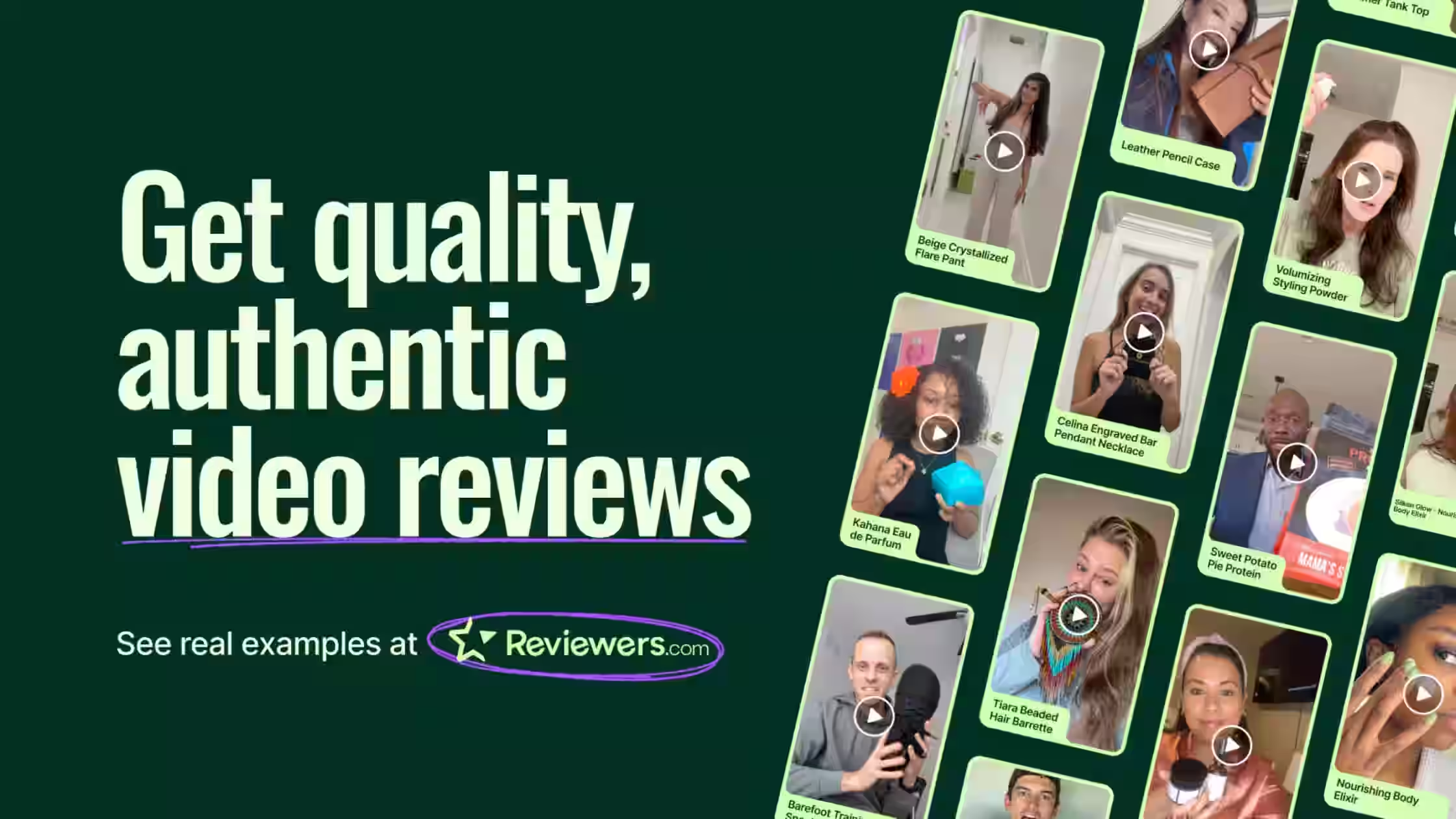
Reviewers.com ‑ Video Reviews (by Loox) connects your store to a vetted reviewer community. You gift products, reviewers place tracked orders on your site, and you receive honest video reviews with full usage rights for widgets, ads, and marketing. Content works with major review platforms (Loox, Okendo, Stamped, Yotpo, Judge.me, Trustpilot). Listing rating: 5.0 from early reviews.
How it lifts AOV: AOV is not only "show another SKU." It also "removes the fear of spending more."
Key features
- Authentic video reviews from vetted (non-influencer) collabs
- Reviewers screened for audio, lighting, and on-camera presence
- Fast campaign setup; gift product, platform handles the rest
- Orders placed on your storefront and tracked in Shopify
- Full usage rights for site widgets, marketing, and ads
- Export into popular review apps' widgets
- Useful for launches, new audiences, and seasonal drops
Pros
- Real UGC quality without building an influencer ops team
- Content doubles as AOV fuel on-site and as ad creative off-site
- Simple campaign model (gift → reviews → reuse everywhere)
Best for: DTC brands (beauty, wellness, apparel, gadgets) that sell better when shoppers see the product in use, and that want reusable video for PDP proof + Meta/TikTok creatives.
Pricing (from App Store listing; USD)
- $150/month, 1 campaign included (up to 10 items) + $150 per additional campaign
- Free campaign included in trial; 30-day free trial
App Store: apps.shopify.com/reviewers-com
4. Chatty AI Chatbot & Live Chat, 24/7 product recommendations that grow the cart
Best for: Stores where shoppers stall on "which variant?" or "what pairs with this?" and leave with a single item (or nothing).
Chatty AI Chatbot & Live Chat is an AI sales agent plus live chat and helpdesk. It answers product questions, recommends products, tracks orders, runs proactive messages from visitor behavior, and unifies channels (WhatsApp, Messenger, Instagram, email, and more) in one inbox. FAQ/help center support is included. Listing rating: 4.9 from 1,787 reviews
How it lifts AOV: When AI recommends complementary products, size/kit upgrades, or "complete the set" add-ons in the moment of doubt, average items per order rise without another popup. Proactive engagement and abandoned-cart recovery (on higher plans) protect revenue that would otherwise exit as a small or empty cart. Treat scripts and chat widgets as trackers in your consent setup (see compliance section).
Key features
- Live chat + AI chatbot for 24/7 sales support
- AI answers FAQs and recommends products
- Proactive, behavior-based messages
- Multi-channel inbox (WhatsApp, Messenger, Instagram, email, etc.)
- FAQ / help center for self-serve
- Order tracking via AI (plan-dependent)
- Abandoned cart recovery and shopping assistant features on Pro+
- Mobile app for inbox on the go
Pros
- Large review base and clear free tier to test AI conversations
- Product recommendations tied directly to sales, not only support tickets
- Team inbox keeps human handoff when the deal is large
Best for: Catalogs with options, bundles, or "what do I need?" friction (skincare routines, gear setups, gift sets) where a quick recommendation adds a second or third line item.
Pricing (from App Store listing; USD)
- Free, 50 AI conversations/mo, unlimited human chat, AI on up to 200 products
- Basic, $19.99/mo (100 AI conversations; multi-channel inbox, order tracking)
- Pro, $68.99/mo (500 AI conversations; shopping assistant, proactive engage, abandoned cart recovery)
- Plus, $199/mo (1,000 AI conversations; train up to 20,000 products)
- 7-day free trial on paid plans; annual discounts available
App Store: apps.shopify.com/chatty
5. Essential Countdown Timer Bar, Urgency that closes larger carts now
Best for: Flash sales, free-gift windows, launch drops, and cart timers that stop "I'll buy the big cart later."
Essential Countdown Timer Bar adds announcement-bar, product-page, banner, and cart countdown timers to create urgency and FOMO. Merchants schedule to-date, daily recurring, or evergreen fixed-minute timers and match style to the theme. Strong fit for BFCM and ongoing promos. Listing rating: 5.0 from 1,561 reviews.
How it lifts AOV: Urgency does not invent value, it deadline-locks the value you already built. Pair a timer with a free-shipping threshold and shoppers complete the larger cart instead of saving a wishlist for later. Cart/checkout timers specifically fight abandonment after someone already stacked add-ons.
Key features
- Storewide announcement bar timers (top or bottom)
- Product page timers, countdown banners, and cart countdown
- Cart timer aimed at reducing abandonment before checkout
- Custom text, colors, type, schedule, and placements
- Schedules: to-date, daily recurring, or evergreen fixed-minute
- Integrations with email tools (Klaviyo, Omnisend, Yotpo, Seguno) and PageFly
- Multi-language support across a wide locale list
Pros
- Very high rating and large review volume
- Low entry price; free plan to test
- Flexible placements so urgency shows where AOV decisions happen (PDP + cart)
Best for: Merchants running genuine limited offers, seasonal campaigns, or gift-with-purchase deadlines who need a clean, customizable countdown without a developer.
Pricing (from App Store listing; USD)
- Free, up to 1,000 monthly views; unlimited product page + top bar timers
- Starter, $6.99/mo, up to 10,000 views; landing page + scheduled/recurring timers
- Essential, $9.99/mo, up to 50,000 views; cart timers, email timers, tags, geo-targeting
- Professional, $29.99/mo, unlimited views + all premium features
- 7-day free trial on paid plans; annual savings ~20%
App Store: apps.shopify.com/essential-countdown-timer
6. Google Reviews by Reputon, Trust badges and Google proof that support higher spend
Best for: Stores that win on reputation and need Google-sourced social proof on PDPs, home, and collection pages so shoppers upgrade quantity or price tier.
Google Reviews by Reputon displays and collects Google customer reviews with auto-sync, AI summary and reply, multi-language widgets, rating filters, and SEO schema/rich snippets. It supports Google Maps / Business / Merchant workflows, checkout opt-in for Google Customer Reviews, and multi-location store locators. Listing rating: 4.9 from 1,396 reviews.
How it lifts AOV: Third-party Google proof reduces purchase anxiety on higher cart totals. When star ratings sit next to offers, shoppers are more willing to add the extra item or choose the premium option. Collecting reviews post-checkout compounds trust for the next visitor's basket size.
Key features
- 28+ widget layouts (carousel, grid, masonry, slider, and more)
- Auto-sync from Google; filter by rating
- Smart Review Funnel and Google Customer Reviews opt-in at checkout
- AI summary card + AI-powered review replies
- Multi-language widgets with auto-translated reviews
- Rich snippets / SEO schema markup
- Unlimited Google Business profiles with Maps store locator (extra per-location fee on listing)
- Shopify Flow automation support
Pros
- Affordable entry ($6.99/mo) for strong trust coverage
- Google-sourced proof feels independent vs. store-only testimonials
- AI summary helps busy shoppers absorb proof before they expand the cart
Best for: Local-plus-ecommerce brands, multi-location retailers, and any Shopify store that already earns Google reviews and wants that equity working on product and cart pages.
Pricing (from App Store listing; USD)
- Standard, $6.99/mo (or $71.88/year, ~14% savings)
- Unlimited locations noted at $3/location on the listing
- 7-day free trial
App Store: apps.shopify.com/google-reviews-trust-badge
After you install AOV apps: run a compliance scan
Every new app is also a technology change on your storefront. Upsell drawers, gift popups, chat widgets, review scripts, timer bars, analytics on offer performance, and retargeting pixels often inject cookies, scripts, pixels, and storage keys. Under GDPR, ePrivacy-style rules, and many US state laws, analytics and marketing technologies need a valid legal basis. For most Shopify stores that means consent before those tags run.
Use Consentmo Tracker Manager when the stack changes
Consentmo Tracker Manager & AI Categorization is built for this exact moment: you added Candy Rack, Gift Box, Reviewers.com, Chatty, a countdown timer, or a reviews widget. Now prove what actually loads.
Do this after every new AOV app (or theme edit):
- Run a full store scan in Consentmo Tracker Manager. Surface cookies, scripts, pixels/beacons, and local/session storage from the theme and third-party apps.
- Review AI categorization into Necessary, Preferences, Statistics, Marketing (and fix anything unclassified). You keep full manual override.
- Map banner categories to reality. Trackers found in the scan feed a clear Preferences experience on the cookie banner so visitors see what you actually use, not a generic blurb.
- Block until consent. Anything flagged as analytics/statistics or marketing must not run until the shopper accepts the relevant category. Necessary tools required to deliver the shop can stay; growth pixels wait.
- Schedule follow-up scans (weekly or monthly on higher plans) so a silent app update does not reintroduce pre-consent leaks. Consentmo also notes that stores should scan whenever they install a new app or update the theme; Free includes limited scanning, paid plans expand scan volume and automation.
- Keep disclosures current. Pair scans with an accurate cookie policy (Consentmo's Smart Cookie Policy flow is designed to stay aligned after scans) so legal text matches the live stack.
How to choose AOV apps for your store
- Start from the modal cart, not only the average. If most orders sit at $42, a "spend $100" gift may underperform a $55 threshold.
- Pick one primary surface first (PDP or cart or GWP). Stack Candy Rack + Gift Box only after each offer has clean analytics.
- Add proof before you add pressure. Video (Reviewers.com) and Google reviews (Reputon) make upsells and timers feel earned.
- Use chat for complex catalogs, not as a substitute for clear PDP merchandising.
- Protect margin. Model gift COGS, bundle discounts, and free-shipping break-evens before you scale spend.
- Close the compliance loop. Install → configure offers → scan with Tracker Manager → categorize → confirm marketing/analytics wait for consent → schedule rescans.
- Measure the right outcome. Track AOV and conversion rate, contribution margin, and refund rate on gift/upsell SKUs.
Conclusion
Bigger carts do not require a bigger store. A thoughtful mix of upsells, free gifts, real social proof, helpful chat, and honest urgency goes a long way, and most of it is just a good shopping experience.
When you add apps to make that happen, give your cookie setup a quick once-over too. A fresh scan, clear categories, and marketing tags that wait for consent keep growth and trust on the same team.
Pick one or two tools from this list, try them on a real offer, and see how your average order moves!


_converted.avif)