TLDR
- Consentmo Age Gate (Plus and Enterprise) lets you block access to your full storefront or selected paths until a visitor meets your minimum age.
- You set a default age, optional regional rules, verification method (confirm button, date of birth, or birth year), design and multilingual copy, page targeting, and how long a successful check is remembered.
- It is a storefront access layer based on self-declared inputs, not photo ID or identity verification. Pair it with checkout, delivery, and licence obligations where the law requires more.
- Help center: Consentmo Age Gate setup and configuration guide
- App: Consentmo on the Shopify App Store
What Consentmo Age Gate is
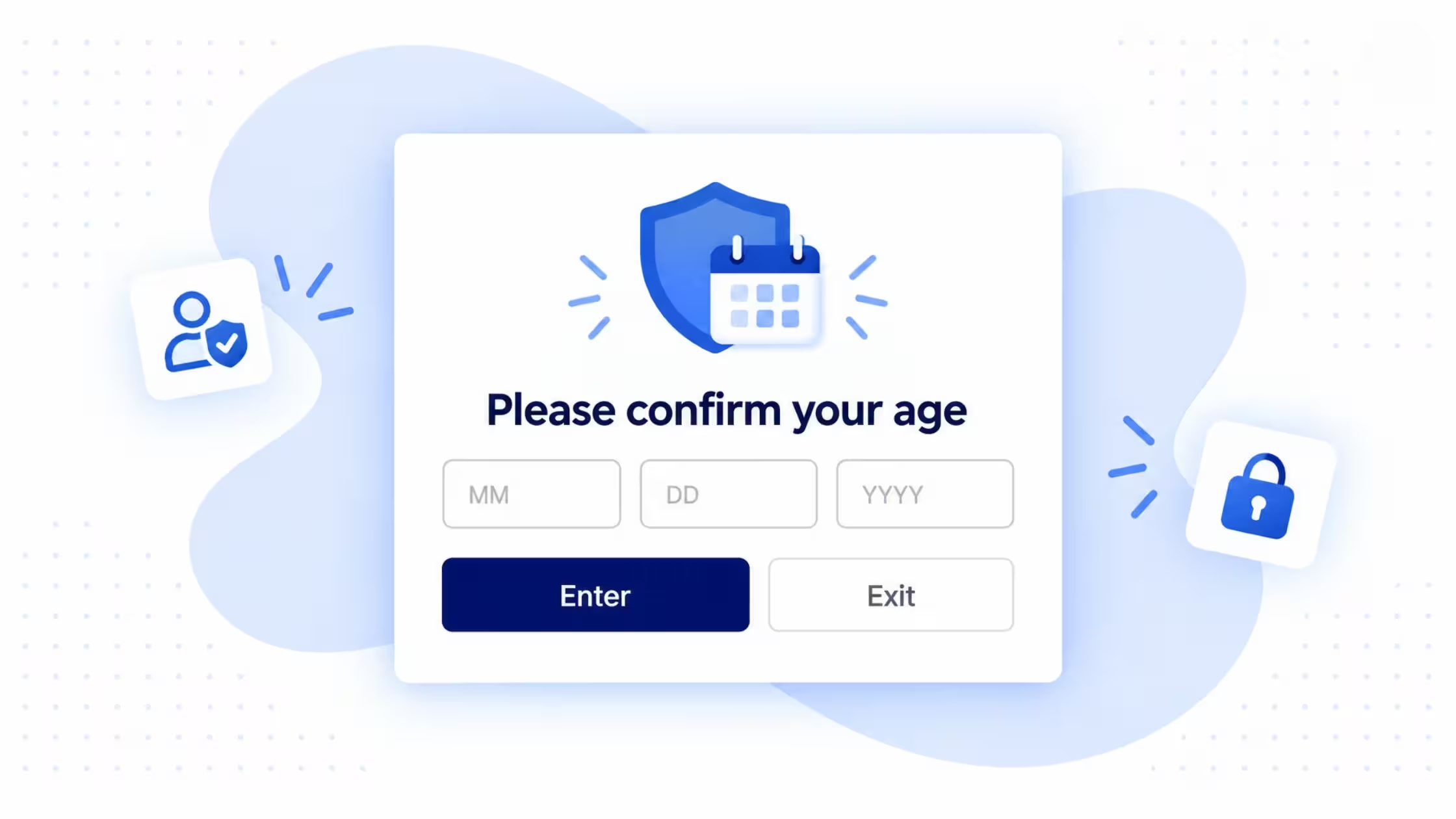
Age Gate is Consentmo’s storefront control for age-restricted catalogs and merchant policies. Visitors see a centered popup or a full-page gate. They confirm age with a button, full date of birth, or birth year. You decide which pages show the gate, how long verification sticks, and how the UI looks in every language your Shopify store supports.
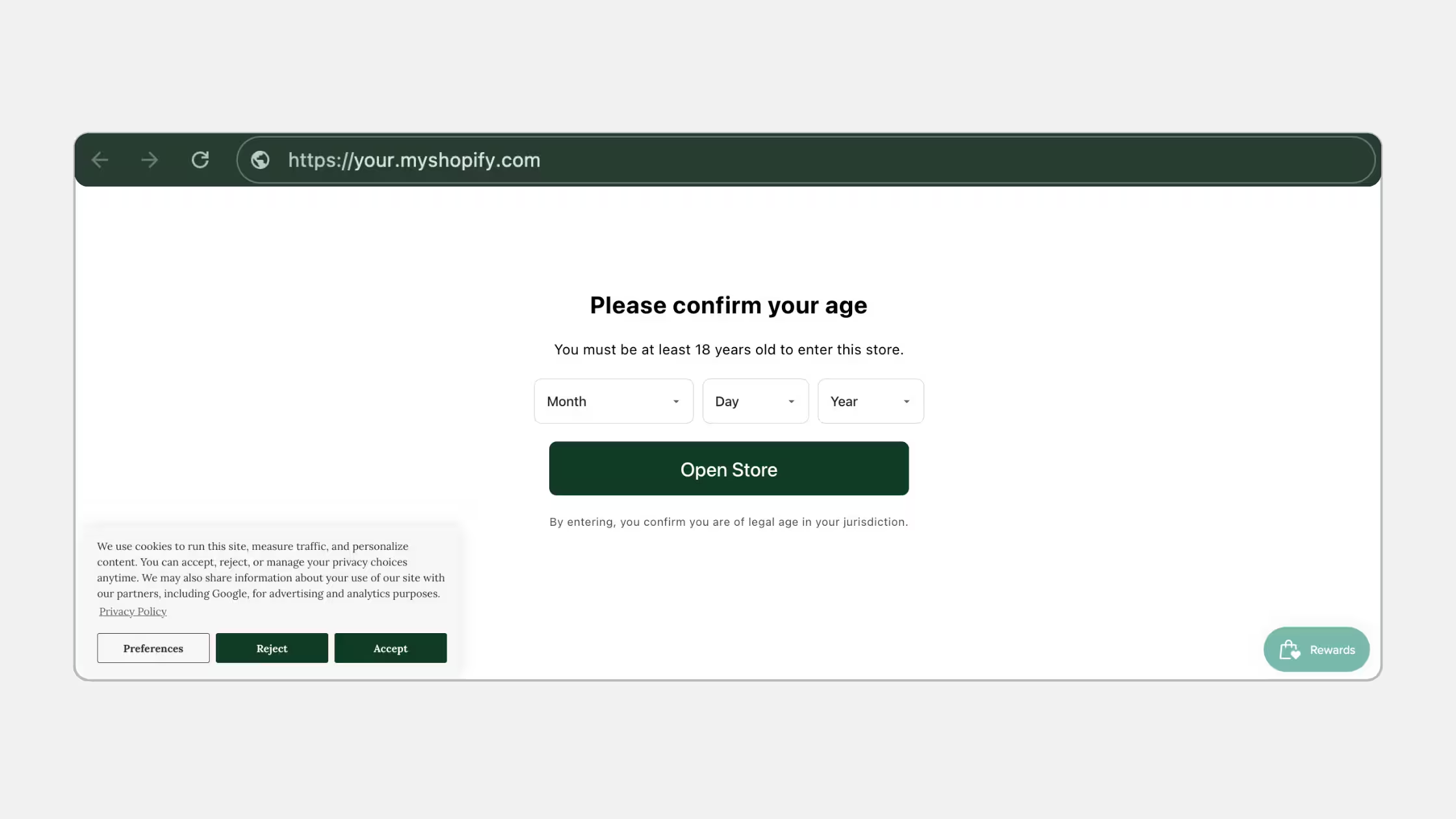
It sits alongside Consentmo’s compliance stack (cookie consent, privacy pages, DSAR flows). Merchants who already run Consentmo for privacy can add Age Gate on Plus or Enterprise without bolting on a separate single-purpose app for basic gating.
Who typically needs a Shopify age gate
Use cases range from clear age-of-sale rules to store policy. Legal duty always depends on product, channel, delivery method, and country. This is product guidance, not legal advice.
Path targeting is the practical win for mixed catalogs: gate /collections/wine or specific product URLs while leaving the rest of the store open.
Core benefits for merchants
- Flexible coverage. Entire store, homepage only, include lists, or exclude lists of paths.
- Region-aware ages. Different minimum ages by visitor country/region.
- Verification choice. Confirm button (lowest friction), birth year (middle), full DOB (most deliberate of the three).
- Brand-fit design. Colors, logo, blur, corner radius, custom CSS.
- Multilingual content. Copy per Shopify store language, with
{age}and{page}placeholders. - Remembered verification. Fewer repeat prompts for eligible return visitors (e.g. 30 days).
- Safer rollout. Desktop/mobile preview for age-check and underage states before publish.
Verification methods: pick the right friction
The confirm button relies on visitor self-confirmation and does not independently verify identity or date of birth.
How to set up Consentmo Age Gate
Plan: Plus or Enterprise. Full UI walkthrough: setup guide.
1. Open Age Gate
- Open the Consentmo GDPR app.
- Go to Age gate.
- Click Set up Age Gate (or Manage for an existing config).
- Work through Setup, Design, and Content.
- Preview, then Publish.
Enable the Age Gate by Consentmo app embed in the theme editor so the gate can render on the storefront.
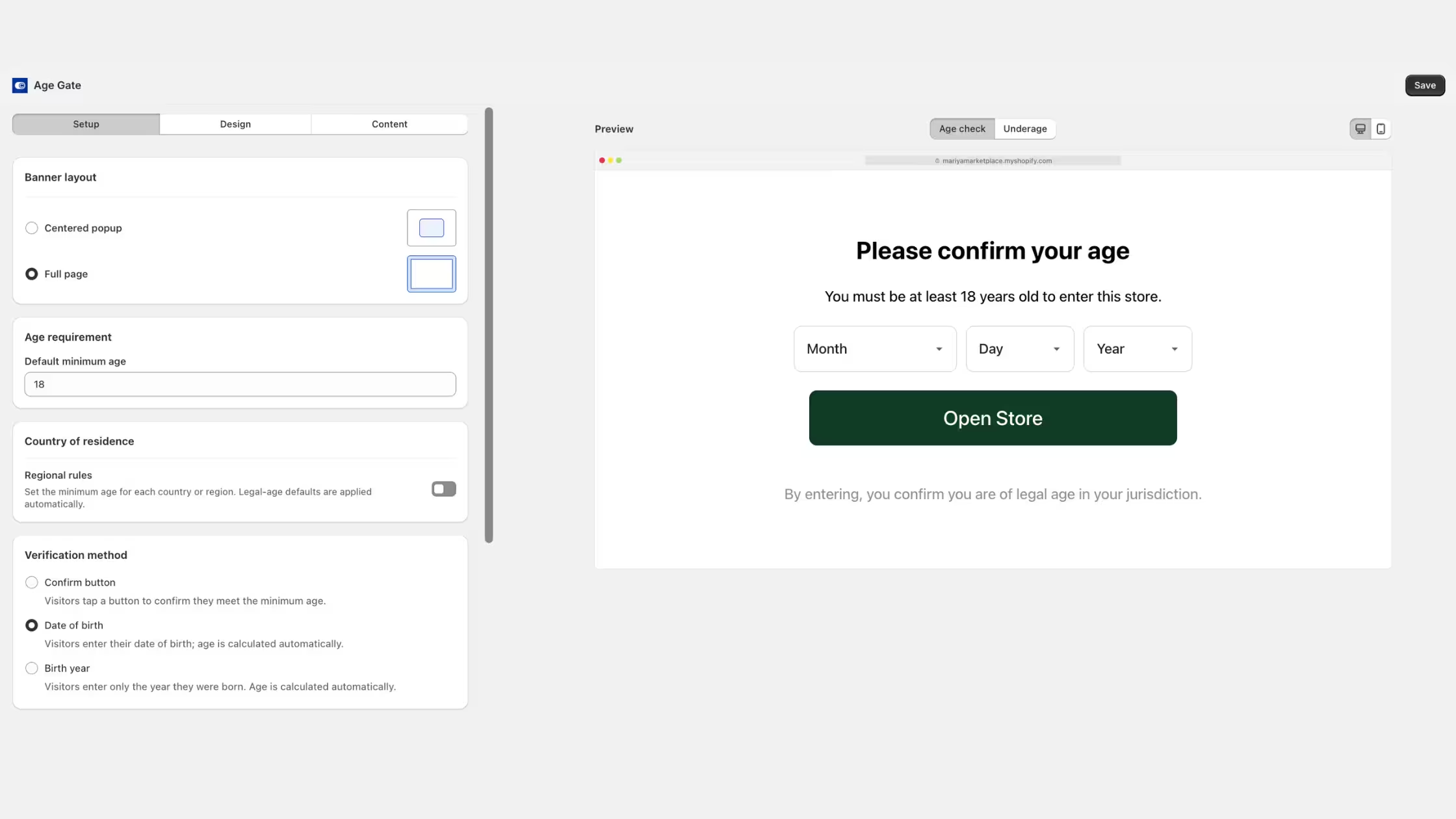
2. Setup: behavior and placement
Banner layout
- Centered popup – Modal over the storefront.
- Full page – Stronger separation before browse continues.
Age requirement Set the default minimum age (for example 18 or 21).
Country of residence / regional rules Turn on regional rules when thresholds differ by market (alcohol, cannabis, tobacco messaging, and multi-country catalogs).
Verification method Confirm button, date of birth, or birth year, matched to risk and UX.
Where it appears
- Show on all pages
- Homepage only
- All pages except listed paths
- Only listed paths
Use path lists when only wine, adult, or regulated collections need the gate.
Remember verification Choose how long a successful check lasts before the next prompt (example: 30 days).
3. Design: match the storefront
Customize:
- Background, text, error text
- Confirm and exit buttons
- Corner radius and background blur
- Store logo on/off
- Custom CSS (
#age_gate { padding: 24px; })
Review desktop and mobile previews before you publish.
4. Content: copy, languages, placeholders
Enable the multilingual age verification page for languages your Shopify store supports. Per language, edit:
- Title
- Message
- Confirm button text
- Exit button text
- Underage message
- Footer disclaimer
- Error text (invalid date/year)
- Linked page path (policy or info URL referenced from the footer)
Placeholders
{age}– Inserts the applicable minimum age (including regional values where configured).{page}– Inserts a link using the linked page path.
5. Preview, publish, and test
Preview both states:
- Age check – Initial verification.
- Underage – Blocked visitor experience.
Then:
- Publish.
- Open the live storefront on targeted and excluded paths.
- Test eligible and underage flows.
- Confirm regional rules and each verification method.
- Confirm remember-period behavior on a return visit.
- Spot-check each enabled language.
Recommended configurations by risk
Merchant policy / adult products (lower statutory intensity):
- Centered popup
- confirm button or birth year
- storewide or collection paths
- remember 14-30 days
- clear underage message and policy link
Alcohol (multi-market):
- Full page or strong popup
- date of birth
- regional rules (18 vs 21)
- gate alcohol paths or whole store
- remember period aligned with your risk
- delivery/ID process documented outside the app
Tobacco / nicotine (U.S. and similar):
- Gate for messaging and pre-screen only
- DOB preferred over confirm
- do not claim FDA photo-ID compliance via the gate alone
- keep retail ID process separate
Mixed gift shop (wine in one collection)
- Show only on these pages for alcohol collection/product paths
- leave non-restricted catalog ungated
- birth year or DOB
High-assurance adult content jurisdictions
- Treat Age Gate as optional extra friction only. Plan a dedicated high-assurance provider if Ofcom-style duties apply.
Age Gate next to the rest of Consentmo
Merchants often need both privacy compliance and access policy:
- Cookie banner and tracker control for analytics/marketing scripts.
- Privacy and request pages for DSARs.
- Age Gate for who may enter age-sensitive paths.
That combination keeps the storefront coherent: one vendor for consent UX and age messaging, clear docs for support, and Plus-tier features when you grow into regional gates and multilingual age copy.
Install or upgrade via Consentmo on Shopify. Configuration detail lives permanently in the Age Gate help article.
Conclusion
If part of your Shopify catalog should stay behind a minimum age, Consentmo Age Gate gives you regional thresholds, path targeting, verification friction you can dial up or down, brand-aligned design, and multilingual copy, with previews before go-live.
Use it as a clear first-line storefront control, keep stronger ID and licence checks where the law requires them, and lean on the setup guide when you configure Setup, Design, and Content on Plus or Enterprise.
Need a hand? Contact Consentmo support in-app or at [email protected].