


How bot traffic affects Shopify store and banner analytics
Bot traffic is still a live problem for Shopify merchants. Store owners keep posting about inflated sessions, odd geo spikes, and metrics that no longer match what they see in ads or checkout.
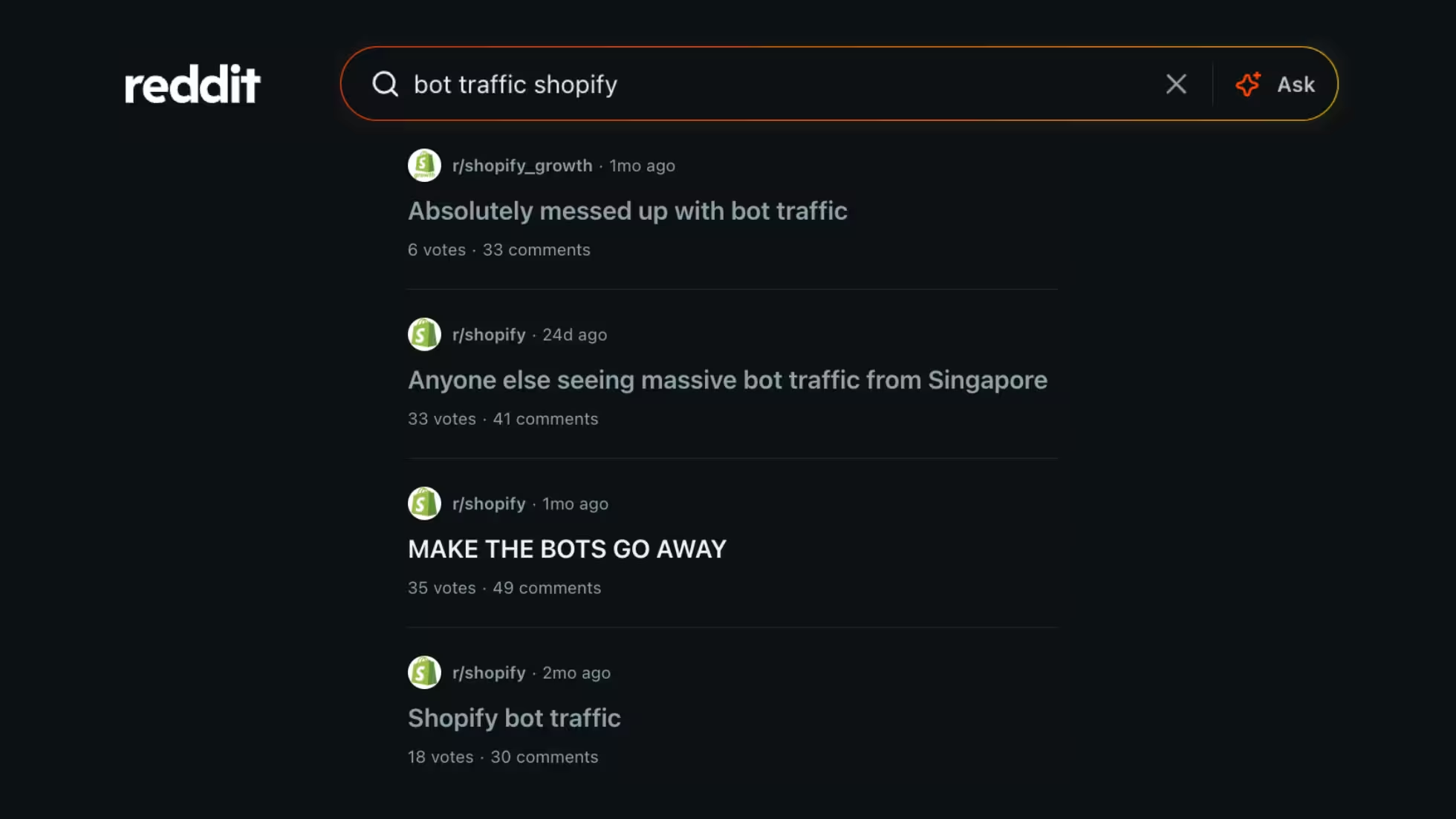
Threads in communities like r/shopify and r/shopify_growth still circle the same frustration: bots muddy the numbers you use to judge what is actually working on the storefront.
That noise does not stop at store analytics. It shows up in cookie banner reporting too. When bots hit the site, they can inflate banner displays and distort the consent picture you use to improve layout, copy, and performance.
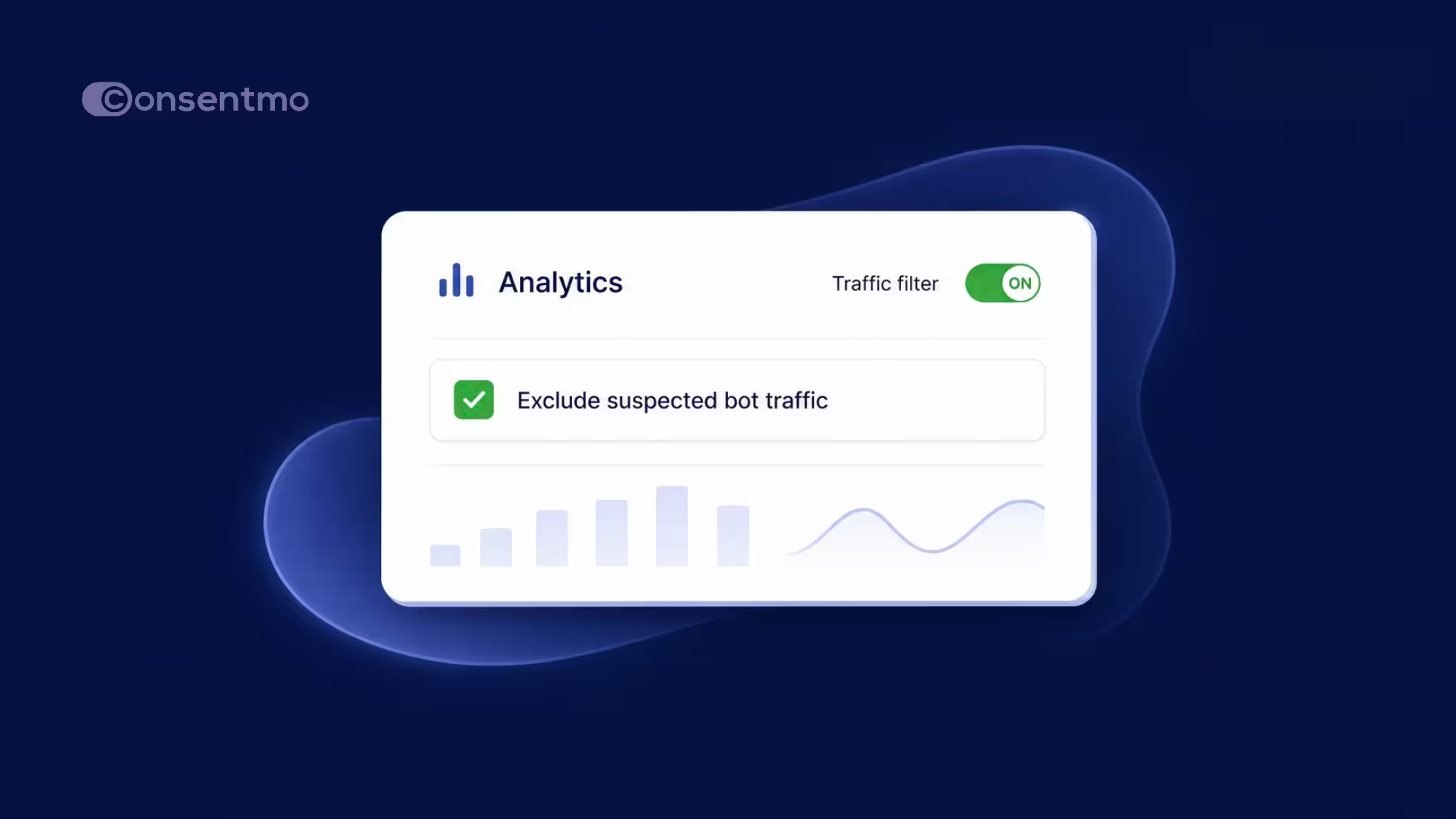
Consentmo now gives Max stores a direct answer inside Analytics & Reports: a Traffic filter that excludes suspected bot traffic from banner analytics so you review cleaner, more accurate cookie banner performance data.
Key takeaways
- Bot traffic is an ongoing Shopify problem: inflated sessions, odd geos, and metrics that stop matching ads or checkout.
- The same noise can inflate cookie banner displays and distort consent rates.
- Consentmo Max adds a Traffic filter in Analytics & Reports to exclude suspected bot traffic from banner analytics.
- Bot detection is on by default for Max and targets the banner experience, not store crawl access.
- Consentmo does not block legitimate crawlers (search engines, ChatGPT, Semrush, and similar).
- Toggle Exclude suspected bot traffic under Analytics & Reports → Analytics when you want a cleaner read.
Why bot traffic is a problem for merchants
Merchants report waves of automated traffic from specific countries, session counts that dwarf real buyers, and dashboards that feel useless until someone filters the junk. The same pattern shows up when teams try to read cookie banner performance: display volume jumps, rates wobble, and it is hard to tell whether a change helped real visitors or only looked better on paper.
Consent rates, banner displays, and related banner metrics only help if they mostly reflect people. A filter that separates suspected bots from that view turns Analytics into something you can act on with more confidence.
What the Traffic filter does
Max stores can use the new Traffic filter in Analytics & Reports to exclude bot traffic from banner analytics.
What this update brings:
- Bot traffic exclusion: Suspected bot traffic can be left out of analytics reporting.
- Cleaner analytics data: Focus on real visitor activity when you optimize the banner.
- Toggle on and off: Control the filter directly from the Analytics view.
Note: Bot detection is automatically turned on for Max users.
Where to turn it on:
Go to Analytics & Reports → Analytics, open the Traffic filter control, and enable Exclude suspected bot traffic.
.avif)
Use it when you want a human-first read of cookie banner performance: displays, rates, and trends over your selected date range (for example, last 7 days), without suspected bots inflating the story.
Bot detection vs. the Traffic filter
Two related pieces work together, and they solve different jobs:
- Bot detection (Max, on by default)
Works with the Consentmo cookie banner. When a bot or crawler is detected, Consentmo can keep the banner from showing to that agent and avoid treating bot interactions as genuine visitor consent activity. That protects the quality of consent-related signals at the source. - Traffic filter (Analytics view)
Lets you exclude suspected bot traffic from what you see in banner analytics reporting. You stay in control of the report view: leave the filter on when you want a cleaner read, turn it off when you want the fuller picture.
Together, they reduce bot noise in both consent handling and the metrics you use to judge banner performance.
Does Consentmo block crawlers like ChatGPT, Semrush, or search engines?
No. This is a common support question.
Consentmo’s bot detection does not block crawlers such as ChatGPT, Semrush, search engines, or similar services from accessing or crawling your store.
The feature is scoped to the Consentmo cookie banner:
- When a bot or crawler is detected, Consentmo can prevent the banner from being displayed to it.
- It helps avoid recording bot interactions as genuine visitor consent activity.
- Legitimate crawlers can still reach and crawl the storefront normally.
So enabling bot detection in Consentmo should not stop ChatGPT, Semrush, search engines, or similar crawlers from crawling your website. You get cleaner consent and banner analytics behavior without treating SEO and research bots as something to shut out of the store.
If you rely on third-party crawlers for SEO audits, competitive research, or AI-related discovery, you can keep bot detection and the Traffic filter in play without redesigning how those tools reach your pages.
How to use cleaner banner data day to day
Once suspected bots are out of the Analytics view:
- Compare banner displays and rates across periods with less automated noise.
- Judge layout or copy tests against activity that is more likely to be real visitors.
- Align banner reporting with the same “is this a person?” instinct you already apply when store sessions look off.
Pair the filter with the rest of Analytics & Reports (including layout customization if you already use it) so the cards you care about sit next to a traffic view you trust.
Takeaway
Bot traffic remains an ongoing concern across Shopify communities, and it will keep showing up in sessions, ads, and consent tooling. You cannot remove every automated hit from the open web, but you can stop letting suspected bots dominate how you read cookie banner performance.
Consentmo’s approach is deliberate: protect banner and consent signal quality for Max merchants, give you a clear Exclude suspected bot traffic control in Analytics, and leave legitimate crawlers free to access the store.
When you want that cleaner view, go to Analytics & Reports → Analytics, switch the Traffic filter on, and review banner metrics with more of the bot noise set aside.
New to Consentmo or ready to move up for Max analytics controls?
Install Consentmo on the Shopify App Store →
If anything in your setup still looks off after you enable the filter, reach out in-app. We are happy to walk through what you are seeing on banner analytics versus crawl access.


.avif)