Setting up location-based cookie consent is now a standard requirement for global Shopify stores. GDPR for Europe, CCPA for California, VCDPA for Virginia — each jurisdiction has different rules around what buttons appear, what the default consent state is, and how the banner behaves before a user interacts.
Consentmo's Smart Geotargeting already lets you configure all of that. But there's a step most merchants skip, often because it's genuinely difficult: verifying that the configuration actually works.
How do you confirm that a visitor in Montana sees the correct CCPA opt-out flow? Or that your GDPR banner in Germany shows a "Reject" button as required? Until now, the realistic options were to use a VPN, maintain test accounts in different countries, or simply trust that the settings were correct and hope nothing was misconfigured.
That's not a great compliance strategy.
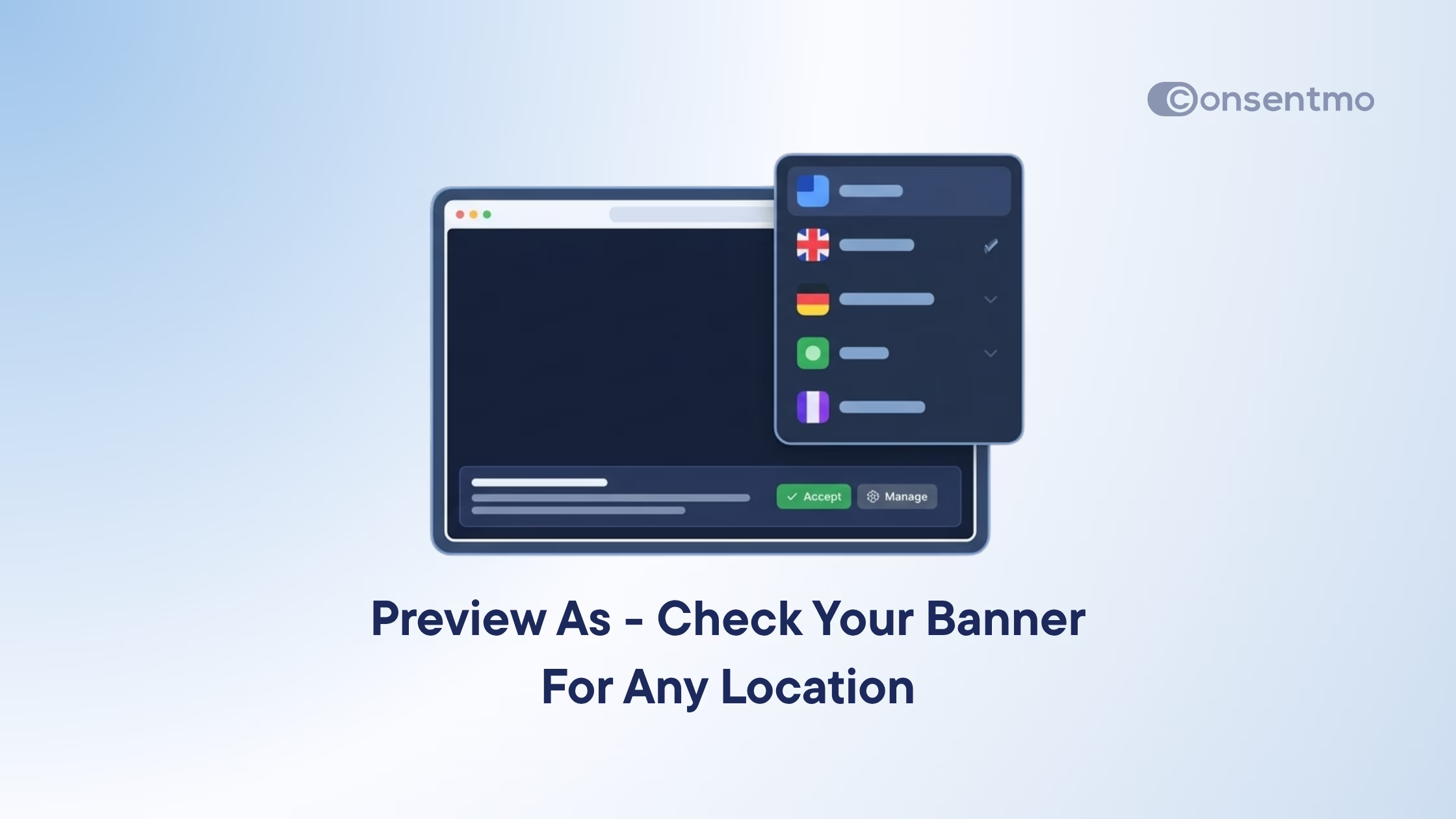
We built Preview As to close that gap — a new feature inside Consentmo that lets you see exactly how your cookie banner looks and behaves for users in any active region, directly from your app dashboard.
Key Takeaways
- Preview As is a new feature available inside Cookie Banner > Design and Behavior.
- Location-based preview — instantly switch between countries and US states to see how your banner is displayed in each region.
- Accurate behavior testing — preview the consent model, button layout, and settings exactly as real visitors in each region experience them.
- Built for Smart Geotargeting — validate your regional configurations without needing a VPN, external tools, or test accounts.
- Faster setup and debugging — confirm your banner is correctly configured across every active region before going live.
Preview Any Active Region Via A Simple Dropdown
Preview As is built directly into the Design and Behavior tabs of your Cookie Banner settings. No separate testing environment, no extra steps.
A "Preview as" dropdown sits alongside your configuration settings. Select any country or US state from the list, and the banner mockup on the right updates immediately — showing you the consent model, button configuration, and visual layout exactly as a visitor in that location would see it.
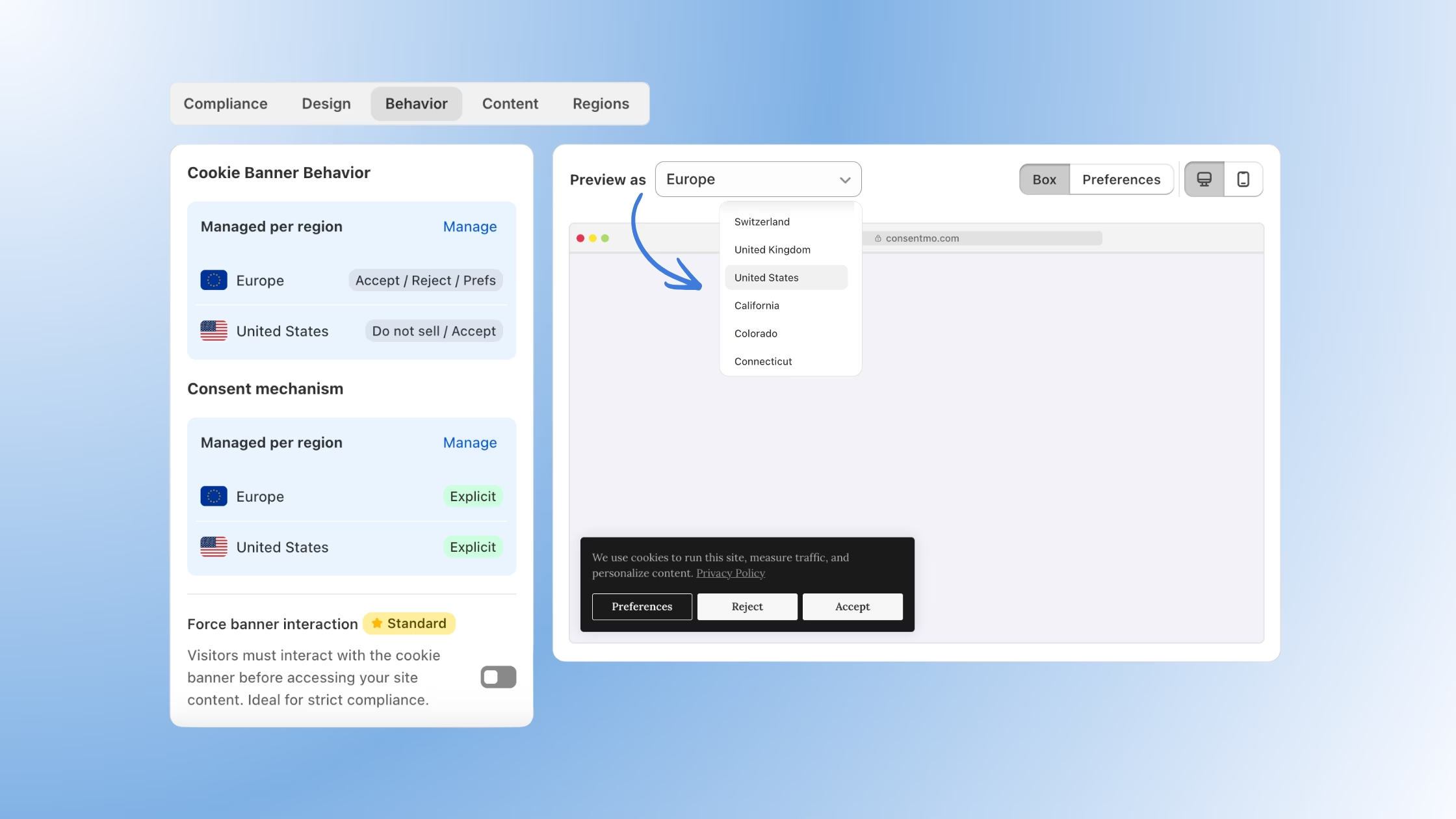
The preview is not a generic approximation. It reads your actual Consentmo settings for that region, so what you see in the preview is what your visitors get in the real world. If you've configured a specific consent model for California, selected different buttons for German users, or set a particular banner layout for a custom region, Preview As surfaces all of that.
Why This Matters for Compliance
Regional compliance is only meaningful if it's actually working as configured.
A misconfigured consent model — for example, missing a "Reject" button in a GDPR region, or showing the wrong opt-out flow in a CCPA state — doesn't just create a poor user experience. It can represent a material compliance failure with real legal and financial consequences.
The problem is that most merchants set up regional rules once and rarely revisit them. A settings change in one area can have unintended effects on another. New regions get added. App updates change default behavior. Without a way to quickly check what visitors are actually seeing, these issues go undetected.
Preview As makes verification fast enough that it becomes a routine step rather than an exceptional one. Before you publish a banner change, check it across your key regions. After adding a new region in Smart Geotargeting, confirm the preview matches your expectations. It takes seconds, and it removes a significant source of compliance uncertainty.
Works Directly With Smart Geotargeting
If you use Smart Geotargeting to manage different consent rules by country or US state, Preview As is the natural companion tool.
Smart Geotargeting lets you define consent models, button layouts, and behavior rules at a granular regional level. Preview As lets you immediately validate those rules without leaving the app. The two features are designed to work together as part of the same workflow — configure in Smart Geotargeting, confirm in Preview As.
The dropdown in Preview As reflects your active regions, so you're always previewing against your real configuration, not a default or generic state.
Explore Smart Geotargeting in Consentmo →
Previews For Your Banner Language
If you have multiple languages configured in the Content tab, selecting a region in the dropdown will also show your banner in the correct language for that region.
Here's how that works in practice. Say your banner is active across Europe and you've added Italian and French translations in the Content tab. Switch the Preview As dropdown to Italy and the banner updates to Italian - same layout, same buttons, same consent model, but fully translated. Switch to France and you see the French version.
No VPN, no separate testing environment, no guesswork about whether the translation is actually being served. What you see in the preview is exactly what a real visitor in that location will see, accounting for both the consent rules and the language that applies to them.

Easy Cookie Banner Debugging and Real-time Checks
Beyond compliance, Preview As has a significant practical benefit for merchants who manage complex regional setups: it dramatically reduces debugging time.
Before, confirming a regional configuration meant either using external tools or making a live change and checking the result on a real storefront. If something looked wrong, tracing the issue back to the correct setting was time-consuming.
With Preview As, you can switch between regions in the same session, see the effect of your settings in real time, and identify misconfigurations before they reach your visitors. For stores operating across multiple jurisdictions — EU, US states, global markets — this compounds into meaningful time saved every time you update your consent configuration.
How to Use Preview As
Preview As is available now on all plans. Here's how to access it:
- Open your Consentmo admin.
- Go to Cookie Banner > Design or Cookie Banner > Behavior.
- Locate the "Preview as" dropdown in the right-side panel.
- Select any country or US state from the list.
- Review the banner mockup — it updates instantly to reflect that region's configuration.
Switch between as many regions as you need in the same session. No saving required, no page reloads.
Ready to verify your regional setup? Open Consentmo and try Preview As now →


_converted.avif)