


_converted.avif)
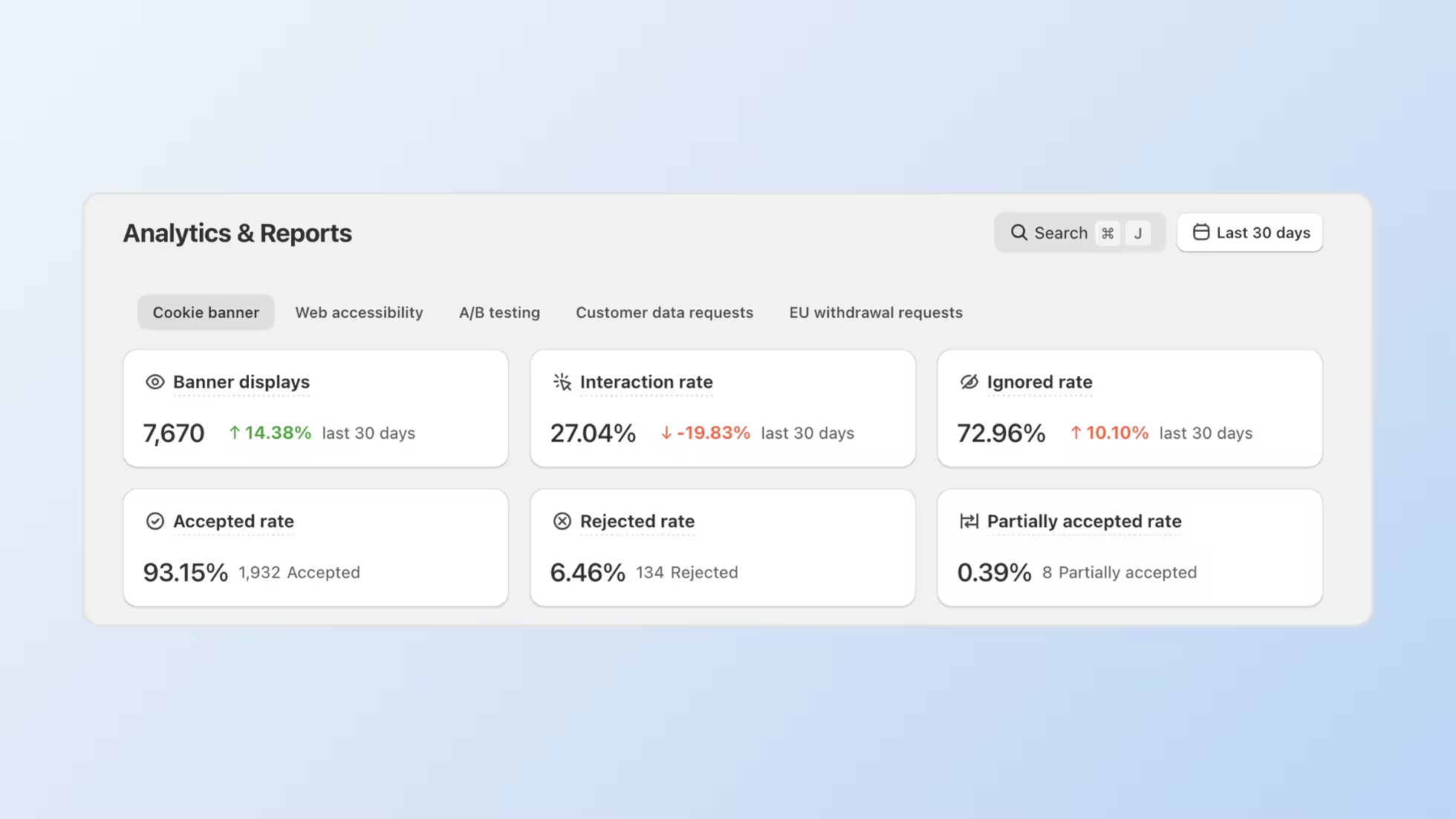
All analytics, DSAR activity, and EU withdrawal requests are now grouped under Analytics & Reports.
Consentmo's Analytics page gets a major upgrade. The renamed Analytics & Reports page brings performance insights, customer data request activity, and EU withdrawal request tracking into a single, unified location. No more switching between separate pages to find what you need.
What's New in Analytics & Reports
The Analytics page is now Analytics & Reports, with dedicated tabs for every type of data you rely on:
- Cookie banner. Consent performance and banner analytics
- Web accessibility. Accessibility widget insights
- A/B testing. Experiment results and comparison data
- Customer data requests. DSAR activity including account edits, reports, deletes, orders, and opt-out requests
- EU withdrawal requests. All withdrawal requests with status tracking, deadlines, and order matching
Each tab shows a clean data table with filtering, sorting, and export options. The EU withdrawal requests tab, for example, displays request IDs, customer emails, associated Shopify orders, deadlines, and color-coded status badges (Open, Processed, Not eligible) so you can act on requests without leaving the page.
All Customer Requests in One Place
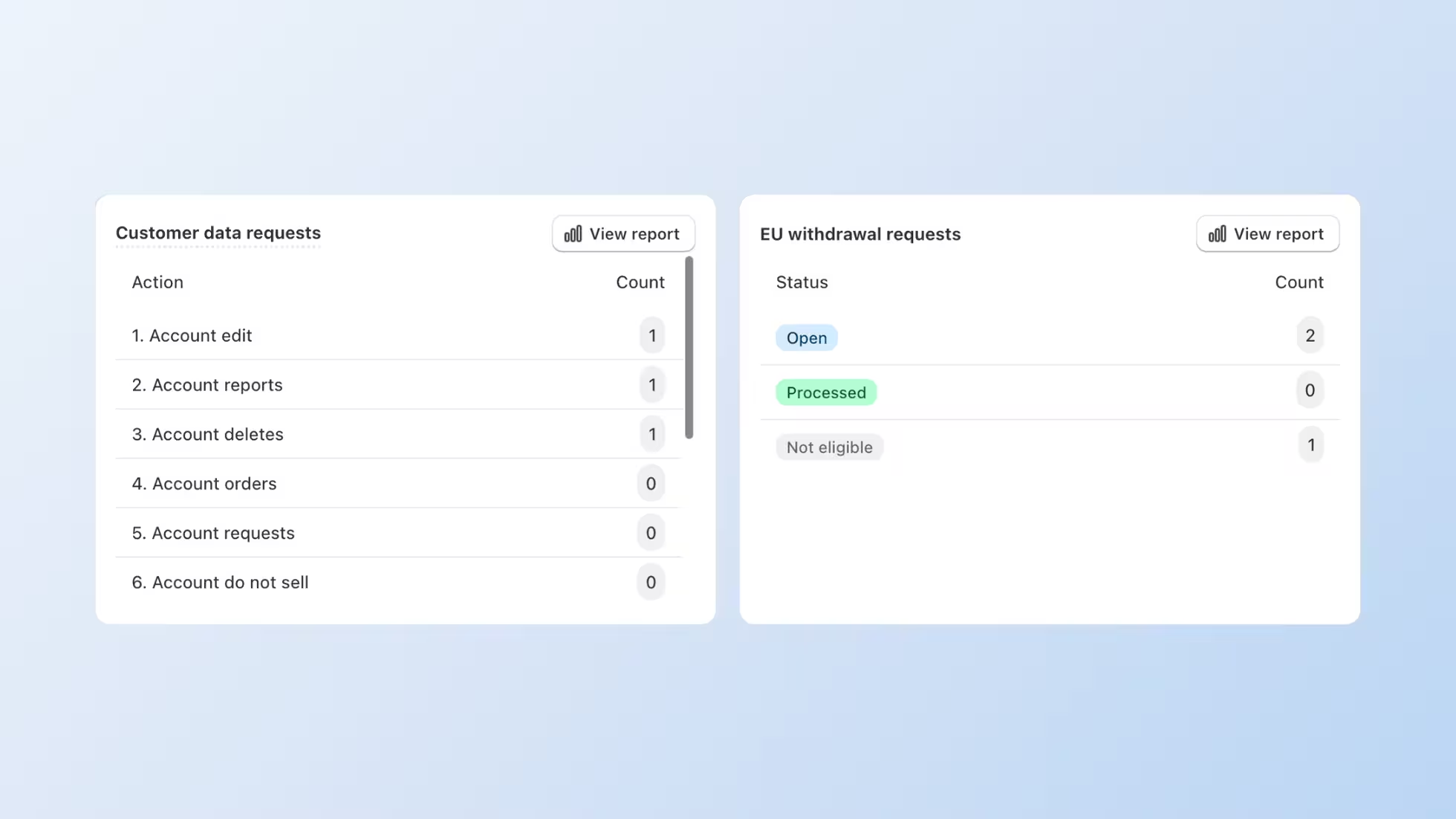
Customer data requests and EU withdrawal requests previously lived in separate sections of the app. They now share the same Analytics & Reports page, giving you a single source of reference for every privacy-related action a customer initiates.
The Customer data requests tab tracks: Account edits; Account reports; Account deletes; Account orders; Account requests; Account "do not sell" opt-outs.
The EU withdrawal requests tab tracks each request through its lifecycle, from open to processed or not eligible, with partial item tracking and deadline visibility. Each row links directly to the associated Shopify order, so you can verify and process requests faster.
Customize Your Analytics & Reports Layout
Your analytics should work the way you do. You can now customize the layout of your Analytics & Reports page in Consentmo. Rearrange, hide, and organize cards so the metrics that matter most are always front and center.
- Drag-and-drop customization: Reorder metrics and analytics panels directly inside any report tab. Just drag cards where you want them.
- Hide unused cards: Declutter your view by removing cards you don't need from the layout.
- Reset anytime: Changed your mind? Restore the original layout in one click with Reset to default.
- Saved across sessions: Your customized layout stays saved across sessions and devices, so you get the same organized view whenever you return.

Go to Analytics & Reports > Customize layout and start arranging your view.
It's a small change that makes your reporting workflow faster and more personal. Spend less time scrolling, more time acting on insights.
Multiple Access Points
You can open reports from four places in the app:
- Dashboard. Quick-action buttons for withdrawal requests and tracker classification appear right on the main dashboard
- Privacy Center. Direct links to relevant report tabs
- Search bar (⌘J). Search any report or request type from anywhere in the app
- Analytics & Reports page. The main hub for all tabs
Fewer clicks to reach the data you need, whether you start from the Dashboard or the Privacy Center.
Simplified Privacy Center
The Privacy Center now focuses on three main tabs:
- Privacy request pages. Manage public DSAR forms for different regions
- EU Withdrawal. Configure and monitor your withdrawal page
- Settings. General privacy center configuration
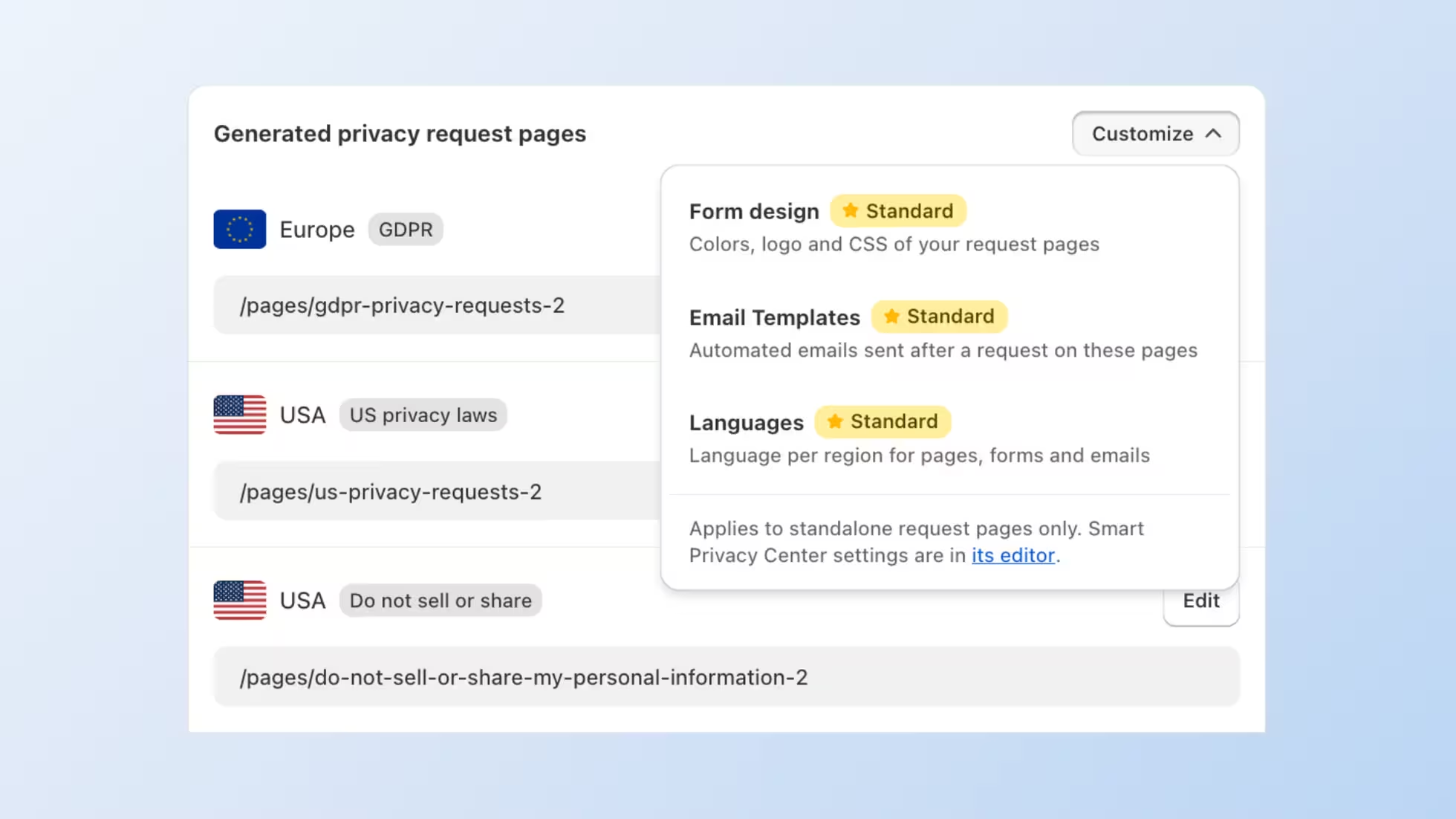
Individual privacy request page edits (form design, email templates, and languages) moved to the Customize dropdown within the Privacy request pages tab. This keeps page management in one place while decluttering the main navigation.


.avif)
