EU GARAN & Legal Guarantee Notice (EU Gewährleistungslabel): Guide
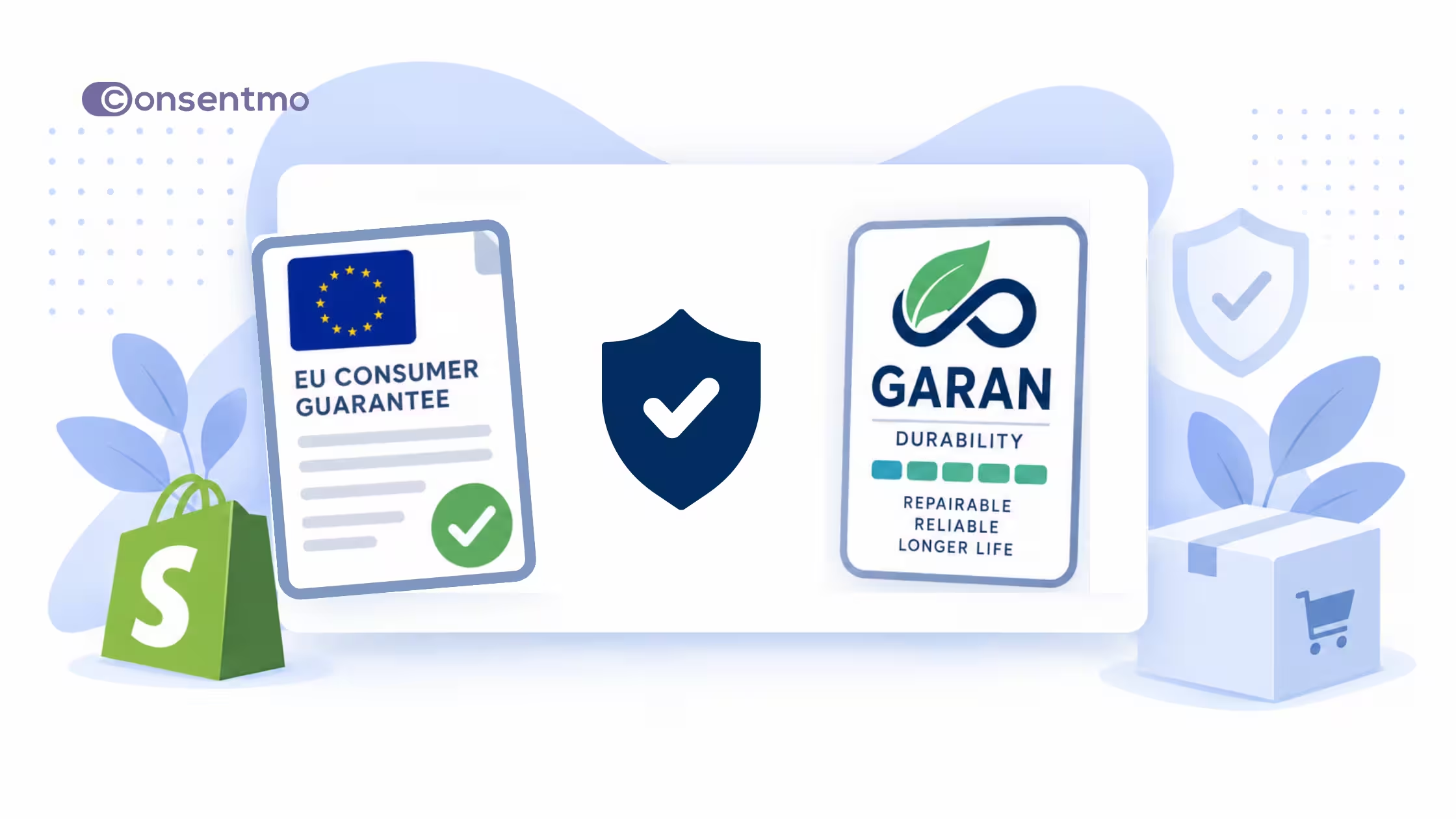
Shopify merchants selling consumer goods in the EU have a major consumer information requirement to prepare for. From September 27, 2026, sellers must prominently display the EU's new harmonized Legal Guarantee Notice. Additionally, products that carry qualifying long-term producer durability guarantees must display the new GARAN label.
The EU's minimum legal guarantee itself is not new. What is changing is how consumers must be informed about it at the point of sale.
These requirements stem from Directive (EU) 2024/825 on Empowering Consumers for the Green Transition, which amends both the Consumer Rights Directive and the Unfair Commercial Practices Directive. The European Commission subsequently adopted Implementing Regulation (EU) 2025/1960, which establishes the exact design specifications for both the notice and the GARAN label. EU Member States had until March 27, 2026 to transpose the Directive and must enforce the measures starting September 27, 2026.
Key regulatory sources:
What is changing on September 27, 2026?
Two distinct compliance elements are being introduced at the same time:
The European Commission describes the Legal Guarantee Notice as a mandatory point-of-sale notice. In contrast, GARAN applies specifically to voluntary producer guarantees. However, when a qualifying producer guarantee exists and the information is provided to the merchant, displaying the GARAN label becomes mandatory.
Part 1: The new EU Legal Guarantee Notice
Who needs to display it?
The requirement applies to traders selling consumer goods to consumers in the EU.
Displaying the notice does not depend on whether a manufacturer offers a commercial warranty. Plain apparel, footwear, consumer electronics, and home goods all fall under the statutory legal guarantee framework.
The legal guarantee is the consumer's statutory protection against goods that are defective or do not conform to the contract. EU rules generally mandate at least two years of protection, though individual EU countries may provide longer statutory periods.
Scope clarifications:
- B2B sales and service-only stores: Stores selling exclusively B2B or offering services only do not fall under this consumer goods notice requirement.
- Geographic focus: This applies specifically when selling consumer goods to shoppers located in the EU.
- Digital products: Directive 2024/825 introduces separate rules for digital content and services. The harmonized notice detailed here specifically applies to physical goods.
What does the notice tell consumers?
The official notice informs shoppers about:
- The existence of the legal guarantee under EU law
- Its minimum two-year duration (and that national laws may offer longer coverage)
- Examples of when consumers can claim defect remedies
- Available remedies, including repair, replacement, price reduction, or refund
- Steps for lodging a claim when goods do not conform
- A QR code leading to country-specific details on the Your Europe portal
Strict design rules: You cannot redesign the notice
The Commission's instructions are explicit: the harmonized notice must be used in its full form without modifying its visual or textual elements.

Merchants must not:
- Alter colors, typography, or font sizes
- Move, resize, or delete the QR code
- Crop, stretch, or warp the graphic
- Alter spacing or alignment
- Add custom text, logos, or icons inside the artwork
For e-commerce, online stores must use the official RGB color version. The black-and-white version is intended solely for physical stores.
Where should an online store display the notice?
The legal requirement states that the notice must be displayed prominently before the consumer is bound by a contract.
The Commission treats this as a shop-level notice and notes that online sellers can place it as a general reminder on their storefront. The official practical guidelines outline four potential digital placements:
- Product catalog pages: A visible link such as "Your legal guarantee rights" that displays the full notice upon a single click or hover.
- Website header: A global link in the header leading to the notice.
- Product checkout page: Displayed prominently during checkout.
- Order confirmation emails: Included directly within post-purchase emails.
The Commission emphasizes that these are illustrative examples, not a mandatory checklist of four separate locations. The core rule is that shoppers can easily find and review the notice before completing a purchase. Placing the link prominently in your main navigation or top header is a strong approach for Shopify merchants.
How to add the EU Legal Guarantee Notice to Shopify
Below is one practical way to make the complete notice prominently accessible in your Shopify storefront.
Step 1: Download the official notice
Visit the Commission download portal and download the RGB color version in SVG or high-resolution PNG format for your target EU language(s). Never use low-resolution screenshots or attempt to recreate the notice.
Step 2: Create a dedicated Shopify page
In your Shopify Admin, navigate to Online Store → Pages → Add page. Title the page "Your Legal Guarantee Rights" (or the equivalent local EU language title).
_converted.avif)
Step 3: Insert the official notice graphic
In the page editor, select Insert image, upload your official SVG or PNG file, and insert it into the page body. Maintain the original aspect ratio and test the page across mobile and desktop devices to verify text legibility.
Step 4: Add the mandatory clickable link
Because a QR code cannot be scanned directly on the device displaying it, the Commission requires a clickable web link alongside the graphic. Directly below the notice image, add hyperlinked text such as: Your Legal Guarantee Rights
Step 5: Add the page to your store navigation
In your Shopify Admin, go to Content → Menus. Select your Main Menu or Header Menu, click Add menu item, link to your newly created page, and save changes.
_converted.avif)
Step 6: Review checkout and email notifications
If your Shopify plan allows checkout customization (such as Shopify Plus), you can add a legal guarantee reminder on the checkout screen. For non-Plus plans, ensure your header navigation link and cart reminders are clearly visible.
To add the reminder to order confirmation emails, navigate to Settings → Notifications → Customer notifications → Order confirmation → Edit code, and insert the link or notice snippet into your HTML template.
Part 2: The EU GARAN Label
What is the GARAN durability label?
GARAN is not a general warranty label for all products. It applies strictly to qualifying commercial durability guarantees offered directly by product producers.
All of the following conditions must be met for GARAN to apply:
- Offered directly by the producer (manufacturer)
- Provided at no additional cost to the consumer
- Covers the entire product (not just a single component)
- Valid for more than two years
- The producer makes the guarantee information available to the seller
Examples:
- 3-year free producer guarantee on an entire laptop: Qualifies for GARAN
- 10-year warranty on a washing machine motor only: Does not qualify (covers a component, not the whole good)
- Paid 5-year extended protection plan: Does not qualify (costs extra)
- Standard 2-year guarantee: Does not qualify (does not exceed two years)
GARAN label customization rules
Unlike the Legal Guarantee Notice, the GARAN label contains three editable fields:
- Duration in years
- Producer brand or trademark
- Model identifier
All other design elements remain fixed. The model identifier ensures the label links directly to the exact product model covered.
Online display of GARAN
For e-commerce, the Commission provides a compact nested GARAN label. When used on a product page, clicking or hovering over the nested label must expand the full GARAN badge. Display options include:
- Within the main product gallery
- Near the product description or price block
- On the checkout review step
- In order confirmation documentation
Merchants are not required to actively audit external manufacturer websites for GARAN details. However, if a manufacturer provides qualifying guarantee details, the seller must present the GARAN label on the corresponding product page.
Summary comparison
Shopify merchant preparation checklist
- Verify EU consumer sales scope: Confirm if you sell physical goods to shoppers in EU countries.
- Download official assets: Obtain the official RGB Notice and GARAN files from the European Commission portal.
- Keep artwork intact: Use official graphic files without altering colors, text, or layout.
- Publish a dedicated info page: Create a store page with the notice and test readability on mobile screens.
- Add the clickable Your Europe link: Ensure the official URL accompanies the notice graphic.
- Update store navigation: Add a visible header or main menu link.
- Audit producer guarantees: Check if any suppliers offer free whole-product durability guarantees lasting over 2 years.
- Configure GARAN on product pages: Display the nested or full GARAN label on qualifying product pages.
- Update order notifications: Include legal guarantee information in post-purchase customer emails.
Conclusion
Shopify merchants selling consumer goods to EU shoppers should treat September 27, 2026 as a clear implementation deadline, not a distant legal headline. Confirm whether your store sells in-scope goods, place the official Legal Guarantee Notice where shoppers can find it before checkout, keep the artwork and wording intact, and only apply the GARAN label when a producer supplies a free, whole-product durability guarantee longer than two years. Pair that with a quick review of order confirmation emails and any durability or sustainability claims on your product pages so your storefront stays clear, consistent, and ready when the rules apply.
The guarantee notice is not the only recent EU consumer update merchants should track. Separate rules already tighten how online sellers handle the right to withdraw from a distance contract, including clearer pre-contract information and post-purchase processes for returns and refunds. If you are refreshing EU-facing checkout, policies, or confirmation emails for September 2026, review your withdrawal wording and flow at the same time so guarantee, durability, and cancellation information stay consistent for shoppers. For a practical walkthrough of the withdrawal side, see our earlier guide: Right of Withdrawal for Shopify Stores
Official resources