All Logs
Cookie Widget Now Supports Link Display
Show cookie preferences as a customizable link anywhere on your store.
March 12, 2026
Update
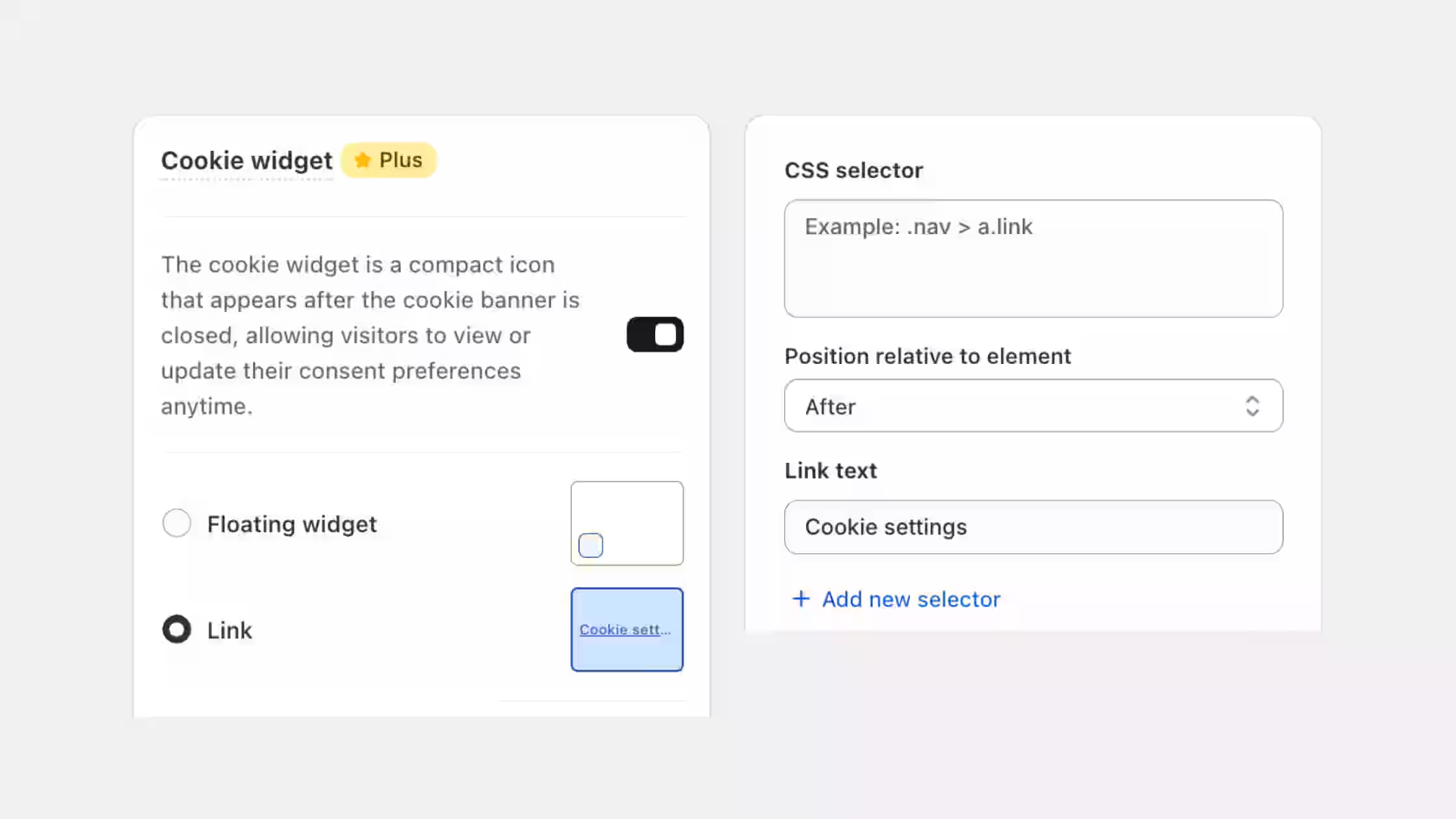
We've expanded the Cookie Widget functionality. In addition to the traditional floating widget icon, you can now display cookie settings as a link placed anywhere on your storefront, such as in your footer, header, or navigation.
What this update brings:
- Cookie settings as a link: Display the cookie preferences as a customizable link instead of a floating widget.
- Flexible placement: Use CSS selectors to place the link exactly where you want on your store.
- Floating widget remains default: The floating widget icon continues to be the default option, while the link provides additional storefront flexibility.
You can configure this anytime from Cookie Banner > Design > Cookie Widget settings.