All Logs
Region Selection for Web Accessibility
Manage accessibility widget visibility by region, just like your cookie banner.
March 13, 2026
Update
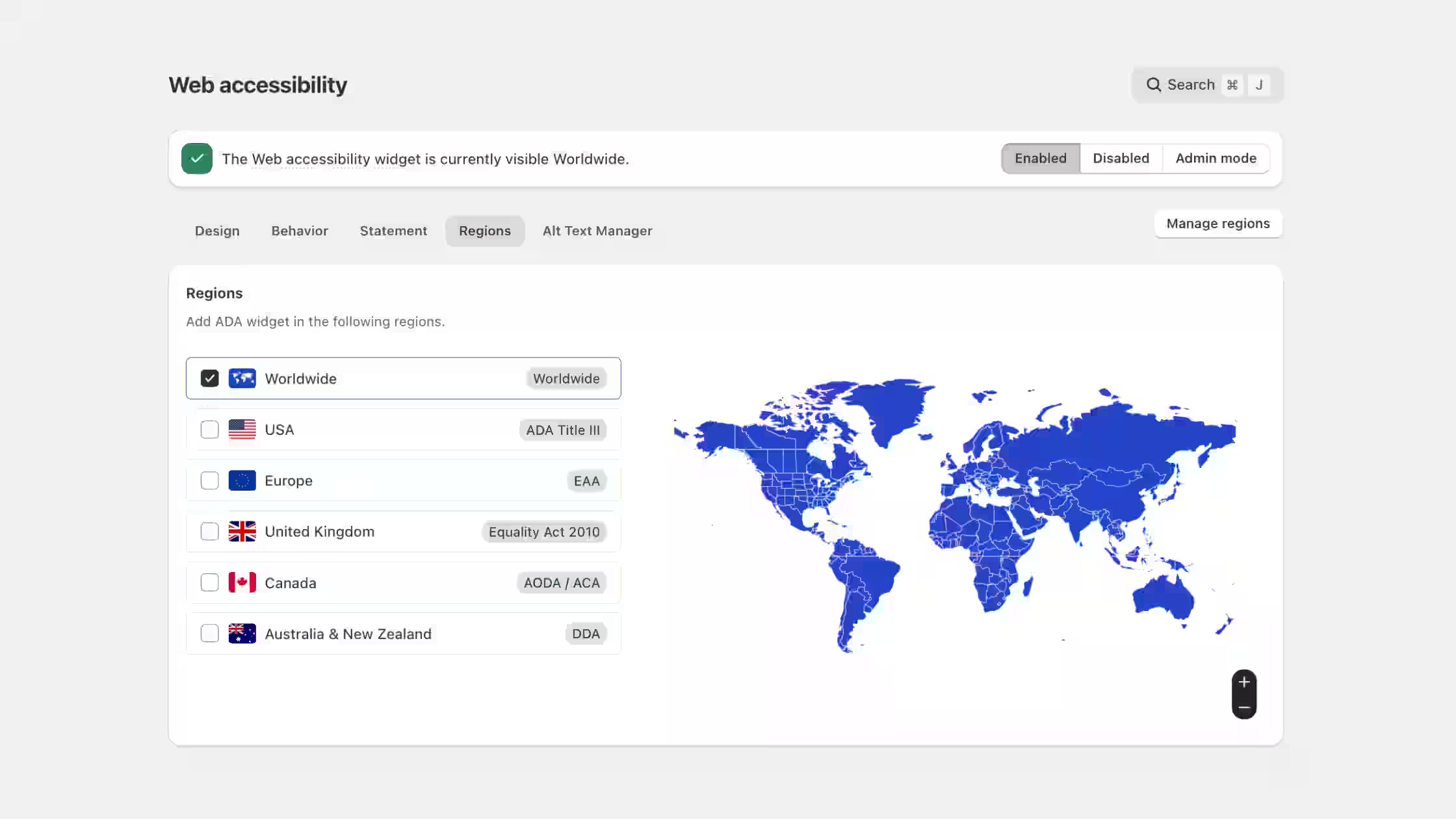
We've introduced region-based controls for Web Accessibility, allowing you to manage where the accessibility widget appears on your storefront.
- Region-based visibility: Choose whether the accessibility widget appears worldwide or only in specific countries from the new Regions tab.
- Flexible accessibility coverage: Enable the widget globally by default, or fine-tune where it appears depending on your needs.
- Familiar configuration: The setup mirrors the Cookie Banner region controls, making it easy to configure and manage.
By default, the accessibility widget is set to Worldwide, but you can always add specific regional rules anytime from Web Accessibility > Regions.