All Logs
Set A Custom Time Delay For Implied Consent
Configure a safety delay before implied consent actions are triggered.
June 9, 2026
Update
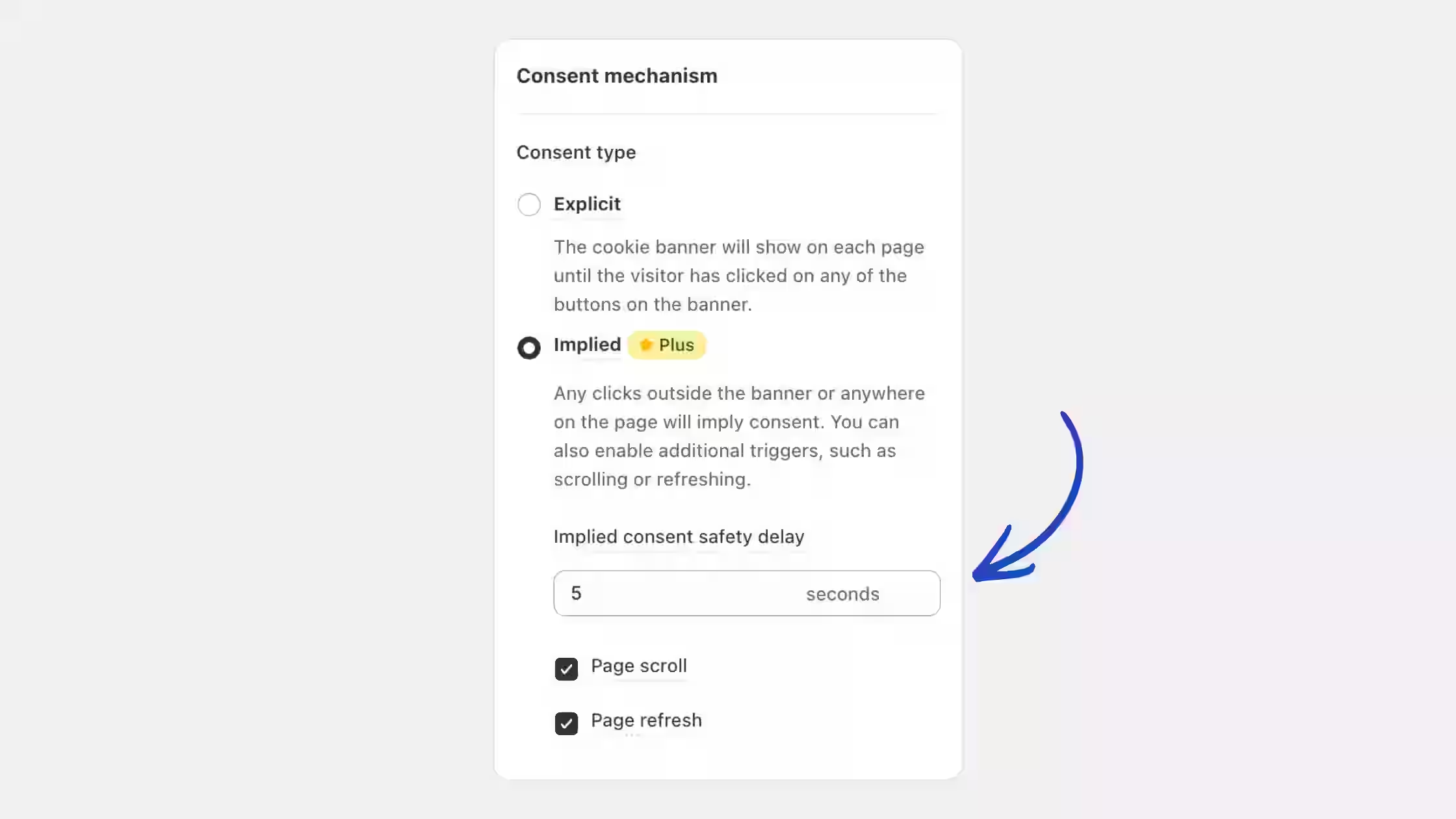
We've expanded the Implied Consent settings with a new Safety Delay option, giving you greater control over when implied consent actions can occur.
What this update brings:
- Configurable delay period in seconds: Define how long visitors must remain on the page before implied consent triggers take effect.
- Compliance safeguards: Prevent accidental consent signals immediately after page load and give visitors more time to see your banner.
- Works with existing implied consent triggers: The delay works with both Page scroll and Page refresh.
You can configure the Implied consent safety delay anytime from Cookie Banner > Behavior > Consent Mechanism.