All Logs
Updated Cookie Widget Experience
Customize the look, size, position, and visibility to match your store perfectly.
January 21, 2026
Update
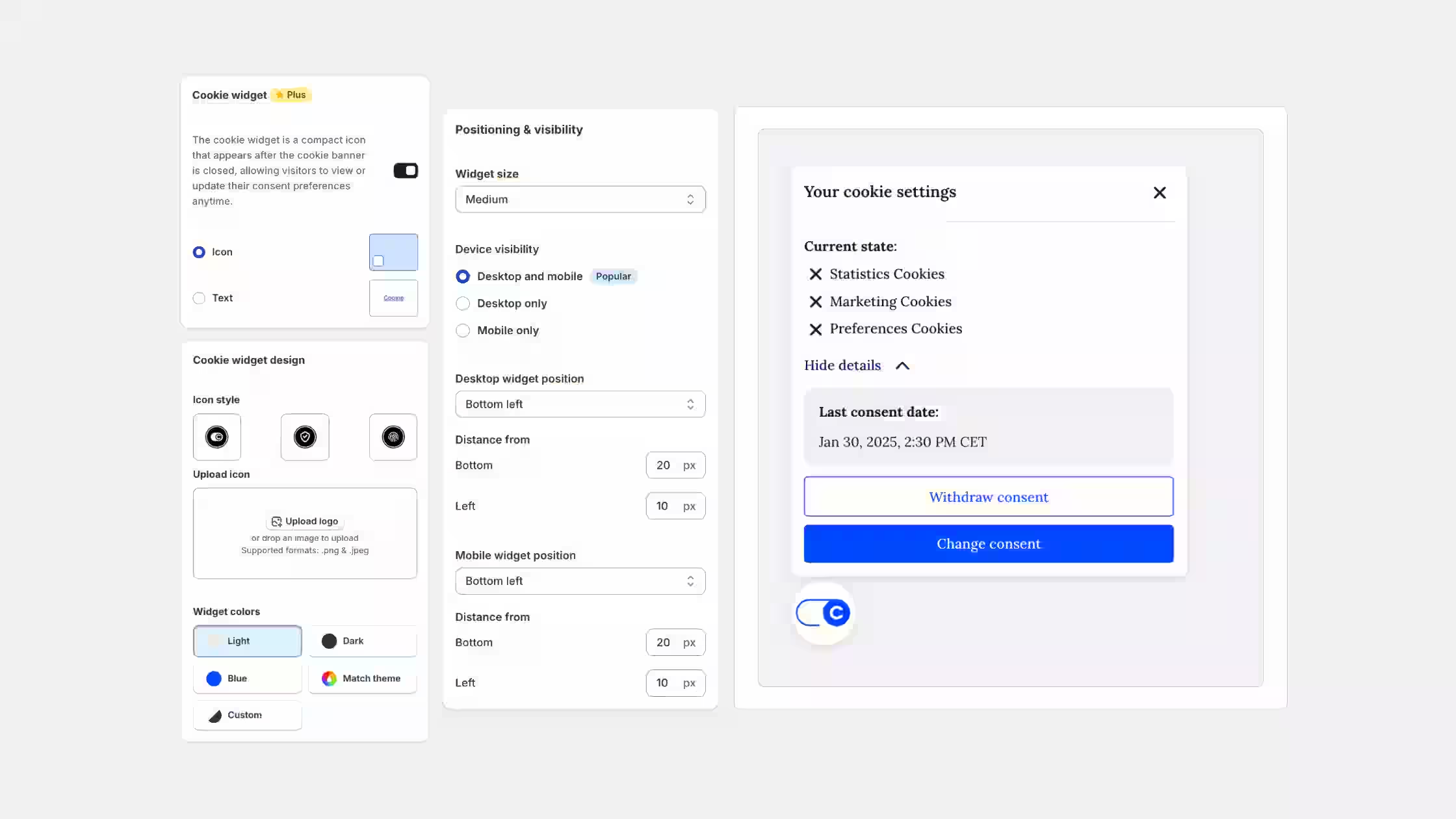
We've refreshed the Cookie Widget with a brand-new look and added more flexibility, so it feels consistent with your cookie banner and accessibility tools while giving you better control over how it appears on your storefront.
What's improved:
- More design options: Choose between an Icon or Text widget and set your own custom text. All widget icons have also been redesigned and refreshed.
- Size selection: Choose the widget size that fits your store best: Small, Medium, or Large.
- Device visibility settings: Decide whether the widget appears on desktop and mobile, or only on one of them.
- Advanced positioning control: Set custom distance (in pixels) from the bottom and side, both for desktop and mobile, for perfect alignment with your layout.
You can explore the new options under Cookie Banner > Design in your admin.