


August focused on pages shoppers actually open, signals that keep U.S. opt-outs honest, and the emails that leave your brand when someone exercises a right.
We shipped a Smart Cookie Policy page that stays current after every tracker scan, automated monitoring that flags missing or unlinked compliance pages, and one sending-domain setup for EU Withdrawal and Smart Privacy Center mail. We also tightened Do Not Sell category control, expanded U.S. opt-out signal coverage, improved Accessibility Statement setup inside the app, and cleaned up where consent records live in Analytics & Reports. Here's everything that landed.
Publish a Smart Cookie Policy Page That Updates After Every Scan
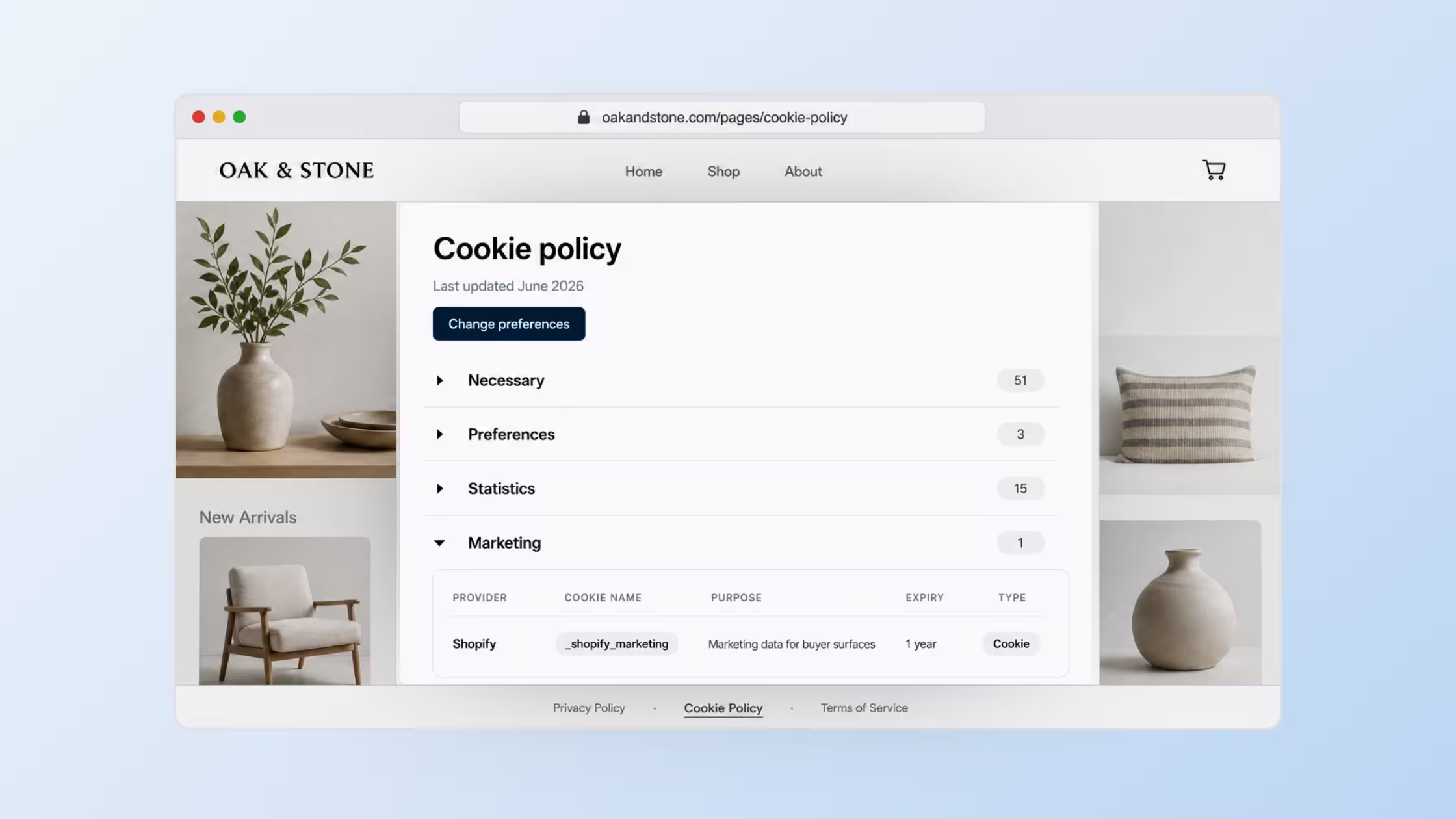
Consentmo can generate and publish a dedicated Smart Cookie Policy page from your tracker scan data. It lists cookies, pixels, storage, and services on your store, then refreshes after each new scan so disclosures stay closer to reality.
- Ready-to-publish storefront page: Publish a professional cookie policy page with a custom URL slug and optional footer link, without theme editing.
- Tied to your scans: Auto-lists cookies, pixels, storage, and trackers detected on the store.
- Flexible disclosure modes: Show recommended tracker details, full transparency details, or a custom set of tracker types.
- Design control: Customize colors, display options, tracker counts, category expansion, the Change preferences button, and custom CSS.
- Multilingual support: Translates policy content for languages your store serves (auto-added from your cookie banner languages).
Create it from Privacy Center > Cookie Policy after a tracker scan. Smart Cookie Policy is available on Enterprise. The static Cookie Policy Page option remains on all plans.
Explore Consentmo on the Shopify App Store →
Catch Issues On Compliance Pages Before Shoppers Do
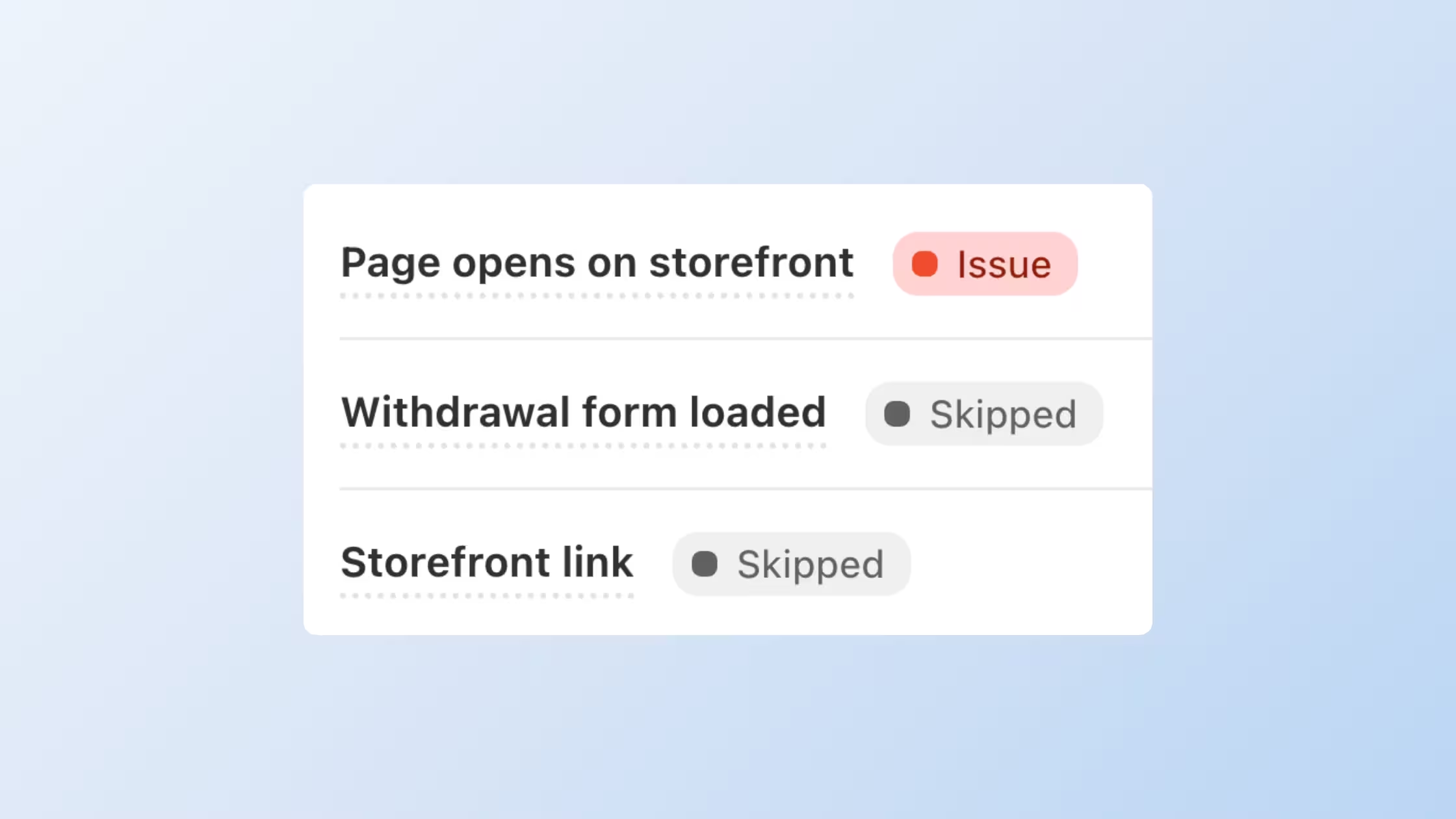
Automated Monitoring regularly checks key compliance pages and integrations so you learn when something is missing, unreachable, or not linked on the storefront.
- Automated page checks: Confirms supported pages open correctly and are published in Shopify.
- Email alerts: Merchants get an email when a problem is detected. The first check runs shortly after setup, then checks continue daily.
- In-app visibility: Flagged issues appear in the Privacy Center banner and Compliance Review, where they can affect your score.
- On by default: No extra setup required to start monitoring.
Monitoring is available on Plus and Enterprise, with coverage based on the compliance pages and features on your plan. Read the deep dive: Monitoring for Compliance Pages: Catch Setup Issues Before Shoppers Do.
See monitoring on the Shopify App Store →
Send Smart Privacy Center and EU Withdrawal Emails From Your Own Domain
Plus and Enterprise merchants can use a Unified Domain Sender so automated compliance emails leave from a verified brand domain instead of the default [email protected]. One setup covers EU Withdrawal and Smart Privacy Center mail when those features are active.
- One setup for multiple flows: Configure the sending domain once under global Settings.
- Brand in the inbox: Customers see your domain, which supports trust and deliverability.
- Clear status badges: Track pending verification vs fully connected.
- Easy fallback: Remove the domain anytime to return to the default Consentmo sender.
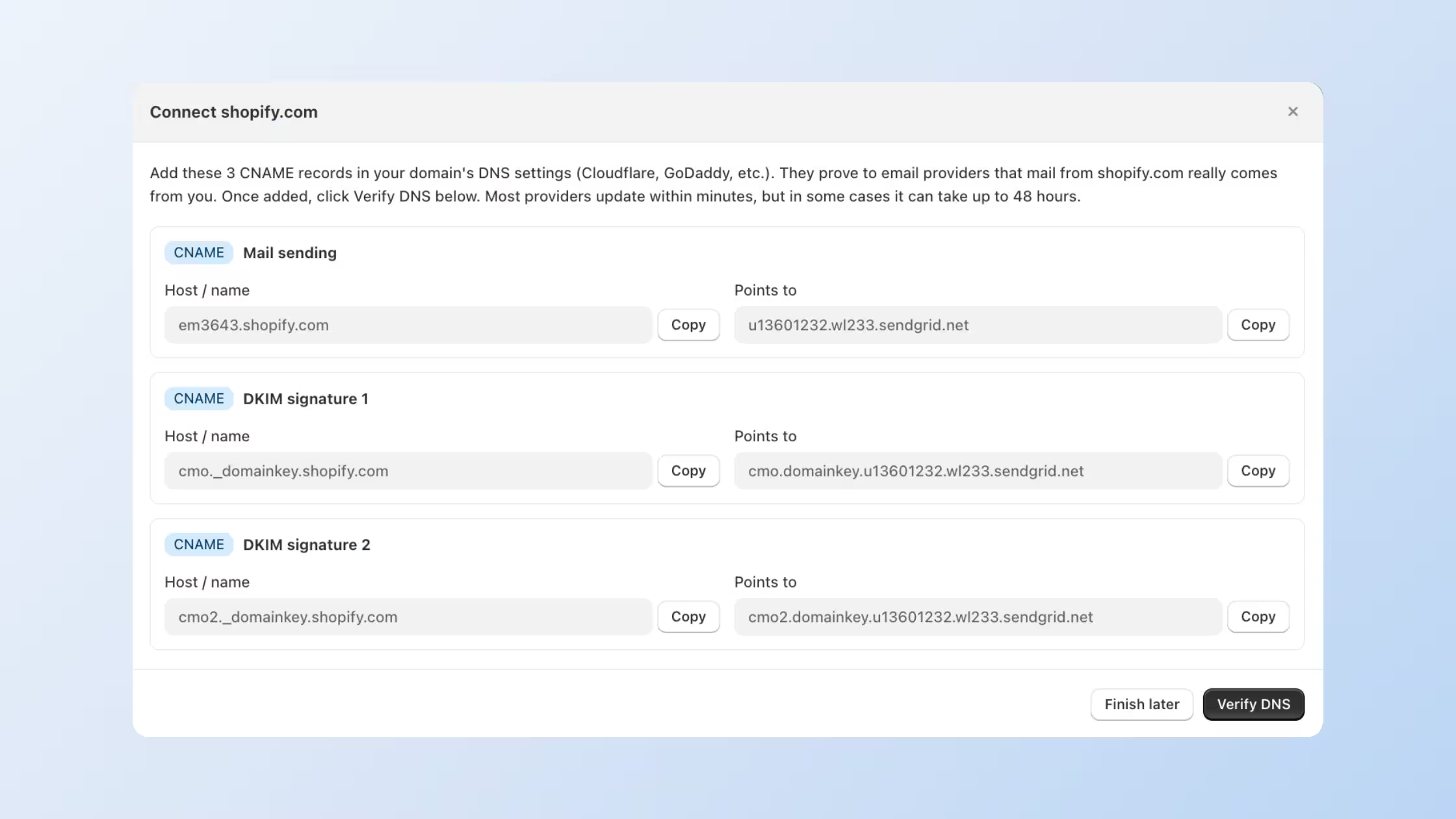
Set it up from Privacy Center > Settings > Sending domain. Step-by-step: Set Up Custom Sending Domain for EU Withdrawal and Smart Privacy Center Emails.
Control What Stays On After “Do Not Sell”
You can choose which cookie categories remain active after a visitor clicks Do Not Sell, while defaults stay aligned with common U.S. privacy patterns.
- Category control: Decide whether Statistics, Marketing, and Preferences stay active or turn off after Do Not Sell.
- Clear defaults: Necessary always stays on. Statistics and Preferences stay on by default. Marketing turns off by default.
- State-level flexibility: Fine-tune per state from Region Settings when you use region-specific setups.
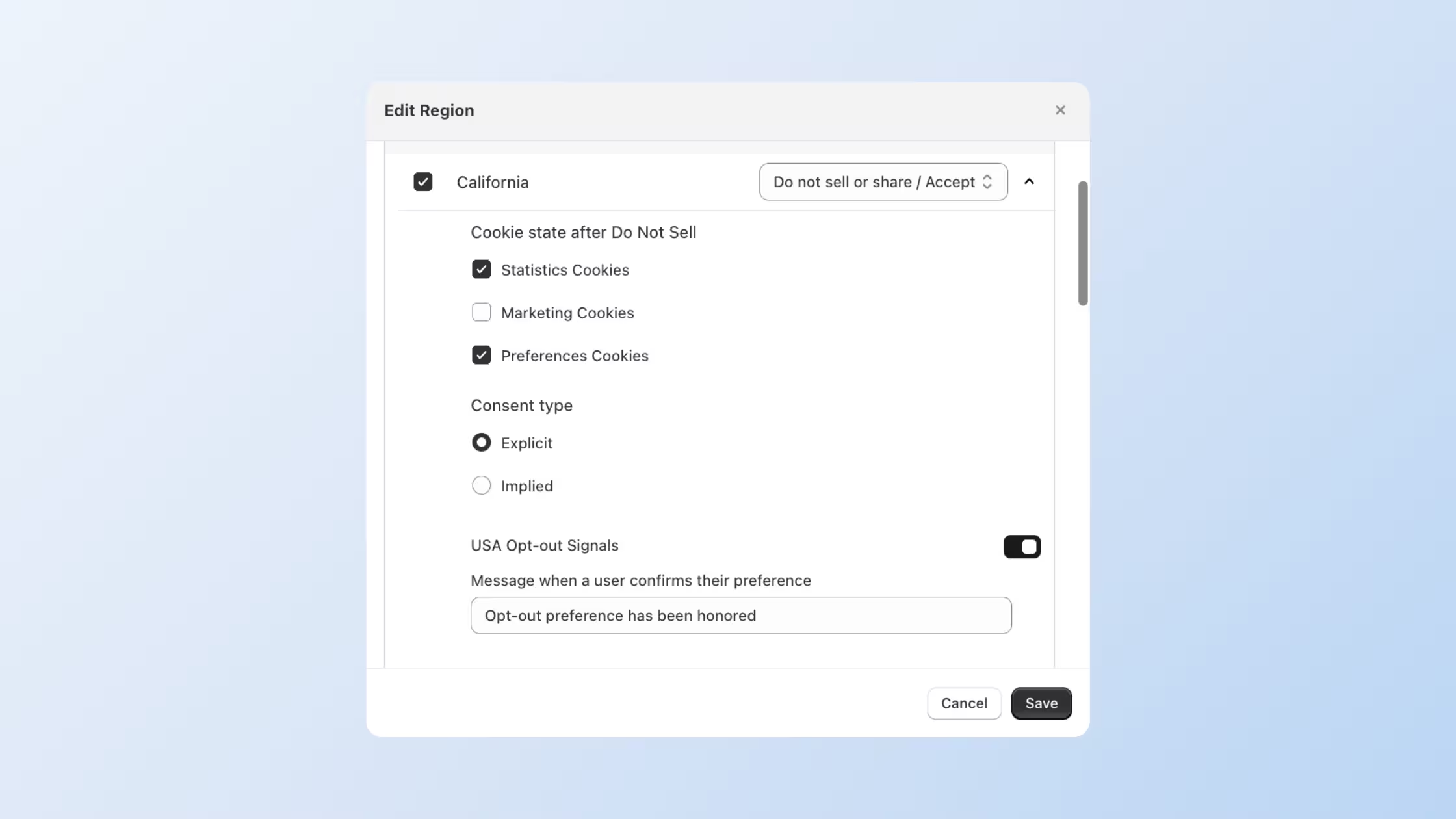
Manage it from Cookie Banner > Regions > Edit Region when Smart Geotargeting is enabled.
Explore U.S. opt-out controls →
More Updates This Month
Expanded US Opt-Out Signal Support. US Opt-Out Signals work across more consent model and banner layouts. Visitors get clearer confirmation when an opt-out applies, and supported browser signals such as Global Privacy Control can be detected and honored when USA Opt-out Signals are enabled under Cookie banner > Behavior.
Expanded Klaviyo Integration. Add the required Klaviyo private API key in the setup panel with connection testing. When a customer submits Delete my data through DSAR, Consentmo can schedule Klaviyo profile deletion on the same 10-day window as Shopify deletion. Manage it from Integrations > Klaviyo: Email Marketing & SMS.
Keep Smart Consent Banner Layout Expanded on Desktop. Choose Keep expanded on desktop so Smart Consent does not collapse into an icon on scroll. Accept, Reject, and Preferences stay easier to reach. Manage it from Cookie Banner > Design > Smart Consent.
Improved Accessibility Statement setup. Generate, edit, design, and translate your Accessibility Statement inside Consentmo instead of bouncing between the app and Shopify admin. Add business contact details, footer link and link text, URL slug, colors, custom CSS, and multilingual versions from Web Accessibility > Statement.
Consent Records Moved to Analytics & Reports. Consent records now live under Analytics & Reports > Reports > Consent records. Use Analytics for performance insights and Reports for records, requests, exports, and backups.
See all features on the Shopify App Store →
Must Reads in August
Three posts from the blog worth sharing with your team:
A cookie policy explains which cookies and similar technologies a site uses, why they run, how long they last, and how visitors control them. Pair this primer with the new Smart Cookie Policy page so the public page matches what your scans actually find.
After You Install a CMP on Shopify: How to Read Analytics, ROAS, and Conversions →
What happens to Shopify analytics and ad metrics after you install a CMP. A practical guide for merchants and agencies on consent-aware reporting, Consent Mode v2, measurement partners, and how to read performance without turning the banner off.
Why Your Shopify Store Needs an Accessibility Statement →
Why the statement matters, how to generate and host it with Consentmo, and where the footer link should live so shoppers can find it. Matches the Accessibility Statement setup improvements shipped this month.
That's a wrap on August. If you have questions about any of these features or want help configuring them for your store, reach out to our support team.



_converted.avif)