


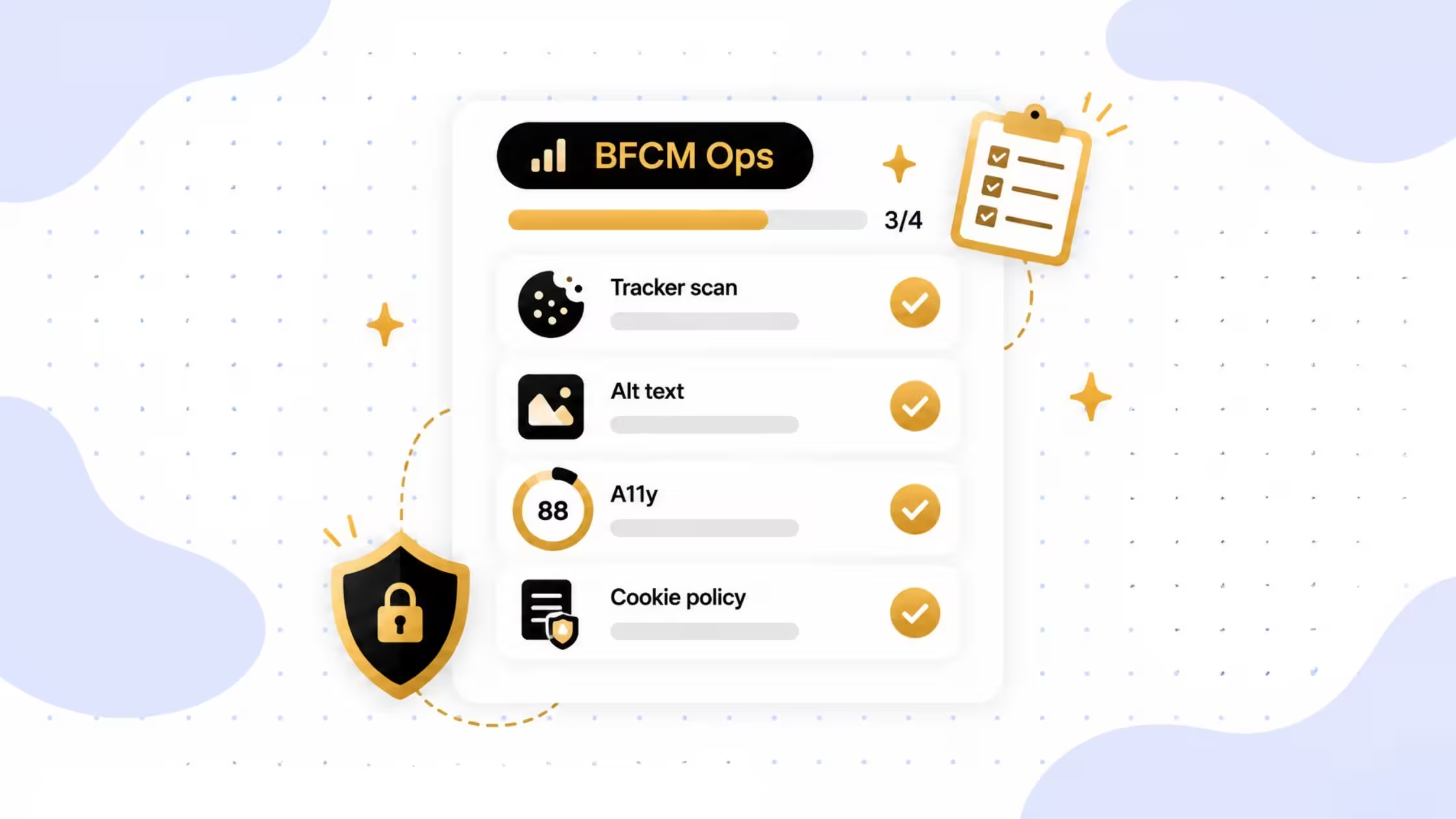
BFCM Ops Work You Can Stop Doing by Hand
TL;DR
Peak week is when spreadsheet work and one-click-per-variant product pages break first. Use this post for concrete jobs: tracker and cookie audits after you install campaign apps with Consentmo’s Tracker Manager, mass alt text fixes before sale photography goes live, and WCAG-oriented storefront checks after theme or promo changes.
Black Friday and Cyber Monday load your store with more SKUs, more pixels, more landing-page photography, and more last-minute theme edits. Marketing lists talk about urgency and bundles.
Ops still owns the slow work: wholesale buyers who abandon after the fifth size dropdown, cookie lists that drift every time someone adds a pixel, product galleries with blank alt text, and accessibility issues that only show up after a sale badge ships.
Below are four jobs that usually land on a founder, ops lead, or agency the week before traffic spikes, plus the app path that replaces the manual version.
The 3 jobs this post covers
- Auditing every new cookie, script, and pixel after BFCM app installs
- Filling missing image alt text across products, collections, and blog assets
- Re-checking storefront accessibility after theme, form, and promo changes
Job 1: Tracker and cookie audit after every campaign install
What breaks at BFCM
In two weeks you may add a popup app, affiliate pixel, review widget, ad retargeting tag, or theme snippet. Each one can drop cookies, scripts, pixels, or storage entries. Manual “view source and guess” does not scale, and a stale preferences list is a compliance and trust problem when EU and multi-region traffic spikes.
Use case: Run Consentmo’s in-app Tracker Manager as campaign ops, not a once-a-year legal project
Consentmo Tracker Manager is built for this rhythm:
- Full store scan for first- and third-party cookies, scripts, pixels/beacons, and local/session storage
- AI categorization into Necessary, Preferences, Statistics, Marketing (with manual override)
- Scheduled scans (daily, weekly, or monthly on eligible plans) so new app installs do not sit undetected
- Scan history and richer preferences content tied to what the scanner actually found
- Smart Cookie Policy updates from scan results
_converted.avif)
Concrete BFCM workflow
- Install or update a marketing app → run an on-demand scan the same day
- Review unclassified items → accept AI categories or fix them
- Confirm non-essential tags stay blocked until consent
- Keep a weekly scheduled scan through the BFCM window
- Export or screenshot history if finance/legal asks what changed
Pair this with banner Accept / Reject / Preferences testing on your busiest landing pages. For a broader pre-launch pass, see Your Shopify BFCM Pre-Launch Checklist.
Ops outcome
You stop treating cookies as a static list. Campaign installs become a repeatable scan → categorize → verify loop inside Consentmo.
Job 2: Alt text for every sale image without opening products one by one
What breaks at BFCM
You upload dozens or hundreds of new hero shots, pack shots, lifestyle frames, and blog assets. Many ship with empty alt attributes. Screen readers get silence or file names. Image search gets weak context. Editing each product in Admin is not realistic in a promo sprint.
Use case: Consentmo Alt Text Manager as bulk catalog hygiene
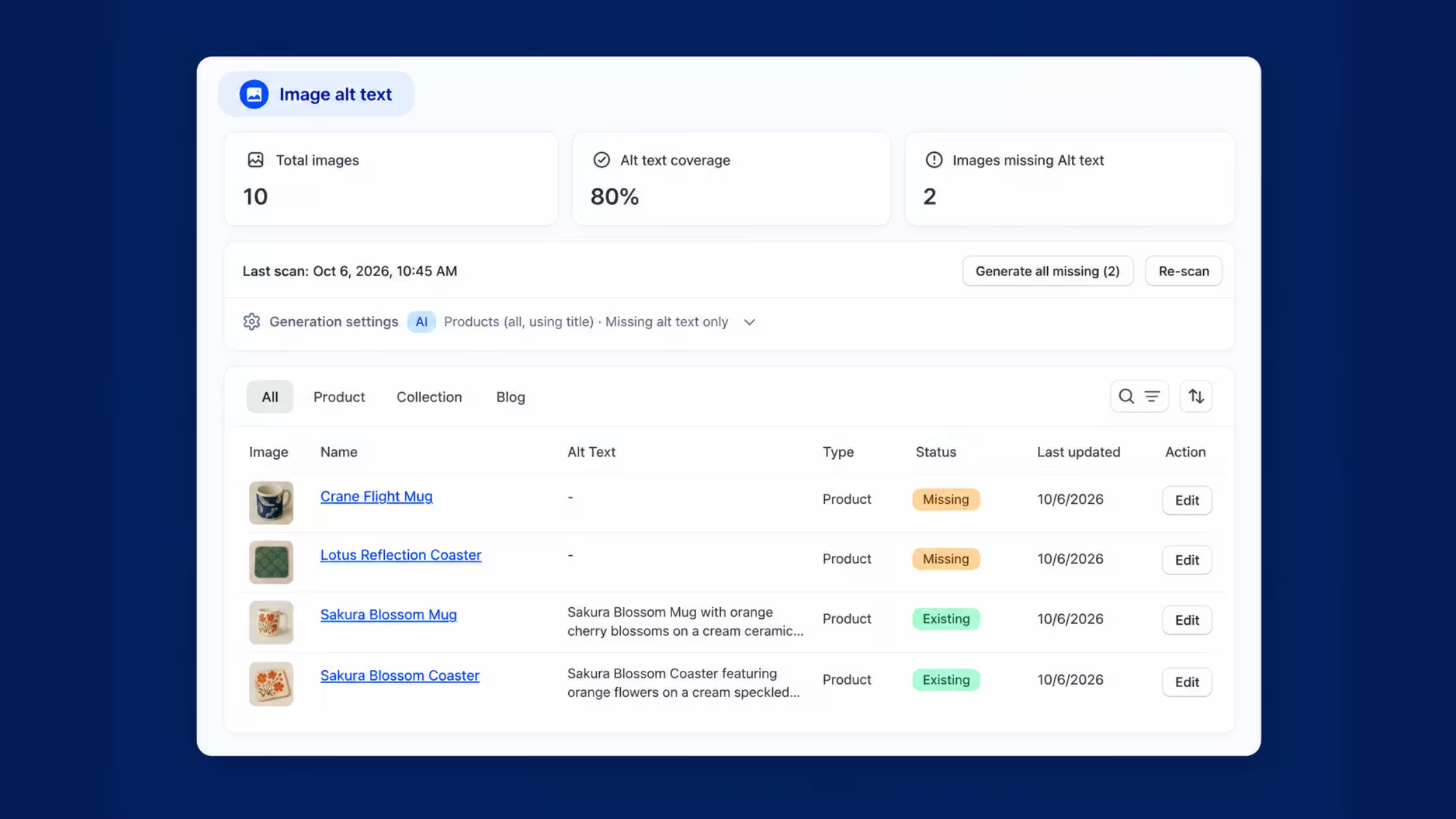
Alt Text Manager is the scanner-plus-fix path:
- Store-wide scan of product, collection, and blog images with coverage and missing counts
- Configure AI to use product titles, descriptions, or both
- Generate all missing alt text in one action (default protects existing manual alt text)
- Table view to filter, edit, and refine before you call it done
Concrete BFCM workflow
- Freeze the main sale photography upload batch
- Run the alt text scan
- Generate missing only
- Spot-check top sellers and any images with brand-sensitive wording
- Rescan after late uploads the week of BFCM
Ops outcome
Catalog and content images stop being an accessibility debt pile the day after you launch the sale theme.
Job 3: Accessibility re-check after theme and promo edits
What breaks at BFCM
Sale badges, countdown bars, new forms, app embeds, and theme publishes change contrast, focus order, labels, headings, and shared header/footer patterns. Issues often repeat across every product template. Waiting for a customer complaint mid-weekend is the expensive option.
Use case: Consentmo Accessibility Scanner after every major storefront change
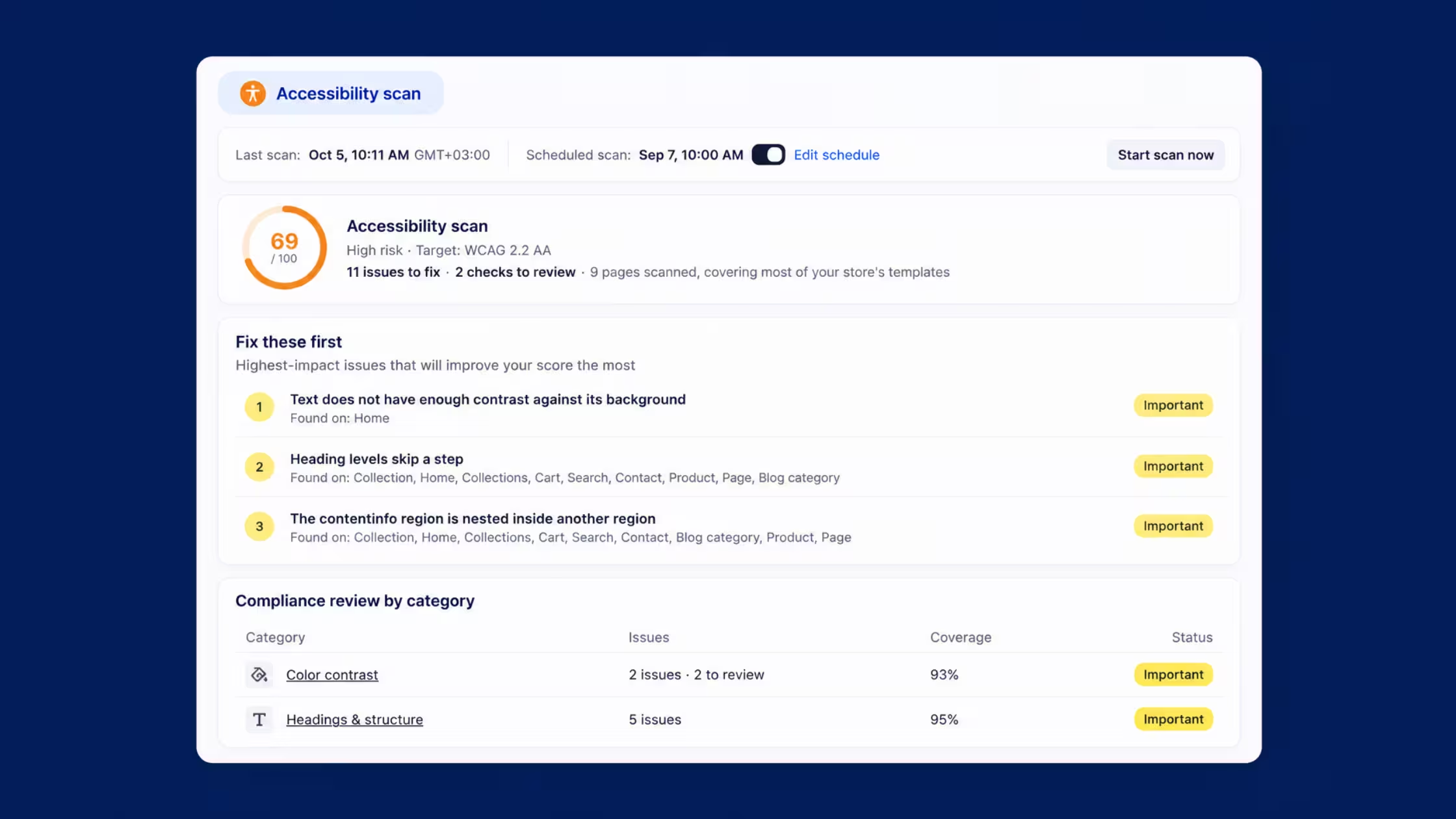
Accessibility Scanner targets WCAG 2.2 AA-style checks on key storefront pages. It is a practical storefront check with scoring and prioritization, not a full legal audit and not an auto-fixer for your theme.
What you get in-app:
- Overall score, risk level, issue counts, pages scanned
- Categories such as images/alt, forms and labels, color contrast, headings, navigation, ARIA, links, focus/keyboard, language, tables, media, lists
- Grouped findings when the same component fails on many URLs
- Critical → Important → Needs review prioritization
- On-demand scans plus scheduled runs on eligible Plus plans after theme updates, new apps, or form changes
Concrete BFCM workflow
- Baseline scan before the sale theme goes live
- Ship promo UI → rescan the same day
- Fix shared components first (header, product card, sale badge, forms)
- Rescan to confirm score movement
- Schedule scans through peak week so monitoring is not memory-based
Ops outcome
Theme and app changes leave a paper trail of score, risk, and a fix queue your developer can work without a random external audit dump.
How the pieces fit in one pre-peak week
Suggested order for a quiet week before paid traffic ramps:
- Tracker scan after the last marketing app install
- Alt text pass on the sale image batch
- Accessibility baseline + post-theme scan
- One more tracker and accessibility pass 48 hours before doors open
Conclusion
BFCM rewards stores that remove friction from both the buyer path and the back-office path. Bulk variant tables cut manual wholesale work. In-app scanners cut the spreadsheet and “we’ll fix alt text later” habits that pile up every November. Put Consentmo’s Tracker Manager, Alt Text Manager, and Accessibility Scanner on a calendar the same way you schedule promo codes.
Peak traffic is a stress test; these jobs are easier when you finish them before the stress starts.



.avif)