See What Happens on Your Storefront, Then Keep a Record
November’s highlights focus on three questions Shopify merchants often ask: Is the cookie banner working as intended? What did a visitor choose? And who changed a setting in the app?
Consent Monitoring helps you check the live storefront. Proof of Consent keeps a record of banner interactions. Activity Log gives your team a history of changes within Consentmo.
We also have updates to Google Consent Mode V2, regional privacy page options, Terms & Conditions, and checkout consent. Here are the highlights.
Consent Monitoring for Your Banner
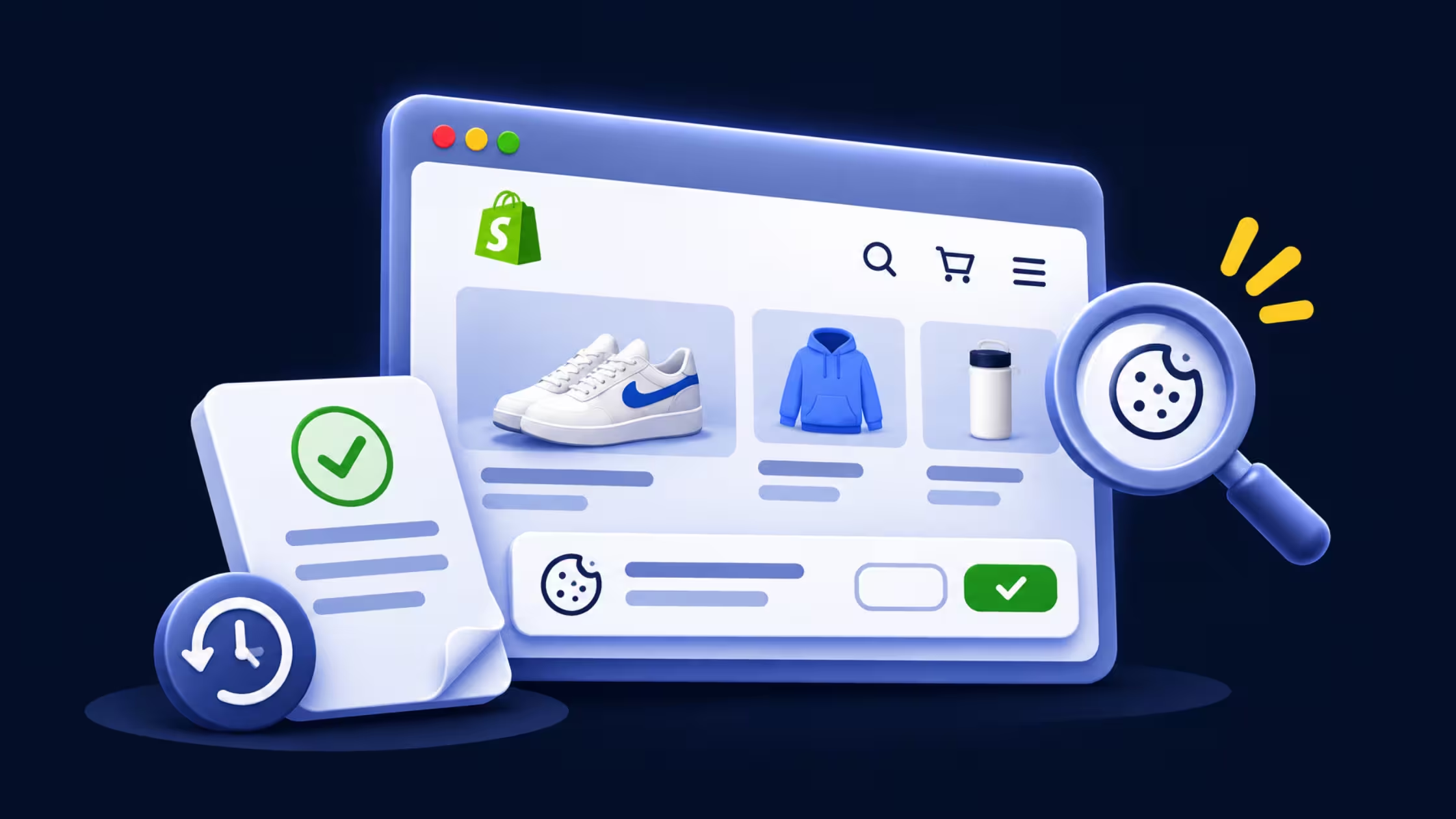
Consent Monitoring checks how your cookie banner behaves on the live storefront, so you can review the experience visitors see and the trackers that run around their choices.
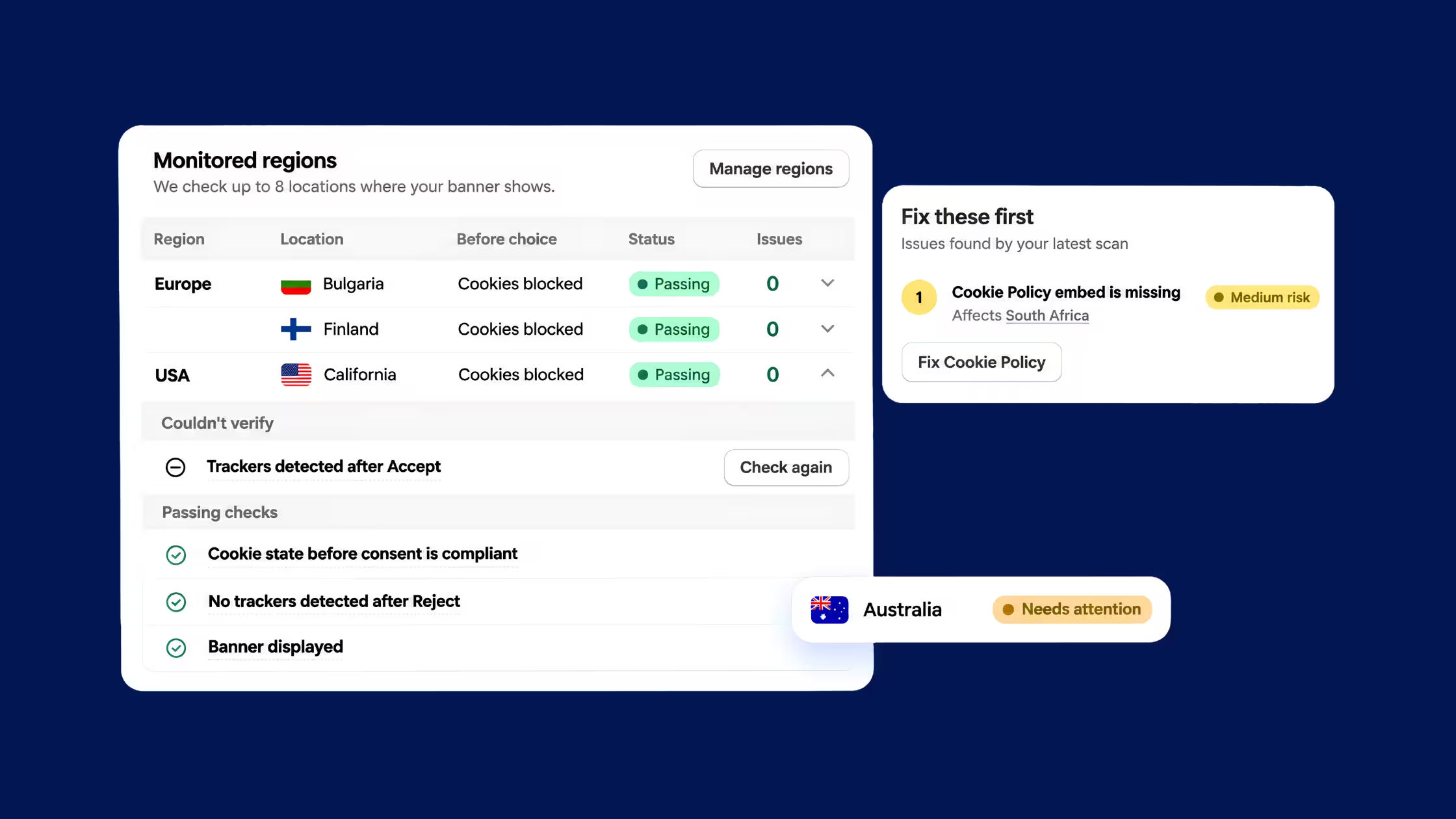
Each scan covers up to eight locations where your banner appears. Results are organized by location, with issues and passing checks to help you decide where to look first.
- Check banner display and content on your live store.
- Review cookies and trackers before a choice, after Accept, and after Reject.
- Choose up to eight locations to monitor.
- Run scans on demand or schedule them after theme, app, or settings changes.
- Review suggested actions where available, then scan again after making changes.
Find the feature under Monitoring & Trackers > Consent monitoring. For a closer look at the results and setup, read Consent Monitoring: Test Your Live Cookie Banner.
Proof of Consent
When a visitor interacts with your cookie banner, Proof of Consent keeps a detailed record of the choice and the banner they saw at the time. That gives your team a way to review an individual interaction without relying on the current version of the banner.
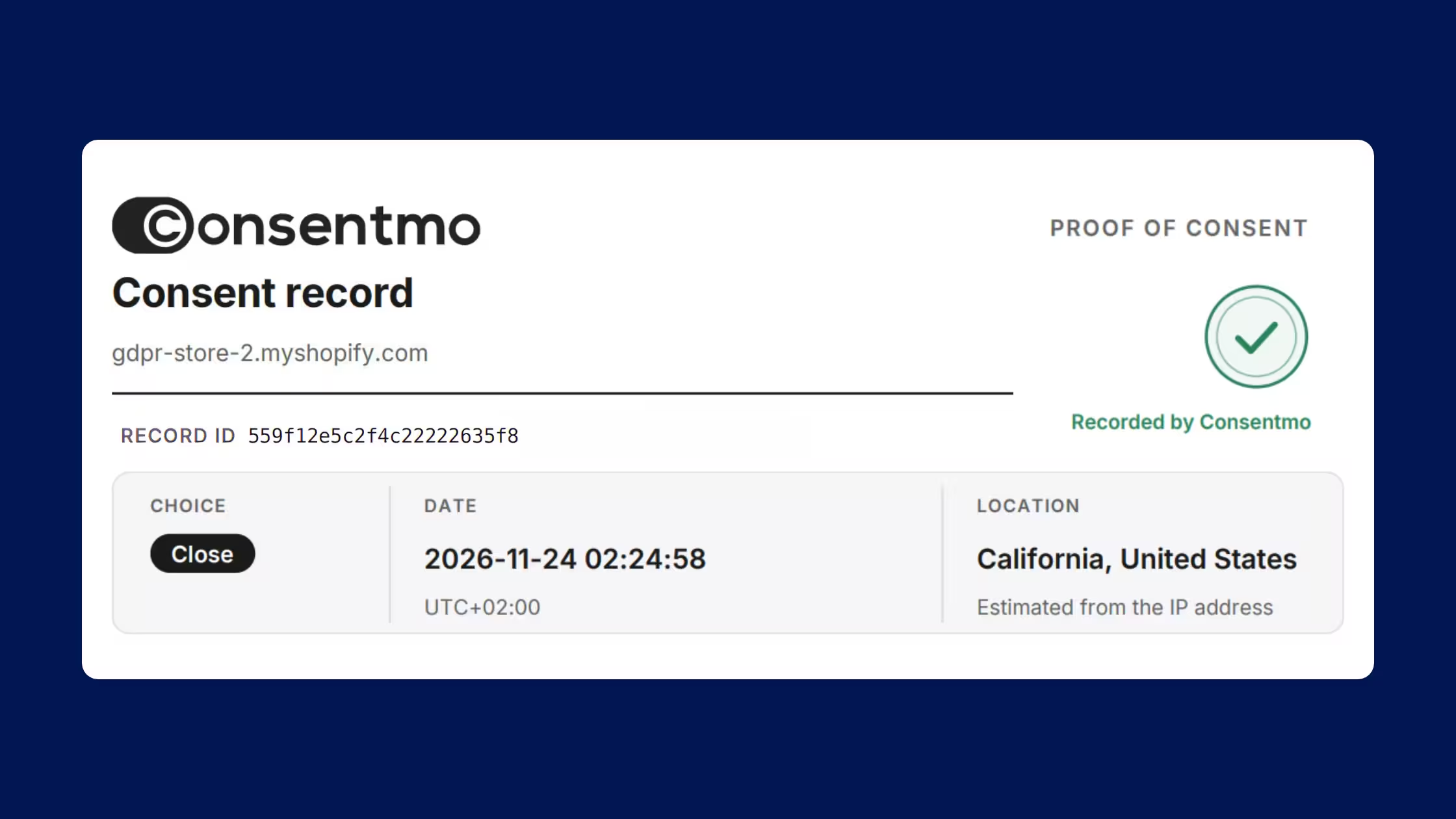
Each record includes:
- A unique consent ID and timestamp.
- The interaction and category-level consent choices.
- Visit details, including the page and device.
- A snapshot of the banner shown when the visitor made their choice.
- A downloadable PDF with a QR code for verification.
Records are created when visitors interact with the banner. Bulk export and Google Drive backup are available on the Plus plan and above.
Open Analytics & Reports > Analytics > Consent records to review the records in your store. For a walkthrough, see Proof of Consent: Verifiable Cookie Consent Records for Shopify.
Activity Log for App Changes
When more than one person manages your store, it helps to have a shared record of changes. Activity Log shows the account associated with an action, the affected section, and when the activity happened.
- Review changes across banner settings, app configuration, and plans.
- Compare previous and updated values for supported settings.
- Search, filter by date, and export the log.
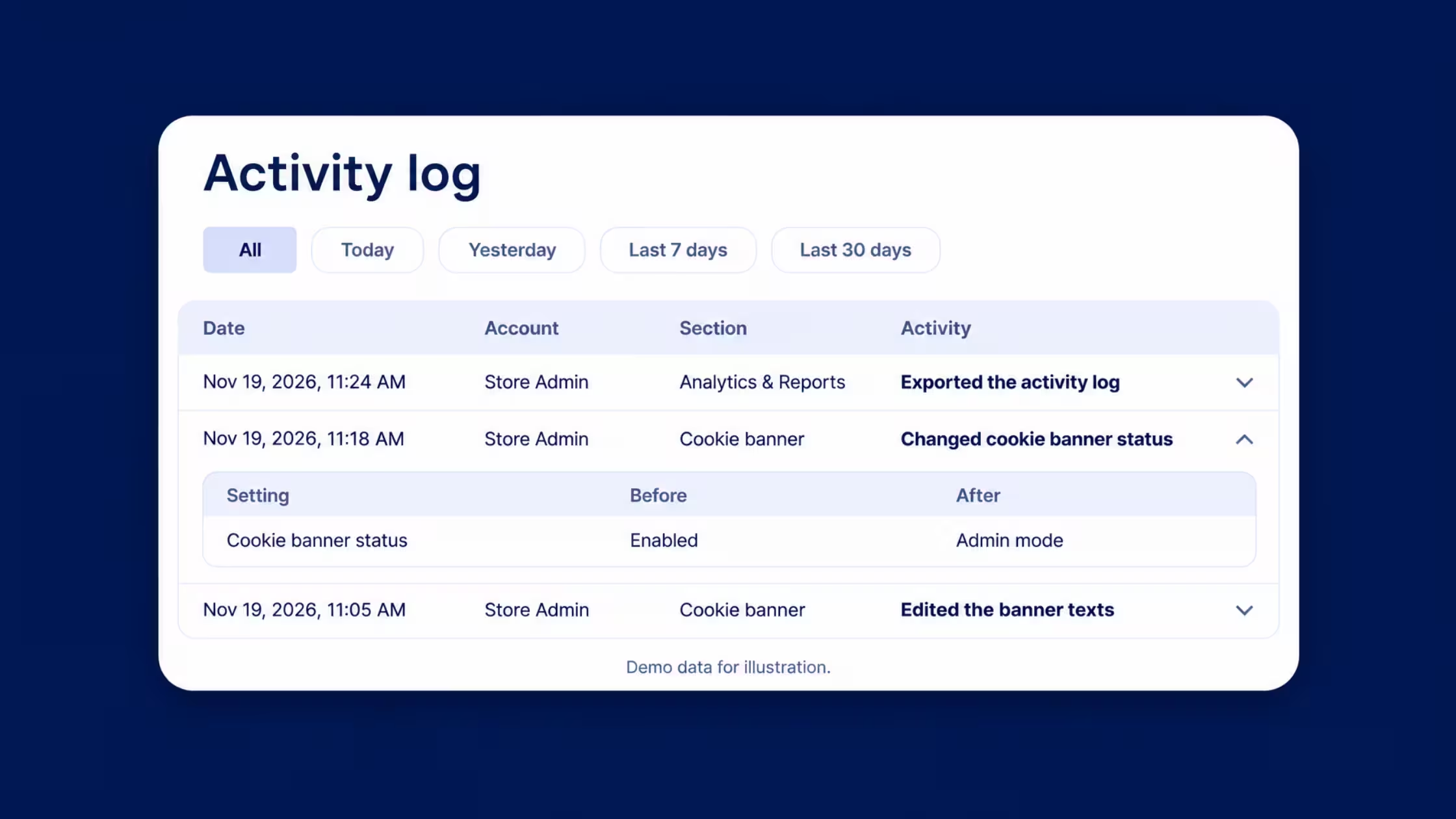
Activity Log is available on the Max plan under Analytics & Reports > Reports > Activity Log. Recording starts from the feature’s activation date, so earlier changes are not available.
Read Activity Log: Track Changes to Your Consentmo Settings for examples of what the log records and how to use it.
More Updates This Month
Smarter Google Consent Mode V2. Consentmo can detect Google and YouTube tags, flag duplicates, and help you jump to theme files when tags are found there. Detection and status checks can also run together. For more on setup checks, see Google Consent Mode V2 Monitoring: How Consentmo Flags Setup Issues.
Privacy page options by region. Align the Smart Privacy Center with your banner regions, keep automatically updated request presets, or select request types by country, state, or province.
Terms & Conditions on Quick Buy and Buy with Shop. Required Terms & Conditions now cover Quick Buy and Buy with Shop, with no extra setup. For the wider feature, see Terms & Conditions Checkbox Before Checkout.
Do Not Sell opt-out button control. Choose whether visitors see the “Allow my data to be shared” button after a Do Not Sell opt-out, or show a confirmation only. The button is on by default.
Checkout consent syncs back to the storefront. When a visitor chooses Accept or Reject in the Consentmo checkout block, the storefront banner recognizes that existing choice. Read more in the Checkout Consent Management Guide.
Must Reads in November
Posts worth sharing with your team:
A breakdown of the California enforcement action and the questions it raises about cookie controls, advertising trackers, and opt-out signals.
Activity Log: Track Changes to Your Consentmo Settings →
See what the log records, how before-and-after details work, and where to find the feature in Consentmo.
A Clearer View of Consent
Consent Monitoring, Proof of Consent, and Activity Log each answer a different question about your store: how the live banner behaves, what visitors chose, and what changed in the app.
If you haven’t reviewed them yet, start with a scan of your storefront, open a consent record, and check the Activity Log if your store uses the Max plan. Together, they give your team useful context for the next time you review your privacy setup.