Consentmo and GDPR: 5 practical strategies for Shopify store owners
If you sell to customers in the EU or EEA, GDPR is part of how your Shopify store earns trust. Clear consent, controlled cookies, accurate ad signals, and a simple way for people to exercise their rights all matter. A banner alone is not enough.
Consentmo is built for Shopify merchants who need that full loop: a customizable cookie banner, geotargeted consent models, Google Consent Mode v2 as a Google-certified CMP (Silver), pixel controls, consent logs, Smart Privacy Center requests, and analytics you can act on.
Below are five strategies that map directly to how stores use Consentmo in 2026.
TLDR
- Use a clear, geotargeted cookie banner with reject and preference choices for EU/EEA visitors.
- Scan cookies and block non-essential scripts until consent is given.
- Connect Google, Meta, TikTok, and Microsoft correctly, then verify with the Integration Scanner.
- Give shoppers one “Your Privacy Choices” hub for access, correction, deletion, and withdrawal.
- Keep proof: consent logs, exports, banner analytics, and ongoing compliance checks.
1. Make consent transparent, specific, and region-aware
GDPR-quality consent is informed, freely given, specific, and easy to withdraw. On Shopify that starts with the storefront experience: what the banner says, which choices appear, and whether EU visitors get an opt-in model while other regions get the model their laws expect.
With Consentmo’s cookie banner you can:
- Pick layout and placement (banner, box, dialog, Smart Consent)
- Match brand colors and fonts
- Auto-translate banner text
- Use smart geotargeting so visitors see the right consent model by location (GDPR-style opt-in for the EU/EEA, other models where they apply)
- Offer Accept, Reject, and Preferences with category toggles (Necessary, Statistics, Marketing, Preferences)
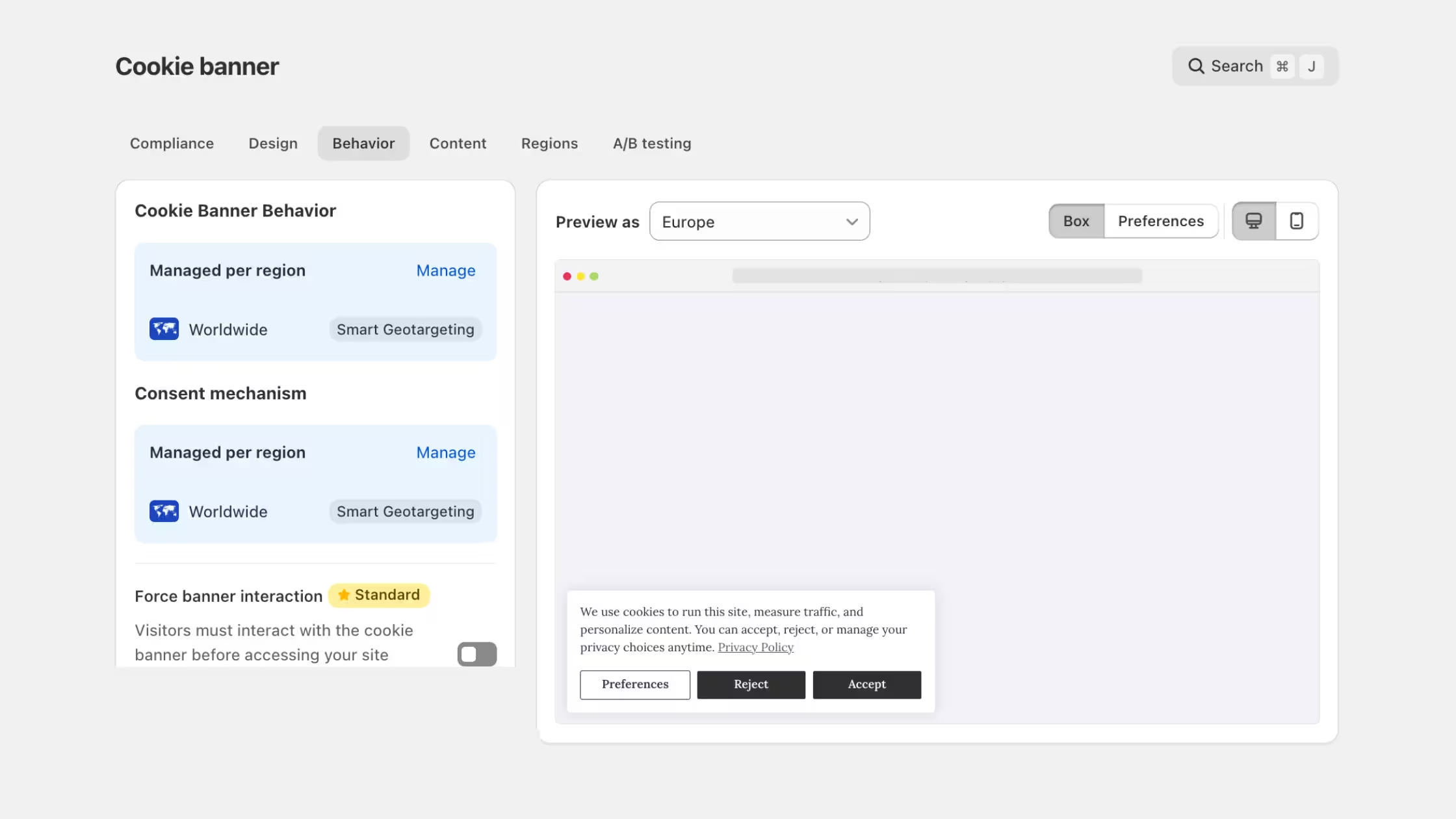
Keep the copy plain. Name categories in language shoppers understand. Equal weight for reject and accept avoids dark patterns. That is the foundation every other strategy depends on.
2. Inventory cookies and block tracking until consent
You cannot manage what you have not listed. Shopify themes, apps, and pixels add cookies and scripts over time. GDPR and ePrivacy expectations mean non-essential cookies should wait for a valid choice.
Consentmo helps here in two layers:
- Cookie scanner, detect and categorize cookies so your policy and preference center stay accurate. You can run scans on demand or on a schedule as your app stack changes. See our update on on-demand and scheduled cookie scanning.
- Script and pixel control, hold back non-essential tracking (including common analytics and ads tags) until the shopper allows the matching category.
_converted.avif)
Re-scan after theme edits, new apps, or major marketing launches. Stale cookie lists are one of the fastest ways a “compliant-looking” store drifts out of line.
3. Wire consent into your ads and analytics stack
A pretty banner that does not talk to your tags still leaves risk. Google expects certified CMPs and Consent Mode signals for many EU ad setups. Meta, TikTok, and Microsoft each need consent-aware firing rules too.
Consentmo supports no-code connections across the stack merchants actually use:
- Google Consent Mode v2 with Basic and Advanced paths, as a Google-certified CMP (Silver)
- Microsoft Consent Mode (certified)
- Meta Pixel, TikTok Pixel, Amazon, Klaviyo, and more via integrations
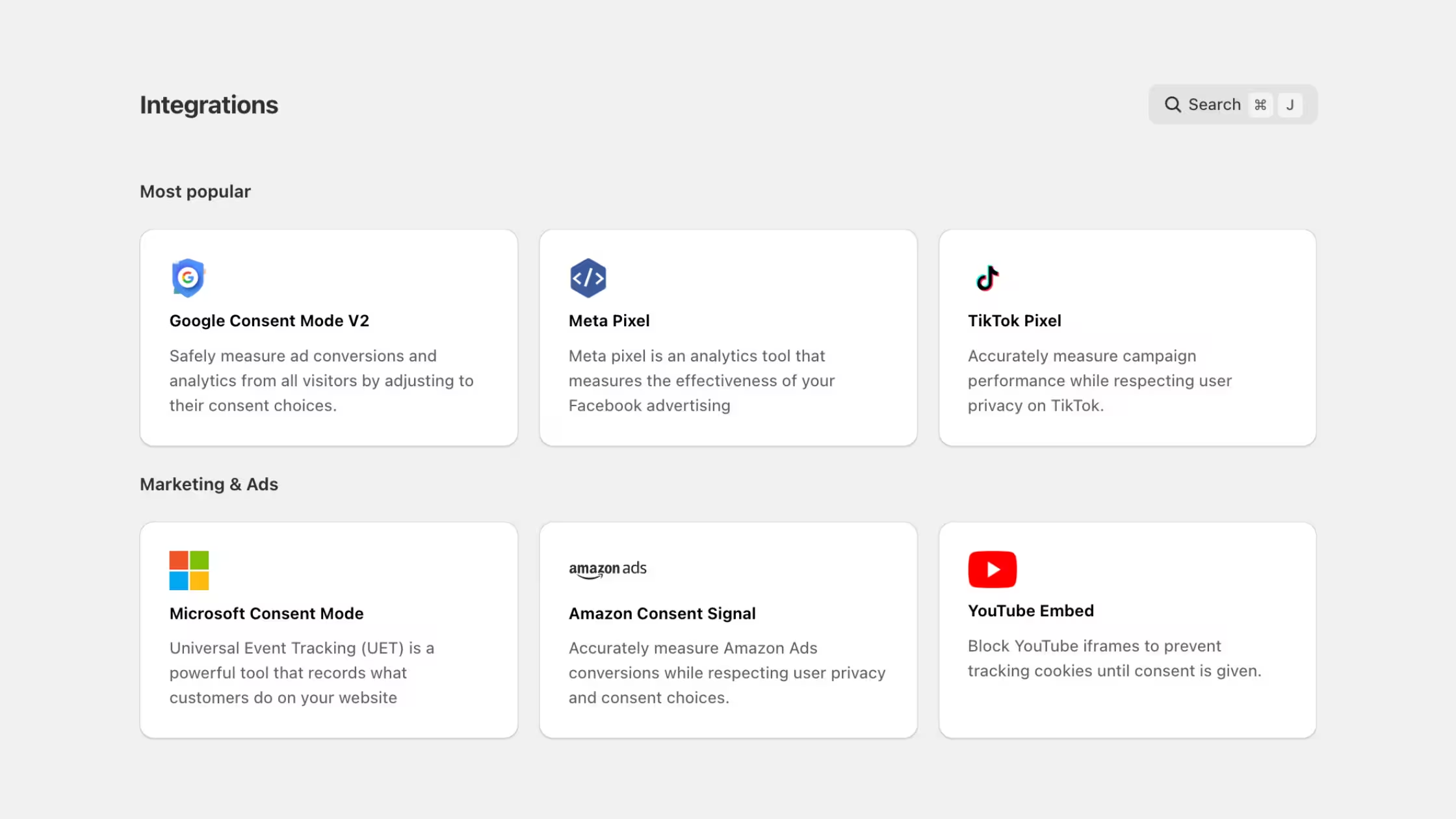
Then verify, do not assume. The Integration Scanner checks live storefront behavior for Google, Meta, TikTok, and Microsoft setups: pixels firing before consent, duplicate IDs, missing configuration, and conflicts from theme code, GTM, or leftover apps. Each issue comes with plain-language guidance so you can fix tracking without digging through every script by hand.
Run a scan after you add a pixel, change GTM, update the theme, or turn on something like Google tag gateway. Consent still governs what loads; gateway setups only change how and when tags arrive.
4. Honor data subject rights with one clear request path
GDPR gives people rights to access, rectify, erase, and withdraw consent (among others). Shopify merchants need a path customers can find, a way to verify who is asking, and an internal record of what happened.
Smart Privacy Center gives you one branded “Your Privacy Choices” page instead of a separate page per law. Shoppers can submit supported request types (access, correction, deletion, consent withdrawal, and more) with region-aware options, email verification, multilingual content pulled from your store languages, and a customizable thank-you step.
Pair that with:
- Consent logs, records of banner choices and related events you can filter and export for audits
- Compliance pages, storefront destinations for privacy actions, kept linked and reachable (see our guide to compliance pages)
- Privacy request analytics, track DSAR-style volume and types inside Analytics & Reports
- Enterprise backups, recurring Google Drive backups for teams that need an extra safety net on sensitive request data (see recurring Google Drive backups)
Publish the privacy choices URL in your footer and policy pages so rights are not buried three clicks deep.
5. Monitor, prove, and improve continuously
Compliance is not a one-time install. Themes change, apps add tags, and regulators and platforms update expectations. Treat consent like any other conversion surface you measure.
Use Consentmo to stay current:
- Compliance score. Consentmo flags issues with your app setup per region and provides you with guidance on what you need to change the resolve it.
- Banner analytics, impressions, interactions, accept/reject/partial rates by country and device, plus trends over time
- A/B testing (Enterprise), compare two banner designs, split traffic, pick a winning metric (interaction or acceptance), then apply the stronger version when the test ends. For EU/EEA traffic, optimize for clarity and usability, not pressure to accept
- Automated monitoring for compliance pages (Plus/Enterprise), catch missing, unreachable, or unlinked privacy pages before shoppers do (how monitoring works)
- Product and guidance updates, stay aligned with platform rules via the Consentmo blog, help center, and YouTube tutorials
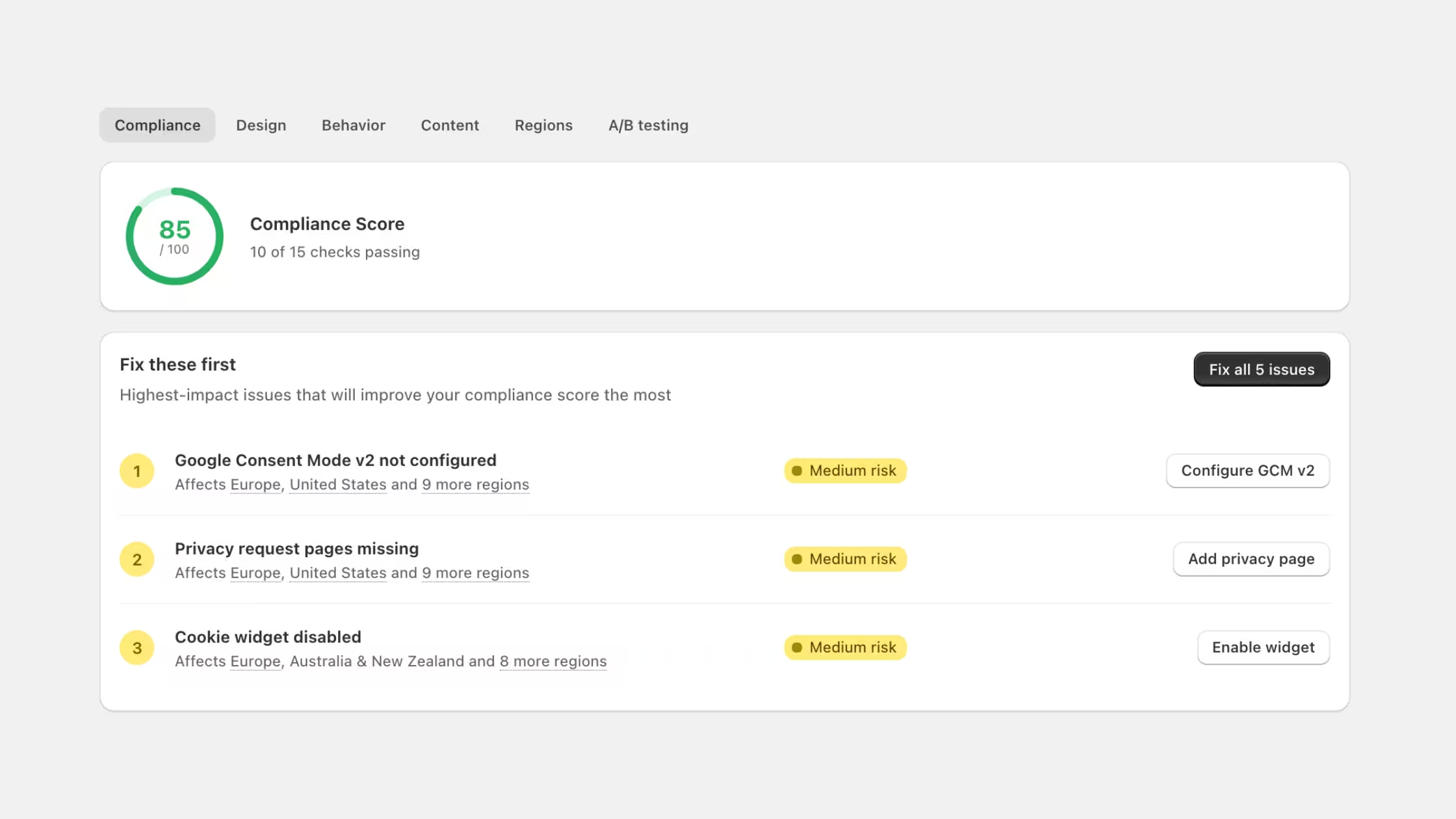
Export logs when legal or partners ask for proof. Re-run the Integration Scanner after stack changes. Review consent rates by market when you expand shipping or ads into new EU countries.
How the five strategies fit together
- Banner + geotargeting collect a valid choice.
- Scanner + blocking keep cookies and scripts honest.
- Certified consent modes and the Integration Scanner keep ads and analytics lawful and measurable.
- Smart Privacy Center and compliance pages fulfill individual rights.
- Analytics, monitoring, and logs keep the system true over time.
That sequence is what turns “we installed a CMP” into an operational GDPR practice on Shopify.
Conclusion
Mastering GDPR on Shopify is less about memorizing every recital and more about running a tight consent system every day. Consentmo covers the pieces merchants actually touch: banner UX, geotargeting, cookie scanning, Google and Microsoft certified consent modes, Meta and TikTok controls, Integration Scanner checks, Smart Privacy Center requests, consent logs, and performance analytics.
Set up your store with Consentmo on the Shopify App Store, run a scan, publish your privacy choices page, and review analytics in the first week. Small, consistent checks beat a once-a-year scramble.
This article is practical guidance for Shopify merchants, not legal advice. For jurisdiction-specific requirements, work with qualified counsel.


_converted.avif)