Consentmo's New UX/UI Update on the Translation Tab
As more Shopify stores sell across borders, multilingual compliance has become non-negotiable.
Your consent banner shouldn’t just appear in a visitor’s language — it should feel natural, accurate, and easy to understand. That’s why we’ve revamped the Translation tab to give merchants more control, more flexibility, and a smoother setup for global audiences.
Here’s what’s new.
Smarter, More Flexible Translations for Your Cookie Banner
Making your store multilingual shouldn’t require extra apps or manual work — and with our updated Language settings, it doesn’t. Consentmo now gives you full control over how your cookie banner detects, selects, and displays the right language for every visitor.
1. Multilingual Support Built In
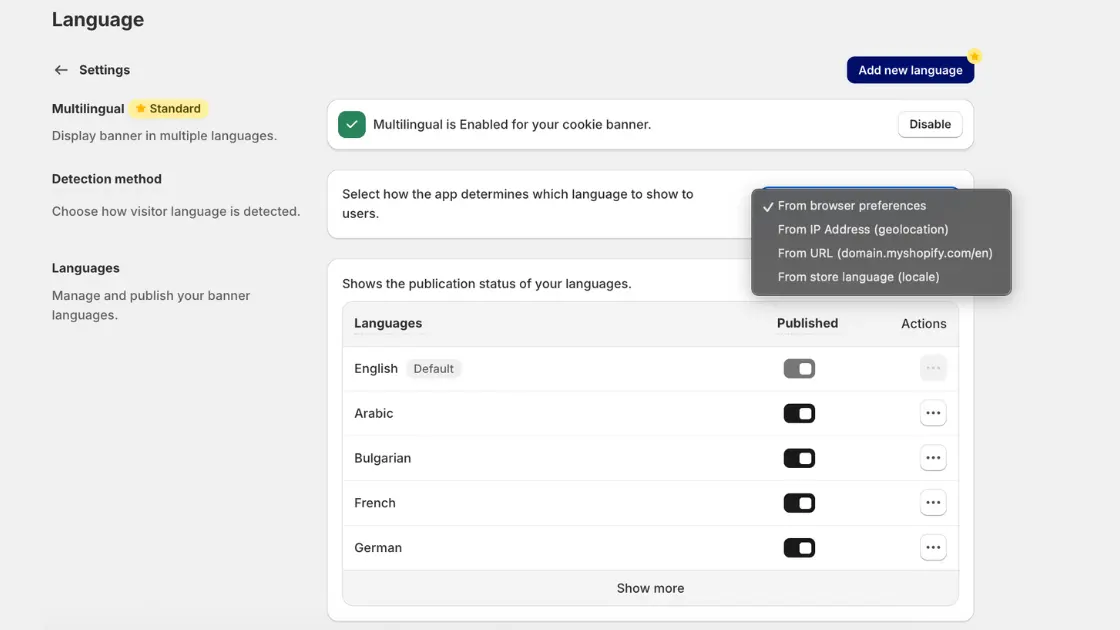
You can enable multilingual mode with one click from Settings - Language.
Once active, you can add as many languages as you need and publish them individually — perfect for stores with large international audiences.
2. Four Ways to Detect a Visitor’s Language
You now decide how Consentmo determines which language to show. Choose the method that matches your storefront setup:
- Browser preferences (recommended)
Automatically displays the banner in the user’s preferred browser language. - IP Address (geolocation)
Ideal when language should follow the user’s physical location. - URL-based detection
For stores using URLs likedomain.com/en,domain.com/fr, etc. Great for markets or Shopify Markets setups. - Store language (locale)
Displays the banner in the main store language by default.
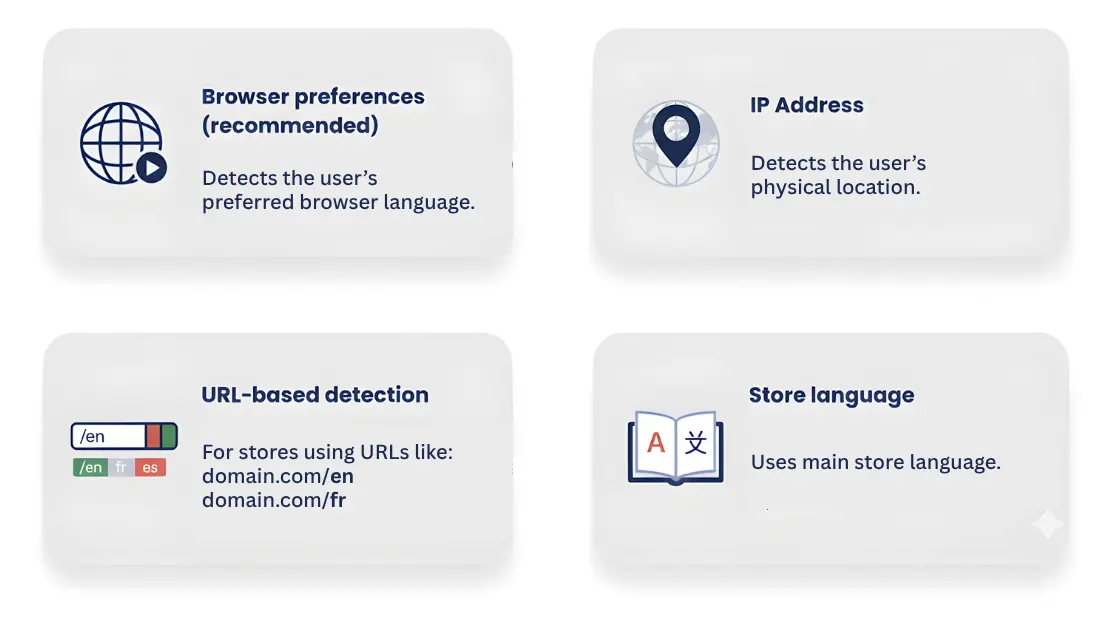
Each method fits a different type of Shopify configuration — so you can tailor detection to match how your storefront already localizes content.
3. Full Control Over Your Language List
Inside the Languages panel and Cookie banner - Content, you’ll see all available languages, each with a publish toggle. This allows you to:
- Publish only the languages you actually want live
- Set any language as the default
No more confusion or mixing; everything is simple and organized.

4. Manual Translations For Full Control
Alongside automated and pre-loaded language options, merchants can manually adjust any translation directly within the app. This is especially useful if you want to fine-tune phrasing, match your brand voice, or adapt terminology for specific markets.
You’re no longer limited to system defaults — every headline, button, and description in the banner and preferences popup can be customized by hand, giving you complete control over how your consent experience is communicated in every language you publish.
5. Seamless Integration Across the App
Languages aren’t limited to just the banner — they extend to your preferences popup, cookie widget, and (if enabled) the checkout and customer account areas. Any place Consentmo displays text, your translations follow.
Why Translations Matter in Consent Tools
Accurate translations are essential in any consent app — they ensure every visitor, regardless of language or location, understands what they’re agreeing to and can manage their privacy choices with confidence. Our latest improvements to the Translation tab make this process smoother than ever.
With easier setup, clearer controls, and more flexible detection options, Shopify merchants can now serve a truly global audience while staying fully compliant.
Outro
With these updates, managing multilingual consent is no longer a technical challenge or a time-consuming task.
Whether your store serves one country or thirty, Consentmo now adapts to your audience — from translation detection to manual customization to full RTL support.
This is another step toward making privacy compliance effortless, accessible, and globally ready.
To take advantage of these new features, install Consentmo from the Shopify App Store.
Thank you for being a valued member of the Consentmo community!


_converted.avif)